🚀 Introduction
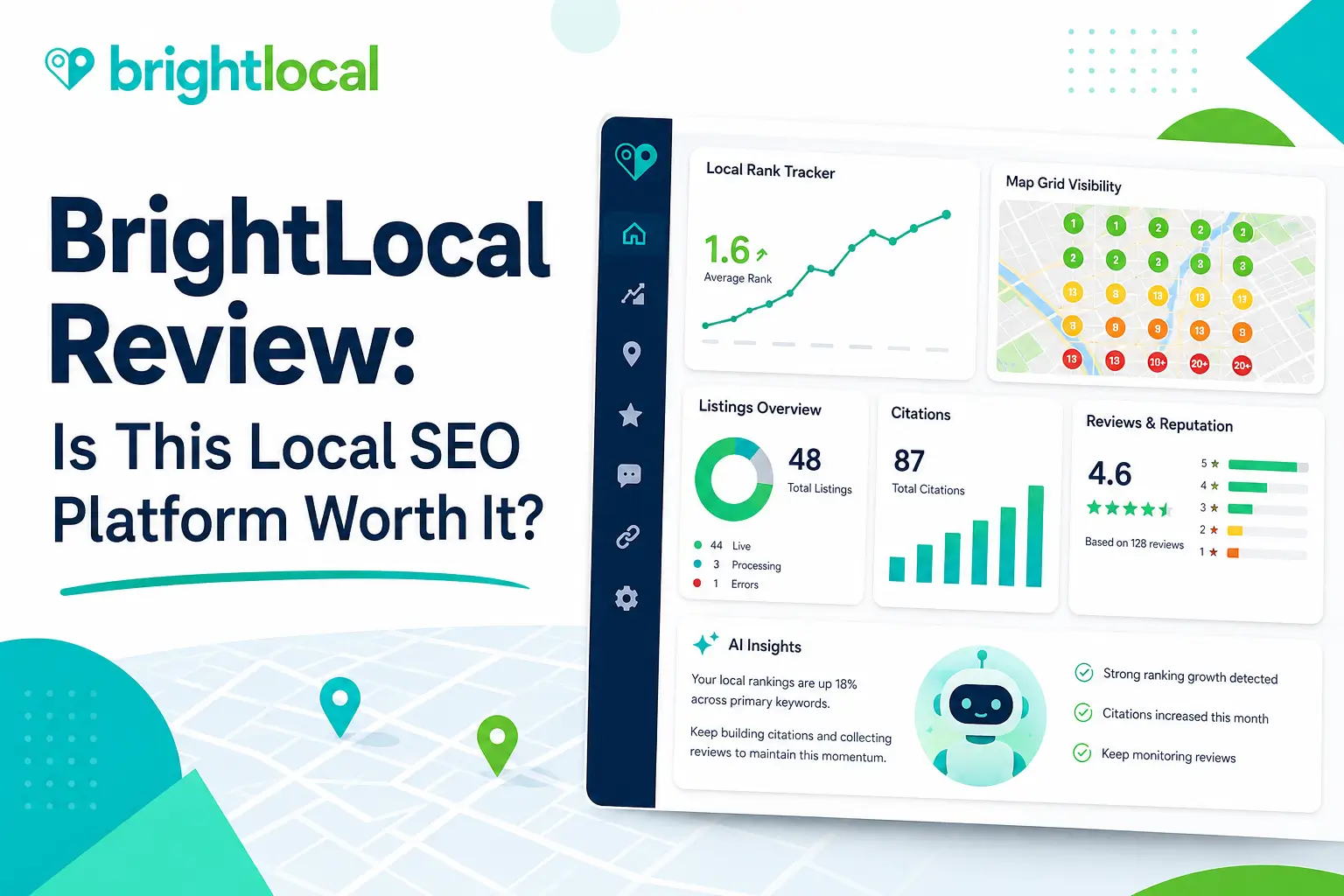
BrightLocal is worth considering if your main SEO challenge is local visibility. It helps agencies, consultants, local businesses, franchises, and multi-location brands track local rankings, audit Google Business Profiles, monitor citations, manage reviews, build reports, and improve local search performance from one platform.
That focus is important.
BrightLocal is not trying to replace Ahrefs, Semrush, Screaming Frog, or a full enterprise SEO suite. It is built specifically for local SEO.
If your business depends on appearing in Google Maps, local packs, service-area searches, “near me” queries, and location-based results, BrightLocal can be useful.
But if you mainly need backlink research, advanced technical crawling, AI article writing, or broad keyword research, another tool may be a better fit.
In this BrightLocal review, I will explain what the platform does, who should use it, where it performs well, where it falls short, and whether it is worth paying for.
⚡ Quick Verdict
BrightLocal is one of the strongest local SEO platforms for agencies, consultants, franchises, and businesses that need rank tracking, citation management, Google Business Profile audits, review monitoring, local SEO reporting, and client-ready dashboards.
It is not a complete SEO suite for every use case. But for local SEO, it is much more focused than many broad SEO platforms.
| Question | Quick Answer |
|---|---|
| Best for | Local SEO agencies, consultants, SMBs, franchises, and multi-location businesses |
| Strongest feature | Local rank tracking, citations, GBP audits, review monitoring, and reporting in one workflow |
| Biggest advantage | Built specifically for local SEO rather than general SEO |
| Biggest drawback | Citation building, managed services, and higher-volume needs may add extra costs |
| Best alternatives | Local Falcon, Whitespark, Moz Local, Yext, Semrush Local, Localo, and SE Ranking |
| My verdict | BrightLocal is worth it if local visibility is a serious acquisition channel |
| I would use BrightLocal if you need | I would not use BrightLocal if you need |
|---|---|
| Local rank tracking | Deep backlink research |
| Google Maps visibility monitoring | Advanced technical crawling |
| Citation audits and citation building | AI article writing |
| Google Business Profile audits | Premium content optimization |
| Review monitoring and reputation workflows | Enterprise keyword databases |
| White-label local SEO reports | PPC competitor intelligence |
| Multi-location visibility tracking | A general all-in-one SEO suite |
| Local SEO client reporting | A tool only for blog SEO |
The clearest takeaway is this: BrightLocal is best when your main problem is local search visibility, not general SEO research.
Best Alternatives
📚 Recommended Reads
- Semrush Alternatives: Best SEO Tools by Use Case This Year
- Nightwatch Review: Is This Rank Tracking and AI Visibility Platform Worth It?
- Localo Review: Is This Local SEO Tool Worth It?
- Local Falcon Review: Is This Local Rank Tracking Tool Worth It?
- SE Ranking Review: Is It the Best ROI SEO Platform for Agencies and AI Visibility?
📌 In This Guide
1. 🧠 What Is BrightLocal?
2. ⚙️ How BrightLocal Works
3. 🛠️ BrightLocal Key Features
4. 📍 BrightLocal for Local SEO Agencies
5. 🏪 BrightLocal for Local Businesses and Multi-Location Brands
6. 💰 BrightLocal Pricing and Value
7. 📊 Real-World Evidence: What External Reviews and Case Studies Show
8. ✅ BrightLocal Pros and Cons
9. 🔁 BrightLocal Alternatives
10. 🧪 My Practical BrightLocal Workflow
11. ⚠️ Common Mistakes When Using BrightLocal
12. ❓ FAQ
13. 🏁 Final Verdict: Is BrightLocal Worth It?
14. 📚 Recommended Next Reads
🧠 What Is BrightLocal?
BrightLocal is a local SEO platform that helps businesses and agencies monitor, manage, and improve local search visibility.
It focuses on the parts of SEO that matter most for local businesses:
- Local rank tracking.
- Google Maps visibility.
- Local Search Grid.
- Citation tracking.
- Citation building.
- Google Business Profile audits.
- Local SEO audits.
- Review monitoring.
- Review generation.
- Reputation management.
- Client reporting.
- White-label reports.
- Agency lead generation.
- Multi-location tracking.
- Google Analytics integration.
- Google Business Profile insights.
- Location summary dashboards.
- Local search performance monitoring.
- Data aggregator submissions.
- API access for larger workflows.
The most effective way to understand BrightLocal is to see it as a local search control center.
It helps answer questions like:
- Where do we rank locally?
- How do rankings change by location?
- Are citations accurate?
- Are competitors stronger in the map pack?
- Is our Google Business Profile complete?
- Are reviews helping or hurting trust?
- Which locations need attention?
- What should we report to clients?
That makes BrightLocal especially useful for agencies and businesses where local search directly affects leads, calls, visits, bookings, and revenue.
⚙️ How BrightLocal Works
BrightLocal works by connecting local SEO data, visibility tracking, audits, listings, reviews, and reports into one platform.
A typical workflow looks like this:
- Add a business location.
- Enter the business name, address, phone number, website, and category.
- Choose keywords to track.
- Choose target locations.
- Run local rank tracking reports.
- Run a Local Search Grid scan.
- Audit citations and business listings.
- Audit the Google Business Profile.
- Monitor reviews.
- Create client or internal reports.
- Build or clean up citations when needed.
- Repeat the process across locations.
This workflow is useful because local SEO has many moving parts.
A business can rank well organically but perform poorly in Maps. A location can have strong reviews but inconsistent citations. A franchise can perform well in one city and poorly in another. An agency can struggle to explain local progress without clear visual reports.
BrightLocal helps make those issues easier to see.
The key is to use it as a diagnosis and reporting platform, not only as a dashboard.
🛠️ BrightLocal Key Features
📈 Local Rank Tracker
BrightLocal’s Local Rank Tracker helps users monitor keyword rankings in local search results.
This is useful because local rankings can vary by:
- Country.
- City.
- ZIP code.
- Device.
- Search query.
- Business category.
- Competitor density.
- Searcher location.
A national ranking number does not explain local performance.
For a plumber, dentist, restaurant, lawyer, clinic, or storage facility, rankings near the customer’s location matter more than broad averages.
BrightLocal can help agencies and local businesses track those rankings over time.
A good local rank tracking workflow should include:
- Commercial keywords.
- Service keywords.
- Brand keywords.
- Near-me style keywords.
- Competitor comparisons.
- Location-specific reporting.
- Mobile visibility checks.
- Regular trend review.
The biggest mistake is tracking too many keywords without a clear local business goal.
🗺️ Local Search Grid
Local Search Grid is one of BrightLocal’s most important local visibility features.
It helps users see how a business performs across a geographic grid instead of relying on one ranking position.
This matters because Google Maps rankings are highly location-sensitive.
A business may rank well near its physical address but poorly a few miles away.
Local Search Grid can help reveal:
- Strong visibility zones.
- Weak visibility zones.
- Competitor dominance areas.
- Service-area gaps.
- Neighborhood-level opportunities.
- Local ranking changes over time.
This is especially useful for:
- local service businesses
- franchises
- multi-location businesses
- local SEO agencies
- clinics
- restaurants
- lawyers
- home services
- storage companies
- real estate businesses
A grid report can make local SEO easier to explain.
Instead of telling a client, “your ranking changed,” you can show where visibility improved or declined.
📍 Citation Tracker
BrightLocal’s Citation Tracker helps users audit online business listings.
Citations matter because local businesses need consistent business information across directories, maps, and local platforms.
Citation issues may include:
- Wrong business name.
- Incorrect address.
- Old phone number.
- Duplicate listings.
- Missing listings.
- Inconsistent categories.
- Old website URLs.
- Closed-location data.
- Conflicting business information.
- Weak directory coverage.
Citation problems can confuse customers and search engines.
BrightLocal helps identify where business information may need cleanup.
This is especially important after:
- A business moves.
- A phone number changes.
- A rebrand happens.
- A business opens new locations.
- A franchise expands.
- Old directories contain outdated information.
Citation management is not glamorous, but it is foundational for local SEO trust.
🧱 Citation Builder
BrightLocal also offers Citation Builder as a pay-as-you-go service.
This is different from many pure software tools because BrightLocal has a manual citation team that can build or update listings for users.
This can save time for agencies and local businesses.
Citation Builder is useful when:
- A new business needs local listings.
- A business has inconsistent citations.
- A franchise needs multiple locations cleaned up.
- An agency wants to outsource manual listing work.
- A business wants ownership of citations rather than only renting listings through a subscription model.
The important pricing note is that Citation Builder is separate from the main subscription.
It is accessible through BrightLocal, but citations are purchased separately.
That distinction matters when calculating total cost.
⭐ Reputation Management and Review Monitoring
BrightLocal includes review monitoring and reputation workflows.
Reviews influence customer trust and local conversion.
A business with weak visibility but strong reviews may still win customers. A business with good rankings but poor reviews may lose leads.
BrightLocal can help users:
- Monitor reviews.
- Track review trends.
- Generate review requests.
- Report on review performance.
- Identify reputation issues.
- Improve client reporting.
- Track review growth.
- Compare reputation signals.
Review management is especially useful for:
- dentists
- clinics
- restaurants
- home service businesses
- lawyers
- local retailers
- agencies serving local clients
- franchises
However, review tools do not replace good customer service.
They help manage the process.
🧪 Google Business Profile Audit
BrightLocal includes Google Business Profile audit tools.
This is useful because Google Business Profile is central to local SEO.
A GBP audit may help review:
- Business categories.
- Business information.
- Photos.
- Reviews.
- Posts.
- Services.
- Opening hours.
- Profile completeness.
- Competitor comparison.
- Local visibility signals.
A weak GBP profile can limit local performance even if the website is good.
BrightLocal helps agencies and businesses identify issues that may be holding a listing back.
🧾 Local Search Audit
BrightLocal’s Local Search Audit gives a broader view of local SEO health.
It can help users assess:
- Rankings.
- Citations.
- Reviews.
- On-site local SEO.
- Google Business Profile strength.
- Competitor comparisons.
- Website signals.
- Local visibility gaps.
This is helpful for client onboarding.
Agencies can run audits to show:
- What is wrong?
- What needs priority?
- Where competitors are stronger.
- What work should happen next?
A good audit is not just a list of errors.
It should turn into an action plan.
📊 Reporting and White-Label Dashboards
BrightLocal is especially useful for agencies because of its reporting features.
Local SEO is difficult to explain without visuals.
BrightLocal can help agencies show:
- Ranking trends.
- Local grid visibility.
- Citation issues.
- Review growth.
- GBP performance.
- Location-level progress.
- Competitor movement.
- Monthly improvements.
White-label reporting is useful when agencies want to present reports under their own brand.
This can save time and improve client communication.
For agencies, reporting can be just as important as data collection.
Clients need to understand what changed and what happens next.
🏢 Multi-Location Reporting
BrightLocal can support multi-location workflows.
This matters for franchises, healthcare groups, storage companies, restaurants, agencies, and service businesses with multiple branches.
Multi-location SEO requires comparing:
- Location A vs Location B.
- City-level rankings.
- GBP completeness.
- Review performance.
- Citation consistency.
- Local competitor pressure.
- Weak branches.
- Strong branches.
- Common issues.
- Location-specific opportunities.
BrightLocal’s roll-up reporting and location dashboards can help teams manage this complexity.
A single-location tool is not enough when the business has 20, 50, or 100 locations.
📍 BrightLocal for Local SEO Agencies
BrightLocal is one of the strongest fits for local SEO agencies.
Agencies need tools that help them:
- Track local rankings.
- Audit new prospects.
- Monitor existing clients.
- Manage citations.
- Track reviews.
- Build reports.
- Prove value.
- Scale without adding too much manual work.
BrightLocal is useful because it combines several local SEO workflows in one place.
I Would Use BrightLocal for Agencies If You Need:
| Use BrightLocal If | Why |
|---|---|
| You manage local clients | It organizes rankings, citations, audits, and reviews |
| You need white-label reports | Client communication becomes easier |
| You sell local SEO audits | Audit tools can support prospecting and onboarding |
| You manage citations | Citation Builder can reduce manual work |
| You track Google Maps visibility | Local Search Grid helps show location-level performance |
| You need multi-location visibility | Roll-up reporting helps compare locations |
I Would Not Use BrightLocal for Agencies If You Need:
| Avoid BrightLocal If | Better Fit |
|---|---|
| Deep backlink analysis | Ahrefs or Semrush |
| Technical crawling | Screaming Frog or Sitebulb |
| AI article writing | ContentPen, KoalaWriter, or Jasper |
| Content optimization | NeuronWriter, Surfer, or Clearscope |
| Broad PPC research | Semrush |
| Advanced AI visibility tracking | Nightwatch, SE Ranking, or Ahrefs Brand Radar |
For agencies, BrightLocal works best as the local SEO operating system.
It should be paired with other tools if the agency also sells technical SEO, content SEO, or link building.
🏪 BrightLocal for Local Businesses and Multi-Location Brands
BrightLocal can also help local businesses that manage their own SEO.
A local business can use BrightLocal to:
- Track local rankings.
- Check map visibility.
- Audit citations.
- Monitor reviews.
- Audit Google Business Profile.
- Compare local competitors.
- Generate local SEO reports.
- Identify next actions.
This is useful for businesses such as:
- dentists
- lawyers
- clinics
- restaurants
- plumbers
- electricians
- storage facilities
- gyms
- salons
- real estate agencies
- local retailers
- home service companies
I Would Use BrightLocal for Local Businesses If You Need:
| Use BrightLocal If | Why |
|---|---|
| Local search drives leads | Tracking visibility becomes important |
| Reviews influence conversions | Reputation monitoring helps protect trust |
| You have citation issues | Listing consistency can be improved |
| You manage several locations | Location comparisons help prioritize work |
| You want clear local reports | Data becomes easier to understand |
I Would Not Use BrightLocal If You Need:
| Avoid BrightLocal If | Better Fit |
|---|---|
| A simple website SEO plugin | Rank Math or Yoast |
| Blog content optimization | NeuronWriter or Surfer |
| Backlink research | Ahrefs |
| Deep technical audits | Screaming Frog |
| Product SEO for e-commerce | Semrush, Screaming Frog, or ecommerce tools |
For small local businesses, BrightLocal may feel like more of a tool than needed at first.
It becomes more useful when local search is a serious channel and the business wants to track progress consistently.
💰 BrightLocal Pricing and Value
BrightLocal’s pricing depends on the platform plan and whether you need additional services such as citation building, managed SEO services, or API access.
At the time of writing, BrightLocal’s main platform pricing starts from $39/month on the pricing page, while the broader homepage also references platform access from $29/month. Because pricing can change and may vary by plan configuration, always check the official pricing page before subscribing.
The main platform plans are structured around local SEO workflows such as tracking, managing listings, and growing reputation.
| Plan Type | Best For | Main Idea |
|---|---|---|
| Track | Local SEO tracking and monitoring | Rankings, audits, visibility, and reporting |
| Manage | Listings and local visibility management | Adds stronger listing-management workflows |
| Grow | Reputation and growth workflows | Adds review and reputation-focused features |
| Custom/API | Larger teams and platforms | Tailored limits, API access, and data workflows |
BrightLocal also offers separate citation building.
Citation Builder can be used without a full subscription, and citation building is priced separately on a pay-as-you-go basis.
| BrightLocal Cost Area | Pricing Note |
|---|---|
| Platform subscription | Starts from the main monthly platform plans |
| Citation Builder | Separate pay-as-you-go pricing |
| Bulk citation credits | Can reduce per-citation cost |
| Managed local SEO services | Separate managed-service pricing |
| API access | Custom pricing |
How I Would Think About Value
| User Type | Is BrightLocal Worth It? | Why |
|---|---|---|
| New blogger | No | Local SEO is not the main workflow |
| Single local business | Maybe | Useful if local search is a serious lead source |
| Local SEO consultant | Yes | Strong fit for audits, tracking, citations, and reports |
| Small agency | Yes | Reporting and citation workflows can save time |
| Multi-location business | Yes | Location-level reporting and monitoring are valuable |
| Ecommerce store | Usually no | Unless local stores matter |
| SaaS brand | Usually no | Not a primary fit unless serving local branches |
BrightLocal is easiest to justify when local visibility directly affects revenue.
If your business does not depend on local search, another tool may be better.
📊 Real-World Evidence: What External Reviews and Case Studies Show
BrightLocal has strong official case studies and review-platform ratings, but external review sources help create a more balanced view.
External source: Gartner Peer Insights, Capterra, G2, and LocalDominator.
Gartner Peer Insights describes BrightLocal as a platform focused on improving local SEO and mentions tools such as Local Rank Tracker, Local Search Grid, Citation Tracker, Local Search Audit, and Google Business Profile Audit.
Capterra user feedback highlights BrightLocal’s usefulness for managing Google Business accounts, local grid tracking, citation campaigns, and local SEO workflows. One reviewer also noted that getting started can feel confusing for a beginner, which supports the idea that the tool is more useful when the user has a clear local SEO workflow.
G2 shows BrightLocal as a strongly rated local SEO platform, and BrightLocal’s own pricing and agency pages currently display ratings from Google, G2, and Capterra. Those ratings support positive user satisfaction, but they should still be treated as review-platform signals rather than guaranteed performance proof.
LocalDominator’s independent BrightLocal review positions the tool as an all-in-one local marketing platform for SEO professionals, especially agencies that need rank tracking, citation management, reputation monitoring, and SEO auditing in one dashboard. It also points out that operational complexity can be a limitation for some users.
Here is the practical evidence summary:
| Evidence Point | What It Means for BrightLocal Users |
|---|---|
| Gartner describes core local SEO tools | Supports BrightLocal’s positioning as a local SEO platform |
| Capterra users mention local grids and citations | Confirms value for local tracking and citation workflows |
| Review-platform ratings are strong | Suggests positive satisfaction among many users |
| Beginner confusion appears in feedback | New users should follow a structured setup workflow |
| Independent review notes agency fit | BrightLocal is strongest for data-heavy local SEO workflows |
For Searchmora readers, the fair conclusion is this:
BrightLocal is best supported as a local SEO platform for agencies, consultants, and businesses that need local tracking, citations, reviews, audits, and reporting.
It is not a magic local ranking tool.
The value comes from turning local SEO data into consistent action.
✅ BrightLocal Pros and Cons
✅ Pros
| Pro | Why It Matters |
|---|---|
| Built specifically for local SEO | More focused than broad SEO suites |
| Local Rank Tracker | Helps monitor keyword performance by location |
| Local Search Grid | Shows Google Maps visibility across nearby areas |
| Citation Tracker | Helps find inconsistent or missing listings |
| Citation Builder | Saves time by outsourcing citation work |
| GBP Audit | Helps identify Google Business Profile issues |
| Local Search Audit | Useful for client onboarding and local SEO diagnosis |
| Review monitoring | Supports reputation and trust workflows |
| White-label reporting | Valuable for agencies and consultants |
| Multi-location support | Useful for franchises and local chains |
| Free local SEO tools | Helpful for quick checks and lead generation |
| API access | Useful for platforms and advanced teams |
❌ Cons
| Con | Why It Matters |
|---|---|
| Not a full SEO suite | You still need other tools for backlinks, content, and technical SEO |
| Pricing can rise with services | Citation building and managed services are separate costs |
| Beginners may feel unsure where to start | Local SEO workflows require setup and interpretation |
| Not a content optimization tool | NeuronWriter, Surfer, or Clearscope are better for articles |
| Not a technical crawler | Screaming Frog and Sitebulb are better for deep crawls |
| Not a backlink platform | Ahrefs and Semrush are stronger for link intelligence |
| Local-only focus | Less useful for websites that do not depend on location-based search |
The biggest mistake is treating BrightLocal like a general SEO suite.
Its value is local visibility.
Use it when local search matters.
🔁 BrightLocal Alternatives
BrightLocal is strong for local SEO, but another tool may be better depending on your exact workflow.
| Tool | Best For | Why Choose It Instead of BrightLocal |
|---|---|---|
| Local Falcon | Google Maps heatmaps | Better if map-grid tracking is your main priority |
| Whitespark | Citations and local search consulting | Better if citation research and local citation strategy matter most |
| Moz Local | Listing management | Better if you want a more automated listing distribution workflow |
| Yext | Enterprise listings | Better for large brands needing structured listing management at scale |
| Semrush Local | Local SEO inside a broader Semrush ecosystem | Better if you already use Semrush |
| Localo | Guided GBP optimization | Better if you want simpler guided local SEO recommendations |
| Nightwatch | Local rank tracking and AI visibility | Better if rank tracking and reporting matter more than citations |
| SE Ranking | Broader SEO and local tracking | Better if you want local tools inside a wider SEO platform |
The decision is simple:
- Choose BrightLocal for a balanced local SEO platform.
- Choose Local Falcon for map-grid tracking.
- Choose Whitespark for citation strategy.
- Choose Moz Local or Yext for listing distribution.
- Choose Localo for a simpler guided workflow.
- Choose Nightwatch for tracking and reports.
- Choose SE Ranking for broader SEO plus local tracking.
🧪 My Practical BrightLocal Workflow
If I were using BrightLocal for a local SEO client, I would not start with random reports.
I would use a structured workflow.
Step 1: Add the Business Location
First, I would add the correct business details:
- Business name.
- Address.
- Phone number.
- Website.
- Primary category.
- Service areas.
- Competitors.
- Target keywords.
Accuracy matters.
Wrong business data can weaken every later report.
Step 2: Run a Local Search Audit
Next, I would run a Local Search Audit to understand the baseline.
I would check:
- Rankings.
- Citations.
- GBP strength.
- Reviews.
- On-site local SEO.
- Competitor signals.
- Missing opportunities.
This creates the initial action plan.
Step 3: Run Local Rank Tracker and Local Search Grid
Then I would track keywords by location and run grid reports for map visibility.
I would look for:
- Areas with strong rankings.
- Areas with weak visibility.
- Competitors are dominating the map pack.
- Keywords close to improvement.
- Service areas need stronger pages.
Step 4: Audit Citations
After that, I would check citation consistency.
I would identify:
- Wrong NAP information.
- Missing important listings.
- Duplicates.
- Old business details.
- Category issues.
Citation cleanup should happen carefully.
Step 5: Review Google Business Profile Issues
Then I would review GBP issues.
I would check:
- Categories.
- Services.
- Photos.
- Reviews.
- Business hours.
- Posts.
- Description.
- Competitor comparison.
GBP improvements often support local visibility and conversions.
Step 6: Monitor Reviews
Next, I would review reputation signals.
I would track:
- Review count.
- Review velocity.
- Rating trends.
- Negative review themes.
- Competitor ratings.
- Response consistency.
Review management should be connected to customer experience, not just SEO.
Step 7: Report and Prioritize
Finally, I would build a client report that explains:
- What changed.
- What improved.
- What declined.
- What needs action?
- What should the next month focus on?
The best reports not only show data.
They make decisions.
⚠️ Common Mistakes When Using BrightLocal
1. Tracking Too Many Keywords
Track the keywords that matter for leads, calls, visits, and bookings.
2. Ignoring Grid Data
Average rankings can hide local visibility problems.
Use grid reports when map visibility matters.
3. Treating Citations as a One-Time Task
Business information changes.
Citations need periodic review.
4. Ignoring Reviews
Reviews affect trust and conversions.
Do not focus only on rankings.
5. Running Audits Without Action
An audit is only useful if it creates a prioritized plan.
6. Comparing BrightLocal to Ahrefs
They solve different problems.
BrightLocal is local SEO. Ahrefs is for research and backlinks.
7. Forgetting Google Business Profile Optimization
Local rankings often depend on GBP quality.
Audit and improve it regularly.
8. Not Explaining Reports to Clients
Reports need context.
Clients need to understand what changed and why it matters.
❓ FAQ
1. What is BrightLocal?
BrightLocal is a local SEO platform for tracking local rankings, auditing citations, managing reviews, auditing Google Business Profiles, building reports, and improving local search visibility.
2. Is BrightLocal good for local SEO?
Yes. BrightLocal is one of the strongest platforms for local SEO agencies, consultants, SMBs, and multi-location businesses that need local tracking, citations, audits, reviews, and reports.
3. How much does BrightLocal cost?
BrightLocal’s main pricing page currently shows platform pricing starting at $39/month, while the homepage also references platform access from $29/month. Pricing can change, so check the official pricing page before subscribing.
4. Does BrightLocal offer a free trial?
Yes. BrightLocal currently offers a 14-day free trial with no credit card required.
5. Does BrightLocal build citations?
Yes. BrightLocal offers Citation Builder as a separate pay-as-you-go service. Users can use it without a full platform subscription.
6. Is Citation Builder included in BrightLocal plans?
Citation Builder is accessible through BrightLocal, but citation building itself is purchased separately. Pricing starts from a per-citation model and may be lower with bulk credits.
7. Is BrightLocal better than Local Falcon?
BrightLocal is better for broader local SEO workflows, including audits, citations, reviews, and reports. Local Falcon is better if your main priority is map-grid tracking.
8. Is BrightLocal better than Whitespark?
BrightLocal is broader as a local SEO platform. Whitespark may be stronger for users focused heavily on citation strategy and local citation research.
9. Is BrightLocal good for agencies?
Yes. BrightLocal is especially useful for agencies because it supports white-label reports, local audits, citation workflows, review monitoring, and multi-location reporting.
10. Does BrightLocal replace Semrush?
No. BrightLocal can replace the local SEO part of a broader SEO stack, but it does not replace Semrush for backlink research, PPC data, broad keyword research, or full competitor analysis.
🏁 Final Verdict: Is BrightLocal Worth It?
BrightLocal is worth it if local SEO is a serious part of your business or agency workflow.
It is especially useful for local SEO agencies, consultants, multi-location brands, franchises, and local businesses that need to track visibility, audit citations, monitor reviews, improve Google Business Profiles, and report progress clearly.
It is not the right tool for everyone.
If you need backlink research, technical crawling, content optimization, or AI writing, choose a different tool.
But if your main question is:
How visible is this business in local search, and what should we improve next?
BrightLocal is one of the strongest platforms to consider.
My final recommendation is simple:
Use BrightLocal if you need a focused local SEO platform for rankings, citations, reviews, audits, and reports.
Skip BrightLocal if local search is not a meaningful acquisition channel for your business.
The clearest takeaway is this: BrightLocal is not a general SEO suite. It is a local SEO platform built for businesses and agencies that need to be found, chosen, and trusted locally.
📚 Recommended Next Reads
- Semrush Alternatives: Best SEO Tools by Use Case This Year
- Nightwatch Review: Is This Rank Tracking and AI Visibility Platform Worth It?
- Localo Review: Is This Local SEO Tool Worth It?
- Local Falcon Review: Is This Local Rank Tracking Tool Worth It?
- SE Ranking Review: Is It the Best ROI SEO Platform for Agencies and AI Visibility?
Comments 4