⚡ Quick Answer
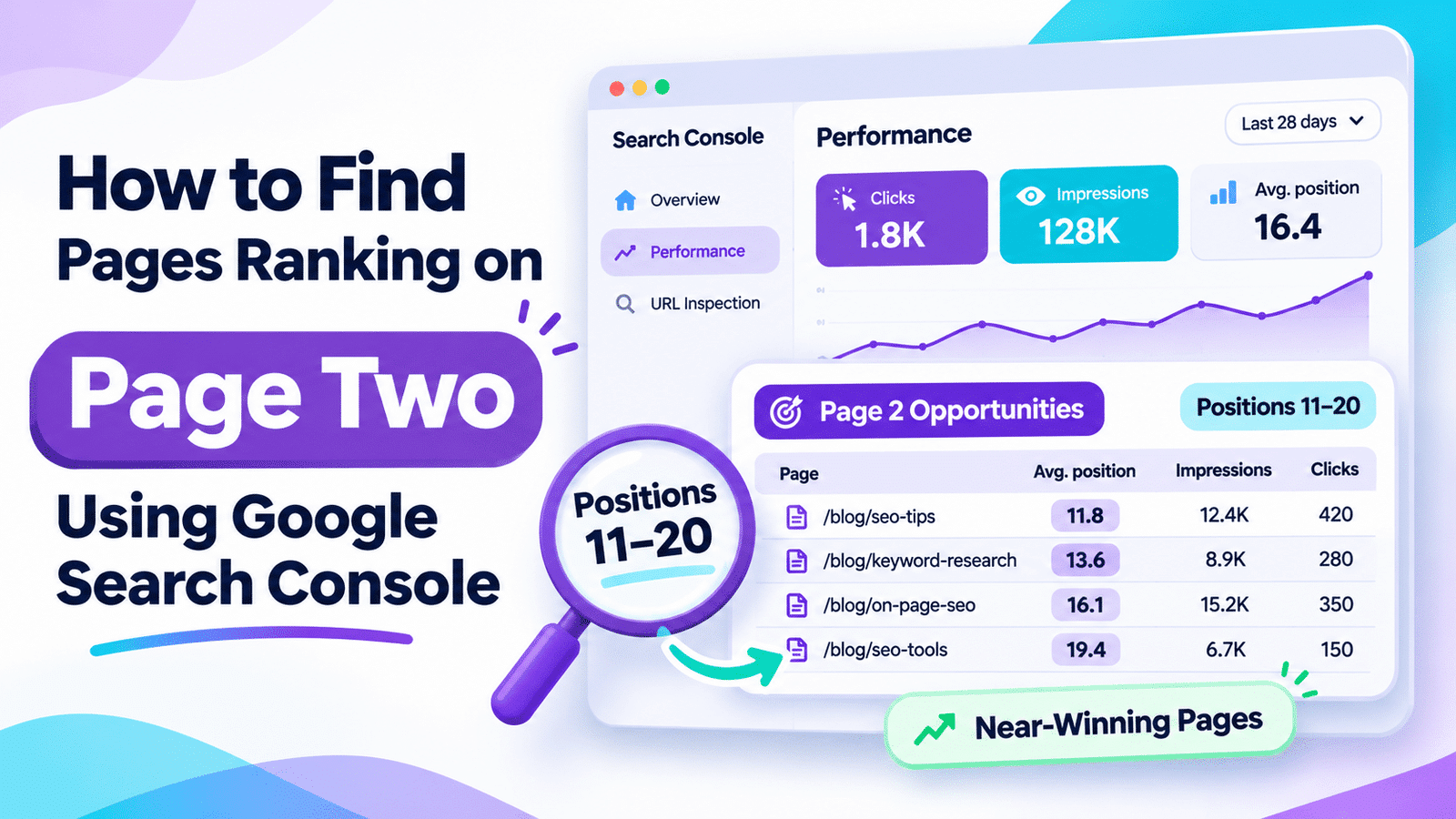
Page two rankings are pages averaging positions 11–20 in Google Search. To find pages ranking on page two using Google Search Console, open Performance → Search results, enable Average position, and review the Pages report. Export the data and filter average positions between 11 and 20. Then inspect each page’s queries to identify realistic opportunities for improving rankings.
Pages close to the top results may need targeted improvements, not complete rewrites or expensive SEO software.
📌 In This Guide
⚖️ Quick Verdict
For bloggers and small website owners, Google Search Console is the best free starting point for discovering page two rankings that may be close to stronger search visibility.
Instead of creating another article, investigate pages that already receive impressions for relevant searches.
A small improvement to an existing page may be more valuable than publishing content targeting another highly competitive keyword.
| Average Position | What It Suggests | Recommended Action |
|---|---|---|
| 1–5 | Strong existing visibility | Protect and monitor |
| 6–10 | Prominent but potentially improvable | Investigate CTR and intent |
| 11–15 | Potential quick-win candidate | Review queries and content gaps |
| 16–20 | Relevant visibility but weaker positioning | Improve content and internal links |
| 21–40 | More substantial ranking work may be needed | Review topical relevance and competition |
These ranges are practical editorial guidelines, not official Google ranking categories.
I would use:
- Google Search Console to identify ranking opportunities.
- Google Sheets to filter and organize pages.
- Manual SERP analysis to identify missing information.
- Relevant internal links to support important content.
I would not use:
- Expensive subscriptions just to find positions 11–20.
- Automated article rewrites based only on rankings.
- Keyword stuffing to increase an optimization score.
- Guaranteed first-page ranking promises.
Bottom line: Start with pages that Google already shows for relevant searches, and improve the ones with a clear reason to perform better.
🔎 What Page Two Rankings Actually Mean
In traditional Google search results, positions 11–20 were commonly described as page two.
Today, Google Search interfaces can present results differently, so “page two” is best treated as shorthand for average positions 11–20, not a guarantee that users will see a literal second results page.
This distinction matters when interpreting Search Console data.
Why Positions 11–20 Are Worth Investigating
Imagine a small WordPress blog with 25 published articles.
One article about free SEO audits receives:
- 1,800 impressions.
- 12 clicks.
- 0.67% CTR.
- Average position: 14.2.
The article already appears in Google Search results, but it may not receive enough visibility to attract substantial traffic.
That makes it worth investigating.
However, improving its ranking will depend on whether the content meets search intent, how strong competing pages are, and whether the query has meaningful traffic potential.
The example figures are hypothetical.
Average Position Is Not a Fixed Ranking
Google Search Console reports average position across the recorded impressions for the selected dimension and filters.
An article with an average position of 14.2 does not necessarily rank 14th for every search.
For example:
| Query | Average Position |
|---|---|
| free SEO audit checklist | 8.5 |
| WordPress SEO audit guide | 13.7 |
| best SEO software | 29.4 |
The same article may perform quite differently across individual queries.
This is why inspecting page-level averages alone is not enough.
The most useful opportunity is often a specific page-query combination, not simply a page with an average position between 11 and 20.
📊 Find Page Two Rankings in Google Search Console
You can identify potential page two ranking opportunities without installing a WordPress plugin or purchasing keyword research software.
Step 1: Open the Search Results Report
Sign in to Google Search Console.
Select the appropriate website property.
Then navigate to:
Performance → Search results
Enable these four metrics:
- Total clicks.
- Total impressions.
- Average CTR.
- Average position.
Set the Search type to Web.
Choose a date range such as the last three months.
If your website receives very little search traffic, a longer period may provide more information, although older data may not reflect current rankings.
Step 2: Open the Pages Tab
Under the performance chart, select Pages.
This report shows search-performance data grouped by URL.
You should see columns for:
- Clicks.
- Impressions.
- CTR.
- Position.
The position column represents an average for that page under the selected filters.
Step 3: Look for Positions Between 11 and 20
Review the position column.
Pages averaging between positions 11 and 20 are potential candidates for further investigation.
For example:
| Page | Impressions | Clicks | Position |
|---|---|---|---|
| /free-seo-audit/ | 2,100 | 18 | 11.8 |
| /keyword-research-guide/ | 1,450 | 7 | 14.6 |
| /wordpress-seo-tips/ | 720 | 2 | 18.9 |
| /ai-seo-glossary/ | 85 | 0 | 13.2 |
Illustrative data, not Searchmora’s actual results.
Do not assume that all four pages deserve equal attention.
The glossary has a potentially interesting position, but its limited impressions provide less evidence of traffic opportunity.
The free SEO audit article may deserve earlier investigation because it already receives significantly more impressions.
Step 4: Inspect Queries for Each Candidate
Click a page in the Pages report to apply a page filter.
Next, open the Queries tab.
Now you can examine which searches generated impressions for that URL.
For example:
| Query | Impressions | Position |
|---|---|---|
| free SEO audit for WordPress | 950 | 12.3 |
| WordPress SEO audit checklist | 680 | 15.1 |
| free technical SEO checklist | 210 | 19.2 |
| professional SEO agency audit | 45 | 37.8 |
The first three queries may represent relevant opportunities for a free WordPress SEO guide.
The last query suggests a different kind of service.
Do not optimize your article for a service-related query if your page is designed for people who want to perform their own audit.
Step 5: Check Country and Device Differences
Keep the page filter active and review the Countries and Devices tabs.
Your page may rank differently across countries and devices.
For example:
- Desktop searches may show relatively strong positioning.
- Mobile searches may produce more impressions but weaker positions.
- Your main target country may perform differently from other markets.
If your website primarily serves American bloggers, performance among that audience may be more useful than the global average.
The purpose is to identify relevant page two rankings, not chase every impression.
📋 Export and Filter Positions 11–20
Manually reviewing page two rankings is practical for a website with only a few pages.
For a larger blog, Google Sheets makes the process easier.
Step 1: Export Search Console Data
In the Search results report, select Export.
Choose Google Sheets or download a spreadsheet-compatible format.
The export provides the available performance tables for the selected report configuration.
Open the sheet containing page-level data.
Step 2: Filter the Average Position Column
In Google Sheets:
- Select the page-performance table.
- Choose Data → Create a filter.
- Open the filter for the Position column.
- Choose Filter by condition → Is between, where available.
- Enter 11 and 20.
You can also use the greater-than and less-than conditions or a formula if your Sheets interface does not offer an appropriate between filter.
Google Search Console does not require a separate paid tool for this workflow.
Step 3: Apply a Minimum-Impression Filter
A page with 12 impressions and an average position of 12.5 is not automatically a better opportunity than a page with 900 impressions and an average position of 16.
For a modest blog, consider starting with pages receiving at least 100 impressions during the selected period.
This is an optional working threshold, not an official Google recommendation.
For very small websites, use a lower threshold if necessary.
Step 4: Use a Google Sheets Formula
Suppose your spreadsheet contains:
| Column | Data |
|---|---|
| A | Page URL |
| B | Clicks |
| C | Impressions |
| D | CTR |
| E | Position |
You can use:
=FILTER(A2:E, E2:E>=11, E2:E<=20, C2:C>=100)This returns rows whose average positions are between 11 and 20 and whose impressions are at least 100.
Adjust the ranges to match your actual spreadsheet.
If your Google Sheets locale uses semicolons as formula separators, replace the argument-separating commas accordingly.
Important: This formula identifies pages based on page-level averages. You still need to inspect each selected page’s individual queries in Search Console.
Step 5: Save Your Opportunity List
Create a new tab called:
SEO Quick Wins
Use these columns:
| Field | Purpose |
|---|---|
| URL | Identifies the page |
| Target query | Defines the relevant search |
| Impressions | Indicates existing search exposure |
| Clicks | Shows current search traffic |
| Average position | Indicates relative visibility |
| Search intent | Identifies the reader’s goal |
| Recommended fix | Defines the improvement |
| Priority | Helps schedule the work |
You now have a practical SEO improvement list without paying for another platform.
🎯 Choose Which Pages to Improve First
Finding page two rankings is only the beginning.
The next step is identifying which opportunities are worth your limited time.
Prioritize Relevance Before Rankings
A relevant query averaging position 16 may be more valuable than an unrelated query averaging position 11.
For example, consider a website helping bloggers improve SEO on a small budget.
Which query better matches its audience?
- “free SEO audit checklist for WordPress”
- “enterprise SEO consulting companies”
The first query is probably more relevant to the site’s content and intended readers.
Even if the second appears to have greater search demand, optimizing for it could attract the wrong audience.
Use a Simple Priority Matrix
| Candidate | Opportunity | Priority |
|---|---|---|
| Relevant query, high impressions, position 11–15 | Strong existing visibility | High |
| Relevant query, moderate impressions, position 16–20 | Promising improvement target | Medium |
| Relevant query, low impressions | Limited evidence of demand | Monitor |
| Irrelevant query, good average position | Poor audience fit | Low |
| Page with valuable conversions and declining clicks | Business value at risk | High |
These are prioritization guidelines, not predictions of ranking gains.
Example: A Small Blog With Three Candidates
Suppose you identify the following pages:
| Article | Position | Impressions | Action |
|---|---|---|---|
| Free WordPress SEO Audit | 12.4 | 1,900 | Add missing audit steps |
| SEO Tool Comparison | 17.8 | 850 | Improve comparison details |
| General SEO Glossary | 14.1 | 90 | Monitor |
The first article is a reasonable starting point.
It receives meaningful impressions, ranks close to stronger visibility, and has a specific content improvement you can make.
For a broader framework, our How to Audit SEO Content with AI guide explains how to combine rankings with content quality, technical health, and business value.
The goal is to avoid spending hours updating pages that have little realistic potential.
🛠️ Improve Page Two Rankings Without Paid Tools
Once you have identified promising page two rankings, choose improvements that address a specific weakness.
Improve Search Intent Alignment
Search the target query and examine the current results.
Ask:
- Are users looking for a tutorial, comparison, or product?
- Do the strongest results provide tools or checklists?
- Are visitors expecting a short answer or a detailed process?
- Does my article solve the same problem?
- Is important information missing?
For example, a page targeting “how to audit a small WordPress website” should provide actionable instructions.
A generic explanation of what SEO means is unlikely to satisfy that search.
Add Missing Practical Information
Look for useful information that your page does not currently provide.
Examples:
- A detailed workflow.
- A Google Search Console screenshot.
- A troubleshooting table.
- A checklist with clear actions.
- An updated comparison.
- A worked example using actual or clearly labeled sample data.
Do not copy competitors’ wording or add irrelevant sections simply because they appear on highly ranked pages.
Your objective is to create a more useful answer.
If you need help identifying content gaps, see Best AI Tools Tested for Content Audits.
For a small website, manually reviewing the top relevant results may be enough.
Improve Internal Linking
Internal linking is one of the most accessible SEO improvements for small WordPress blogs.
Suppose you have an article about free SEO auditing.
You could link to it naturally from existing posts about:
- WordPress indexing.
- Google Search Console.
- SEO checklists.
- Improving older blog posts.
Use descriptive anchor text that explains the destination.
For example:
Better anchor: free WordPress SEO audit checklist
Weaker anchor: click here
The internal link should help readers move to a relevant next step.
Do not add the same keyword-rich link repeatedly throughout unrelated articles.
If your site has grown and manual linking has become difficult, our Best AI Tools Tested for Internal Linking comparison explains when automation may be worth considering.
For a blog with 20–30 articles, manual internal linking is often manageable.
Improve Titles When There Is a Clear Reason
A page ranking around position 15 primarily needs better relevance and stronger positioning.
Changing the SEO title alone may not solve that problem.
However, if the current title is vague or does not match the target query, improving it can make the page’s purpose clearer.
Example:
Before: SEO Checklist for Beginners
After: Free WordPress SEO Audit Checklist for Small Websites
The second title is more specific, provided the article genuinely contains that checklist.
Similarly, a meta description should explain the practical value of the page rather than repeat keywords.
See How to Write Better Meta Descriptions with AI for a more detailed explanation.
Check Technical Problems Before Rewriting
Use Search Console’s URL Inspection tool to verify:
- The intended URL is indexed.
- Google selected the expected canonical URL.
- The page is not accidentally marked noindex.
- The content can be accessed and rendered.
- The URL does not redirect unexpectedly.
Also confirm that important pages receive relevant internal links.
A full content rewrite is not the right first step when a technical problem is interfering with the intended URL.
Don’t Change the URL Without a Strong Reason
If an article is already receiving relevant impressions, preserve its existing URL unless a clear technical or editorial need justifies changing it.
Changing the slug unnecessarily creates extra work and can introduce redirect problems.
You can improve titles, explanations, examples, and internal links without changing the address.
🧪 Real Case Study: The Impact of Internal Links
A real SEO experiment published by SearchPilot on September 30, 2026, demonstrated how a focused internal-linking change affected organic traffic.
The experiment involved an ecommerce website with product detail pages and brand-level product listing pages.
What Was the Problem?
Product pages displayed brand names as plain text.
Those brand names did not link directly to the relevant brand listing pages.
The website therefore had an opportunity to make the relationship between products and their brands clearer through internal links.
What Did SearchPilot Test?
The experiment converted brand-name text on product detail pages into clickable links pointing to the corresponding brand listing pages.
This created additional relevant internal links without requiring a complete website redesign or content rewrite.
What Were the Results?
| Measurement | Reported Finding |
|---|---|
| Change tested | Brand text converted into internal links |
| Target pages | Brand-level product listing pages |
| Organic traffic effect | Predicted +18% uplift |
| Statistical reporting | 95% credible interval |
| Product detail page impact | Inconclusive |
The experiment found a positive organic-traffic effect on the destination page type.
External Source: SearchPilot — How We Increased Organic PLP Traffic by 18% with SEO A/B Testing
What Can Small Website Owners Learn?
The experiment shows that relevant internal links can make a meaningful difference in some situations.
It does not show that every page ranking between positions 11 and 20 will improve by 18%.
The tested pages belonged to a large ecommerce website, and SearchPilot did not establish that its results apply universally to small blogs.
It also did not isolate a special effect for pages averaging positions 11–20.
Nevertheless, the practical lesson is relevant.
Before rewriting a promising article, inspect whether existing related pages link to it naturally.
A simple, useful internal-linking improvement may be worth testing.
📈 Measure Your Results
Finding and improving page two rankings is not complete until you measure what happened.
Record Your Baseline
Before improving page two rankings, record:
- Target URL.
- Primary relevant query.
- Impressions.
- Clicks.
- CTR.
- Average position.
- Date of the change.
Use the same country, device, and search type when comparing performance.
Review Performance After Updating
Allow time for Google to recrawl and process the changes.
A practical starting point is comparing the 28 days before an update with a later 28-day period, while accounting for processing time.
This is a measurement approach, not a promise that rankings will improve within 28 days.
Example Performance Tracking
| Metric | Before | After |
|---|---|---|
| Average position | 14.8 | 10.6 |
| Impressions | 1,200 | 1,450 |
| Clicks | 8 | 21 |
| CTR | 0.67% | 1.45% |
Hypothetical example illustrating how to record results.
If a page improves from average position 14.8 to 10.6, that is encouraging.
But it does not prove that one edit caused the change.
Search demand, competition, query mix, and other factors may also influence the numbers.
What If Nothing Improves?
If the page does not improve, investigate again.
Possible explanations include:
- Search intent remains mismatched.
- Competing pages provide stronger information.
- The target query is more competitive than expected.
- Internal-link improvements were too limited.
- Google has not fully processed the update.
- The measured period contains too little data.
Do not repeatedly rewrite the article without new evidence.
Sometimes the best decision is to focus on another opportunity.
⚠️ Common Mistakes to Avoid
1. Treating Every Page Averaging Position 11–20 as a Quick Win
Some pages compete against highly established websites.
Others appear for irrelevant queries or have little search demand.
Position alone does not determine opportunity.
2. Confusing Page-Level Position With Query-Level Position
A page’s average position combines different search impressions.
Always inspect the specific queries you want to improve.
3. Choosing Only the Page With the Most Impressions
Large impression counts do not guarantee useful traffic.
Consider query relevance, position, search intent, and business value.
4. Rewriting the Entire Article Immediately
A page may only need better instructions, a missing section, an updated example, or additional internal links.
Preserve useful existing content.
5. Copying Higher-Ranking Articles
Competitor analysis should identify user needs, not provide material to duplicate.
Add your own useful explanations and genuine evidence.
6. Adding Internal Links Everywhere
A link should have a clear purpose for the reader.
Adding unrelated links for SEO can damage readability and navigation.
7. Expecting Guaranteed Rankings
No page update, plugin, or SEO checklist can guarantee first-page placement.
Treat every improvement as a measured experiment.
❓ Frequently Asked Questions
1. How Do I Find Pages Ranking on Page Two in Google Search Console?
Open Performance → Search results, enable Average position, and review the Pages tab. Export the report to Google Sheets and filter page-level average positions from 11 to 20. Then inspect relevant queries for each candidate URL.
2. Can I Filter Positions 11–20 Directly in Google Search Console?
The standard Performance interface lets you view and sort average position, but it does not provide a general-purpose position-range filter equivalent to a spreadsheet filter. Exporting the data to Google Sheets is a straightforward way to create a precise list.
3. Is Position 11 Considered Page Two on Google?
Position 11 is traditionally associated with the beginning of page two when search results display ten standard listings per page. Modern Google result layouts differ, so positions 11–20 are best treated as an approximate ranking range rather than a literal page number.
4. Are Pages Ranking Between Positions 11 and 20 Easy to Improve?
Not necessarily. These pages may already demonstrate relevance, but improvements depend on competition, content usefulness, search intent, internal links, and technical factors. Review the specific query before deciding how much work is required.
5. How Many Impressions Should a Page Have Before I Update It?
There is no official minimum. For a small website, 100 impressions over a selected period can be a practical starting filter, but pages with fewer impressions may still be important if they target valuable or highly specific queries.
6. Can I Improve Page Two Rankings Without Paid SEO Tools?
Yes. Google Search Console, Google Sheets, manual competitor analysis, content updates, and contextual internal links provide a useful free workflow. Paid software may become more helpful when a website has a large content library or complex reporting needs.
7. Why Is My Page’s Average Position Different From Its Keyword Rankings?
Search Console averages positions across recorded impressions, which can vary by query, country, device, and time. A page can rank well for one query and poorly for another. Use a page filter and inspect individual queries for a more useful diagnosis.
8. How Long Does It Take to Move From Page Two to Page One?
There is no guaranteed timeline. Google may process changes over days or weeks, but actual ranking movements depend on competition, relevance, and other factors. Track comparable time periods and avoid assuming that every movement was caused by your latest edit.
🏁 Final Verdict
Google Search Console gives small website owners a practical way to find page two rankings and other pages with existing search visibility and possible ranking opportunities.
The most important step is not simply filtering pages with average positions between 11 and 20.
It is identifying relevant queries where a specific page has a realistic improvement opportunity.
Start by exporting your Search Console data.
Filter candidate pages.
Inspect their individual queries.
Then choose improvements based on search intent, useful content gaps, internal links, and technical health.
For bloggers and small business owners on limited budgets, this approach is more sustainable than purchasing expensive tools before understanding the problem.
Your next action: Export your Pages report, identify three promising URLs, and select one page to improve this week.
Record your baseline and measure the results before updating the next one.


Comments 4