Quick Answer
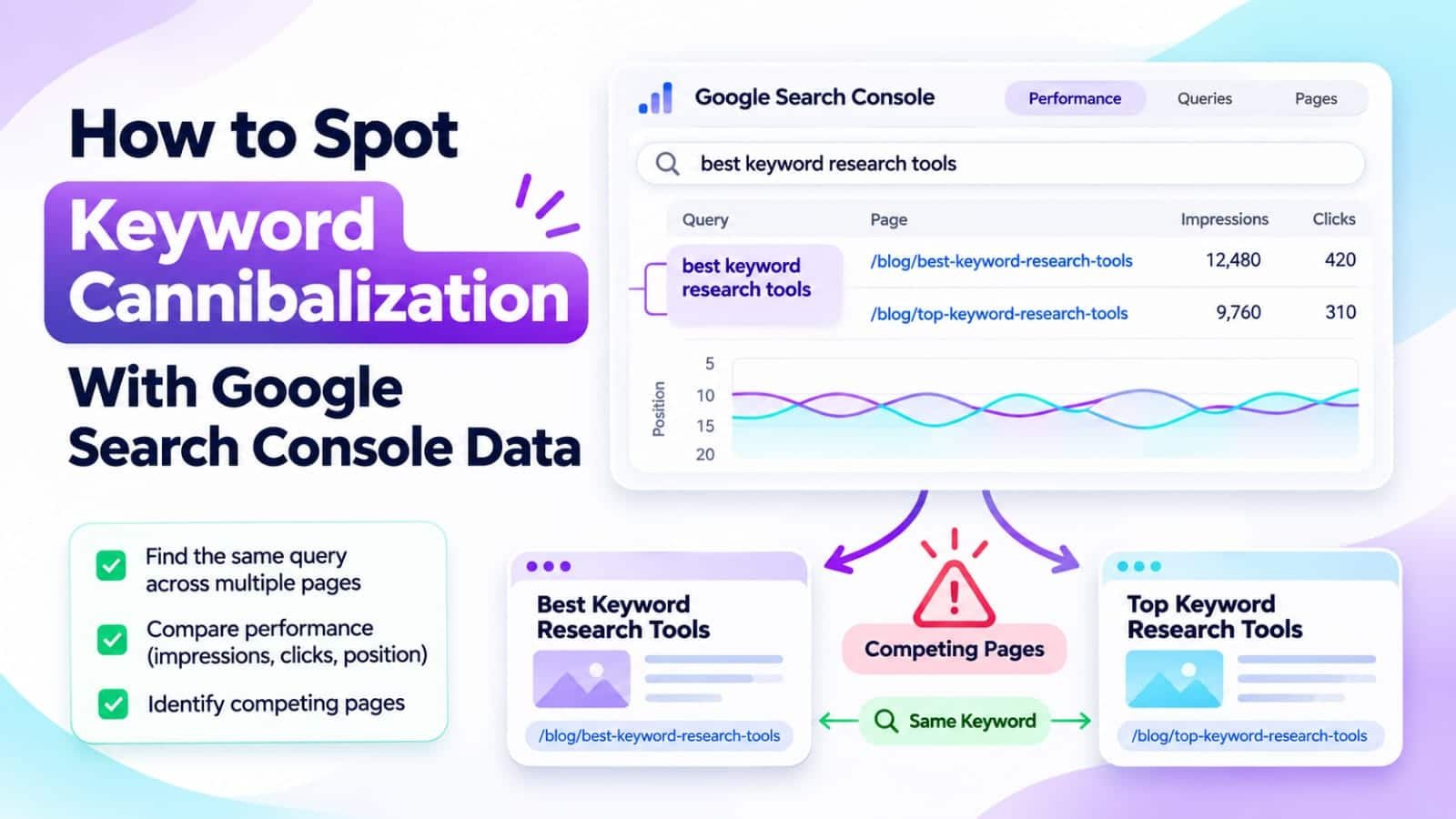
To spot keyword cannibalization in Google Search Console, open Performance > Search results, select a relevant query, and check the Pages tab. If multiple URLs receive impressions, compare their search intent, content, and performance over time. Sharing a keyword is not automatically cannibalization; fix pages only when unnecessary overlap creates a clear problem for readers or search visibility.
In This Guide
- Quick Verdict
- What Keyword Cannibalization Really Means
- Find Competing URLs in Google Search Console
- Confirm Whether the Overlap Is Harmful
- Choose the Safest Fix
- Real Case Study
- Build a Repeatable Free Audit
- Common Mistakes to Avoid
- Frequently Asked Questions
- Final Verdict
- Recommended Next Reads
Quick Verdict
Keyword cannibalization occurs when two or more pages pursue substantially the same search intent without providing sufficiently distinct value. It is a content-architecture issue worth investigating, not a penalty Google automatically applies whenever two URLs appear for one query.
| Search Console finding | What it might mean | Recommended response |
|---|---|---|
| Two URLs appear for one broad query | Normal topical overlap | Check intent; often leave both |
| Two near-identical guides alternate for key queries | Possible harmful overlap | Compare content and preferred destination |
| One product page and one tutorial appear | Different user needs | Preserve distinct pages |
| A weaker outdated article competes with an updated version | Possible redundant content | Consider consolidation after full review |
| A canonical and duplicate URL appear | URL-version issue | Inspect canonicalization separately |
I would use: Google Search Console, a basic content inventory, and manual search-result comparisons.
I would not use: paid cannibalization dashboards, automatic page deletion, or redirects based on one overlapping keyword.
The important question is whether each URL serves a clearly different purpose.
What Keyword Cannibalization Really Means
Suppose a small WordPress blog publishes two articles:
- “Free WordPress SEO Audit Checklist”
- “How to Audit WordPress SEO for Free”
If both give nearly identical checklists to the same audience, they may divide your editorial focus and make it harder to maintain one strong resource.
Now compare:
- “How to Audit WordPress SEO for Free”
- “Best Paid WordPress SEO Audit Services Compared”
These share words, but one serves a do-it-yourself visitor and the other serves someone evaluating a service. They may deserve separate pages.
Google can rank multiple URLs from one site for a query. Search Console showing both is a starting signal, not proof of damaged rankings. Look for redundant intent, repeated answers, confused internal linking, and a lack of a clear primary resource.
For a broader keep-update-merge framework, read How to Audit SEO Content with AI. Here, the goal is to determine whether two specific URLs are actually competing for the same need.
Find Competing URLs in Google Search Console
Step 1: Select the Right Performance Data
Open Performance > Search results in the correct Search Console property. Choose Web search and start with the last three months. Enable clicks, impressions, CTR, and average position.
Remove unrelated page, country, and device filters.
Step 2: Choose a Valuable Search Query
Open the Queries tab and identify a query that genuinely matters to your site’s audience. Choose a query with meaningful existing impressions or clicks.
Click the query. Search Console applies a query filter. Then switch to Pages to see which URLs appeared for that query during the selected period.
No additional plugin is required.
Step 3: Look for Multiple URLs
Imagine the filtered report shows:
| URL | Impressions | Clicks | Average position |
|---|---|---|---|
| /free-wordpress-seo-audit/ | 900 | 18 | 11.4 |
| /wordpress-audit-checklist/ | 650 | 7 | 16.8 |
| /seo-audit-services/ | 85 | 2 | 24.3 |
Hypothetical example; these are not Searchmora analytics.
The first two may overlap; the third could serve commercial intent.
Do not simply add page impressions and compare the sum with the sitewide query total. Google aggregates property-level and page-level performance differently, and some queries are anonymized.
Step 4: Compare Performance Over Time
Open the Date filter and compare equivalent periods. Check whether one URL consistently earns most clicks, whether a newer page has gradually replaced an older one, or whether the balance changes with device or country.
Changing rankings are normal. Focus on sustained patterns, not tiny daily samples.
Step 5: Inspect Each URL Separately
Remove the query filter, apply a page filter for the first URL, and inspect its Queries report. Repeat with the second URL.
Record their query themes. Distinct themes support keeping both; repeated queries and answers warrant closer review.
Use URL Inspection to check unexpected canonicals; duplicate URLs differ from competing articles.
Confirm Whether the Overlap Is Harmful
Search Console supplies evidence; editorial judgment supplies the diagnosis. Compare these four questions before changing anything.
Do Both Pages Answer the Same Main Question?
If both offer identical answers, consolidation may help. If they solve different problems, keep them distinct.
Does One Page Have a Clear Primary Role?
Check relevance, backlinks, conversions, and internal links. Lower-traffic pages can still serve valuable audiences.
Are Internal Links Sending Conflicting Signals?
If related articles use the same anchor text to point to two interchangeable guides, the site’s navigation may be unclear. Decide which page deserves the general-purpose link and which deserves a more specific anchor.
Our Best AI Tools Tested for Internal Linking comparison covers automation options, although a 20-page blog can usually review these links manually.
Are You Mistaking Normal Ranking Changes for Cannibalization?
Average position varies by query, device, date, and location. Multiple URLs in a Pages report do not establish that both appeared simultaneously in every search result or that one caused the other’s decline.
Require evidence of intent overlap before acting.
Choose the Safest Fix
Keep Both Pages When They Serve Different Needs
Differentiate the H1, introduction, examples, and navigation when necessary. Let one article address the how-to question and the other address buying or comparison intent.
Each page needs standalone value.
Update One Page When the Topic Is Correct but the Answer Is Weak
If one article is useful but incomplete, improve it instead of merging by default. Add missing steps, correct outdated information, and strengthen its contextual links.
For related decisions about older content, the Google Search Console impressions-but-no-clicks guide illustrates why low clicks alone are insufficient evidence for a rewrite.
Consolidate Only When the Pages Are Truly Redundant
Choose the best destination using content value, backlinks, historical performance, and relevance—not simply the highest current position. Transfer useful unique material, check the merged article, and plan a permanent redirect from the retired URL when appropriate.
Update internal links and the sitemap, verify canonicals and redirects, and retain backups.
Canonical tags primarily identify representative duplicate URLs; they are not replacements for appropriate redirects.
Real Case Study
SEO consultant Amit Malvi documented work for Zivoke, a Salesforce consulting company whose website had numerous overlapping service URLs.
The published case study describes an audit that mapped pages to keep, consolidate, or redirect decisions, alongside broader improvements to architecture, on-page SEO, and backlinks.
According to its Ahrefs-based comparison from September 2025 to July 2026:
| Metric | Before | After |
|---|---|---|
| Ranking URLs | 413 | 48 |
| Monthly estimated organic sessions | 70 | 173 |
| Keywords ranking in the top three | 5 | 12 |
| Estimated monthly traffic value | $122 | $655 |
These consultant-reported figures are not independently audited. Other SEO changes occurred, so consolidation alone cannot explain the gains. Traffic value is not revenue.
For a small blog, the transferable lesson is to map intended page ownership, document decisions, and preserve useful content before redirecting anything. The case does not establish that fewer pages always produce more traffic.
External source: Amit Malvi — Fixing Cannibalisation So a Salesforce Partner Could Be Quoted
Build a Repeatable Free Audit
For a blog with 20–30 posts, start with five important query groups rather than reviewing every possible keyword combination.
Create a spreadsheet with columns for query, URL A, URL B, intent overlap, clicks, impressions, best destination, proposed action, and review date.
Classify each pair as Keep separate, Clarify, Update, or Review for consolidation. Do not treat these labels as automatic commands.
Review Search Console evidence, read candidate pages, then implement approved changes. Compare equivalent periods; before-and-after results do not prove causation.
Common Mistakes to Avoid
- Flagging every shared query: A keyword can support several distinct intents.
- Deleting the weaker ranking URL immediately: It may have conversions, backlinks, or a different audience.
- Ignoring canonical selection: Duplicate URL versions require different investigation from overlapping editorial content.
- Comparing only sitewide averages: Inspect individual page-query relationships.
- Changing many URLs together: You lose clarity and increase redirect risk.
- Expecting instant improvements: Consolidation can introduce temporary changes and does not guarantee higher rankings.
- Creating a new article for each variation: Check whether an existing guide can answer the question first.
Frequently Asked Questions
1. How do I find keyword cannibalization in Google Search Console?
Filter the Search results Performance report by a relevant query, then open Pages. If multiple URLs appear, inspect their content, intent, and performance over time before diagnosing harmful overlap.
2. Is it bad if two pages rank for the same keyword?
Not automatically. They may address different intents or complementary aspects of a topic. Concern rises when both pages provide nearly identical answers and neither has a clear purpose.
3. Does Google Search Console have a cannibalization report?
No dedicated automatic diagnosis is required for this workflow. Search Console provides query and page performance data, while you assess whether overlap is actually problematic.
4. Should I merge articles with similar titles?
Only after comparing search intent, unique information, backlinks, and business value. Similar wording alone is not sufficient reason to merge or redirect pages.
5. Can internal links help resolve cannibalization?
They can clarify which page is the main resource for a topic and help visitors navigate to specific supporting content. Internal links do not guarantee a ranking outcome.
6. Will fixing cannibalization improve AI search visibility?
Clear page purposes and accessible answers are useful for people and machine systems, but no consolidation method guarantees citations in AI Overviews or other AI products.
Final Verdict
Keyword cannibalization is an editorial diagnosis, not a number of URLs shown in Search Console. The free report tells you where to investigate; search intent and page usefulness determine whether to act.
Start with one valuable query, review its Pages tab, and compare the URLs it surfaces. Keep genuinely distinct pages, clarify confusing overlaps, and consolidate only when a carefully reviewed merge makes the site better for readers.
Your next action: Identify three queries with multiple relevant URLs and record a keep, clarify, or consolidate recommendation for each—without changing URLs until you have reviewed the evidence.


Comments 4