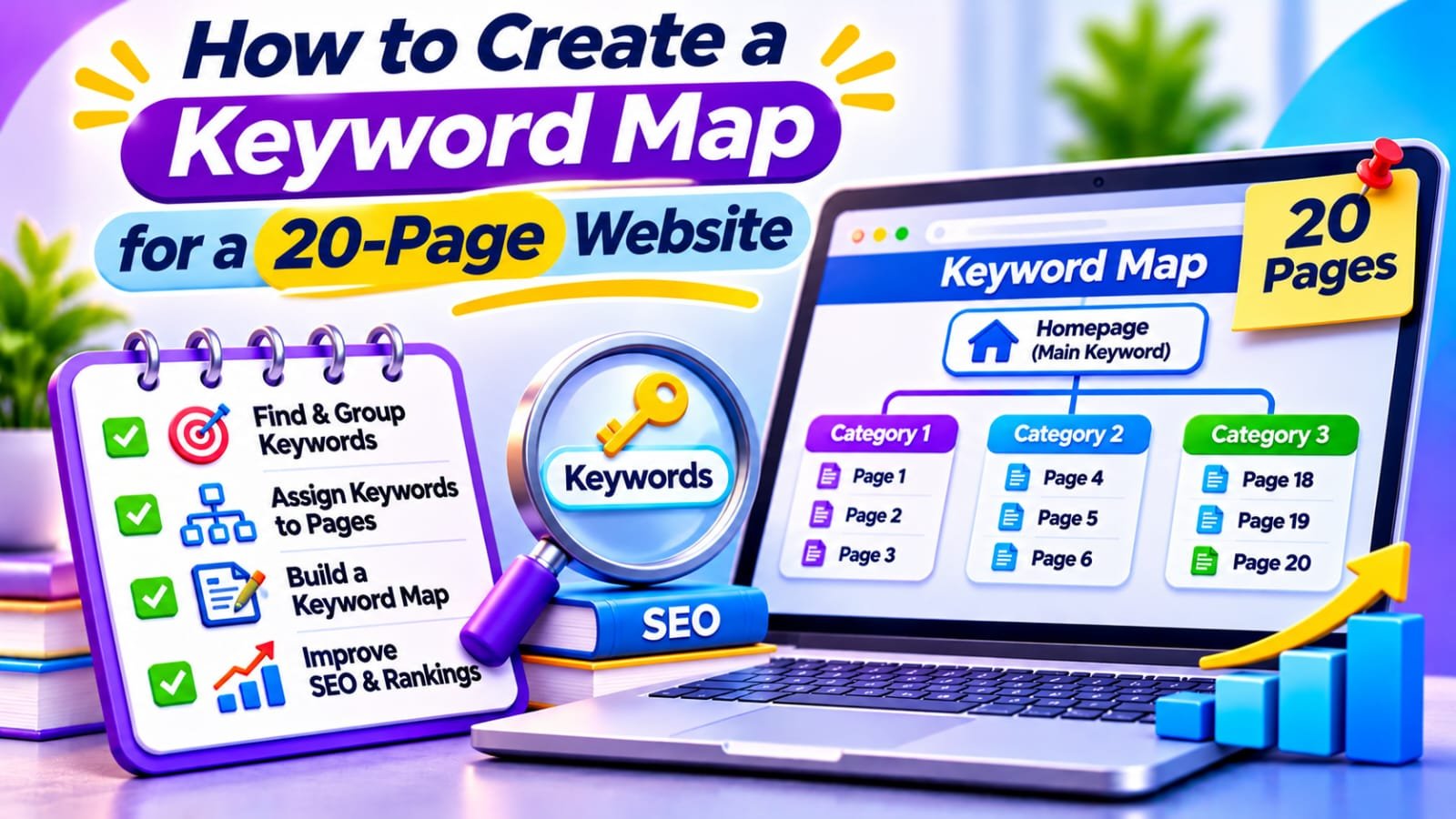
Quick Answer
To create a keyword map for a 20-page website, list indexable URLs, assign one primary search intent to each page, and group related queries under it. Validate assignments with Google Search Console and actual search results. Record the target query, supporting questions, and next action in a spreadsheet before publishing.
In This Guide
- Quick Verdict
- What a Keyword Map Is and Is Not
- Build Your 20-Page Inventory
- Collect Keywords Using Free Sources
- Group Queries by Search Intent
- Assign Keyword Groups to Existing URLs
- Build a Practical Keyword Mapping Spreadsheet
- Prevent Overlap and Plan Internal Links
- Prioritize Updates and Commercial Opportunities
- Real Case Study
- A 60-Minute Keyword Mapping Workflow
- Common Mistakes to Avoid
- Frequently Asked Questions
- Final Verdict
- Recommended Next Reads
Quick Verdict
A keyword map shows which page should answer which question, what supporting terms belong there, and whether the page needs to be kept, improved, or created.
| Mapping Decision | Good Starting Rule | Why It Matters |
|---|---|---|
| Primary intent | One dominant reader need per URL | Keeps page purposes clear |
| Secondary queries | Several variations with similar intent | Avoids unnecessary thin articles |
| Existing URL | Use it when it already serves the query | Preserves useful content and links |
| New page | Create only for distinct unmet intent | Reduces duplicate coverage |
| Linking plan | Connect relevant next steps | Helps visitors navigate the topic |
I would use: Google Search Console, a Google Sheet, a current content inventory, and a manual review of competing search results.
I would not use: one new page per keyword variation, imaginary keyword difficulty scores, or paid clustering software for only twenty pages.
What a Keyword Map Is and Is Not
Keyword mapping means assigning groups of relevant search queries to specific website pages. The goal is to establish a clear destination for each important user need while keeping related variations together.
Google can show several URLs for one broad query when they serve different intents; your spreadsheet does not dictate rankings.
The map highlights missing answers, redundant articles, and disconnected comparisons.
Start by auditing what exists. Our How to Audit SEO Content with AI guide explains why page value and search intent matter more than publication date or word count alone.
Build Your 20-Page Inventory
Open WordPress Posts > All Posts and Pages > All Pages.
List public URLs intended for search: hubs, tutorials, checklists, comparisons, and service pages. Exclude drafts and intentionally private URLs.
Record the title, canonical URL, page type, and intended reader. Check for unexpected redirects or noindex.
Contact and legal pages need not have commercial keyword targets.
Example Allocation for Twenty Content Pages
The following model is illustrative, not a required Google architecture:
| Page Role | Number of Pages | Main Purpose |
|---|---|---|
| Core guides | 2 | Introduce broad problems and workflows |
| Troubleshooting tutorials | 10 | Answer narrow practical questions |
| Checklists and resources | 4 | Help readers complete tasks |
| Comparisons and buying guides | 4 | Support informed product choices |
| Total | 20 | Each page has a distinct role |
This is only a model; match your actual audience demand.
Collect Keywords Using Free Sources
Open Google Search Console > Performance > Search results.
Select Web search and three months of clicks, impressions, CTR, and average position.
In Pages, select a URL; then open Queries and record relevant searches. Repeat for priority articles.
For new topics, collect phrasing from autocomplete and related searches. Google Trends indicates relative interest, not exact volume.
Search Console omits some anonymized queries. Exporting Pages and Queries separately does not give exact query-to-page pairs; filter a URL or query first.
If you need a focused workflow for existing ranking opportunities, see How to Find Pages Ranking on Page Two Using Google Search Console.
Group Queries by Search Intent
First distinguish troubleshooting, instructional, comparison, and buying intent.
For example:
| Query Group | Searcher Wants | Appropriate Page |
|---|---|---|
| wordpress sitemap missing post; why post absent from sitemap | Diagnose an omission | One troubleshooting tutorial |
| free wordpress SEO audit; small site SEO checklist | Perform an audit | Practical checklist or guide |
| Screaming Frog vs another crawler | Compare two products | Comparison page |
| Screaming Frog free crawl limit | Understand a specific feature | Relevant section of an existing guide |
Group phrases if one answer satisfies both; separate them when readers need different formats or outcomes.
Compare live results when intent is unclear. Similar result types support grouping but do not prove it.
See Best AI Search Intent Tools: Top Picks for SEO, AEO, and AI Search for deeper analysis.
Assign Keyword Groups to Existing URLs
Assign each group to the existing page that best satisfies it, not merely one with matching words.
Write a page promise such as:
Help WordPress owners diagnose missing sitemap posts.
Reject unrelated queries.
Assign one primary group and supporting queries. This is an editorial convention, not a Google rule.
When two URLs qualify, compare intent, links, and conversions.
Keep distinct pages; flag genuine duplicates for human review, not automatic redirects.
Build a Practical Keyword Mapping Spreadsheet
Use one main tab with one row for each URL.
These columns are enough for most small blogs:
| Column | Example or Purpose |
|---|---|
| URL | Published canonical page |
| Page role | Tutorial, hub, checklist, comparison |
| Primary intent | Diagnose missing sitemap posts |
| Primary query | wordpress sitemap missing posts |
| Secondary queries | Related phrasings and follow-up questions |
| Search evidence | Relevant impressions and clicks |
| Content status | Keep, improve, create, review overlap |
| Internal link sources | Existing pages that should link here |
| Priority | High, medium, low |
Keep detailed query-to-URL observations in a second tab.
Flag Repeated Primary Queries
If your main sheet uses column D for the primary query, put this formula in row 2 of a review column:
=IF(D2="","",IF(COUNTIF($D$2:$D$21,D2)>1,"Review overlap","Unique primary query"))
Copy down.
This finds exact text duplicates, not semantic overlap. Check intent manually.
Prevent Overlap and Plan Internal Links
Connect related answers.
An audit guide can link to sitemap troubleshooting; the tutorial can link back to the full audit.
Use crawlable links and natural anchors, not forced exact matches.
See Best AI Tools for Internal Linking for optional automation.
To investigate overlap, filter a query in Search Console and open Pages.
Multiple URLs require intent review, not automatic merging.
Prioritize Updates and Commercial Opportunities
A finished map should tell you what to do next.
Mark each group Keep, Improve, Create, or Review overlap.
Prioritize an existing page with relevant impressions and a clear missing answer before publishing a new article about nearly the same question.
Create a new page only when the intent is genuinely uncovered.
Commercial pages need verified features, limitations, pricing context, and independent recommendations.
Searchmora’s LowFruits Review is a relevant next step for readers comparing keyword tools.
Disclose affiliate relationships and never let commissions dictate recommendations.
Real Case Study
In a case study for security-software company Anchore, agency QoQ Digital reported finding six blog posts that overlapped around closely related searches.
The team combined useful material from the six into one more focused resource instead of maintaining several competing answers.
The agency reported that the topic’s organic traffic grew 205% year over year after consolidation.
Its report also described the target query moving from roughly position 31 to position 1 over the project and monthly leads from the topic rising from zero to four or five.
This was not a controlled keyword-mapping test; results cannot be projected onto small blogs.
Clarifying URL ownership was one element of the work.
External source: QoQ Digital — Anchore Drives 20% More Leads With Strategic Content Consolidation
A 60-Minute Keyword Mapping Workflow
| Time | Action | Deliverable |
|---|---|---|
| 0–10 minutes | List public, indexable URLs | Page inventory |
| 10–20 minutes | Review Search Console queries for key pages | Existing query evidence |
| 20–35 minutes | Gather variations and inspect intent | Query groups |
| 35–45 minutes | Assign groups to current URLs | First keyword map |
| 45–55 minutes | Flag overlap and missing answers | Editorial actions |
| 55–60 minutes | Choose three high-value next steps | Priority list |
Review the map after major changes and compare equivalent Search Console periods.
Track meaningful conversions.
Common Mistakes to Avoid
- One exact-match keyword per page: Related variations often belong together.
- Treating a spreadsheet as a ranking instruction: Google chooses relevant results independently.
- Creating pages before checking existing posts: This can multiply overlapping answers.
- Using click volume without intent: A high-volume query may attract the wrong audience.
- Changing URLs to match a new map: Existing useful URLs rarely need renaming.
- Merging content because a keyword appears twice: Shared words do not prove competing intent.
- Using AI to invent keyword data: Record evidence and label estimates honestly.
Frequently Asked Questions
What is a keyword map in SEO?
A keyword map assigns related search queries and user needs to website URLs. It helps editors decide what to keep, improve, or create and reduces unnecessary overlap.
How many keywords should I assign to each page?
There is no fixed number. Choose one dominant intent and include relevant secondary formulations that the same page answers naturally, without stuffing them into every heading.
Can I create a keyword map without paid tools?
Yes. Search Console, manual Google results reviews, and a spreadsheet are sufficient for a small website. Paid tools become useful primarily for scale or specialized research.
What if two pages rank for the same keyword?
Review the pages’ actual intent, content, and performance. Two useful pages can appear for one broad query without being harmful duplicates.
Should I create a page for every low-volume query?
No. Group variations when one answer satisfies them. Create a distinct page only for a genuinely different search need that fits your audience.
How often should I update the keyword map?
Review it after major content changes and during regular SEO reviews. Update page ownership when search intent or site architecture changes materially, not after every daily ranking fluctuation.
Final Verdict
A useful keyword map gives each page a clear purpose, groups related queries, and identifies content gaps.
Your next action: List your twenty important URLs, assign each a distinct primary intent, and identify three improvements you can make before publishing another overlapping article.
Comments