⚡ Quick Answer
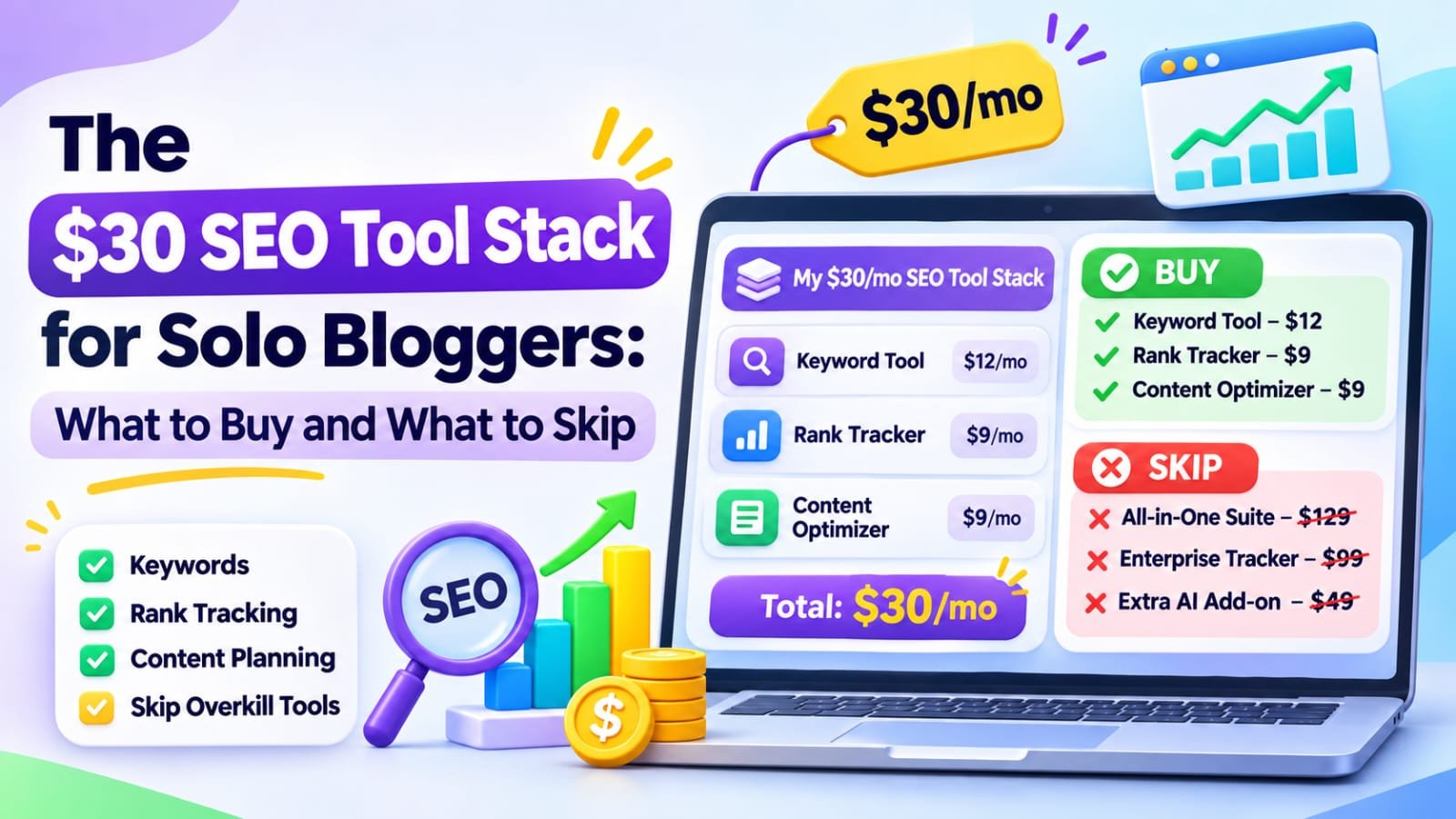
The best $30 SEO tool stack for a solo blogger starts at $0: Google Search Console, Google Analytics 4, PageSpeed Insights, a spreadsheet and the free Screaming Frog crawler. Spend money only when one task slows you down; for occasional keyword research, $25 of LowFruits credits beats another subscription.
In This Guide
- Quick Verdict
- What a $30 SEO Budget Should Cover
- The Free Tools Worth Keeping
- What to Buy: Three Realistic Budget Options
- What to Skip Until Your Blog Grows
- A Weekly Workflow Using the Stack
- A Real Solo-Blogger Case Study
- How to Decide Whether a Tool Pays for Itself
- A Four-Week Action Plan
- Common Mistakes
- Frequently Asked Questions
- Final Verdict
- Recommended Next Reads
Quick Verdict
| Tool | Main job | Budget allocation |
|---|---|---|
| Google Search Console | Queries, indexing, search clicks | $0 |
| Google Analytics 4 | Organic sessions and key events | $0 |
| Google Trends and Google Sheets | Topic checks and editorial planning | $0 |
| PageSpeed Insights | Page experience diagnostics | $0 |
| Screaming Frog free version | Crawl up to 500 URLs | $0 |
| LowFruits pay-as-you-go, optional | Keyword ideas and SERP analysis | $25 once |
I would buy: occasional research credits only after free data reveals a genuine research gap.
I would skip: overlapping keyword subscriptions, automated link packages, and rank trackers that do not change what I publish or improve.
What a $30 SEO Budget Should Cover
Treat $30 as a maximum monthly cash budget, not a spending target. Hosting, your domain, writing labor, and taxes are outside this example; those costs still matter to profitability.
An effective stack should cover four jobs: discover search opportunities, verify technical accessibility, improve useful content, and measure outcomes. It does not need a different subscription for every job.
The Free Tools Worth Keeping
Google Search Console: Your Primary SEO Dashboard
Use Performance > Search results to examine queries, pages, clicks, impressions, and average positions. Use URL Inspection and Page indexing to investigate discovery problems. Start with pages receiving impressions but few relevant clicks. Our guide to finding page-two rankings in Search Console shows how to prioritize existing opportunities instead of guessing which new article to write.
Google Analytics 4: Measure Useful Visits
GA4 complements Search Console by showing on-site sessions and configured key events. Track newsletter signups or qualified inquiries when those actions matter. Search Console clicks and GA4 sessions are different measures; do not expect matching totals.
For affiliate sites, an outbound click is not a confirmed sale. Verify actual commissions in your affiliate account rather than assigning imaginary revenue to GA4 events.
Google Trends and Google Sheets: Plan Without Subscriptions
Google Trends shows relative search interest, not exact search volume. Compare related terms and investigate seasonality. Record keyword groups, existing URLs, search intent, and action priorities in Sheets.
PageSpeed Insights and Screaming Frog: Check Technical Health
PageSpeed Insights combines performance diagnostics with available real-user experience data. Treat its suggestions as clues, not guaranteed ranking improvements.
Screaming Frog’s free SEO Spider can crawl up to 500 URLs per run and review broken links, titles, redirects, and other basic signals. The free edition does not include all advanced configuration and integration features. Export relevant reports before closing, because saving and reopening crawls is restricted.
These tools cannot determine whether your advice is original, correct, or persuasive. Use Searchmora’s content-audit guide to make editorial decisions alongside technical findings.
What to Buy: Three Realistic Budget Options
Option A: Spend $0 This Month
Use all five free categories above. This is the default recommendation when your blog is new, traffic is limited, or you have not yet acted on existing Search Console findings.
Cost: $0. Available budget: $30. Review your actual bottleneck after completing several improvements.
Option B: Spend $25 Once on LowFruits Credits
LowFruits lists 2,000 pay-as-you-go credits for $25. Its documentation says these credits expire after one year. The tool can generate keyword ideas and analyze search results for possible lower-competition opportunities, but search-result weakness does not guarantee that your article can rank.
Cost in the purchase month: $25, leaving $5 unspent before taxes. This is a one-time purchase, not a $25 monthly subscription. You could use the credits across several research sessions before expiration.
Read our LowFruits review for the tool’s strengths and limitations. Start with an existing content gap and analyze a shortlist, rather than spending credits on hundreds of speculative queries.
Option C: Use the $29.90 Monthly LowFruits Standard Plan
The advertised month-to-month Standard price is $29.90 per month, leaving ten cents of the stated cap before tax. It includes subscription-only features such as rank tracking and competitor research, but monthly credits reset rather than roll over.
The lower advertised equivalent of $20.75 per month is billed annually. It should not be presented as a $20.75 cash payment each month. Annual commitment requires substantially more than $30 upfront.
Choose monthly Standard only if you regularly use its additional features. Otherwise, the $25 credit pack or entirely free stack is easier to justify.
| Budget approach | Initial cash spend | Recurring commitment | Best fit |
|---|---|---|---|
| Free-only stack | $0 | None | New and small blogs |
| Free stack plus PAYG credits | $25 | None; credits expire | Occasional keyword sprints |
| Free stack plus Standard monthly | $29.90 | Monthly until canceled | Frequent research and tracking |
Prices are advertised in US dollars and may change. Taxes, billing region, and payment conditions can push a nominal $29.90 purchase beyond a strict $30 limit.
What to Skip Until Your Blog Grows
Multiple keyword subscriptions: One focused research workflow is more valuable than paying for several overlapping difficulty estimates. Evaluate actual search intent manually.
Premium crawlers for a tiny site: Upgrade only when the 500-URL limit or advanced technical requirements genuinely prevent your audit.
Automated internal-link insertion: A small library is usually manageable in WordPress. Use descriptive links where readers need them. Our internal-linking tools comparison explains when automation becomes relevant.
AI article factories: Publishing many generic posts can create duplication and quality problems. Human review, accurate information, and original examples matter more than generating a large word count.
Paid AI visibility monitors: For a small blog without clear business demand, record relevant brand mentions manually and first establish measurable search and conversion outcomes.
A Weekly Workflow Using the Stack
On Monday, use Search Console to select one page with a concrete issue: weak indexing, an intent mismatch, or promising impressions without clicks. Record the baseline.
On Tuesday, review related queries and competing results. Use Trends to check whether demand is seasonal. If free methods leave a meaningful uncertainty, spend a small number of LowFruits credits on targeted SERP analysis.
On Wednesday, improve the article itself: answer the question early, correct outdated facts, add a useful original example, and link to the most relevant supporting guide.
On Thursday, check the URL, metadata, links, and page experience. On Friday, log what changed and review GA4 actions. This weekly routine keeps software tied to decisions rather than reports that nobody uses.
A Real Solo-Blogger Case Study
In November 2026, independent writer Joshua Yio published a first-person account of a B2B SaaS blog launched in January with no paid content or link-building budget. The author reported using Search Console queries to guide subsequent posts, publishing one or two posts weekly, and maintaining basic technical hygiene.
He reported a 300% increase in clicks from January to late October and an 800% increase for one comparison article. These are the author’s self-reported figures; the article did not provide sufficient absolute figures or independent audit access to assess the size of the gains. It was not a controlled experiment.
External source: Joshua Yio — How a One-Person B2B SaaS Blog Grew Search Clicks on a $0 Budget
How to Decide Whether a Tool Pays for Itself
Ask three questions before subscribing: Which recurring task does the tool improve? How many hours will it save each month? Can you measure the resulting decision or outcome?
For example, at an assumed value of $15 per hour, a $29.90 monthly subscription must save about two hours of useful work each month merely to offset its cost. This is illustrative accounting, not a claim about actual earnings or tool performance.
For an affiliate publisher, compare confirmed commissions and editorial savings against spending. Do not attribute every new search click or commission to software purchased that month.
A Four-Week Action Plan
| Week | Main work | What to record |
|---|---|---|
| 1 | Set up free tracking and audit priority URLs | Baseline clicks, sessions, issues |
| 2 | Improve three existing articles | Specific edits and internal links |
| 3 | Research one true content gap | Search intent and evidence |
| 4 | Review outcomes and tool limitations | Keep spending at $0 or justify upgrade |
Do not buy credits in week three unless you have a precise question worth paying to investigate.
Common Mistakes
- Treating a $30 limit as permission to spend $30 every month.
- Confusing annual equivalent pricing with monthly cash payments.
- Letting credits expire without a defined research plan.
- Buying overlapping tools before using Search Console data.
- Mistaking keyword difficulty estimates for guaranteed opportunities.
- Measuring clicks instead of actual business outcomes.
- Publishing generic AI content to justify a software subscription.
Frequently Asked Questions
What is the best SEO tool stack under $30 per month?
For many solo bloggers, start with Search Console, GA4, Trends, Sheets, PageSpeed Insights, and Screaming Frog’s free crawler. Add a targeted paid tool only when a repeatable task justifies the cost.
Is LowFruits worth $25 for a beginner?
Its pay-as-you-go pack can be useful when you have a specific keyword shortlist to investigate. If you have not used free Search Console data yet, save your money first.
Is the LowFruits $20.75 price a monthly payment?
No. That advertised monthly equivalent requires annual billing. Its separate $29.90 Standard option is the advertised month-to-month price; verify current terms before buying.
Can free SEO tools improve rankings?
They can reveal problems and support better decisions, but no tool directly guarantees rankings. Outcomes depend on content usefulness, competition, technical accessibility, and other factors.
Should I pay for rank tracking or AI visibility tracking?
Usually not at the earliest stage. Monitor your important pages and conversions first. Upgrade when the reporting frequency or breadth makes manual tracking genuinely inefficient.
What should an affiliate blogger measure?
Track relevant organic visits, useful engagement, and confirmed affiliate commissions. Outbound clicks alone are not sales, and revenue cannot be inferred from impressions.
Final Verdict
The best $30 SEO tool stack is often a free foundation with one optional, carefully timed purchase. Search Console tells you where your site is visible; GA4 shows visitor behavior; free diagnostics expose technical obstacles; and a spreadsheet turns observations into decisions.
Your next action: Use the free stack for four weeks. If keyword research remains a documented bottleneck, consider a $25 LowFruits credit purchase rather than committing to another subscription.

Comments