Ubersuggest Review: Is This Budget-Friendly SEO Tool Worth It?
🚀 Introduction
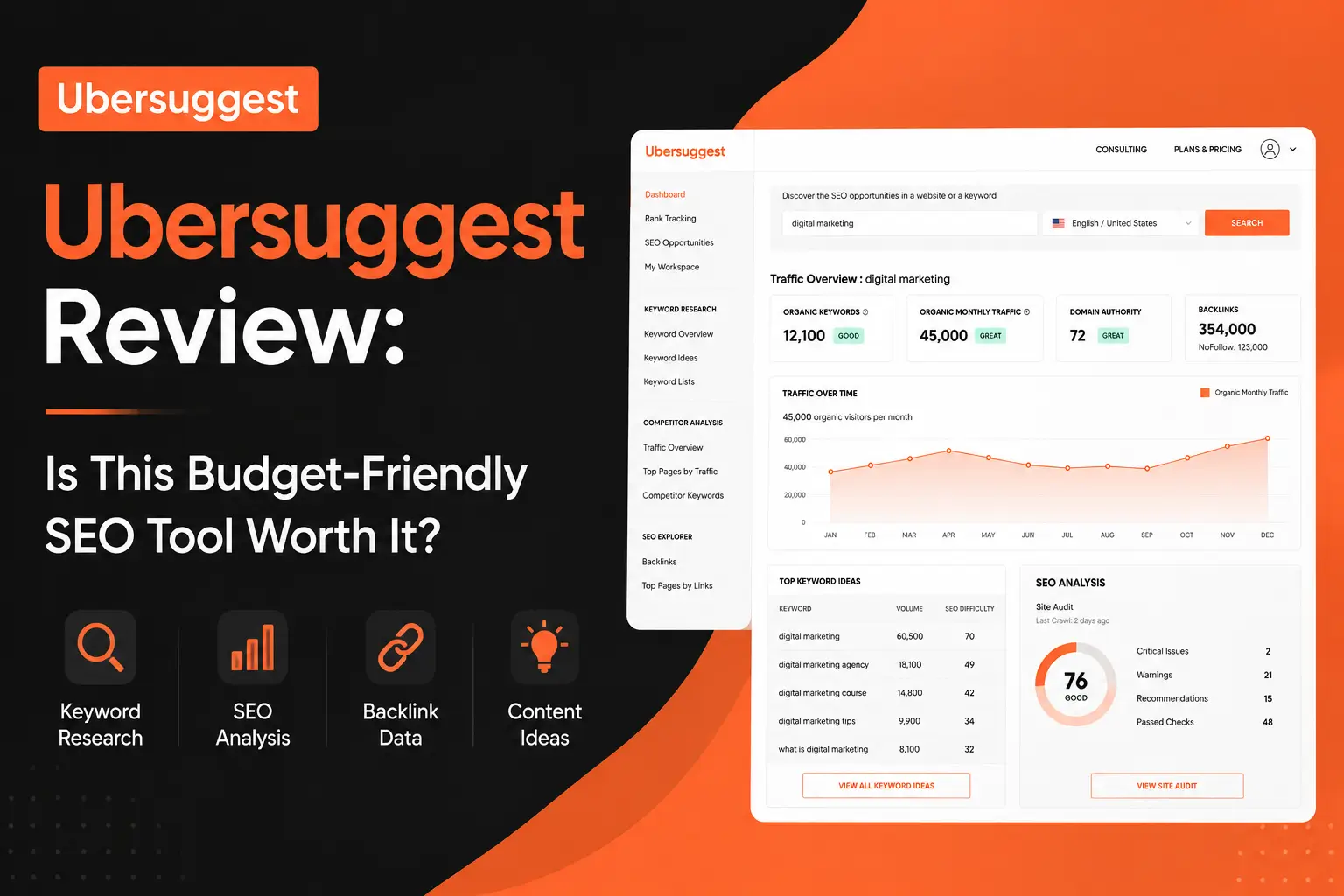
Ubersuggest is a budget-friendly SEO tool built for bloggers, small businesses, freelancers, and SEO beginners who need keyword research, site audits, competitor analysis, rank tracking, backlink data, and basic AI search visibility features without paying premium SEO platform prices.
Its biggest strength is accessibility.
Ubersuggest is not as deep as Ahrefs, Semrush, or SE Ranking. It is not the strongest tool for technical SEO, advanced backlink research, or enterprise reporting. But it gives newer and smaller website owners a practical way to start making SEO decisions with real data.
In this Ubersuggest review, I will explain what Ubersuggest does, who it is best for, where it performs well, where it falls short, and whether it is worth using for SEO.
⚡ Quick Verdict
Ubersuggest is worth considering if you want an affordable SEO toolkit for keyword research, site audits, rank tracking, competitor research, backlinks, and basic AI search visibility.
It is not the most advanced SEO platform, but it is useful for users who want a simpler and cheaper alternative to larger SEO suites. For beginners, bloggers, and small business owners, that can be enough.
| Question | Quick Answer |
|---|---|
| Best for | SEO beginners, bloggers, freelancers, small businesses, and budget-conscious marketers. |
| Strongest feature | Affordable keyword research and competitor overview. |
| Biggest advantage | It gives users many core SEO features at a lower price than major platforms. |
| Biggest drawback | Data depth, backlink analysis, exports, and technical SEO features are limited compared with premium tools. |
| Best alternatives | Mangools for beginner keyword research, SE Ranking for agencies, Semrush for all-in-one SEO, and Ahrefs for backlinks. |
| My verdict | Ubersuggest is a good starter SEO tool, but advanced users may outgrow it. |
| I would use Ubersuggest if you need | I would not use Ubersuggest if you need |
|---|---|
| Affordable keyword research | Advanced technical SEO audits |
| Simple competitor analysis | Deep backlink research |
| Basic site audit recommendations | Enterprise-level reporting |
| Rank tracking for a small site | Large-scale keyword databases |
| Content ideas for blog planning | Premium content optimization |
| A beginner-friendly SEO dashboard | Advanced keyword clustering |
| A low-cost alternative to Semrush or Ahrefs | SEO automation at scale |
| Basic AI search visibility features | Dedicated GEO or AI visibility tracking |
The clearest takeaway is this: Ubersuggest is best when you need a simple and affordable SEO starting point. It is weaker when your SEO workflow requires deep data, advanced audits, large exports, or enterprise-grade reporting.
📚 Recommended Reads
- Mangools Review: Is This Affordable SEO Toolkit Worth It? (New Review)
- LowFruits Review: Is This Low-Competition Keyword Tool Worth It?
- WriterZen Review: Is This SEO Content Workflow Tool Worth It?
- NeuronWriter Review: Is This Budget-Friendly SEO Content Optimizer Worth It?
- SE Ranking Review. (New Review)
📌 In This Guide
- What Is Ubersuggest?
- How Ubersuggest Works
- Ubersuggest Key Features
- Ubersuggest for SEO Content and Keyword Research
- Ubersuggest Pricing and Value
- Real-World Evidence: What Independent Reviews and User Feedback Show
- Ubersuggest Pros and Cons
- Ubersuggest for Bloggers and Affiliate Site Owners
- Ubersuggest for Agencies and Freelancers
- Ubersuggest for Small Businesses and SaaS Teams
- Ubersuggest Alternatives
- My Practical Ubersuggest Workflow
- Common Mistakes When Using Ubersuggest
- FAQ
- Final Verdict: Is Ubersuggest Worth It?
- Recommended Next Reads
🧠 What Is Ubersuggest?
Ubersuggest is an SEO platform from Neil Patel that helps users research keywords, analyze competitors, audit websites, track rankings, review backlinks, and find content ideas.
It started as a keyword suggestion tool, but it has grown into a broader SEO suite for smaller website owners and marketers.
Ubersuggest can help with:
- Keyword research.
- Keyword ideas.
- Domain overview.
- Competitor analysis.
- Traffic estimates.
- Top pages analysis.
- Backlink data.
- Site audits.
- Rank tracking.
- Content ideas.
- AI Writer.
- AI Search Visibility.
- Chrome extension data.
- Google Search Console connection.
- Basic SEO reporting.
The most effective way to understand Ubersuggest is to see it as a budget SEO toolkit.
It gives users access to several core SEO workflows in one place. That makes it useful for people who are not ready to pay for expensive SEO platforms but still want more data than free tools alone can provide.
For example, a small website owner can use Ubersuggest to find keywords, check competitors, audit a site, track rankings, and identify pages that need improvement.
That is useful.
But Ubersuggest should not be confused with a full enterprise SEO platform. It is simpler, more affordable, and easier to approach, but it is also less deep in several important areas.
⚙️ How Ubersuggest Works
Ubersuggest works by giving users a dashboard for keyword research, domain analysis, site audits, rank tracking, backlinks, and content ideas.
A typical Ubersuggest workflow may look like this:
- Add your domain as a project.
- Connect Google Search Console if available.
- Run a site audit to identify SEO issues.
- Research keywords for new content ideas.
- Analyze competitor domains and top pages.
- Review backlink data.
- Track important keywords.
- Use content ideas to plan blog posts.
- Apply SEO recommendations manually.
- Monitor progress over time.
This workflow is useful because beginners often do not know where to start.
Ubersuggest gives them a simpler SEO environment. Instead of opening several advanced tools, they can start with a few core tasks:
- What keywords can I target?
- What pages are competitors getting traffic from?
- What SEO issues does my site have?
- Which keywords am I tracking?
- What content ideas should I consider?
- What backlinks does a competitor have?
One of the strongest patterns is that Ubersuggest works best for practical early-stage SEO.
It helps users understand the basics and take action, but it may not be enough for advanced SEO teams that need deeper data and automation.
🛠️ Ubersuggest Key Features
🔎 Keyword Research
Keyword research is one of Ubersuggest’s main features.
You can enter a keyword and get ideas, search volume estimates, SEO difficulty, paid difficulty, CPC, and related keyword suggestions.
This is useful for:
- Blog topic planning.
- Affiliate content ideas.
- Small business SEO.
- Local SEO topics.
- Long-tail keyword discovery.
- Beginner keyword research.
- Content calendar planning.
- Competitor keyword exploration.
The main benefit is simplicity.
Ubersuggest makes keyword research less intimidating for beginners. Instead of showing too many advanced filters and data points, it gives users a practical overview.
A basic keyword workflow could look like this:
- Enter a seed keyword.
- Review keyword suggestions.
- Check volume and SEO difficulty.
- Open the SERP overview.
- Look for weaker competitors.
- Choose relevant long-tail keywords.
- Build content around one clear intent.
The biggest mistake is trusting SEO difficulty alone.
Keyword difficulty scores are estimates. Before writing, you should still check the actual search results and decide whether your site can realistically compete.
🏢 Domain Overview and Competitor Analysis
Ubersuggest’s domain overview helps you analyze a website’s estimated organic traffic, ranking keywords, backlinks, top pages, and competing domains.
This can be useful when you want a quick picture of a competitor.
A small business owner can use it to answer:
- Which pages bring competitors traffic?
- Which keywords do they rank for?
- What content topics are working in the niche?
- How strong is their backlink profile?
- Which pages could inspire my own content plan?
This feature is useful because competitor analysis can reveal content opportunities.
For example, if a small competitor gets traffic from beginner guides, comparison pages, or local service articles, you may find similar opportunities for your own site.
However, Ubersuggest’s competitor data is not as deep as Ahrefs or Semrush.
For light research, it is useful. For serious competitive SEO, you may eventually need a stronger platform.
🧪 Site Audit
Ubersuggest includes a site audit tool that scans your website and reports SEO issues.
It can help identify problems such as:
- Missing meta descriptions.
- Short or duplicate title tags.
- Broken pages.
- Slow pages.
- SEO errors.
- Warnings and recommendations.
- Pages that may need improvement.
- Site health issues.
This is helpful for beginners because technical SEO can feel confusing.
A site audit gives users a prioritized list of issues to review.
However, I would not treat Ubersuggest as a deep technical crawler. Tools like Screaming Frog, Sitebulb, Semrush, and SE Ranking are stronger for advanced technical audits.
Ubersuggest is better for basic SEO checks and beginner-friendly recommendations.
📈 Rank Tracking
Ubersuggest includes rank tracking, which helps users monitor selected keywords over time.
This is useful after publishing new content or updating older pages.
A simple rank tracking workflow could include:
- Add target keywords.
- Track desktop and mobile positions.
- Monitor weekly ranking movement.
- Identify pages stuck on page two.
- Improve internal links.
- Refresh weak content.
- Review ranking changes after updates.
Rank tracking matters because SEO progress is not instant.
If you publish a blog post today, you may need weeks or months to understand how it performs. Ubersuggest gives smaller teams a way to monitor that movement without buying a dedicated rank tracker.
For large agencies, the limits may be too restrictive. For smaller sites, they may be enough.
🔗 Backlink Data
Ubersuggest includes backlink data for domains and pages.
You can review backlinks, referring domains, anchor text, and link history.
This is useful for basic competitor research.
A small website owner can use backlink data to:
- See who links to competitors.
- Find possible outreach ideas.
- Understand why a competitor is hard to beat.
- Review their own backlink growth.
- Identify pages that attract links.
However, Ubersuggest is not a replacement for Ahrefs.
Ahrefs is much stronger for backlink research, link gaps, lost links, anchor analysis, and serious link-building campaigns.
Ubersuggest gives beginners enough data to understand backlinks, but not enough for advanced link strategy.
💡 Content Ideas
Ubersuggest includes content ideas based on keywords and competitor pages.
This can help users find blog topics, popular pages, and article angles.
Content ideas can be useful when you are stuck.
A practical workflow could include:
- Enter a keyword.
- Review content ideas.
- Look at traffic estimates and backlinks.
- Identify patterns in successful content.
- Choose a topic that fits your audience.
- Create a better article with more useful information.
The key is not to copy competitors.
Use content ideas to understand what works, then create something clearer, more helpful, and more original.
🤖 AI Writer and AI Search Visibility
Ubersuggest now includes AI-related features such as AI Writer and AI Search Visibility.
This makes it more relevant as SEO shifts beyond traditional Google rankings.
AI Writer can help users create content drafts, ideas, and SEO copy faster. But like any AI writing tool, it still needs human editing.
AI Search Visibility helps users think about how their brand appears across AI-driven search experiences such as ChatGPT and Gemini.
This is a useful addition because marketers increasingly care about:
- AI Overviews.
- ChatGPT visibility.
- Gemini visibility.
- Brand mentions in AI answers.
- AI model prompts.
- Content that answer engines can understand.
This does not make Ubersuggest a complete GEO platform.
But it is a useful sign that the tool is adapting to newer search behavior.
🧩 Chrome Extension
Ubersuggest also offers a Chrome extension.
The extension can show keyword data while you search on platforms like Google, YouTube, and Amazon.
This is helpful for quick research because you do not always need to open the full dashboard.
A browser extension can support:
- quick keyword checks
- search volume estimates
- CPC data
- competition data
- content ideation
- YouTube keyword ideas
- Amazon keyword ideas
For beginners, this makes SEO research more accessible during normal browsing.
🔎 Ubersuggest for SEO Content and Keyword Research
Ubersuggest is useful for SEO content planning, especially for beginners and smaller sites.
It can help with:
- keyword research
- long-tail keyword discovery
- competitor page analysis
- content ideas
- rank tracking
- basic site audits
- backlink checks
- blog planning
- small business SEO
- local content ideas
However, Ubersuggest does not replace:
- advanced keyword databases
- deep backlink research
- technical SEO crawling
- content optimization scoring
- keyword clustering at scale
- AI article writing workflows
- SEO automation
- enterprise reporting
The best way to use Ubersuggest is inside a simple SEO workflow.
A practical workflow could look like this:
- Use Ubersuggest to find keyword ideas.
- Check the SERP manually.
- Pick low-competition keywords that match your site.
- Create a helpful article outline.
- Write or brief the article.
- Add internal links from related posts.
- Run a basic site audit.
- Track rankings after publishing.
- Refresh underperforming pages.
- Upgrade to stronger tools only when your workflow demands it.
Ubersuggest helps you start.
That is its main value.
💰 Ubersuggest Pricing and Value
Ubersuggest is priced as a lower-cost SEO tool compared with major platforms.
At the time of writing, Ubersuggest’s official pricing page shows monthly plans ranging from $29 to $99 per month, with limits based on projects, reports, rank tracking, site audit pages, keyword suggestions, backlinks, competitors, and AI search visibility features.
The current plan positioning is generally:
| Plan | Monthly Price Range | Best For |
|---|---|---|
| Individual | Lower-cost monthly tier | Solo users, bloggers, freelancers, and small site owners. |
| Business | Mid-tier monthly plan | Small teams and growing websites that need more projects and usage limits. |
| Enterprise | Higher monthly tier | Larger teams that need more domains, reports, and keyword tracking capacity. |
Ubersuggest also offers lifetime plan options, which can be attractive for users who dislike monthly subscriptions. Lifetime purchases are usually final and non-refundable, so testing the tool first is the safer choice.
Prices may change over time, so always check the official pricing page before subscribing.
Here is how I would think about value:
| User Type | Is Ubersuggest Worth It? | Why |
|---|---|---|
| New blogger | Yes | Affordable way to start keyword research and basic SEO. |
| Affiliate site owner | Maybe | Useful for ideas, but may need better content and clustering tools. |
| SEO freelancer | Maybe | Good for small clients, but limited for advanced work. |
| Small business | Yes | Useful for audits, keywords, and competitor checks. |
| Agency | Usually not as main tool | Agencies may need deeper data, exports, and reporting. |
| SaaS content team | Maybe | Useful for basics, but not enough for advanced product-led SEO. |
| Enterprise SEO team | Usually no | Too limited for deep enterprise workflows. |
Ubersuggest becomes easier to justify if you want a low-cost tool that covers several SEO basics.
It becomes less attractive if you need best-in-class data depth.
📊 Real-World Evidence: What Independent Reviews and User Feedback Show
Ubersuggest has many promotional claims, but external reviews give a more balanced view.
External source: EXPERTE.com independent Ubersuggest review and Capterra verified user reviews.
EXPERTE.com describes Ubersuggest as a user-friendly SEO tool that covers essential SEO features, including keyword research, website audits, and rank tracking. Their review also frames Ubersuggest as a budget-friendly alternative to larger SEO platforms, while noting that users may compromise on feature depth and data accuracy compared with premium tools. (experte.com)
Capterra shows Ubersuggest with a 4.4 overall rating from 93 verified reviews, and its feature ratings highlight keyword research, rank tracking, competitive analysis, dashboard usability, and backlink monitoring as common review areas. Capterra also shows mixed feedback: some users praise its beginner-friendly interface and affordability, while others mention limits around exports, free-mode restrictions, and needing additional tools for SEO. (Capterra)
This is useful because it supports a balanced conclusion.
Ubersuggest is not only “cheap.” It is genuinely accessible for beginners. But the same external feedback also shows why advanced users may outgrow it.
Here is the practical evidence summary:
| Evidence Point | What It Means for Ubersuggest Users |
|---|---|
| Independent EXPERTE review | Supports Ubersuggest’s positioning as a beginner-friendly SEO suite. |
| Capterra verified reviews | Shows real user feedback rather than only vendor claims. |
| 4.4 overall rating on Capterra | Suggests generally positive user satisfaction. |
| Praise for ease of use and affordability | Matches Ubersuggest’s strongest market position. |
| Feedback about limits and needing other tools | Confirms that Ubersuggest is not a complete advanced SEO platform. |
For Searchmora readers, the fair conclusion is this:
Ubersuggest is best supported as a budget-friendly beginner SEO toolkit. It can help users start keyword research, run basic audits, track rankings, and study competitors. But serious SEO teams should expect to pair it with other tools as their workflow becomes more advanced.
A smart 30-day Ubersuggest test would look like this:
- Add your website as a project.
- Connect Google Search Console.
- Run a site audit and fix the easiest issues.
- Research 20–30 long-tail keyword opportunities.
- Publish or update 5 pieces of content.
- Add internal links to those pages.
- Track the target keywords.
- Review impressions, rankings, and clicks after 30 days.
- Continue monitoring for 60–90 days before judging results.
The strongest way to use Ubersuggest is to treat it as an affordable SEO starting point, not a magic traffic tool.
✅ Ubersuggest Pros and Cons
✅ Pros
| Pro | Why It Matters |
|---|---|
| Affordable compared with major SEO platforms | Useful for beginners and small businesses with limited budgets. |
| Beginner-friendly interface | Easier to understand than many advanced SEO tools. |
| Keyword research included | Helps users find content ideas and long-tail opportunities. |
| Site audit tool | Gives beginners a simple way to find SEO issues. |
| Rank tracking included | Helps monitor keyword movement after publishing. |
| Competitor analysis | Useful for seeing top pages, keywords, and traffic estimates. |
| Backlink data included | Helpful for basic link research. |
| AI Search Visibility features | Adds value for users watching AI search trends. |
| Chrome extension | Makes quick keyword checks easier while browsing. |
| Lifetime plan option | Attractive for users who prefer one-time pricing. |
❌ Cons
| Con | Why It Matters |
|---|---|
| Data depth is limited | Advanced users may prefer Semrush, Ahrefs, or SE Ranking. |
| Backlink research is not best-in-class | Ahrefs is much stronger for link analysis. |
| Site audits are basic | Screaming Frog, Sitebulb, and Semrush are stronger for technical SEO. |
| Export limits can be restrictive | Larger teams may need more flexible data exports. |
| Not ideal for agencies as a main tool | Reporting and workflow depth may be limited. |
| Content optimization is not premium-level | NeuronWriter, Surfer, and Clearscope are stronger for article scoring. |
| AI features are useful but not specialist-level | Dedicated GEO and AI visibility tools may be stronger. |
| Free version can feel restrictive | Users may need a paid plan for meaningful work. |
The biggest mistake is expecting Ubersuggest to behave like a cheaper Semrush or Ahrefs.
That is not the right frame.
Ubersuggest is best understood as an affordable SEO starter toolkit. It gives users enough data to make better decisions, but not enough depth for every advanced SEO workflow.
🧲 Ubersuggest for Bloggers and Affiliate Site Owners
Ubersuggest can be useful for bloggers and affiliate site owners, especially in the early stages.
A blogger can use Ubersuggest to:
- Find long-tail keyword ideas.
- Check keyword difficulty.
- Discover content ideas.
- Audit basic SEO issues.
- Track target keyword rankings.
- Analyze competitor pages.
- Review backlink opportunities.
An affiliate site owner can use it to:
- Find review keywords.
- Research comparison keywords.
- Identify competitor top pages.
- Track rankings for money pages.
- Review backlink gaps.
- Build content ideas around buyer intent.
I would use it if you need:
| Use Ubersuggest If | Why |
|---|---|
| You are starting SEO on a budget | It gives you several core tools at a lower price. |
| You need simple keyword research | The keyword interface is beginner-friendly. |
| You want basic competitor data | Domain overview and top pages can reveal topic ideas. |
| You need rank tracking | You can monitor important keywords in one dashboard. |
| You want basic site audit guidance | It helps identify simple SEO issues. |
I would not use it if you need:
| Avoid Ubersuggest If | Better Fit |
|---|---|
| Keyword clustering | WriterZen, Keyword Insights |
| Low-competition weak SERPs | LowFruits |
| Article optimization | NeuronWriter, Surfer, Clearscope |
| Advanced backlinks | Ahrefs, Semrush |
| Internal linking workflow | Link Whisper |
| AI SEO automation | Search Atlas OTTO SEO, Alli AI |
For affiliate SEO, Ubersuggest can help with planning and monitoring. But your content still needs real reviews, screenshots, comparisons, pricing notes, and honest recommendations.
🧑💼 Ubersuggest for Agencies and Freelancers
Ubersuggest can be useful for freelancers and small consultants, but I would be careful using it as the main agency SEO platform.
A freelancer can use Ubersuggest to:
- Run quick client audits.
- Find keyword opportunities.
- Research competitor content.
- Track a small group of keywords.
- Review basic backlink data.
- Prepare simple recommendations.
A small agency can use it for early research, but may need stronger tools for reporting, audits, and client workflows.
I would use it if you need:
- Affordable research for small client projects.
- A simple dashboard for quick SEO checks.
- Keyword ideas for blog planning.
- Basic site audit reports.
- A low-cost tool for early consulting work.
I would not use it if you need:
- White-label reporting at scale.
- Deep technical crawls.
- Advanced rank tracking.
- Backlink outreach workflows.
- Large keyword exports.
- Enterprise-level competitive research.
For freelancers, Ubersuggest can be a useful starter tool.
For agencies, it is better as a secondary tool or budget option rather than the main SEO operating system.
🏢 Ubersuggest for Small Businesses and SaaS Teams
Ubersuggest is a strong fit for small businesses that want to start SEO without hiring a full team or buying expensive software.
A small business can use it for:
- Local keyword research.
- Blog topic planning.
- Basic site audits.
- Competitor checks.
- Rank tracking.
- Backlink monitoring.
- Content ideas.
A SaaS team can use it for:
- Early keyword research.
- Competitor top-page research.
- Blog planning.
- Basic content ideas.
- Rank tracking.
- Simple technical checks.
I would use it if you need:
- A low-cost SEO starting point.
- Simple keyword and competitor data.
- Beginner-friendly audits.
- Content ideas for blog growth.
- Basic AI search visibility checks.
I would not use it if you need:
- Advanced product-led SEO strategy.
- Content inventory planning.
- Technical SEO automation.
- Deep backlink campaigns.
- Advanced keyword clustering.
- Enterprise analytics.
For small businesses, Ubersuggest can be a practical first SEO tool.
For SaaS teams, it may be useful early, but growing teams will likely need stronger tools as SEO becomes a serious acquisition channel.
🔁 Ubersuggest Alternatives
Ubersuggest is useful for budget SEO workflows, but it is not the only option.
Here are the best alternatives depending on your main need:
| Alternative | Best For | Why Choose It Instead of Ubersuggest |
|---|---|---|
| Mangools | Beginner-friendly keyword research | Better if you want a clean toolkit with KWFinder, SERP analysis, and rank tracking. |
| SE Ranking | Agency-friendly all-in-one SEO | Better for audits, reporting, rank tracking, and client workflows. |
| Semrush | Full SEO and marketing suite | Better for competitor research, audits, PPC, content marketing, and reporting. |
| Ahrefs | Backlink and competitor research | Better for link analysis, content gaps, and competitive SEO. |
| LowFruits | Low-competition keyword discovery | Better for finding weak SERPs and easier long-tail opportunities. |
| WriterZen | Keyword clustering and planning | Better if you need to organize keywords into content clusters. |
| NeuronWriter | Budget content optimization | Better for optimizing article drafts after keyword research. |
| Rank Math | WordPress SEO basics | Better if you mainly need on-page SEO settings inside WordPress. |
Ubersuggest’s advantage is affordability and simplicity.
Its weakness is depth.
If you want an easy SEO starting point, Ubersuggest is useful. If you need advanced SEO execution, choose a more specialized or more powerful platform.
🧪 My Practical Ubersuggest Workflow
If I were using Ubersuggest for a small website, I would keep the workflow simple and practical.
Add the Website as a Project
First, I would add the site to Ubersuggest and connect Google Search Console if possible.
This gives the tool more context.
Run a Site Audit
Next, I would run a site audit.
I would fix the easiest issues first:
- Missing meta descriptions.
- Duplicate titles.
- Broken links.
- Basic page errors.
- Slow pages.
- Missing SEO basics.
Research Long-Tail Keywords
Then I would use keyword research to find realistic topics.
I would focus on:
- Low difficulty.
- Strong relevance.
- Clear search intent.
- Long-tail keywords.
- Business value.
- Competitor weakness.
Study Competitor Top Pages
After that, I would review competitor domains.
I would look for pages that get traffic and ask:
- Can I create a better version?
- Is the topic relevant to my audience?
- Does the page match my business goals?
- Can I add examples, tools, or experience?
Publish or Refresh Content
Then I would create or update content.
I would not rely only on Ubersuggest. I would add:
- Original examples.
- Better structure.
- Internal links.
- FAQ sections.
- Clear answers.
- Updated information.
- Stronger titles and meta descriptions.
Track Rankings
Finally, I would track important keywords.
I would check whether pages move up, stall, or lose visibility.
If a page gets impressions but weak clicks, I would improve the title and meta description. If a page is stuck on page two, I would improve content depth and internal links.
This workflow makes Ubersuggest useful without expecting it to do everything.
⚠️ Common Mistakes When Using Ubersuggest
Trusting Difficulty Scores Blindly
Keyword difficulty is helpful, but it is not perfect.
Always check the actual SERP before choosing a keyword.
Expecting Premium Data Depth
Ubersuggest is affordable because it is not as deep as Ahrefs or Semrush.
Use it for practical basics, not advanced enterprise research.
Ignoring Search Intent
A keyword can look attractive but require a different page type.
Check whether Google wants a guide, review, product page, comparison page, or local page.
Publishing Content Without Optimization
Ubersuggest can give ideas, but the content still needs quality.
Add examples, internal links, tables, FAQs, and original insight.
Using It as Your Only Tool Forever
Ubersuggest can be a great starter tool, but your stack may need to grow.
As your site grows, you may add tools for clustering, content optimization, technical audits, and backlinks.
Not Tracking Results
Keyword research is only useful if you measure performance.
Track rankings, impressions, clicks, and conversions after publishing.
❓ FAQ
1. Is Ubersuggest good for SEO?
Yes, Ubersuggest is good for beginner and small business SEO. It helps with keyword research, site audits, rank tracking, competitor analysis, backlink checks, and content ideas. Advanced teams may need deeper tools.
2. What is Ubersuggest best for?
Ubersuggest is best for affordable keyword research, simple competitor analysis, basic site audits, rank tracking, and beginner-friendly SEO planning.
3. Is Ubersuggest worth it?
Ubersuggest is worth it if you need a low-cost SEO tool and do not require enterprise-level data depth. It is especially useful for bloggers, freelancers, and small businesses.
4. Is Ubersuggest free?
Ubersuggest has free limited access, but meaningful SEO work usually requires a paid plan because reports, searches, projects, rank tracking, and data exports are limited.
5. Is Ubersuggest better than Semrush?
Ubersuggest is cheaper and easier for beginners. Semrush is stronger for advanced keyword research, competitor analysis, technical audits, reporting, PPC research, and larger SEO teams.
6. Is Ubersuggest better than Ahrefs?
Ubersuggest is more affordable and easier to use. Ahrefs is much stronger for backlink research, competitive SEO, content gaps, and advanced keyword data.
7. Does Ubersuggest have rank tracking?
Yes, Ubersuggest includes rank tracking. The number of tracked keywords depends on the plan.
8. Does Ubersuggest include AI search visibility?
Yes, Ubersuggest includes AI Search Visibility features on its pricing page, including prompts and model insights for platforms such as ChatGPT and Gemini.
9. Does Ubersuggest guarantee rankings?
No. Ubersuggest can help with research and tracking, but rankings depend on search intent, content quality, backlinks, internal links, technical SEO, authority, competition, and consistency.
🏁 Final Verdict: Is Ubersuggest Worth It?
Ubersuggest is worth it for bloggers, freelancers, small businesses, and SEO beginners who want an affordable way to start keyword research, audits, competitor analysis, and rank tracking.
It is not the most advanced SEO tool. It is not a full replacement for Semrush, Ahrefs, SE Ranking, Screaming Frog, or specialist content optimization platforms.
But that is not its job.
Ubersuggest is best for users who need a practical SEO starting point without paying premium prices.
My final recommendation is simple:
Use Ubersuggest if you want an affordable, beginner-friendly SEO toolkit that covers the basics.
Skip Ubersuggest if you need deep backlink research, large-scale audits, advanced reporting, keyword clustering, or enterprise SEO workflows.
For Searchmora readers, I would position Ubersuggest as a budget-friendly SEO starter tool. It is especially attractive for small website owners who want to learn SEO, find keywords, audit their site, and track progress before moving into more advanced tools.
The clearest takeaway is this: Ubersuggest is not the deepest SEO tool, but it is one of the easiest and most affordable ways for beginners to start making data-informed SEO decisions.
📚 Recommended Next Reads
To continue learning about SEO tools, keyword research, and content optimization, these Searchmora guides are useful next reads:
- Mangools Review: Is This Affordable SEO Toolkit Worth It? (New Review)
- LowFruits Review: Is This Low-Competition Keyword Tool Worth It?
- WriterZen Review: Is This SEO Content Workflow Tool Worth It?
- NeuronWriter Review: Is This Budget-Friendly SEO Content Optimizer Worth It?
- SE Ranking Review. (New Review)


Comments 4