
Affordable AI SEO Tools Tested for Small Websites
📌 In This Guide
- What affordable AI SEO tools should actually do
- Why small websites should prioritize value, not tool count
- How I evaluated these tools
- Best lifetime-deal and one-time-payment options
- Best all-in-one budget SEO platforms
- Best free browser extensions and lightweight helpers
- Best affordable content optimization tools
- Best keyword tools for low-competition clusters
- Best free WordPress and site-audit options
- The $50/month stack
- Pros and cons of the leading tools
- The savings matrix
- Affordable AI SEO tools FAQ
- Final thoughts
Introduction
If I were running a small website on a tight budget, I would not try to copy the stack of a large agency. I would look for the cheapest tools that still solve real problems fast: keyword research, content optimization, site health, and basic AI visibility.
That is the whole game for smaller sites.
Most small websites do not need:
- five premium subscriptions
- enterprise backlink databases
- giant reporting suites
What they do need is:
- realistic keyword opportunities
- content tools that actually help
- site health checks
- a few low-cost or free helpers
- software that pays for itself quickly
🔍 What Affordable AI SEO Tools Should Actually Do
An affordable SEO tool is not useful just because it is cheap.
It is useful when it helps a small site:
- Find easier keywords
- write better content
- catch technical issues
- improve pages faster
- avoid paying for features it will never use
Direct Answer
The best affordable AI SEO tools for small websites are the ones that give you the highest practical value per dollar, not the largest feature list.
For me, that usually means tools that do at least one of these really well:
- low-cost keyword research
- semantic content scoring
- free site auditing
- WordPress guidance
- practical AI assistance
- pay-as-you-go or lifetime pricing options
That is what makes them worth using. Not the logo. Not the hype.
🚀 Why Small Websites Should Prioritize Value, Not Tool Count
One of the fastest ways to waste money on a small site is to buy too many tools too early.
I would rather see a small publisher use:
- One solid keyword tool
- one content optimizer
- One free audit or plugin
than try to juggle a stack built for enterprise SEO.
The clearest budget rule
A small website usually wins by narrowing its stack, not expanding it.
That is why I put so much weight here on:
- lifetime deals
- pay-as-you-go tools
- free tiers
- tools that combine multiple tasks in one subscription
🧪 How I Evaluated These Tools
Because this article is about affordable options, I did not judge tools only by raw capability.
I judged them by the questions a small website owner actually asks:
- Does this save money?
- Does this save time?
- Does this solve a real bottleneck?
- Can I grow with it for at least a while?
- Am I paying for features I will not use?
What I looked for
I evaluated these tools based on:
- pricing
- value for money
- beginner-friendliness
- keyword research usefulness
- content optimization quality
- free or low-cost access
- WordPress fit
- site-audit value
- AI visibility relevance
- learning resources
What mattered most
The strongest affordable tools did at least one of these especially well:
- offered a lifetime deal or a strong, low-cost plan
- replaced multiple smaller tools
- made content optimization affordable
- offered free core functionality
- gave small sites realistic opportunities instead of enterprise-level noise
💳 Best Lifetime-Deal and One-Time-Payment Options
Lifetime deals are still one of the smartest ways for a small site to reduce recurring software costs, but I always treat them carefully because availability changes fast.
1. NeuronWriter
NeuronWriter is one of the strongest affordable SEO tools in this category because it combines:
- content scoring
- NLP-style semantic guidance
- Internal linking helps
- WordPress and Shopify integrations on higher tiers
- BYOK support on qualifying plans
Its regular pricing starts low on annual billing, and it also offers lifetime pricing tiers. On higher plans, it supports your own OpenAI key, which can reduce the cost of using its AI features because requests use your own API instead of the included AI credits.
2. AppSumo-Style LTD Hunting
I would not build an entire strategy around marketplaces alone, but for a small website, LTD platforms can be one of the few realistic ways to get serious SEO software without adding another monthly bill.
The catch is simple: availability is inconsistent, and good deals can disappear quickly. NeuronWriter is a good example of how that can work in practice.
My Take
If I wanted one affordable content-focused tool with the highest long-term value upside, NeuronWriter would be near the top of my list.
🧩 Best All-in-One Budget SEO Platforms
For a small website, the best all-in-one platform is usually the one that prevents you from buying three extra tools.
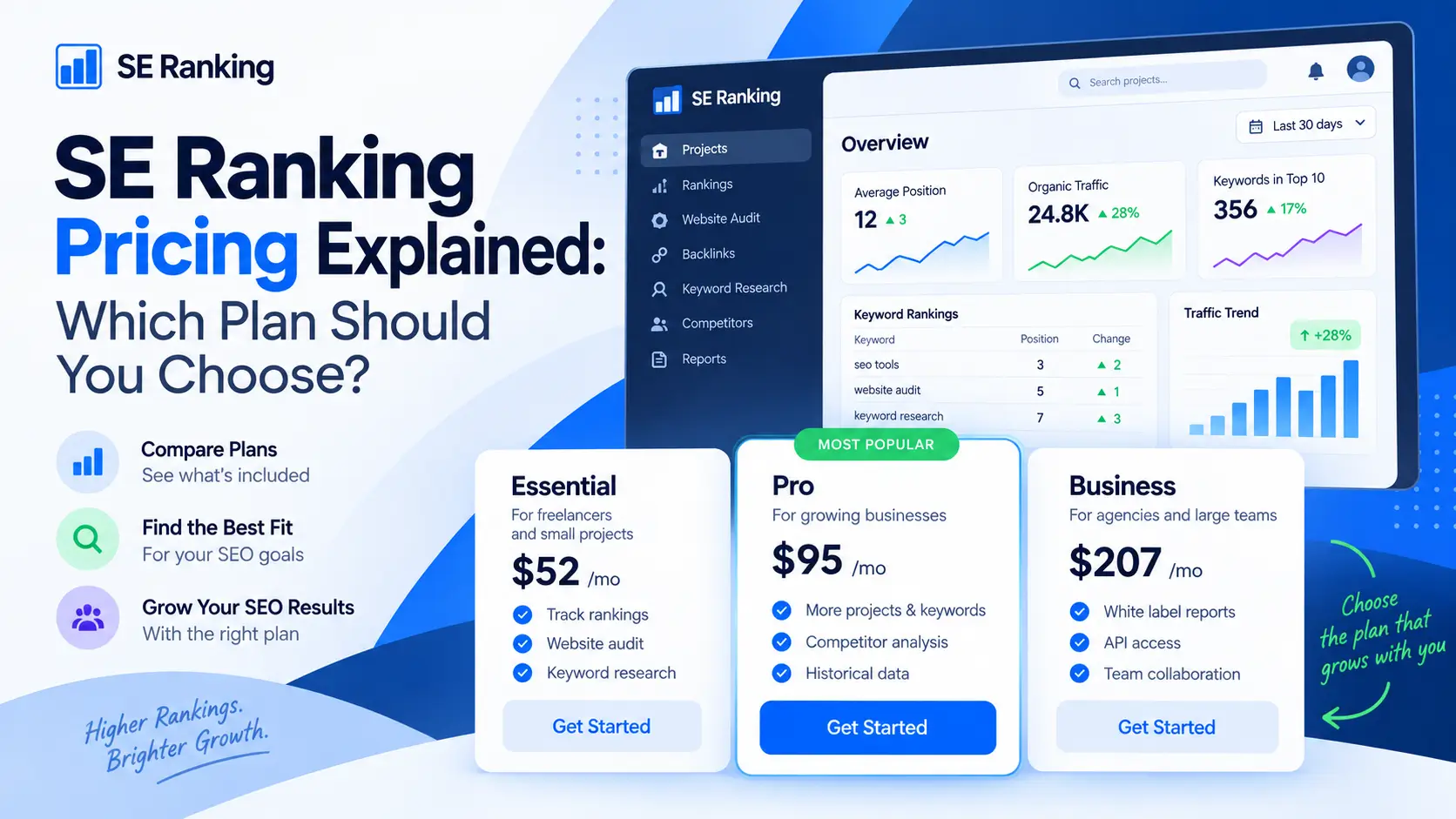
1. SE Ranking
SE Ranking is one of the best value all-in-one SEO platforms for smaller sites.
It covers:
- rank tracking
- audits
- reporting
- keyword research
- AI visibility workflows
What I like most here is balance.
It is not the cheapest thing on earth, but it is often much easier to justify than paying separately for:
- keyword research
- rank tracking
- technical audits
- AI visibility monitoring
2. Mangools
Mangools is one of the cleanest low-cost SEO suites for small websites.
It combines:
- KWFinder
- SERPChecker
- SERPWatcher
- LinkMiner
- SiteProfiler
- a set of free SEO tools and browser helpers
It is not trying to be a giant enterprise platform.
That is exactly why I like it for small sites.
My Take
If I wanted the strongest all-in-one value, I would look at SE Ranking first. If I wanted the simplest low-cost suite with a cleaner learning curve, Mangools would be incredibly tempting.
🧰 Best Free Browser Extensions and Lightweight Helpers
For a lot of small websites, the browser itself can become the cheapest SEO toolkit.
1. Detailed SEO Extension
Detailed’s SEO extension is one of the best free browser SEO tools available.
It gives fast page-level insights like:
- title tags
- meta descriptions
- robots signals
- related SEO checks
right in the browser.
2. HARPA AI
HARPA AI is more of a browser-side AI assistant than a classic SEO extension, but it is genuinely useful for small-site owners who want to combine:
- page analysis
- summarization
- research
- quick AI assistance
- prompt-driven workflows
That makes it surprisingly practical for content and research-heavy SEO work.
My Take
If you want pure SEO page analysis, start with the Detailed SEO Extension. If you want a broader AI helper that can support research and workflows inside the browser, HARPA AI is worth adding.
📊 Best Affordable Content Optimization Tools
This is where small websites often get the biggest return.
A better article can outperform a bigger budget if the topic is right.
1. NeuronWriter
This is where NeuronWriter stands out again.
Its lower-tier pricing is much easier to justify than premium alternatives, while the higher tiers add features like:
- plagiarism checks
- content planning
- WordPress and Shopify integrations
- BYOK support
I would not make the hard claim that it delivers an exact percentage of Surfer’s value, because that depends too much on workflow and expectations.
But I do think this is fair:
For many small websites, NeuronWriter delivers most of the practical content optimization value they actually need at a much lower cost than premium content scoring tools.
2. Rank Math Content AI
Rank Math is especially relevant for WordPress users because its free plugin is well known, while Content AI adds AI-assisted suggestions through a separate credit-based layer.
My Take
If content is your bottleneck and budget matters, NeuronWriter is usually the stronger direct buy. If your whole site runs on WordPress and you want to stay inside that ecosystem, Rank Math deserves real attention.
🔑 Best Keyword Tools for Low-Competition Clusters
Small sites usually do not win by targeting the biggest terms.
They win by finding lower-competition clusters that the bigger sites overlook.
1. LowFruits
LowFruits is one of the smartest tools in this category because it is built around finding weak spots in the SERPs and supports both subscriptions and pay-as-you-go credits.
That makes it especially attractive for smaller sites because you do not have to commit to a large monthly bill just to do occasional keyword discovery.
2. Mangools
Mangools also works here because KWFinder is still one of the easiest ways for a small-site owner to discover easier keywords and judge them visually instead of getting buried in enterprise-style dashboards.
My Take
If I wanted pure low-competition opportunity hunting, I would lean toward LowFruits. If I wanted a broader beginner-friendly keyword suite, I would lean toward Mangools.
🖼️ Best Low-Cost AI Writing and Image Helpers
This section matters because small websites often need both content and visuals, but cannot afford a separate image stack.
1. KoalaWriter
KoalaWriter starts at a low monthly price, and the platform includes both writing and image products.
That makes it one of the more practical small-site tools if you want:
- article generation
- built-in image help
- simpler per-article economics than hiring writers and designers separately
2. Agility Writer
Agility Writer is not a pure pay-per-article tool, but its pricing is article-credit-based enough that small sites can estimate cost per article pretty easily.
My Take
If you want the cleanest low-cost writing-plus-image story, KoalaWriter is very attractive. If you want predictable article-credit economics with more control over volume, Agility Writer is worth a close look.
🔌 Best Free WordPress and Site-Audit Options
Small sites should not rush to pay for technical audits if a strong free option already covers the basics.
1. Ahrefs Webmaster Tools
This is one of the best long-term free SEO tools for site owners.
It gives free access to:
- Site Audit
- Site Explorer
- Web Analytics
That is hard to beat for free.
2. Yoast SEO
Yoast’s WordPress plugin remains one of the strongest free starting points for beginner-friendly on-page guidance.
3. Rank Math Free
Rank Math’s free plugin is also still one of the best-value WordPress options, especially if you want a free base plugin with an upgrade path to AI features later.
My Take
If I wanted a free technical audit forever, I would start with Ahrefs Webmaster Tools. If I wanted free WordPress guidance right where I write, I would compare Yoast and Rank Math based on my workflow preference.
💵 The $50/Month Stack
If I had to build a practical small-site stack and stay around $50/month, I would keep it brutally simple.
1. Mangools
Use it for:
- keyword research
- SERP analysis
- rank tracking basics
- general SEO exploration
2. NeuronWriter
Use it for:
- content scoring
- semantic optimization
- better article quality
- internal linking support
3. Ahrefs Webmaster Tools
Use it for:
- free site audits
- technical issue monitoring
- backlink and traffic visibility for your own site
Why This Stack Works
It covers the three things a small site usually needs most:
- Find realistic topics
- publish better content
- keep the site technically healthy
And it does it without trying to imitate a $500/month agency stack.
✅ Pros and Cons of the Leading Tools
1. NeuronWriter
Pros
- Strong price-to-value ratio
- Lifetime plans exist
- BYOK support on higher plans
- Good content scoring for small sites
Cons
- Less polished than premium enterprise content platforms
- Higher tiers grant some advanced AI and integration features
2. SE Ranking
Pros
- Strong all-in-one value
- Easier to use than heavier suites
- Includes AI visibility workflows
Cons
- Not as deep as the biggest enterprise tools
- Add-ons can increase the total cost
3. Mangools
Pros
- Clean and simple
- Affordable starting price
- Great for small-site keyword research
Cons
- Less powerful than enterprise suites
- Not the best fit for advanced backlink work
4. LowFruits
Pros
- Great for low-competition research
- PAYG option is very budget-friendly
- Strong for small-site niche hunting
Cons
- More specialized than a full SEO suite
- Best as part of a stack, not the only tool
5. Ahrefs Webmaster Tools
Pros
- Free site auditing
- Strong technical value
- Excellent for verified site owners
Cons
- Only for sites you own and verify
- Not a substitute for full Ahrefs on competitive backlink analysis
6. Yoast SEO
Pros
- Strong free WordPress starting point
- Real-time guidance
- Beginner-friendly
Cons
- AI features are not fully free
- Better for on-page guidance than broader SEO management
7. Rank Math
Pros
- Strong free WordPress plugin
- Good upgrade path into AI features
- Popular with budget-conscious site owners
Cons
- Content AI is credit-based
- Some users may still prefer Yoast’s simplicity
8. KoalaWriter
Pros
- Low-cost entry
- Includes writing plus image capability
- Good for fast content production
Cons
- Still needs human editing
- Better for speed than a deep content strategy
9. Agility Writer
Pros
- Clear credit-based article economics
- Good for controlling content spend
- Built around SEO-focused article creation
Cons
- Still a subscription, not pure PAYG
- Higher volume plans escalate quickly
🧭 The Savings Matrix
| Best fit | Recommended tool | Why |
|---|---|---|
| Best for content | NeuronWriter | Strong value, lifetime options, and practical content optimization |
| Best for keywords | Mangools | Affordable, simple, and easy for small-site keyword research |
| Best all-in-one | SE Ranking | Strong balance of SEO features, reporting, and AI visibility value |
My simpler buying advice
- Choose NeuronWriter if content quality is your biggest bottleneck
- Choose Mangools if keyword research feels too complex or too expensive elsewhere
- Choose SE Ranking if you want the strongest all-in-one value
- Choose LowFruits if your site wins by targeting weak SERPs and easier clusters
- Choose Ahrefs Webmaster Tools if you want strong free site-audit coverage
- Choose Yoast or Rank Math if your site runs on WordPress and you want free optimization help
- Choose KoalaWriter if you want low-cost writing plus image support in one workflow
❓ Affordable AI SEO Tools FAQ
1. What is the best affordable AI SEO tool for a small website?
It depends on the bottleneck. NeuronWriter is one of the best for content, Mangools is one of the best for keyword research, and SE Ranking is one of the best for all-in-one value.
2. Are lifetime deals worth it for SEO tools?
They can be, especially for smaller sites that want to reduce monthly overhead. But availability changes, and not every LTD remains strategically useful forever.
3. What is the best low-cost keyword research tool?
For many small websites, Mangools and LowFruits are two of the best affordable options, depending on whether you want a broader or lower-competition research focus.
4. What is the best free site-audit tool for a small website?
Ahrefs Webmaster Tools is one of the strongest free long-term options because it includes Site Audit for verified sites.
5. Is NeuronWriter really a budget alternative to Surfer?
For many small-site owners, yes. It usually covers the most practical content-optimization needs at a much lower price, even if Surfer remains the more premium workflow.
6. Which WordPress SEO plugin is better for beginners: Yoast or Rank Math?
Both are good. Yoast often feels more straightforward to many beginners, while Rank Math can feel more feature-rich and flexible, especially if you may want AI features later.
7. What is the smartest $50/month stack for a small site?
A very practical stack is Mangools + NeuronWriter + Ahrefs Webmaster Tools because it covers research, content optimization, and technical audits without getting expensive.
8. Do cheap SEO tools have weaker data?
Sometimes, yes. Budget tools can be excellent for keywords, content scoring, and site health, but they may be weaker for deep backlink analysis or enterprise-scale data coverage. That tradeoff is normal and often acceptable for small websites.
🏁 Final Thoughts
When I think about affordable AI SEO tools for small websites, I do not think about who has the biggest feature list.
I think about who helps a smaller site move forward without draining cash every month.
The best budget-friendly tools help you:
- publish better content
- Find realistic keywords
- Keep the site healthy
- Cut recurring costs
- avoid overbuying software
- build momentum with a lean stack
If I had to reduce the whole article to one idea, it would be this:
A small website does not need the most expensive SEO stack. It needs the stack that removes the next bottleneck cheaply and consistently.


Comments 4