LowFruits Review: Is This Low-Competition Keyword Tool Worth It?
🚀 Introduction
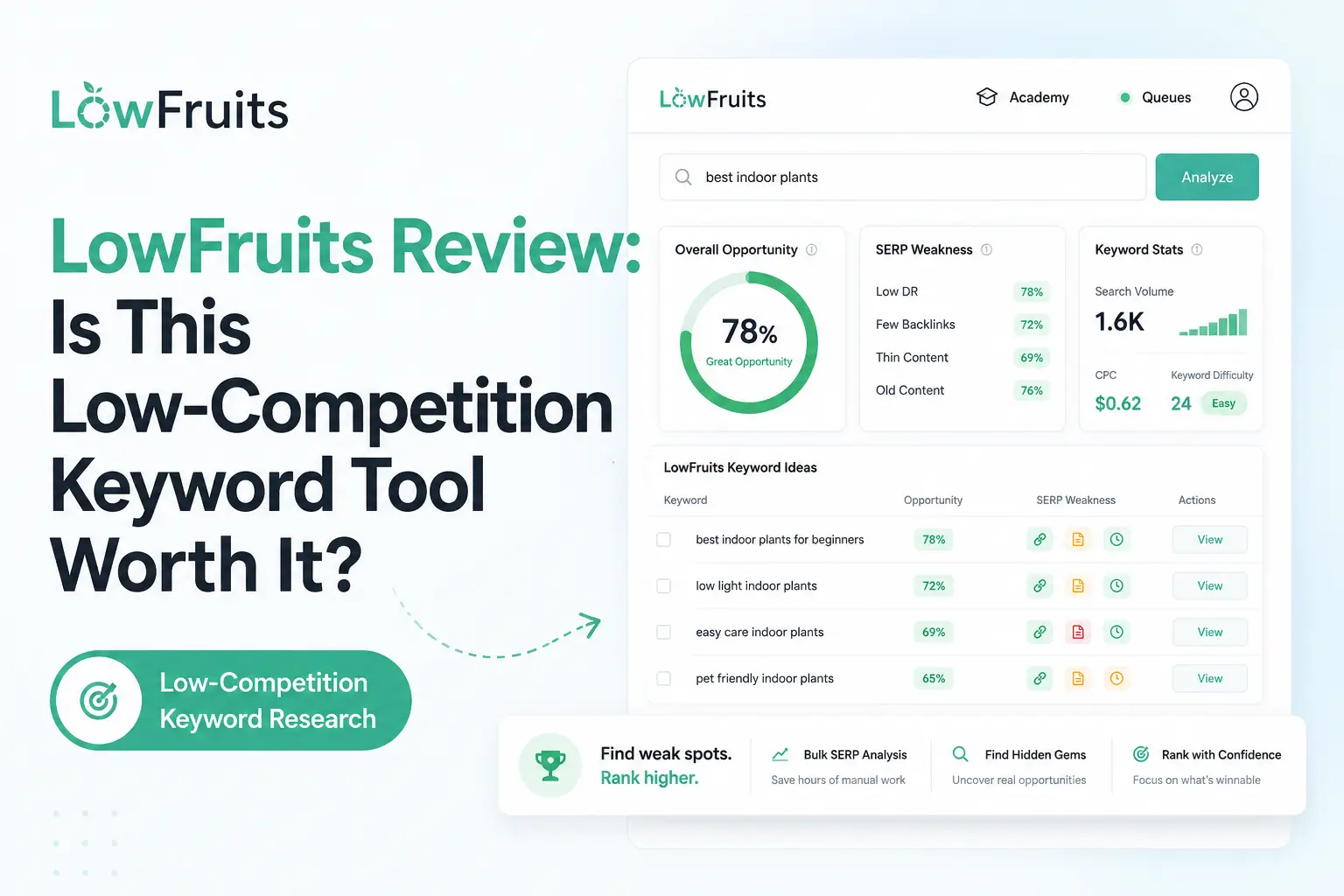
LowFruits is a keyword research and SERP analysis tool built to help bloggers, affiliate marketers, niche site owners, and small SEO teams find low-competition keywords they can realistically rank for. It is best for finding “weak spots” in Google results, not for replacing a full SEO suite.
That is the key difference.
Many keyword tools give you search volume, difficulty scores, and competitor data. LowFruits focuses on a more practical question: are weak websites ranking on page one for this keyword?
For small websites, that question matters more than chasing high-volume keywords dominated by authority sites.
In this LowFruits review, I will explain what LowFruits does, how it works, who should use it, where it performs well, where it falls short, and whether it is worth using for SEO content planning.
⚡ Quick Verdict
LowFruits is worth it if you need a practical tool for finding low-competition keywords, weak SERPs, and realistic content opportunities for smaller websites.
It is not a full replacement for Semrush, Ahrefs, SE Ranking, or Mangools. But for bloggers, affiliate site owners, and niche publishers, LowFruits can be extremely useful because it helps you find keywords where smaller or weaker websites already rank.
| Question | Quick Answer |
|---|---|
| Best for | Bloggers, affiliate marketers, niche site owners, small businesses, and newer websites. |
| Strongest feature | Weak SERP analysis for finding low-competition keyword opportunities. |
| Biggest advantage | It helps you find realistic ranking opportunities instead of only relying on keyword difficulty scores. |
| Biggest drawback | It is specialized, so you still need other tools for audits, backlinks, content optimization, and broader SEO. |
| Best alternatives | Mangools, WriterZen, Keyword Insights, LowFruits, SE Ranking, Ahrefs, and Semrush, depending on your workflow. |
| My verdict | LowFruits is one of the best tools for finding easy-win keywords, especially for smaller sites and affiliate SEO. |
| I would use LowFruits if you need | I would not use LowFruits if you need |
|---|---|
| Low-competition keyword discovery | Full technical SEO audits |
| Weak SERP analysis | Deep backlink research |
| Long-tail keyword ideas | Enterprise SEO reporting |
| A practical tool for new or smaller sites | Premium content optimization |
| Keyword ideas from Google Autocomplete | AI article writing |
| Competitor keyword extraction on subscriptions | Full all-in-one SEO software |
| A pay-as-you-go keyword research option | Advanced AI visibility tracking |
| A tool for affiliate and niche content planning | Content inventory strategy like MarketMuse |
The clearest takeaway is this: LowFruits is not trying to be the biggest SEO platform. It is trying to help you find keywords where smaller websites have a real chance to compete.
📚 Recommended Reads
- Mangools Review: Is This Affordable SEO Toolkit Worth It?
- WriterZen Review: Is This SEO Content Workflow Tool Worth It?
- NeuronWriter Review: Is This Budget-Friendly SEO Content Optimizer Worth It?
- Best AI SEO Tools Tested This Year
- Best AI Keyword Clustering Tools Tested This Year
📌 In This Guide
- What Is LowFruits?
- How LowFruits Works
- LowFruits Key Features
- LowFruits for Keyword Research and SEO Content
- LowFruits Pricing and Value
- Real-World Evidence: What Independent Reviews Show
- LowFruits Pros and Cons
- LowFruits for Bloggers and Affiliate Site Owners
- LowFruits for Agencies and Freelancers
- LowFruits for Small Businesses and SaaS Teams
- LowFruits Alternatives
- My Practical LowFruits Workflow
- Common Mistakes When Using LowFruits
- FAQ
- Final Verdict: Is LowFruits Worth It?
- Recommended Next Reads
🧠 What Is LowFruits?
LowFruits is a keyword research and SERP analysis tool designed to help users find low-competition keywords.
Its main idea is simple: instead of only giving you a keyword difficulty score, LowFruits analyzes Google results and highlights “weak spots” in the SERP.
These weak spots may include lower-authority websites, forums, user-generated content, niche sites, or other pages that suggest a keyword may be easier to compete for.
LowFruits can help with:
- Long-tail keyword research.
- Low-competition keyword discovery.
- Weak SERP analysis.
- Keyword idea generation.
- Competitor keyword extraction.
- Domain Explorer.
- Rank tracking on subscription plans.
- Sitemap extraction.
- SERP score analysis.
- Content planning.
- Niche site keyword research.
- Affiliate content planning.
- Small-site SEO strategy.
The most effective way to understand LowFruits is to see it as an opportunity finder.
It helps answer questions like:
- Which keywords are realistic for my site?
- Are weak domains ranking on page one?
- Are forums or low-authority sites ranking?
- Which long-tail keywords are worth targeting?
- Which keywords should I avoid because the SERP is too strong?
- Which competitors in my niche are weak but visible?
- Which keywords can support my topical authority plan?
This makes LowFruits especially useful for newer websites.
If your site does not have strong authority yet, the smartest SEO strategy is often not to target the biggest keywords. It is to find smaller, realistic keywords where you can start earning visibility.
That is where LowFruits fits well.
⚙️ How LowFruits Works
LowFruits works by generating keyword ideas and analyzing Google’s search results for weak competitors.
A typical LowFruits workflow may look like this:
- Start with a seed keyword.
- Generate keyword ideas from Google Autocomplete.
- Filter or organize the keyword list.
- Analyze SERPs for selected keywords.
- Review weak spots and SERP scores.
- Look for keywords where lower-authority sites rank.
- Save promising keywords.
- Group related keywords into content ideas.
- Write a brief article.
- Track rankings and refresh content later.
This workflow is useful because many keyword tools stop at volume and difficulty.
LowFruits pushes you to look at the actual SERP.
That matters because keyword difficulty scores are estimates. They can be helpful, but they are not perfect. A keyword with low difficulty may still be hard if the top results are strong, and a keyword with modest volume may be valuable if the current results are weak.
One of the strongest patterns is that LowFruits works best when you use it before writing.
It helps you choose better topics, not just optimize content after the fact.
🛠️ LowFruits Key Features
🍏 Weak SERP Analysis
Weak SERP analysis is the main reason to use LowFruits.
The tool looks at Google results and helps identify keywords where weaker websites appear in the top results. That can signal an opportunity for smaller sites.
Weak spots may include:
- Low-authority websites.
- Forums.
- Q&A pages.
- User-generated content.
- Niche blogs.
- Thin competitor pages.
- Smaller publishers.
- Pages with weak optimization.
This is useful because SEO is competitive.
If every result on page one is from a large authority site, ranking may be difficult. But if page one includes smaller sites, forums, or weaker pages, a well-written article may have a better chance.
The biggest mistake is assuming every weak SERP is automatically easy.
You still need to check search intent, content quality, backlinks, topical authority, and whether your article can be genuinely better.
🔎 Keyword Finder
LowFruits includes a Keyword Finder that pulls long-tail keyword ideas from Google Autocomplete.
This is useful because Google Autocomplete often reveals real search patterns and long-tail queries that broader tools may not prioritize.
A practical Keyword Finder workflow may include:
- Enter a seed keyword.
- Generate long-tail keyword ideas.
- Filter irrelevant terms.
- Analyze SERPs for promising keywords.
- Save easy-win opportunities.
- Group keywords by topic.
- Build a content plan.
This is especially useful for affiliate sites and niche blogs.
For example, instead of targeting a broad keyword like “dog food,” you might discover long-tail ideas around specific needs, problems, comparisons, or buyer questions.
Long-tail keywords are often less competitive and more specific, which can make them easier to target with focused content.
📊 SERP Scores
LowFruits provides SERP scores to help users evaluate ranking opportunities faster.
Instead of manually opening every search result, users can analyze multiple keywords and review the strength or weakness of the SERP.
This is useful when working with large keyword lists.
A blogger may generate hundreds or thousands of keyword ideas. Manually checking each SERP would take too long. SERP scoring helps prioritize which keywords deserve deeper review.
A good workflow is:
- Generate a large keyword list.
- Analyze SERPs in bulk.
- Sort by weak spots.
- Review the most promising keywords manually.
- Choose keywords that match your site and audience.
- Build content around the best opportunities.
SERP scores should guide decisions, not replace judgment.
🧭 Domain Explorer
Domain Explorer is available on subscription plans and helps users find weak websites, analyze niches, and study low-competition domains.
This is useful when you want to understand which small sites are already ranking in your niche.
A practical Domain Explorer workflow could include:
- Find weak domains in your category.
- Review their top keywords.
- Study their content patterns.
- Identify gaps they have not covered well.
- Find keywords they rank for despite low authority.
- Build better content around similar opportunities.
This can be especially useful for niche site research.
If a weak domain ranks for several keywords in your topic, that may reveal a path for your own site.
The point is not to copy weak competitors. The point is to understand where Google is already willing to rank smaller websites.
🏆 Competitor Keyword Extraction
LowFruits subscriptions include competitor keyword extraction.
This helps users find keywords that competitors rank for, especially when those competitors are smaller or weaker sites.
This can be useful for:
- Niche research.
- Affiliate site planning.
- Blog topic discovery.
- Content gap analysis.
- Finding low-authority competitors.
- Planning supporting articles.
- Building topical maps.
Competitor keyword extraction is especially helpful when you find a site similar to yours.
If a small competitor is ranking for many relevant keywords, those keywords may be realistic targets for your own content strategy.
🧾 Sitemap Extraction
LowFruits also includes a sitemap extraction tool on subscription plans.
This can help users understand a competitor’s content structure.
A sitemap can reveal:
- Blog topics.
- Content categories.
- Published URLs.
- Topic clusters.
- Content depth.
- Site architecture.
- Content strategy patterns.
This is useful because keyword research is not only about isolated terms.
Sometimes, understanding how competitors organize content gives you better strategic ideas than keyword lists alone.
For example, a competitor’s sitemap may show that they have built clusters around beginner guides, product comparisons, reviews, and troubleshooting content. That can help you plan your own content hub more intelligently.
📈 Rank Tracker
LowFruits subscription plans include a keyword rank tracker.
This helps users monitor rankings after publishing or updating content.
Rank tracking is useful because keyword research does not end when the article goes live.
You need to know whether pages are:
- Gaining impressions.
- Moving into the top 50.
- Reaching page two.
- Reaching page one.
- Declining after a competitor update.
- Needing internal links.
- Needing a content refresh.
LowFruits is not primarily known as a rank tracking platform, but having rank tracking inside the workflow is useful for small teams that want fewer tools.
🧠 Boosted Keyword Finder
Subscription plans include Boosted Keyword Finder, which helps users find more keyword ideas.
This can be useful when you are building a deeper content plan around a niche.
A normal keyword search might give you enough ideas for a few articles. A boosted workflow can help you go deeper into the topic and identify more long-tail opportunities.
This is useful for:
- Building topic clusters.
- Planning supporting content.
- Finding question-style keywords.
- Creating topical authority maps.
- Expanding a niche site content calendar.
The best use is not to publish every keyword as a separate article.
The best use is to group related keywords and create stronger pages that answer complete search intent.
🔎 LowFruits for Keyword Research and SEO Content
LowFruits is very useful for keyword research, especially when your goal is finding realistic opportunities.
It can help with:
- low-competition keywords
- long-tail keywords
- weak SERP analysis
- keyword idea generation
- competitor keyword research
- niche site planning
- affiliate topic discovery
- content calendar planning
- early-stage SEO strategy
- supporting article ideas
However, LowFruits does not replace:
- technical SEO audits
- backlink analysis
- content optimization
- AI article writing
- full rank tracking platforms
- enterprise SEO reporting
- conversion optimization
- topical authority platforms
- editorial review
The most effective way to use LowFruits is at the beginning of the content workflow.
A practical SEO workflow could look like this:
- Use LowFruits to find weak SERP keyword opportunities.
- Group related keywords into content ideas.
- Check the actual SERP manually.
- Create a useful article outline.
- Write or brief the content.
- Optimize the article with NeuronWriter, Surfer, or Clearscope if needed.
- Add internal links from related pages.
- Publish the article.
- Track rankings and impressions.
- Refresh content based on performance.
LowFruits helps you choose better battles.
That is its biggest value.
💰 LowFruits Pricing and Value
LowFruits offers both pay-as-you-go credits and subscription plans.
This is one of its strongest advantages because not every user wants a monthly subscription right away.
At the time of writing, LowFruits’ public pricing includes:
| Pricing Option | Price | What You Get |
|---|---|---|
| Pay-as-you-go | $25 | 2,000 credits |
| Pay-as-you-go | $60 | 5,000 credits |
| Pay-as-you-go | $100 | 10,000 credits |
| Pay-as-you-go | $250 | 50,000 credits |
| Standard | $29.90/month or $20.75/month billed yearly | 3,000 credits/month and subscription features |
| Premium | $79.90/month or $62.45/month billed yearly | 10,000 credits/month and higher subscription limits |
Prices may change over time, so always check LowFruits’ official pricing page before subscribing or buying credits.
Subscription plans include features that are not available with pay-as-you-go credits, such as:
- Boosted Keyword Finder.
- Keyword rank tracker.
- Domain Explorer.
- Competitor keyword extraction.
- Sitemap extraction.
- Unlimited access to free report downloads.
- Discount on pay-as-you-go credits.
Here is how I would think about value:
| User Type | Is LowFruits Worth It? | Why |
|---|---|---|
| New blogger | Yes | Great for finding realistic low-competition keywords. |
| Affiliate site owner | Yes | Strong fit for niche research and weak SERP discovery. |
| SEO freelancer | Yes | Useful for finding quick-win opportunities for smaller clients. |
| Small agency | Maybe | Good for research, but agencies may need broader reporting tools too. |
| SaaS content team | Maybe | Useful for long-tail content, but may need deeper strategy tools. |
| Enterprise SEO team | Usually no | Too specialized for full enterprise SEO operations. |
LowFruits is easiest to justify when you want to avoid wasting time on unrealistic keywords.
For newer and smaller sites, choosing the wrong keywords can cost months.
LowFruits helps reduce that risk by showing where weaker competitors already rank.
📊 Real-World Evidence: What Independent Reviews Show
LowFruits does not have the same type of widely published traffic-growth case studies as some larger SEO platforms, but there are useful independent reviews that support its positioning as a practical low-competition keyword research tool.
External source: IsItWP independent LowFruits review and hands-on testing article.
IsItWP tested LowFruits and described it as a keyword research tool that helps users find low-competition keywords, analyze SERPs, discover weak spots, and identify realistic ranking opportunities. Their review also highlights features such as keyword research, SERP analysis, competitor analysis, Domain Explorer, rank tracking, and content planning support.
The important point is that this is workflow evidence, not guaranteed traffic evidence.
It does not prove that every site using LowFruits will gain rankings. But it does support the claim that LowFruits is useful for finding weak SERPs and planning content around lower-competition opportunities.
Here is the practical evidence summary:
| Evidence Point | What It Means for LowFruits Users |
|---|---|
| Independent hands-on review | The source is not LowFruits’ own marketing page. |
| Focus on low-competition keywords | Supports the tool’s main positioning. |
| SERP weakness analysis highlighted | Confirms that LowFruits is more than a basic keyword list tool. |
| Useful for small sites and bloggers | Matches the most realistic buyer profile. |
| No guaranteed ranking proof | Users still need content quality, internal links, and SEO execution. |
For Searchmora readers, the fair conclusion is this:
LowFruits is best supported as a keyword opportunity discovery tool. Its value is in helping you find better targets before writing, not in guaranteeing traffic after publishing.
A smart 30-day LowFruits test would look like this:
- Choose one niche or content cluster.
- Use LowFruits to generate long-tail keyword ideas.
- Analyze SERPs and save keywords with weak spots.
- Select 5–10 realistic keywords.
- Publish or update content around those keywords.
- Add relevant internal links.
- Track rankings and impressions in Google Search Console.
- Continue monitoring for 60–90 days before judging results.
The strongest way to use LowFruits is to combine weak SERP discovery with strong content execution.
A weak SERP gives you an opening. A useful article earns the ranking.
✅ LowFruits Pros and Cons
✅ Pros
| Pro | Why It Matters |
|---|---|
| Excellent for low-competition keywords | Helps smaller sites find realistic opportunities. |
| Weak SERP analysis | Goes beyond basic keyword difficulty scores. |
| Good for long-tail keyword research | Useful for niche sites, blogs, and affiliate content. |
| Pay-as-you-go option | Lets users test the tool without committing to a subscription. |
| Competitor keyword extraction | Helps discover ideas from weaker or similar competitors. |
| Domain Explorer | Useful for niche research and weak competitor discovery. |
| Let users test the tool without committing to a subscription. | Helpful for monitoring selected keywords. |
| Sitemap extraction | Helps study competitor content structure. |
| Strong fit for new and small websites | Helps avoid overly competitive keywords. |
❌ Cons
| Con | Why It Matters |
|---|---|
| Not a full SEO suite | You still need other tools for audits, backlinks, and reporting. |
| No advanced content optimization | Tools like NeuronWriter, Surfer, and Clearscope are better for scoring drafts. |
| Limited backlink research | Ahrefs or Semrush are better for link analysis. |
| Not ideal for enterprise SEO | Larger teams may need broader data and workflows. |
| Credits can be confusing at first | Users need to understand how searches and SERP analysis consume credits. |
| Weak SERPs still need manual review | A weak competitor does not guarantee an easy ranking. |
| Not an AI writer | It helps find keywords, but you still need to create the content. |
The biggest mistake is thinking LowFruits replaces SEO strategy.
It does not.
It helps you find better opportunities, but you still need to choose the right topics, create helpful content, build internal links, and monitor performance.
🧲 LowFruits for Bloggers and Affiliate Site Owners
LowFruits is one of the best fits for bloggers and affiliate site owners.
Why?
These users often compete against larger websites with stronger authority. Instead of targeting impossible keywords, they need long-tail opportunities where smaller sites can rank.
A blogger can use LowFruits to:
- Find question-style keywords.
- Discover long-tail blog ideas.
- Identify weak SERPs.
- Plan supporting articles.
- Build content clusters.
- Avoid high-competition keywords.
An affiliate site owner can use LowFruits to:
- Find product comparison keywords.
- Discover “best X for Y” opportunities.
- Identify niche buying-guide topics.
- Find keywords where smaller sites rank.
- Build supporting informational content.
- Plan low-competition review angles.
I would use it if you need:
| Use LowFruits If | Why |
|---|---|
| You have a newer site | It helps find keywords where smaller sites can compete. |
| You run an affiliate site | It can reveal long-tail review and buying-guide opportunities. |
| You need supporting content ideas | Google Autocomplete keywords are useful for article planning. |
| You want weak SERP analysis | It shows where lower-authority pages rank. |
| You are building a niche cluster | It helps find related low-competition topics. |
I would not use it if you need:
| Avoid LowFruits If | Better Fit |
|---|---|
| Content optimization | NeuronWriter, Surfer, Clearscope |
| Keyword clustering at scale | WriterZen, Keyword Insights |
| Full SEO audits | SE Ranking, Semrush, Screaming Frog |
| Backlink research | Ahrefs, Semrush |
| AI article writing | KoalaWriter, ContentPen, Jasper |
For affiliate SEO, LowFruits is especially useful before writing.
It helps you find realistic targets. Then your content still needs product research, honest recommendations, screenshots, comparisons, and useful buying guidance.
🧑💼 LowFruits for Agencies and Freelancers
LowFruits can be useful for freelancers and small agencies working with smaller clients.
A freelancer can use LowFruits to:
- Find realistic keywords for low-authority clients.
- Build content plans.
- Identify weak SERPs.
- Research small competitors.
- Support blog strategy.
- Create low-competition topic lists.
A small agency can use it for:
- Local SEO content ideas.
- Niche keyword research.
- Blog planning.
- Competitor discovery.
- Content briefs.
- Early-stage SEO campaigns.
I would use it if you need:
- Low-competition keyword ideas.
- Realistic targets for small clients.
- Weak SERP analysis.
- A pay-as-you-go research option.
- Niche content planning support.
I would not use it if you need:
- Full client reporting dashboards.
- Technical SEO audits.
- Backlink outreach.
- White-label rank tracking.
- Advanced content optimization.
- Enterprise keyword research.
For agencies, LowFruits is best as a research add-on.
It can help find easier opportunities, but you may still need SE Ranking, Semrush, Ahrefs, or Google Search Console for broader client work.
🏢 LowFruits for Small Businesses and SaaS Teams
LowFruits can help small businesses and SaaS teams, especially when they need long-tail content ideas.
A small business can use LowFruits to find:
- Local service keywords.
- Question-based blog topics.
- Low-competition educational articles.
- Competitor content ideas.
- Niche-specific terms.
- FAQ content opportunities.
A SaaS team can use LowFruits for:
- Use-case keywords.
- Integration-related content.
- Comparison keywords.
- Beginner educational content.
- Glossary topics.
- Long-tail pain point queries.
I would use it if you need:
- Easier content opportunities.
- Long-tail blog topics.
- Supporting content for topical authority.
- Research for a newer site.
- Ideas that bigger tools may bury.
I would not use it if you need:
- Enterprise product-led SEO strategy.
- Advanced content inventory planning.
- Technical SEO automation.
- Backlink campaigns.
- Conversion optimization.
- Full AI visibility tracking.
For SaaS teams, LowFruits is useful for supporting content.
It may not be enough for the full content strategy, but it can help uncover long-tail pages that support broader authority.
🔁 LowFruits Alternatives
LowFruits is strong for low-competition keyword discovery, but it is not the only option.
Here are the best alternatives depending on your main need:
| Alternative | Best For | Why Choose It Instead of LowFruits |
|---|---|---|
| Mangools KWFinder | Beginner-friendly keyword research | Better if you want a broader SEO toolkit with rank tracking, SERP analysis, and backlinks. |
| WriterZen | Keyword clustering and content planning | Better if you need to group keywords into topic clusters and briefs. |
| Keyword Insights | Keyword clustering at scale | Better for agencies and teams working with large keyword exports. |
| SE Ranking | All-in-one SEO for teams | Better for audits, rank tracking, reports, keyword research, and competitor analysis. |
| Semrush | Full SEO and marketing suite | Better for broad keyword research, competitor data, audits, PPC, and content marketing. |
| Ahrefs | Backlinks and competitor research | Better if link analysis and competitive research are your main priorities. |
| NeuronWriter | Budget content optimization | Better after keyword research when you need to optimize article drafts. |
| AlsoAsked | Question research | Better if you mainly need question-based topic discovery. |
| AnswerThePublic | Search, listening, and topic ideas | Better for visual topic discovery and content inspiration. |
LowFruits’ advantage is weak SERP discovery.
Its weakness is that it is specialized. For a full SEO workflow, it works best alongside a content optimizer, rank tracker, and broader SEO tool.
🧪 My Practical LowFruits Workflow
If I were using LowFruits for a Searchmora-style SEO project, I would use it at the keyword discovery stage.
Start with a Broad Topic
First, I would choose a topic that fits the site.
For example:
- AI SEO tools.
- Keyword clustering tools.
- Internal linking tools.
- Content optimization tools.
- AI writing tools.
- Local SEO tools.
Generate Long-Tail Ideas
Next, I would use LowFruits to generate keyword ideas from Google Autocomplete.
I would remove irrelevant keywords and keep terms that match the site’s audience.
Analyze SERP Weakness
Then I would analyze the SERPs.
I would look for:
- Low-authority sites.
- Forums.
- Reddit or Q&A pages.
- Thin content.
- Outdated articles.
- Weak affiliate pages.
- Smaller niche blogs.
Choose Realistic Keywords
After that, I would choose keywords based on:
- Relevance.
- Weak SERP signals.
- Search intent.
- Business value.
- Content fit.
- Internal linking potential.
Group Keywords into Articles
I would not create one article for every keyword.
Instead, I would group related keywords into stronger pages.
Write and Optimize
Then I would write the article and improve it with a content optimization tool if needed.
For example:
- Draft the article.
- Add examples.
- Add FAQs.
- Use NeuronWriter or Surfer for optimization.
- Add internal links.
- Publish.
- Track performance.
Review After Publishing
Finally, I would track impressions and rankings.
If a page gains impressions but not clicks, I would improve the title and meta description.
If a page gets stuck on page two, I would add internal links and improve content depth.
This workflow makes LowFruits practical.
It helps you find easier opportunities, then gives you a clear process to act on them.
⚠️ Common Mistakes When Using LowFruits
Trusting Weak SERPs Blindly
A weak SERP is an opportunity, not a guarantee.
You still need strong content.
Ignoring Search Intent
If the SERP wants a product page, do not publish a generic blog post.
Match the content format to the intent.
Publishing Too Many Thin Articles
Long-tail keywords should not always become separate articles.
Group related keywords when the intent is similar.
Skipping Manual SERP Review
LowFruits helps speed up analysis, but manual review still matters.
Look at the actual ranking pages before writing.
Using It Without Content Optimization
LowFruits helps you choose keywords.
It does not fully optimize the article.
Use a content optimizer if you are targeting competitive topics.
Forgetting Internal Links
Low-competition content still needs internal support.
Link from related pages to help search engines understand your content cluster.
Expecting Instant Results
Even easy keywords take time.
Track results over weeks and months, not days.
❓ FAQ
1. Is LowFruits good for SEO?
Yes, LowFruits is good for SEO keyword research, especially if you need low-competition keywords, weak SERP analysis, and long-tail opportunities for smaller websites.
2. What is LowFruits best for?
LowFruits is best for finding low-competition keywords by analyzing weak spots in Google search results. It is especially useful for bloggers, affiliate marketers, niche sites, and small businesses.
3. Is LowFruits worth it?
LowFruits is worth it if you need realistic keyword opportunities and do not want to rely only on keyword difficulty scores. Its pay-as-you-go option also makes it easier to test before subscribing.
4. Does LowFruits do keyword clustering?
LowFruits helps with keyword research and opportunity discovery, but if keyword clustering is your main need, WriterZen or Keyword Insights may be a better fit.
5. Is LowFruits better than Ahrefs?
LowFruits is better for quickly finding weak SERPs and low-competition keywords. Ahrefs is better for backlink research, competitor analysis, keyword databases, and advanced SEO workflows.
6. Is LowFruits better than Mangools?
LowFruits is better if your main need is weak SERP discovery. Mangools is better if you want a broader beginner-friendly SEO toolkit with KWFinder, SERPChecker, SERPWatcher, LinkMiner, and SiteProfiler.
7. Can beginners use LowFruits?
Yes, LowFruits is beginner-friendly if you understand the basic idea of keyword research. It is especially useful for beginners because it helps avoid overly competitive keywords.
8. Does LowFruits write content?
No, LowFruits is not an AI writing tool. It helps you find keyword opportunities. You still need to write, edit, optimize, and publish the content.
9. Does LowFruits guarantee rankings?
No. LowFruits can help you find easier keyword opportunities, but rankings depend on content quality, search intent, backlinks, internal links, technical SEO, topical authority, and competition.
🏁 Final Verdict: Is LowFruits Worth It?
LowFruits is worth it for bloggers, affiliate marketers, niche site owners, freelancers, and small businesses that need realistic keyword opportunities.
It is not a full SEO platform, and it is not a content optimizer. But it solves one important problem very well: helping smaller websites find keywords they may actually be able to rank for.
My final recommendation is simple:
Use LowFruits if your main SEO problem is finding low-competition keywords and weak SERPs.
Skip LowFruits if you need a complete SEO suite, technical audits, backlink research, content optimization, AI writing, or enterprise reporting.
For Searchmora readers, I would position LowFruits as one of the best keyword research tools for small websites and affiliate SEO. It is especially attractive because it helps users stop chasing impossible keywords and start building traffic from realistic long-tail opportunities.
The clearest takeaway is this: LowFruits helps you choose better SEO battles. For newer and smaller sites, that can be more valuable than having a huge keyword database full of keywords you cannot realistically rank for yet.
📚 Recommended Next Reads
To continue learning about keyword research, content planning, and SEO tools, these Searchmora guides are useful next reads:
- Mangools Review: Is This Affordable SEO Toolkit Worth It?
- WriterZen Review: Is This SEO Content Workflow Tool Worth It?
- NeuronWriter Review: Is This Budget-Friendly SEO Content Optimizer Worth It?
- Best AI SEO Tools Tested This Year
- Best AI Keyword Clustering Tools Tested This Year


Comments 4