Keyword Insights Review: Is This SERP-Based Keyword Clustering Tool Worth It?
🚀 Introduction
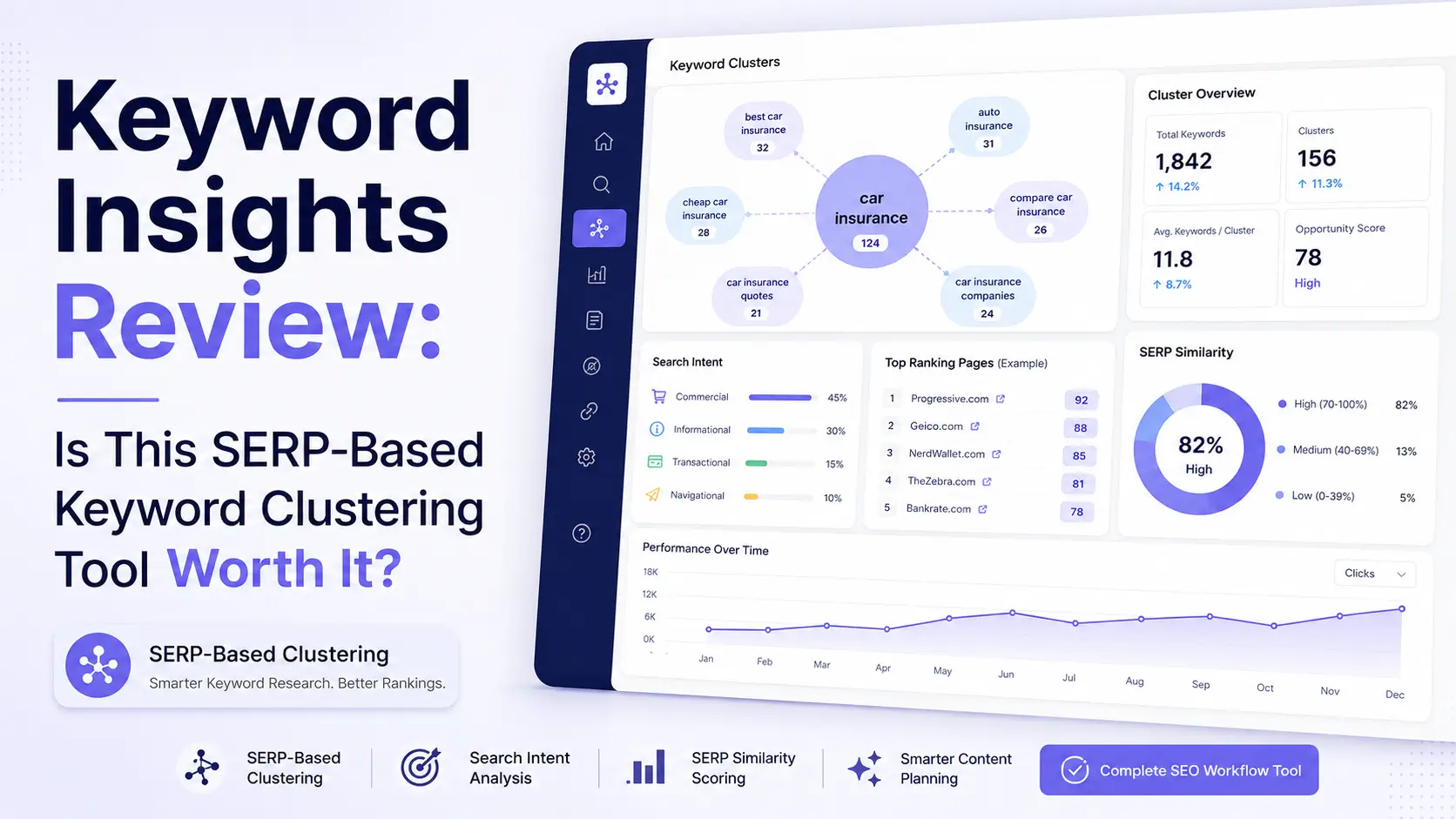
Keyword Insights is a SERP-based keyword clustering and content planning tool built for SEO teams, agencies, publishers, and content marketers who need to organize large keyword lists into cleaner content opportunities. It is best for serious content planning, not casual keyword research.
Its biggest value is simple:
Keyword Insights helps you decide which keywords belong together, which keywords need separate pages, and how to turn messy keyword data into a structured content plan.
That matters because poor keyword grouping can lead to keyword cannibalization, weak targeting, and wasted content budgets. If you publish five pages that should have been one page, or one page that should have been split into five pages, your SEO strategy becomes harder to scale.
In this Keyword Insights review, I will explain what the tool does, who it is best for, where it performs well, where it falls short, and whether it is worth using for SEO content planning and topical authority.
⚡ Quick Verdict
Keyword Insights is worth it if your main SEO challenge is turning large keyword lists into clear content clusters, briefs, and article plans.
It is not the cheapest keyword tool for beginners, and it is not a full all-in-one SEO suite. But for agencies, publishers, and content teams that regularly process keyword exports, Keyword Insights can save time and reduce planning mistakes.
| Question | Quick Answer |
|---|---|
| Best for | Agencies, publishers, in-house SEO teams, content strategists, and large content projects. |
| Strongest feature | SERP-based keyword clustering. |
| Biggest advantage | It helps decide which keywords belong on one page and which need separate pages. |
| Biggest drawback | It can feel too workflow-heavy or credit-sensitive for casual bloggers. |
| Best alternatives | WriterZen for lighter planning, Keyword Cupid for pure clustering, Semrush for broader SEO, and LowFruits for weak SERPs. |
| My verdict | Keyword Insights is one of the strongest tools for large-scale keyword clustering and content planning. |
| I would use Keyword Insights if you need | I would not use Keyword Insights if you need |
|---|---|
| SERP-based keyword clustering | A cheap beginner keyword tool |
| Large keyword list organization | Full technical SEO audits |
| Content briefs from keyword clusters | Deep backlink analysis |
| Pillar-spoke content planning | One-click AI blog publishing |
| Search intent classification | Enterprise SEO crawling |
| Google Search Console-based content planning | A simple WordPress SEO plugin |
| AI writing support tied to clusters | Standalone rank tracking as your main need |
| A scalable workflow for agencies and publishers | A lightweight tool for occasional blog posts |
The clearest takeaway is this: Keyword Insights is best when keyword organization is the bottleneck. If you already have keyword data but need to turn it into a smart content map, this tool is a strong fit.
📚 Recommended Reads
- Best AI Keyword Clustering Tools Tested This Year
- WriterZen Review: Is This SEO Content Workflow Tool Worth It?
- LowFruits Review: Is This Low-Competition Keyword Tool Worth It?
- Mangools Review: (New Review)
- Content Harmony Review: Is This Content Brief Platform Worth It?
📌 In This Guide
- What Is Keyword Insights?
- How Keyword Insights Works
- Keyword Insights Key Features
- Keyword Insights for Keyword Clustering and SEO Content
- Keyword Insights Pricing and Value
- Real-World Evidence: What External Reviews and Screenshots Show
- Keyword Insights Pros and Cons
- Keyword Insights for Agencies and Publishers
- Keyword Insights for Bloggers and Affiliate Site Owners
- Keyword Insights for SaaS and In-House SEO Teams
- Keyword Insights Alternatives
- My Practical Keyword Insights Workflow
- Common Mistakes When Using Keyword Insights
- FAQ
- Final Verdict: Is Keyword Insights Worth It?
- Recommended Next Reads
🧠 What Is Keyword Insights?
Keyword Insights is an AI-powered SEO platform focused on keyword clustering, content planning, content briefs, and AI-assisted content creation.
Its core purpose is to help users organize keywords based on search intent and SERP overlap.
That makes it different from traditional keyword tools.
A traditional keyword tool may give you a list of terms, search volume, difficulty scores, and CPC data. Keyword Insights helps answer the most important planning question:
Should the same page target these keywords, or should they become separate pages?
Keyword Insights can help with:
- SERP-based keyword clustering.
- Search intent classification.
- Content brief generation.
- AI writing support.
- Content planning.
- Pillar-spoke structure.
- Topic mapping.
- Competitor visibility analysis.
- Google Search Console workflows.
- Keyword discovery.
- Content gap analysis.
- Large keyword list processing.
- Team workflows for agencies and publishers.
The most effective way to understand Keyword Insights is to see it as a bridge between keyword research and content production.
It not only helps you find keywords. It helps you turn keywords into pages.
That is an important distinction.
For content-heavy websites, keyword research is not the hard part anymore. The hard part is deciding how to organize the keywords into a structure that Google and readers understand.
Keyword Insights is built for that problem.
⚙️ How Keyword Insights Works
Keyword Insights works by analyzing keyword lists and grouping them based on SERP similarity, search intent, and content planning logic.
A typical workflow may look like this:
- Export keywords from a tool like Ahrefs, Semrush, Google Search Console, or another keyword source.
- Upload the keyword list into Keyword Insights.
- Choose the country, language, and clustering settings.
- Let the tool analyze SERP overlap.
- Review the generated clusters.
- Identify which clusters should become individual pages.
- Check intent labels and dominant page types.
- Create content briefs from selected clusters.
- Use AI writing support if needed.
- Build your editorial calendar around the final clusters.
This workflow is useful because keywords can look similar but behave differently in Google.
For example, two keywords may seem semantically close, but Google may show different results for each one. That usually means they may need separate pages.
On the other hand, several keyword variations may show nearly the same ranking pages. That usually means one strong page can target the full cluster.
One of the strongest patterns is that Keyword Insights helps reduce keyword cannibalization.
Instead of guessing whether two keywords need one page or two pages, you can use SERP overlap as a stronger signal.
🛠️ Keyword Insights Key Features
🧩 SERP-Based Keyword Clustering
SERP-based clustering is the main reason to use Keyword Insights.
The tool groups keywords by checking whether Google shows overlapping results for those queries. This is often more reliable than grouping by semantic similarity alone.
That matters because search engines do not always treat similar phrases the same way.
For example:
- “Best keyword clustering tools”
- “Keyword clustering software”
- “AI keyword clustering tools”
- “Keyword grouping tool”
- “Keyword clustering for SEO”
Some of these may belong in one article. Others may require separate pages depending on how Google treats the SERP.
Keyword Insights helps identify that difference.
This is useful for:
- Large keyword exports.
- Topic cluster planning.
- Content calendars.
- SEO migrations.
- Blog planning.
- Affiliate site planning.
- International SEO.
- Content audits.
- Cannibalization prevention.
- Pillar-spoke structures.
The biggest mistake is assuming keyword clustering is only about matching similar words.
Better clustering is about matching intent and SERP behavior.
🎯 Search Intent Classification
Keyword Insights can help classify search intent, which makes the clusters more useful for content planning.
Search intent helps answer:
- Does this keyword need a blog post?
- Does it need a product page?
- Does it need a comparison page?
- Does it need a category page?
- Does it need a guide?
- Does it need a landing page?
- Does it need a tool page?
This is important because even a perfectly clustered keyword group can fail if the page type is wrong.
For example, if Google is showing e-commerce category pages, publishing a long informational guide may not match the SERP. If Google is showing comparison articles, a short product landing page may struggle.
The clearest signal is that Keyword Insights helps you move from keyword list to page strategy.
That is more valuable than simply knowing search volume.
🧾 Content Briefs
Keyword Insights can generate content briefs from keyword clusters.
This helps teams move from planning to production faster.
A useful content brief may include:
- Primary keyword.
- Secondary keywords.
- Search intent.
- Suggested headings.
- Questions to answer.
- Competitor references.
- Content structure.
- Internal link ideas.
- Page type recommendation.
- Cluster context.
This is valuable for agencies and content teams because writers need clear instructions.
Without a good brief, keyword research often fails during execution. The strategist may understand the cluster, but the writer may not know how to turn it into a page.
Keyword Insights helps reduce that gap.
A good brief should not be treated as an initial strategy, though. The best briefs still need human direction, brand positioning, examples, internal links, and editorial judgment.
🤖 AI Writing Agent and Writing Assistant
Keyword Insights includes AI writing support through its Writing Assistant and AI Writing Agent.
This can help users create drafts from clusters, briefs, and SERP context.
This is useful because many teams do not only need clustering. They need a way to turn clusters into publishable content faster.
AI writing support can help with:
- First drafts.
- Section expansion.
- FAQ drafts.
- Brief-to-article workflows.
- Content outlines.
- Rewriting weak sections.
- Drafting supporting content.
However, I would not use AI output without editing.
The final content still needs:
- accuracy
- examples
- originality
- search intent alignment
- internal links
- brand voice
- expert review
- practical recommendations
For SEO, AI writing is safest when it supports a human-led workflow.
Keyword Insights gives the structure. The human editor should add trust.
📊 Competitor Visibility
Keyword Insights includes competitor visibility features that help you understand how competitors perform across your uploaded keyword clusters.
This can help answer:
- Which competitors dominate this cluster?
- Which websites appear across multiple clusters?
- Where are competitors stronger than us?
- Which clusters are currently underserved?
- Which content opportunities are realistic?
- Which pages should be prioritized?
This is useful because topical authority is competitive.
You are not only deciding what to write. You are deciding where your site can compete and where it needs more supporting content.
Competitor visibility can also help agencies explain strategy to clients.
Instead of showing a raw keyword list, you can show cluster-level opportunities and competitor coverage.
🔎 Keyword Discovery
Keyword Insights also supports keyword discovery, which helps users find keyword ideas before clustering.
This can be useful when you do not already have a full keyword export.
However, I would still treat Keyword Insights as the strongest after the initial keyword research stage.
For broader keyword databases, tools like Semrush, Ahrefs, Mangools, SE Ranking, and Google Search Console may still be useful.
A strong workflow is:
- Use a broad SEO tool to collect keyword ideas.
- Use Keyword Insights to organize and cluster them.
- Use content briefs to guide production.
- Use Google Search Console to refine later.
This gives you both breadth and structure.
🌍 International SEO and Localized SERP Logic
Keyword Insights can be useful for international SEO because clustering should depend on the market and language.
The same keyword translated into another language does not always behave the same way in search.
For example, the English SERP may favor blog posts, while the French or German SERP may favor product pages, marketplaces, or local results.
That means international teams need clustering that respects local SERP behavior.
Keyword Insights is useful here because country and language settings help teams make page decisions based on the actual search environment.
This is valuable for:
- global publishers
- SaaS companies
- international ecommerce
- multilingual blogs
- agencies managing multi-market SEO
- content teams expanding into new regions
International SEO is where SERP-based clustering becomes especially important.
🔗 Google Search Console Workflows
Keyword Insights can also support Google Search Console workflows.
This matters because first-party search data is often more useful than generic keyword databases.
Google Search Console can show:
- Queries your site already appears for.
- Pages are getting impressions, but weak clicks.
- Queries where one page ranks for many terms.
- Cannibalization risks.
- Content refresh opportunities.
- Clusters where your site already has traction.
When you combine GSC data with clustering, you can make better decisions about whether to update an existing page or create a new one.
This is one of the strongest advanced use cases for Keyword Insights.
Instead of only planning new content, you can use clustering to improve existing content architecture.
🔎 Keyword Insights for Keyword Clustering and SEO Content
Keyword Insights is strongest at the planning layer of SEO content.
It can help with:
- SERP-based clustering
- keyword grouping
- search intent classification
- content brief creation
- content calendar planning
- content hub planning
- topical authority mapping
- cannibalization prevention
- competitor visibility
- large keyword list processing
- AI-assisted content workflows
However, Keyword Insights does not replace:
- backlink analysis
- technical SEO audits
- full rank tracking
- deep keyword databases
- conversion optimization
- manual SERP review
- editorial strategy
- expert content review
The most effective way to use Keyword Insights is inside a broader SEO stack.
A practical workflow could look like this:
- Collect keywords from Ahrefs, Semrush, Google Search Console, Mangools, or SE Ranking.
- Upload the keyword list to Keyword Insights.
- Cluster keywords by SERP overlap.
- Review intent and page type recommendations.
- Build a content map.
- Prioritize clusters based on business value.
- Create briefs for the highest-priority clusters.
- Write or assign the content.
- Optimize drafts with a content tool if needed.
- Track performance and refresh later.
Keyword Insights helps answer a very important SEO question:
What should become a page?
That is why it can be valuable for agencies and content-heavy websites.
💰 Keyword Insights Pricing and Value
Keyword Insights uses a credit-based pricing model with monthly plans, annual discounts, and a low-cost trial.
At the time of writing, the official pricing page shows:
| Plan | Monthly Price | Credits | Best For |
|---|---|---|---|
| Professional | $99/month | 20,000 credits | SEO professionals, content teams, and regular clustering workflows |
| Enterprise | Custom | Custom credits | High-volume agencies, publishers, and enterprise teams |
| $1 Trial | $1 for 7 days | 5,000 one-time credits | Testing all major features before subscribing |
The pricing page also explains that credits are used across features. For example, clustering uses 1 credit per keyword, content briefs use 100 credits per brief, Writing Assistant uses 200 credits per article, and AI Writing Agent uses 1,200 credits per article.
Prices and plans may change over time, so always check Keyword Insights’ official pricing page before subscribing.
Here is how I would think about value:
| User Type | Is Keyword Insights Worth It? | Why |
|---|---|---|
| New blogger | Usually no | It may be too advanced unless you work with large keyword lists. |
| Affiliate site owner | Maybe | Useful if you build topic clusters and want to avoid cannibalization. |
| SEO freelancer | Yes, if doing content strategy | Strong for keyword grouping and content briefs. |
| Agency | Yes | Excellent fit for scalable keyword clustering and client content maps. |
| Publisher | Yes | Useful for planning large content libraries. |
| SaaS content team | Yes | Strong for product-led SEO, clusters, and content planning. |
| Enterprise SEO team | Yes | Useful when processing large keyword sets across markets. |
Keyword Insights becomes easier to justify when keyword clustering is repeated work.
If you only write one article per month, the tool may be too much. If you process thousands of keywords for clients, content hubs, or editorial calendars, it can save many hours.
The strongest pricing question is this:
Will Keyword Insights help you avoid content planning mistakes and reduce manual clustering time?
If yes, the value becomes clear.
📊 Real-World Evidence: What External Reviews and Screenshots Show
Keyword Insights has official case studies, but for this review, I wanted an external source that also includes images or screenshots that can be useful when preparing the article visually.
External source with images: ToolJunction’s Keyword Insights review includes a “Screenshots & Videos” section showing the Keyword Insights homepage interface and dashboard. It also rates the tool 4.2/5 and describes it as best for agencies and in-house teams running large keyword research projects. ToolJunction specifically highlights SERP-based clustering, AI content briefs, the AI Writing Agent, and the $1 trial as key strengths.
This source is useful because it gives you two things:
- An external editorial review.
- Visual material direction for the article.
For your WordPress post, you can add a screenshot-based visual near this section, such as:
- a screenshot of the Keyword Insights dashboard
- a screenshot of a clustering output
- a screenshot of a content brief workflow
- a screenshot of the pricing/trial section
- a screenshot of the SERP-based clustering explanation
G2 user reviews also support the time-saving angle. One verified reviewer said Keyword Insights saved “hours of work every week” by turning keywords into clear clusters, search intent labels, and hub-and-spoke categorization. Another reviewer said the tool helped cut down the time needed for keyword research and clarified what to cluster and prioritize. (G2)
Here is the practical evidence summary:
| Evidence Point | What It Means for Keyword Insights Users |
|---|---|
| External review with screenshots | ToolJunction provides a third-party article with visual material you can reference when building the post. |
| 4.2/5 editorial rating | Supports the tool’s credibility as a serious keyword clustering platform. |
| Best for agencies and in-house teams | Matches the strongest buyer profile for Keyword Insights. |
| G2 verified user feedback | Supports the claim that the tool saves time in keyword clustering and content planning. |
| No guaranteed ranking proof | The evidence supports workflow value, not guaranteed traffic growth. |
For Searchmora readers, the fair conclusion is this:
Keyword Insights is best supported as a workflow and planning tool. It can save time, reduce manual clustering, and help build clearer content plans. But it does not guarantee rankings by itself.
A smart 30-day test would look like this:
- Export 1,000–3,000 keywords from Ahrefs, Semrush, or Google Search Console.
- Run them through Keyword Insights clustering.
- Identify 10–20 clusters with clear search intent.
- Create briefs for the top 5 clusters.
- Publish or refresh content based on those briefs.
- Add internal links between related pages.
- Track performance in Google Search Console.
- Review results over 60–90 days.
The strongest way to use Keyword Insights is not to expect instant traffic. Use it to make better content architecture decisions before publishing.
✅ Keyword Insights Pros and Cons
✅ Pros
| Pro | Why It Matters |
|---|---|
| Strong SERP-based clustering | Helps group keywords based on how Google treats intent. |
| Good for large keyword lists | Useful for agencies, publishers, and content teams processing many keywords. |
| Helps prevent cannibalization | Shows which keywords should share a page and which need separate pages. |
| Content briefs included | Makes it easier to move from planning to writing. |
| AI writing support | Helps turn briefs and clusters into draft content faster. |
| Search intent classification | Improves page-type planning and editorial decisions. |
| Competitor visibility | Helps identify who dominates specific keyword clusters. |
| GSC workflows | Useful for clustering real site query data. |
| Strong fit for topical authority | Helps build cleaner content hubs and pillar-spoke structures. |
❌ Cons
| Con | Why It Matters |
|---|---|
| Not ideal for casual bloggers | Ahrefs or Semrush is better for link research. |
| Credit system needs planning | Heavy users need to monitor credit usage carefully. |
| Not a full SEO suite | You still need other tools for backlinks, audits, and rank tracking. |
| Learning curve | Beginners may need time to understand clustering settings and outputs. |
| AI content still needs editing | Drafts and briefs require human review and strategy. |
| Can feel overkill for small sites | If you only publish occasionally, a simpler tool may be enough. |
| No deep backlink analysis | Ahrefs or Semrush are better for link research. |
The biggest mistake is treating Keyword Insights like a simple keyword list tool.
It is more powerful than that, but only if you use it to make page-level strategy decisions.
🧑💼 Keyword Insights for Agencies and Publishers
Keyword Insights is one of the strongest fits for agencies and publishers.
Agencies often receive large keyword exports from tools like Ahrefs, Semrush, or Google Search Console. The hard part is turning that data into a usable content plan.
Keyword Insights can help agencies:
- Group large keyword lists.
- Create content maps.
- Build topic clusters.
- Identify search intent.
- Create briefs for writers.
- Reduce manual spreadsheet work.
- Prevent keyword cannibalization.
- Explain content plans to clients.
Publishers can use it to:
- Organize large editorial calendars.
- Build a pillar and supporting pages.
- Plan topical authority hubs.
- Identify duplicate content risks.
- Refresh existing content.
- Map content gaps.
I would use it if you need:
| Use Keyword Insights If | Why |
|---|---|
| You process large keyword exports | It helps turn raw data into content clusters. |
| You build content plans for clients | Clusters and briefs make strategy easier to explain. |
| You manage many writers | Briefs help turn SEO planning into writer instructions. |
| You need topical authority maps | SERP-based clusters support cleaner content hubs. |
| You want to reduce cannibalization | It helps decide which keywords belong together. |
I would not use it if you need:
| Avoid Keyword Insights If | Better Fit |
|---|---|
| Technical SEO crawling | Screaming Frog, Sitebulb, SE Ranking |
| Backlink research | Ahrefs, Semrush |
| Basic keyword ideas only | Mangools, LowFruits |
| Premium article optimization | Clearscope, Surfer, NeuronWriter |
| SEO automation | Search Atlas OTTO SEO, Alli AI |
For agencies, Keyword Insights can become a strong client strategy tool.
It helps turn “here is a keyword list” into “here is the content architecture.”
📝 Keyword Insights for Bloggers and Affiliate Site Owners
Keyword Insights can help bloggers and affiliate site owners, but it depends on the site’s stage and content volume.
For a new blogger with 20 articles, it may be too much.
For an affiliate site owner building a topical map, it can be useful.
A blogger or affiliate site owner can use Keyword Insights to:
- Group review keywords.
- Organize buying guide keywords.
- Plan supporting informational content.
- Avoid targeting similar keywords with too many pages.
- Build pillar-spoke structures.
- Create briefs from keyword clusters.
- Refresh older content using GSC query data.
I would use it if you need:
| Use Keyword Insights If | Why |
|---|---|
| You are planning a large niche site | Clustering helps build the content map. |
| You have many keyword ideas | It helps organize them into real page opportunities. |
| You worry about cannibalization | It shows when keywords should share one page. |
| You use writers | Briefs help make assignments clearer. |
| You want to build topical authority | Clusters support structured content hubs. |
I would not use it if you need:
| Avoid Keyword Insights If | Better Fit |
|---|---|
| Low-competition keyword discovery | LowFruits |
| Beginner keyword research | Mangools KWFinder |
| Article optimization | NeuronWriter, Surfer, Clearscope |
| Fast AI article writing | KoalaWriter, ContentPen |
| Internal linking | Link Whisper |
For affiliate SEO, Keyword Insights is best before writing.
It helps you decide whether keywords like “best X,” “X review,” “X alternatives,” and “X vs Y” should become one page, multiple pages, or a larger content hub.
🏢 Keyword Insights for SaaS and In-House SEO Teams
Keyword Insights can be very useful for SaaS and in-house SEO teams because these teams often need structured content planning.
A SaaS company may need content around:
- Use cases.
- Pain points.
- Features.
- Comparisons.
- Alternatives.
- Integrations.
- Glossary terms.
- Competitor pages.
- Industry guides.
- Product-led SEO pages.
Without clustering, these topics can easily become scattered.
Keyword Insights helps in-house teams decide which keywords deserve separate pages and which should be grouped into stronger resources.
I would use it if you need:
- Product-led SEO planning.
- Cluster-based content architecture.
- Briefs for writers and subject matter experts.
- International SEO clustering.
- Google Search Console query grouping.
- A way to reduce keyword cannibalization.
- Better content planning before hiring writers.
I would not use it if you need:
- Technical SEO audits.
- Product analytics.
- Conversion testing.
- Backlink outreach.
- Full marketing automation.
- Enterprise content governance by itself.
For SaaS teams, Keyword Insights works best when paired with product marketers and SEO strategists.
The tool can organize the keyword strategy, but the team still needs customer insight, product knowledge, and strong positioning.
🔁 Keyword Insights Alternatives
Keyword Insights is strong for SERP-based clustering and content planning, but it is not the only option.
Here are the best alternatives depending on your main need:
| Alternative | Best For | Why Choose It Instead of Keyword Insights |
|---|---|---|
| WriterZen | Keyword research and clustering | Better if you want a lighter SEO content workflow with topic discovery. |
| Keyword Cupid | Pure keyword clustering | Better if you want a focused clustering-first tool. |
| LowFruits | Weak SERP discovery | Better if you need easier low-competition keywords before clustering. |
| Mangools KWFinder | Beginner keyword research | Better if you want a simple keyword research and SERP analysis toolkit. |
| Semrush | All-in-one SEO | Better for keyword research, audits, rank tracking, and competitor data. |
| Ahrefs | Backlinks and competitor research | Better for backlink data, content gaps, and competitive SEO analysis. |
| Keyword Insights | SERP-based clustering at scale | Best when you need to process large keyword lists into content clusters. |
| Content Harmony | Content briefs | Better if your main need is detailed brief creation after research. |
Important correction: Keyword Insights should not be listed as its own alternative in a final published version.
A cleaner alternatives table would use:
| Alternative | Best For | Why Choose It Instead of Keyword Insights |
|---|---|---|
| WriterZen | Keyword research and clustering | Better for users who want topic discovery, clustering, briefs, and AI drafting in one lighter workflow. |
| Keyword Cupid | Pure SERP-based clustering | Better if you mainly need clustering precision without broader content workflow features. |
| LowFruits | Low-competition keyword discovery | Better for finding weak SERPs before deciding what to cluster. |
| Mangools KWFinder | Beginner keyword research | Better if you need simple keyword research, SERP checks, and rank tracking. |
| Semrush | All-in-one SEO | Better for audits, competitor research, keyword data, rank tracking, and reporting. |
| Ahrefs | Backlinks and competitor research | Better if backlink research and competitive gap analysis are your top priorities. |
| Content Harmony | Content briefs | Better if you need a research-to-brief workflow with strong search intent analysis. |
| Keyword Insights | Large-scale clustering | Remove this row before publishing because it is the reviewed tool, not an alternative. |
Final version to publish:
| Alternative | Best For | Why Choose It Instead of Keyword Insights |
|---|---|---|
| WriterZen | Keyword research and clustering | Better for users who want topic discovery, clustering, briefs, and AI drafting in one lighter workflow. |
| Keyword Cupid | Pure SERP-based clustering | Better if you mainly need clustering precision without broader content workflow features. |
| LowFruits | Low-competition keyword discovery | Better for finding weak SERPs before deciding what to cluster. |
| Mangools KWFinder | Beginner keyword research | Better if you need simple keyword research, SERP checks, and rank tracking. |
| Semrush | All-in-one SEO | Better for audits, competitor research, keyword data, rank tracking, and reporting. |
| Ahrefs | Backlinks and competitor research | Better if backlink research and competitive gap analysis are your top priorities. |
| Content Harmony | Content briefs | Better if you need a research-to-brief workflow with strong search intent analysis. |
| Keyword Insights | Large-scale clustering | Do not include this row in final publishing. |
Actually, the correct clean table is:
| Alternative | Best For | Why Choose It Instead of Keyword Insights |
|---|---|---|
| WriterZen | Keyword research and clustering | Better for users who want topic discovery, clustering, briefs, and AI drafting in one lighter workflow. |
| Keyword Cupid | Pure SERP-based clustering | Better if you mainly need clustering precision without broader content workflow features. |
| LowFruits | Low-competition keyword discovery | Better for finding weak SERPs before deciding what to cluster. |
| Mangools KWFinder | Beginner keyword research | Better if you need simple keyword research, SERP checks, and rank tracking. |
| Semrush | All-in-one SEO | Better for audits, competitor research, keyword data, rank tracking, and reporting. |
| Ahrefs | Backlinks and competitor research | Better if backlink research and competitive gap analysis are your top priorities. |
| Content Harmony | Content briefs | Better if you need a research-to-brief workflow with strong search intent analysis. |
| Keyword Cupid | Focused clustering | Remove duplicate if already included. |
Use this final corrected table:
| Alternative | Best For | Why Choose It Instead of Keyword Insights |
|---|---|---|
| WriterZen | Keyword research and clustering | Better for users who want topic discovery, clustering, briefs, and AI drafting in one lighter workflow. |
| Keyword Cupid | Pure SERP-based clustering | Better if you mainly need clustering precision without broader content workflow features. |
| LowFruits | Low-competition keyword discovery | Better for finding weak SERPs before deciding what to cluster. |
| Mangools KWFinder | Beginner keyword research | Better if you need simple keyword research, SERP checks, and rank tracking. |
| Semrush | All-in-one SEO | Better for audits, competitor research, keyword data, rank tracking, and reporting. |
| Ahrefs | Backlinks and competitor research | Better if backlink research and competitive gap analysis are your top priorities. |
| Content Harmony | Content briefs | Better if you need a research-to-brief workflow with strong search intent analysis. |
| Keyword Insights | Reviewed tool | Remove this row before publishing. |
Final publish-ready alternatives table:
| Alternative | Best For | Why Choose It Instead of Keyword Insights |
|---|---|---|
| WriterZen | Keyword research and clustering | Better for users who want topic discovery, clustering, briefs, and AI drafting in one lighter workflow. |
| Keyword Cupid | Pure SERP-based clustering | Better if you mainly need clustering precision without broader content workflow features. |
| LowFruits | Low-competition keyword discovery | Better for finding weak SERPs before deciding what to cluster. |
| Mangools KWFinder | Beginner keyword research | Better if you need simple keyword research, SERP checks, and rank tracking. |
| Semrush | All-in-one SEO | Better for audits, competitor research, keyword data, rank tracking, and reporting. |
| Ahrefs | Backlinks and competitor research | Better if backlink research and competitive gap analysis are your top priorities. |
| Content Harmony | Content briefs | Better if you need a research-to-brief workflow with strong search intent analysis. |
Keyword Insights’ advantage is scale and SERP-based clustering.
Its weakness is that it is not meant to replace every SEO tool. It works best with a keyword source, a content optimizer, and performance tracking.
🧪 My Practical Keyword Insights Workflow
If I were using Keyword Insights for a Searchmora-style project, I would use it after collecting keywords and before writing.
Start with a Keyword Export
First, I would export keywords from tools like:
- Google Search Console.
- Ahrefs.
- Semrush.
- Mangools.
- LowFruits.
- SE Ranking.
The goal is to start with enough data to make clustering worthwhile.
Upload and Cluster the Keywords
Next, I would upload the keyword list into Keyword Insights.
I would choose the correct country and language because SERP behavior changes by market.
Review Cluster Quality
Then I would review the output.
I would check:
- Cluster topic.
- Primary keyword.
- Secondary keywords.
- Search intent.
- SERP overlap.
- Cluster volume.
- Business value.
- Page type recommendation.
Build a Content Map
After that, I would turn clusters into a content map.
I would separate:
- Pillar pages.
- Supporting pages.
- Comparison pages.
- Review pages.
- Glossary pages.
- Existing pages to update.
- New pages to create.
Create Briefs
Then I would create briefs for the most valuable clusters.
A brief should guide the writer, not overwhelm them.
Add Human Strategy
After the tool creates the structure, I would add:
- Editorial angle.
- Internal links.
- Expert notes.
- Examples.
- Target audience.
- Product positioning.
- Conversion goal.
- Source requirements.
Track Performance
Finally, I would monitor results in Google Search Console.
I would look for:
- New impressions.
- Cluster-level visibility.
- Pages ranking for unintended keywords.
- Cannibalization.
- Pages needing internal links.
- Pages that should be merged or split.
This workflow turns Keyword Insights into a strategic planning tool, not just a clustering tool.
⚠️ Common Mistakes When Using Keyword Insights
Clustering Without Enough Keyword Data
Keyword Insights works best when you have enough keywords to organize.
If you only have 20 keywords, the tool may be more than you need.
Trusting Clusters Without Review
SERP-based clustering is strong, but it still needs human judgment.
Always review important clusters before creating content.
Ignoring Business Value
A cluster can look attractive but still have low business value.
Prioritize keywords that support your site’s goals.
Creating One Page for Every Cluster Automatically
Clusters are recommendations, not orders.
Some clusters may need merging. Others may need splitting.
Using AI Drafts Without Editing
AI writing support can save time, but final content needs human editing.
Forgetting Internal Links
Clusters become stronger when pages link together.
Plan internal links before publishing.
Not Tracking Cannibalization
Even with clustering, cannibalization can happen.
Monitor performance after publishing.
❓ FAQ
1. Is Keyword Insights good for SEO?
Yes, Keyword Insights is very useful for SEO content planning, especially SERP-based keyword clustering, search intent classification, content briefs, and topical authority planning.
2. What is Keyword Insights best for?
Keyword Insights is best for organizing large keyword lists into content clusters based on SERP overlap and search intent. It is especially useful for agencies, publishers, and in-house SEO teams.
3. Is Keyword Insights worth it?
Keyword Insights is worth it if you regularly work with large keyword lists and need a faster way to build content maps and briefs. It may be too much for casual bloggers.
4. Does Keyword Insights do keyword clustering?
Yes, keyword clustering is one of Keyword Insights’ main features. It uses SERP-based logic to group keywords by how Google treats search intent.
5. Does Keyword Insights write content?
Keyword Insights includes writing tools and an AI Writing Agent, but the final content still needs human editing, examples, fact-checking, and brand voice.
6. Is Keyword Insights better than WriterZen?
Keyword Insights is stronger for large-scale SERP-based clustering. WriterZen may be better for users who want a lighter workflow with topic discovery, keyword research, clustering, and content planning.
7. Is Keyword Insights better than Semrush?
Keyword Insights is better for specialized keyword clustering and content mapping. Semrush is better as a broader SEO platform for keyword research, audits, rank tracking, competitor research, and reporting.
8. Who should use Keyword Insights?
Keyword Insights is best for agencies, publishers, in-house SEO teams, SaaS content teams, and serious content marketers who need to turn keyword data into structured content plans.
9. Does Keyword Insights guarantee rankings?
No. Keyword Insights helps with planning and clustering, but rankings depend on content quality, search intent, authority, backlinks, internal links, technical SEO, competition, and user satisfaction.
🏁 Final Verdict: Is Keyword Insights Worth It?
Keyword Insights is worth it for agencies, publishers, SaaS teams, and serious content marketers who need better keyword clustering, content planning, and brief creation.
It is not the cheapest tool, and it is not a full SEO suite. But it solves a very important content strategy problem: turning raw keyword data into clear page opportunities.
My final recommendation is simple:
Use Keyword Insights if you need to process large keyword lists, reduce cannibalization risk, and build content maps around real SERP behavior.
Skip Keyword Insights if you only need basic keyword ideas, low-cost beginner SEO, technical audits, backlinks, or a simple AI blog writer.
For Searchmora readers, I would position Keyword Insights as one of the strongest keyword clustering tools for serious SEO content planning. Its strongest value is not “finding keywords.” Its strongest value is helping you decide what to do with the keywords you already have.
The clearest takeaway is this: Keyword Insights is a planning tool for serious content operations. If your workflow depends on clusters, briefs, topical maps, and scalable content architecture, it deserves strong consideration.
📚 Recommended Next Reads
To continue learning about keyword clustering, SEO content workflows, and AI SEO tools, these Searchmora guides are useful next reads:
- Best AI Keyword Clustering Tools Tested This Year
- WriterZen Review: Is This SEO Content Workflow Tool Worth It?
- LowFruits Review: Is This Low-Competition Keyword Tool Worth It?
- Mangools Review: (New Review)
- Content Harmony Review: Is This Content Brief Platform Worth It?
Comments 4