Screaming Frog Review: Is This Technical SEO Crawler Worth It?
🚀 Introduction
Screaming Frog SEO Spider is one of the most trusted technical SEO crawlers for finding website issues that affect crawling, indexing, metadata, redirects, canonicals, internal links, structured data, and page quality. It is best for SEO professionals, agencies, consultants, and serious site owners, but it can feel technical for beginners.
Unlike many cloud SEO platforms, Screaming Frog is a desktop-based crawler. You install it on your computer, crawl a website, and analyze the results in detailed tables, filters, tabs, exports, and reports.
That setup gives experienced SEOs a lot of control.
It also explains why Screaming Frog is often loved by technical SEOs and intimidating for beginners. The tool does not hide complexity behind a simple score. It gives you raw crawl data and expects you to know what to do with it.
In this Screaming Frog review, I will explain what the tool does, who should use it, where it performs well, where it falls short, and whether it is worth paying for.
⚡ Quick Verdict
Screaming Frog is worth it if you need a powerful technical SEO crawler for audits, migrations, internal link analysis, metadata checks, redirects, canonicals, JavaScript rendering, structured data, and large-scale website diagnostics.
It is not the easiest SEO tool for beginners, and it is not an all-in-one platform like Semrush or SE Ranking. But for technical SEO work, Screaming Frog remains one of the most valuable tools you can use.
| Question | Quick Answer |
|---|---|
| Best for | Technical SEOs, agencies, consultants, developers, ecommerce teams, and serious site owners. |
| Strongest feature | Deep website crawling and technical SEO auditing. |
| Biggest advantage | It gives detailed crawl data with strong control, exports, filters, and custom extraction. |
| Biggest drawback | The interface and data depth can feel overwhelming for beginners. |
| Best alternatives | Sitebulb for visual audits, Semrush for all-in-one SEO, Ahrefs for backlinks, and SE Ranking for agency workflows. |
| My verdict | Screaming Frog is one of the best-value technical SEO tools for professionals who know how to use crawl data. |
| I would use Screaming Frog if you need | I would not use Screaming Frog if you need |
|---|---|
| Technical SEO audits | A beginner-only SEO dashboard |
| Website crawling | One-click SEO recommendations |
| Broken link detection | Long-form AI article writing |
| Redirect and canonical checks | Deep backlink research |
| JavaScript rendering audits | Keyword clustering |
| Structured data validation | Premium content optimization |
| Custom extraction | Automated SEO implementation |
| Site migration checks | White-label client dashboards as the main feature |
The clearest takeaway is this: Screaming Frog is not built to make SEO look simple. It is built to give technical SEOs the crawl data they need to find, diagnose, export, and fix real website problems.
📚 Recommended Reads
📌 In This Guide
- What Is Screaming Frog?
- How Screaming Frog Works
- Screaming Frog Key Features
- Screaming Frog for Technical SEO Audits
- Screaming Frog Pricing and Value
- Real-World Evidence: What Independent Reviews and User Feedback Show
- Screaming Frog Pros and Cons
- Screaming Frog for Agencies and Consultants
- Screaming Frog for E-commerce and Large Websites
- Screaming Frog for Bloggers and Small Businesses
- Screaming Frog Alternatives
- My Practical Screaming Frog Workflow
- Common Mistakes When Using Screaming Frog
- FAQ
- Final Verdict: Is Screaming Frog Worth It?
- Recommended Next Reads
🧠 What Is Screaming Frog?
Screaming Frog SEO Spider is a website crawler used for technical SEO audits and on-site analysis.
It crawls websites in a similar way to a search engine crawler, then reports what it finds. This can help SEOs understand how pages are linked, which URLs are crawlable, where technical issues exist, and what needs to be fixed.
Screaming Frog can help with:
- Broken links.
- Redirect chains.
- 404 and 5xx errors.
- Page titles.
- Meta descriptions.
- H1 and H2 tags.
- Canonical tags.
- Meta robots directives.
- Indexability checks.
- Internal links.
- External links.
- XML sitemaps.
- Structured data.
- Hreflang.
- Duplicate content.
- Near-duplicate content.
- JavaScript rendering.
- Custom extraction.
- Crawl comparison.
- Log file-style analysis support.
- Google Analytics integration.
- Google Search Console integration.
- PageSpeed Insights integration.
- AI API integrations on paid plans.
The most effective way to understand Screaming Frog is to see it as an SEO diagnostic tool.
It not only tells you that your website has problems. It helps you find the exact URLs, status codes, directives, metadata, links, and crawl paths behind those problems.
That is why technical SEOs use it so often.
For example, if organic traffic drops after a site migration, Screaming Frog can help check whether:
- Important URLs are redirecting correctly.
- Canonicals point to the right pages.
- Internal links still point to live URLs.
- Pages are indexable.
- Robots directives are blocking important content.
- XML sitemaps include the correct URLs.
- Hreflang tags are valid.
- Page titles and meta descriptions survived the migration.
That kind of detail is hard to replace with a simple SEO score.
⚙️ How Screaming Frog Works
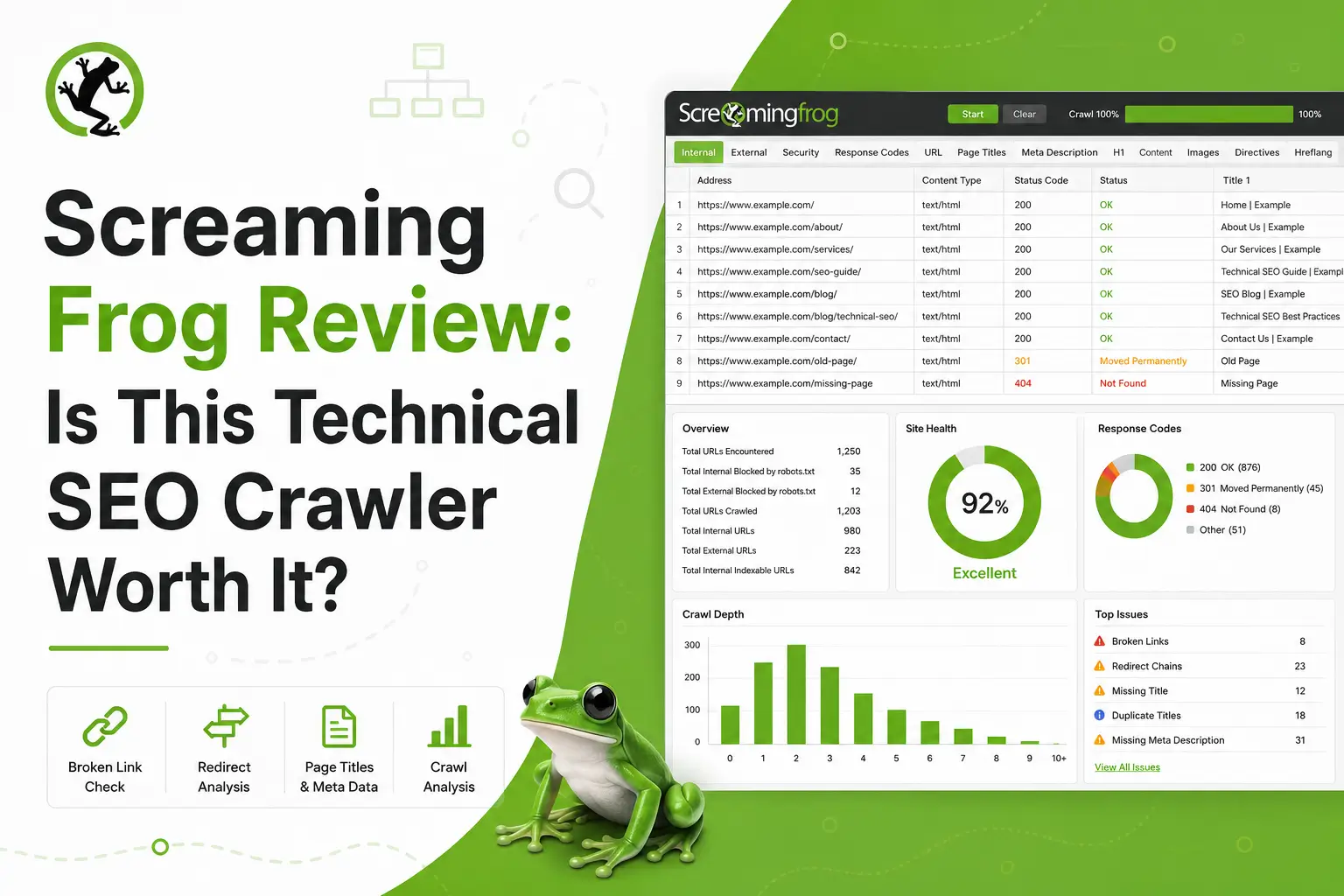
Screaming Frog works by crawling URLs and collecting technical SEO data from each page.
A typical workflow looks like this:
- Download and install Screaming Frog SEO Spider.
- Enter the website URL you want to crawl.
- Choose crawl settings.
- Start the crawl.
- Review tabs such as Internal, External, Response Codes, Page Titles, Meta Descriptions, H1, Canonicals, Directives, Structured Data, and more.
- Filter issues by status, indexability, duplicates, missing elements, or crawl depth.
- Export reports for deeper analysis.
- Fix issues on the website.
- Crawl again to confirm the changes.
- Save crawl data for future comparison.
This workflow is useful because SEO audits should be based on real URL-level evidence.
A basic SEO plugin may tell you that a page needs a meta description. Screaming Frog can show whether hundreds of pages are missing metadata, whether duplicate pages exist, whether internal links point to redirected URLs, and whether key pages are buried too deep in the site structure.
One of the strongest patterns is that Screaming Frog works best when you already understand SEO fundamentals.
It gives you the data. You decide what matters.
🛠️ Screaming Frog Key Features
🕷️ Website Crawling
Website crawling is Screaming Frog’s core feature.
You enter a website URL, and the tool crawls pages, images, scripts, links, redirects, canonicals, directives, and other technical elements.
This helps you understand how a website is structured.
A crawl can reveal:
- How many URLs are discoverable?
- Which pages are indexable?
- Which pages are blocked?
- Which URLs return errors?
- Which pages have duplicate metadata?
- Which pages are missing headings?
- Which pages are too deep in the site architecture?
- Which internal links point to redirected or broken URLs?
This is important because search engines rely on crawling and indexing.
If your website is difficult to crawl, full of broken links, or sends mixed signals through canonicals and directives, content quality alone may not be enough.
Screaming Frog helps expose those problems.
🧯 Broken Links and Response Codes
Screaming Frog is excellent for finding broken links and HTTP status code issues.
It can identify:
- 200 status pages.
- 301 redirects.
- 302 redirects.
- 404 errors.
- 5xx server errors.
- Redirect chains.
- Redirect loops.
- Blocked URLs.
This is useful because broken links create a poor user experience and waste crawl paths.
Redirect chains also create unnecessary friction. A link that goes through multiple redirects before reaching the final page is not ideal. During migrations, redirect issues can become even more serious.
A practical workflow could be:
- Crawl the site.
- Open the Response Codes tab.
- Filter by Client Error.
- Export broken URLs.
- Use the Inlinks report to find where each broken URL is linked.
- Fix the source links or add proper redirects.
- Crawl again to confirm.
This is one of the fastest ways to clean up technical SEO problems.
🧾 Page Titles and Meta Descriptions
Screaming Frog can audit page titles and meta descriptions across a website.
It can help identify:
- missing titles
- duplicate titles
- long titles
- short titles
- missing meta descriptions
- duplicate meta descriptions
- long descriptions
- short descriptions
This is useful because metadata affects how pages appear in search results and how clearly search engines understand page topics.
For a small site, checking metadata manually may be possible. For a site with hundreds or thousands of pages, manual review becomes painful.
Screaming Frog makes it easy to export metadata issues and prioritize fixes.
A good metadata audit should focus on:
- Important pages first.
- Pages with impressions but low CTR.
- Duplicate titles across indexable pages.
- Missing titles on important URLs.
- Descriptions that do not match search intent.
- Pages where title tags do not reflect the target query.
Metadata alone will not save weak content, but it is still an important SEO hygiene task.
🧭 Canonicals and Indexability
Canonical tags and indexability signals are critical for technical SEO.
Screaming Frog helps you review:
- Canonical URLs.
- Self-referencing canonicals.
- Canonicals pointing to different URLs.
- Non-indexable pages.
- Noindex directives.
- Robots.txt blocks.
- Meta robots tags.
- X-Robots-Tag directives.
This is especially important for:
- e-commerce sites
- faceted navigation
- duplicate content issues
- site migrations
- international SEO
- pagination
- CMS-generated duplicate URLs
- parameter URLs
A wrong canonical can tell search engines to ignore the page you actually want to rank.
A wrong noindex directive can remove important content from search results.
Screaming Frog makes these issues visible at scale.
🔗 Internal Link Analysis
Internal links help search engines understand site structure and page importance.
Screaming Frog can show how pages link to each other, how many inlinks each URL receives, anchor text, crawl depth, and whether important pages are buried too deep.
This is useful for:
- Finding orphan-like pages.
- Identifying weak internal link support.
- Improving pillar pages.
- Supporting money pages.
- Auditing anchor text.
- Finding links to redirected URLs.
- Improving crawl paths.
- Planning topic clusters.
A practical internal link workflow could be:
- Crawl the site.
- Export all internal links.
- Sort pages by inlinks.
- Identify important pages with low internal links.
- Review crawl depth.
- Add relevant internal links from strong pages.
- Crawl again to verify the structure.
For internal linking implementation, a tool like Link Whisper can help. For auditing internal link structure, Screaming Frog is excellent.
🧩 Structured Data and Schema
Screaming Frog can help audit structured data and schema markup.
It can identify structured data issues, validation errors, and opportunities to review markup across pages.
This is useful because structured data can help search engines better understand your pages.
Common use cases include:
- Article schema.
- Product schema.
- Review schema.
- FAQ schema.
- Organization schema.
- Local business schema.
- Breadcrumb schema.
- Event schema.
Schema does not guarantee rankings, but incorrectly structured data can create eligibility problems for rich results.
For e-commerce and content-heavy sites, schema validation can be an important part of a technical audit.
🌍 Hreflang Audits
Hreflang is important for international SEO.
Screaming Frog can help audit hreflang tags and identify issues such as:
- Missing return tags.
- Incorrect language codes.
- Incorrect region codes.
- Broken hreflang URLs.
- Non-indexable hreflang targets.
- Conflicting directives.
- Missing self-references.
International SEO mistakes can be difficult to catch manually.
Screaming Frog makes hreflang auditing more manageable by collecting the data in one place.
This is especially useful for global websites, multilingual blogs, SaaS companies, ecommerce stores, and publishers targeting multiple countries.
⚡ JavaScript Rendering
Modern websites often use JavaScript frameworks such as React, Vue, Angular, or Next.js.
Screaming Frog’s paid version includes JavaScript rendering, which allows the crawler to render pages more like a browser.
This is useful because some content may not appear in the raw HTML.
A JavaScript crawl can help identify whether:
- Important content renders correctly.
- Internal links are discoverable.
- Metadata changes after rendering.
- Canonicals are injected properly.
- Structured data appears after rendering.
- Search engines can access important page elements.
JavaScript rendering is especially useful for technical SEO audits on modern websites.
If a site depends heavily on client-side rendering, a normal crawl may not show the full picture.
🧪 Custom Extraction
Custom extraction is one of Screaming Frog’s most powerful advanced features.
It lets users extract specific elements from pages using XPath, CSS Path, or regex.
This can help with:
- Extracting product prices.
- Checking author names.
- Verifying publish dates.
- Auditing schema fields.
- Extracting breadcrumbs.
- Checking stock status.
- Reviewing custom page elements.
- Pulling content blocks.
- Validating template elements.
- Collecting data for content audits.
Custom extraction turns Screaming Frog from a basic crawler into a flexible SEO data tool.
For technical SEOs, this feature is one of the reasons the paid license is valuable.
📊 API Integrations
Screaming Frog can connect with external data sources on the paid version.
Important integrations include:
- Google Analytics.
- Google Search Console.
- PageSpeed Insights.
- Ahrefs.
- Majestic.
- Moz.
- AI providers through API access.
These integrations help combine crawl data with performance data.
For example, you can crawl a site and bring in Search Console clicks and impressions. That allows you to prioritize issues on pages that actually matter.
A page with no traffic and low business value may not need immediate attention. A page with high impressions and technical issues should probably be prioritized.
This is where Screaming Frog becomes more powerful than a raw crawl.
🤖 AI API Integrations
Recent Screaming Frog versions include AI API integrations with providers such as OpenAI, Gemini, Anthropic, and Ollama.
This allows users to apply prompts to crawl data at scale.
Possible use cases include:
- Summarizing page content.
- Classifying search intent.
- Detecting content quality issues.
- Reviewing title relevance.
- Generating meta description ideas.
- Grouping pages by topic.
- Identifying thin content.
- Evaluating semantic similarity.
- Creating content audit labels.
- Supporting AI-assisted technical analysis.
This is an important development because technical SEO is increasingly connected with content quality, entity clarity, and AI search readiness.
However, AI integrations require careful use.
They can help analyze crawl data, but the output still needs review. AI should support the SEO analyst, not replace them.
🔎 Screaming Frog for Technical SEO Audits
Screaming Frog is one of the strongest tools for technical SEO audits.
It can help with:
- crawlability checks
- indexability analysis
- broken link audits
- redirect audits
- canonical audits
- metadata audits
- internal linking analysis
- structured data validation
- hreflang audits
- JavaScript rendering checks
- XML sitemap generation
- site migration audits
- content inventory analysis
- custom extraction
- crawl comparison
However, Screaming Frog does not replace:
- keyword research tools
- backlink databases
- rank tracking platforms
- content optimization tools
- SEO automation tools
- client reporting platforms
- conversion analytics
- human technical SEO expertise
The best way to use Screaming Frog is inside a broader SEO workflow.
A practical workflow could look like this:
- Crawl the site.
- Review indexable vs non-indexable URLs.
- Fix broken internal links.
- Review redirect chains and loops.
- Audit titles and meta descriptions.
- Check canonical tags.
- Review internal link depth.
- Validate structured data.
- Connect Search Console data.
- Prioritize fixes based on traffic and business value.
Screaming Frog gives you the evidence.
Your job is to decide what matters most.
💰 Screaming Frog Pricing and Value
Screaming Frog has a free version and a paid license.
The free version lets you crawl up to 500 URLs. That is useful for small websites, beginners, and quick checks.
The paid version removes the 500-URL crawl limit and unlocks advanced features such as JavaScript rendering, crawl comparison, scheduled crawls, custom extraction, API integrations, spelling and grammar checks, structured data features, and technical support.
At the time of writing, the official UK price is £199 per year for the paid license. The official website also displays regional pricing, and independent reviews list the US price around $279 per user per year.
Prices may change over time, so always check the official pricing page before buying or renewing.
Here is how I would think about value:
| User Type | Is Screaming Frog Worth It? | Why |
|---|---|---|
| New blogger | Maybe | Free version may be enough for small sites. |
| Affiliate site owner | Yes, if the site is growing | Useful for finding crawl, metadata, redirect, and internal link issues. |
| SEO freelancer | Yes | One of the best-value tools for technical audits. |
| Agency | Yes | Essential for audits, migrations, and client diagnostics. |
| Ecommerce site | Yes | Very useful for large catalogs, filters, canonicals, and internal links. |
| SaaS content team | Yes | Helpful for technical health, content inventories, and JavaScript checks. |
| Enterprise SEO team | Yes | Powerful, but may need cloud crawling and reporting tools alongside it. |
Screaming Frog is one of the easiest SEO tools to justify if you do technical audits.
A single good audit can uncover enough problems to make the yearly license worth it.
The main question is not whether Screaming Frog is powerful.
The better question is whether you know how to use the data.
📊 Real-World Evidence: What Independent Reviews and User Feedback Show
Screaming Frog has a strong reputation among technical SEOs, but the most useful external evidence comes from independent reviews and verified user feedback.
External source: TechRadar’s Screaming Frog SEO Spider review and Capterra verified user reviews.
TechRadar describes Screaming Frog SEO Spider as a comprehensive SEO audit tool that simulates how search engines crawl websites. The review highlights features such as broken link detection, metadata analysis, XML sitemap generation, redirect review, indexing directives, JavaScript rendering, custom extraction, Google integrations, and newer AI features with OpenAI, Gemini, Anthropic, and Ollama. (TechRadar)
Capterra user feedback supports the same practical positioning. Verified reviewers describe Screaming Frog as a core technical SEO audit tool used for identifying crawl issues, broken links, metadata problems, canonicals, structured data issues, internal link opportunities, and website health problems. Capterra reviews also show a repeated pattern: users value the depth and price, but beginners may find the interface and learning curve intimidating. (Capterra)
This is not a traffic-growth case study.
It does not prove that Screaming Frog will increase organic traffic by a specific percentage. Instead, it supports a more realistic claim: Screaming Frog helps SEO professionals find and diagnose technical issues that can block or weaken organic performance.
Here is the practical evidence summary:
| Evidence Point | What It Means for Screaming Frog Users |
|---|---|
| Independent expert review | TechRadar confirms Screaming Frog’s role as a comprehensive SEO audit crawler. |
| Verified user feedback | Capterra reviews show long-term professional use in audits and technical SEO workflows. |
| Strong technical SEO positioning | Users repeatedly mention broken links, metadata, canonicals, redirects, structure, and crawl issues. |
| Learning curve noted | The tool is powerful, but beginners may need time to understand it. |
| No guaranteed ranking proof | Screaming Frog supports diagnosis and implementation, not automatic traffic growth. |
For Searchmora readers, the fair conclusion is this:
Screaming Frog is best supported as a technical SEO diagnostic tool. It helps you find the problems that may be limiting crawlability, indexability, internal linking, metadata quality, and site structure. But the tool does not fix your site by itself.
A smart 30-day Screaming Frog test would look like this:
- Crawl your website with Screaming Frog.
- Export broken internal links.
- Fix 404 links and unnecessary redirect chains.
- Review missing or duplicate metadata.
- Check canonical and indexability issues.
- Identify important pages with low internal links.
- Connect Google Search Console data if available.
- Prioritize fixes on pages with impressions or revenue value.
- Crawl again after implementation.
- Monitor Search Console for 30–90 days.
The strongest way to use Screaming Frog is to turn crawl data into a prioritized action plan.
✅ Screaming Frog Pros and Cons
✅ Pros
| Pro | Why It Matters |
|---|---|
| Excellent technical SEO crawler | Helps find issues that many basic tools miss. |
| Free version available | Small sites can crawl up to 500 URLs without paying. |
| Strong value for professionals | Paid license is affordable compared with many SEO platforms. |
| Very detailed crawl data | Great for audits, migrations, and diagnostics. |
| Custom extraction | Useful for advanced SEO audits and data collection. |
| JavaScript rendering | Important for modern websites built with JS frameworks. |
| API integrations | Helps combine crawl data with Search Console, Analytics, PageSpeed, and link metrics. |
| Strong export options | Useful for spreadsheets, reports, QA, and technical workflows. |
| AI integrations | Adds newer workflows for large-scale content and crawl analysis. |
❌ Cons
| Con | Why It Matters |
|---|---|
| Learning curve | Beginners may feel overwhelmed by the interface and data. |
| Desktop-based tool | Large crawls depend on your machine’s memory and storage. |
| Not a full SEO suite | You still need tools for keyword research, backlinks, and rank tracking. |
| No built-in client dashboard | Agencies may need separate reporting tools. |
| Data can be overwhelming | Users need SEO knowledge to prioritize issues. |
| Not an implementation tool | It finds issues but does not automatically fix them. |
| Large sites may require setup | Memory, storage, crawl settings, and scheduling need planning. |
The biggest mistake is thinking Screaming Frog is hard because it is poorly designed.
It is not hard because it is bad.
It is technical because technical SEO is technical.
Once you understand what the data means, Screaming Frog becomes one of the most useful tools in your SEO stack.
🧑💼 Screaming Frog for Agencies and Consultants
Screaming Frog is one of the strongest tools for SEO agencies and consultants.
Agencies can use it for:
- Technical SEO audits.
- Website migrations.
- Pre-launch checks.
- Post-launch QA.
- Redirect mapping.
- Metadata audits.
- Internal link analysis.
- Structured data checks.
- Hreflang audits.
- Client reporting exports.
I would use it if you need:
| Use Screaming Frog If | Why |
|---|---|
| You run technical SEO audits | It gives detailed URL-level data. |
| You manage migrations | It helps check redirects, canonicals, status codes, and indexability. |
| You work with ecommerce sites | It can crawl large catalogs and identify template issues. |
| You need custom extraction | It can pull custom elements from pages. |
| You want affordable audit power | The paid license is inexpensive compared with many cloud suites. |
I would not use it if you need:
| Avoid Screaming Frog If | Better Fit |
|---|---|
| White-label dashboards | SE Ranking, Semrush, AgencyAnalytics |
| Backlink research | Ahrefs, Semrush |
| SEO automation | Search Atlas OTTO SEO, Alli AI |
| Content optimization | NeuronWriter, Surfer, Clearscope |
| Beginner client-facing reports | Sitebulb, SE Ranking |
For agencies, Screaming Frog is best as a diagnostic and audit tool.
It pairs well with reporting, rank tracking, backlink, and content tools.
🛒 Screaming Frog for E-commerce and Large Websites
Screaming Frog is very useful for e-commerce and large websites.
Large sites often have technical issues that are difficult to spot manually:
- Duplicate titles.
- Duplicate meta descriptions.
- Duplicate product pages.
- Parameter URLs.
- Faceted navigation issues.
- Canonical mistakes.
- Redirect chains.
- Broken product links.
- Out-of-stock pages.
- Missing structured data.
- Poor internal linking.
- Deep crawl depth.
Screaming Frog can help identify these issues at scale.
I would use it if you need:
- Product page audits.
- Category page audits.
- Canonical checks.
- Filter and parameter URL checks.
- Structured data validation.
- Internal link analysis.
- Crawl depth review.
- JavaScript rendering audits.
- Migration QA.
I would not use it if you need:
- Product feed management
- E-commerce merchandising.
- Conversion testing.
- Inventory management.
- Automated on-page deployment.
- Visual client dashboards are the main feature.
Fore-commerce, Screaming Frog’s value increases with site size.
The more URLs you have, the more important technical crawling becomes.
🏢 Screaming Frog for Bloggers and Small Businesses
Screaming Frog can help bloggers and small businesses, but the free version may be enough at first.
A blogger can use Screaming Frog to:
- Find broken internal links.
- Check missing metadata.
- Review duplicate titles.
- Identify redirect problems.
- Generate XML sitemaps.
- Review internal link structure.
- Find pages with low internal links.
- Check indexability.
A small business can use it for:
- Service page audits.
- Local landing page checks.
- Blog technical cleanup.
- Broken link fixes.
- Redirect audits.
- Basic technical SEO maintenance.
I would use it if you need:
- A free crawler for a small website.
- Basic technical SEO checks.
- A way to find broken links.
- Metadata cleanup.
- A low-cost audit tool as your site grows.
I would not use it if you need:
- Keyword research.
- AI writing.
- Easy beginner recommendations.
- Local SEO listing management.
- Content scoring.
- WordPress SEO settings only.
For small websites, start with the free version.
Upgrade when your site grows beyond 500 URLs or when you need advanced features like JavaScript rendering, custom extraction, integrations, and scheduled crawls.
🔁 Screaming Frog Alternatives
Screaming Frog is one of the best technical SEO crawlers, but it is not the only option.
Here are the best alternatives depending on your main need:
| Alternative | Best For | Why Choose It Instead of Screaming Frog |
|---|---|---|
| Sitebulb | Visual technical SEO audits | Better if you want easier explanations, visual reports, and guided audit hints. |
| Semrush | All-in-one SEO platform | Better for keyword research, audits, competitor analysis, reporting, and rank tracking. |
| Ahrefs | Backlinks and competitive SEO | Better if backlink research and content gaps are your top priorities. |
| SE Ranking | Agency-friendly SEO suite | Better for reports, audits, rank tracking, and client workflows. |
| JetOctopus | Cloud-based log and crawl analysis | Better for large-scale enterprise crawling and log analysis. |
| Lumar | Enterprise technical SEO monitoring | Better for large teams needing cloud crawling, monitoring, and governance. |
| Oncrawl | Enterprise technical SEO and log analysis | Better for advanced crawl budget, log file, and enterprise SEO analysis. |
| Search Atlas OTTO SEO | SEO automation | Better if you want automated implementation rather than only diagnostics. |
Screaming Frog’s advantage is detailed crawl control at a strong price.
Its weakness is that it does not provide the same level of dashboards, automation, or cloud collaboration as some modern SEO platforms.
🧪 My Practical Screaming Frog Workflow
If I were using Screaming Frog for a Searchmora-style website, I would use it for monthly technical maintenance and deeper audits before major changes.
Start With a Full Crawl
First, I would crawl the site.
I would make sure the crawler settings match the site type.
For a JavaScript-heavy site, I would consider JavaScript rendering.
Check Indexability
Next, I would review which URLs are indexable and non-indexable.
I would check:
- Noindex tags.
- Canonicals.
- Robots.txt blocks.
- Meta robots directives.
- Redirected URLs.
- Broken URLs.
Fix Broken Links
Then I would filter for 404 and 5xx errors.
I would export inlinks so I know where the broken links appear.
Review Metadata
After that, I would check:
- Missing titles.
- Duplicate titles.
- Long titles.
- Missing meta descriptions.
- Duplicate meta descriptions.
- H1 issues.
Analyze Internal Links
Next, I would identify important pages with low internal link support.
This is especially useful for review articles, comparison pages, and money pages.
Validate Structured Data
Then I would review schema and structured data issues.
This is important for product pages, reviews, articles, breadcrumbs, and local pages.
Connect Search Conso, le Data
If available, I would connect to Google Search Console.
That helps prioritize fixes based on impressions and clicks.
Export and Prioritize
Finally, I would export issues and prioritize them.
Not every issue matters equally.
I would prioritize:
- Important pages.
- Indexability problems.
- Broken internal links.
- Redirect chains.
- Metadata issues on traffic pages.
- Internal links to key content.
- Structured data errors.
This workflow makes Screaming Frog practical instead of overwhelming.
⚠️ Common Mistakes When Using Screaming Frog
Crawling Without a Goal
Do not crawl just to collect data.
Know what you are trying to find.
Treating Every Issue as Equal
A missing meta description on a low-value tag page is not as urgent as a noindex tag on a revenue page.
Prioritize.
Ignoring Crawl Settings
Bad crawl settings can produce misleading results.
Adjust settings for JavaScript, canonicals, robots, subdomains, and parameters when needed.
Exporting Data Without Action
Reports are not results.
Use exports to create a fix plan.
Forgetting to Re-Crawl
After fixing issues, crawl again.
Verification matters.
Using It Without Search Console
Crawl data is stronger when combined with performance data.
Use Search Console to prioritize important pages.
Expecting Screaming Frog to Fix Issues Automatically
Screaming Frog diagnoses problems.
You or your team still need to implement fixes.
❓ FAQ
1. Is Screaming Frog good for SEO?
Yes, Screaming Frog is excellent for technical SEO audits, website crawling, broken link detection, redirect checks, metadata audits, canonical analysis, internal link analysis, structured data validation, and migration QA.
2. What is Screaming Frog best for?
Screaming Frog is best for technical SEO crawling and URL-level site audits. It is especially useful for agencies, consultants, e-commerce sites, large websites, and technical SEO professionals.
3. Is Screaming Frog free?
Yes, Screaming Frog has a free version that crawls up to 500 URLs. The paid license removes that limit and unlocks advanced features.
4. How much does Screaming Frog cost?
At the time of writing, the official UK price is £199 per year for the paid SEO Spider license. Regional pricing may vary, and independent reviews list the US price around $279 per user per year.
5. Is Screaming Frog hard to use?
Screaming Frog has a learning curve because it gives detailed technical SEO data. Beginners may find it intimidating at first, but it becomes easier once you understand crawl tabs, filters, exports, and common SEO issues.
6. Is Screaming Frog better than Semrush?
Screaming Frog is better for detailed technical crawling and audit control. Semrush is better for all-in-one SEO, keyword research, competitor analysis, rank tracking, and reporting.
7. Is Screaming Frog better than Sitebulb?
Screaming Frog is better for raw crawl control, flexibility, and value. Sitebulb may be better for visual reports, easier explanations, and guided technical SEO audits.
8. Can Screaming Frog crawl JavaScript websites?
Yes, the paid version supports JavaScript rendering. This is useful for auditing modern websites built with JavaScript frameworks.
9. Does Screaming Frog guarantee rankings?
No. Screaming Frog helps find technical SEO issues, but rankings depend on content quality, search intent, authority, backlinks, internal links, technical health, competition, and user satisfaction.
🏁 Final Verdict: Is Screaming Frog Worth It?
Screaming Frog is worth it for SEO professionals, agencies, consultants, ecommerce teams, developers, and serious site owners who need detailed technical SEO crawl data.
It is not the easiest tool for beginners, and it is not a complete SEO platform. But it is one of the best-value tools for technical SEO audits, site migrations, internal link analysis, structured data checks, and crawl diagnostics.
My final recommendation is simple:
Use Screaming Frog if you need to find and diagnose technical SEO issues with precision.
Skip Screaming Frog if you only need keyword research, AI writing, beginner-friendly dashboards, content scoring, or automated SEO implementation.
For Searchmora readers, I would position Screaming Frog as an essential technical SEO tool. It may not look modern or simple, but it gives serious SEOs the crawl data they need to make better decisions.
The clearest takeaway is this: Screaming Frog is not the easiest SEO tool, but it is one of the most useful tools for anyone who takes technical SEO seriously.
📚 Recommended Next Reads
To continue learning about SEO tools, technical audits, and optimization workflows, these Searchmora guides are useful next reads:
- Alli AI Review: Is This SEO Automation Tool Worth It? (New Review)
- Search Atlas OTTO SEO Review: Is This AI SEO Automation Platform Worth It?
- SE Ranking Review (New Review)
- Best AI SEO Tools Tested This Year
- Link Whisper Review (New Review)


Comments 4