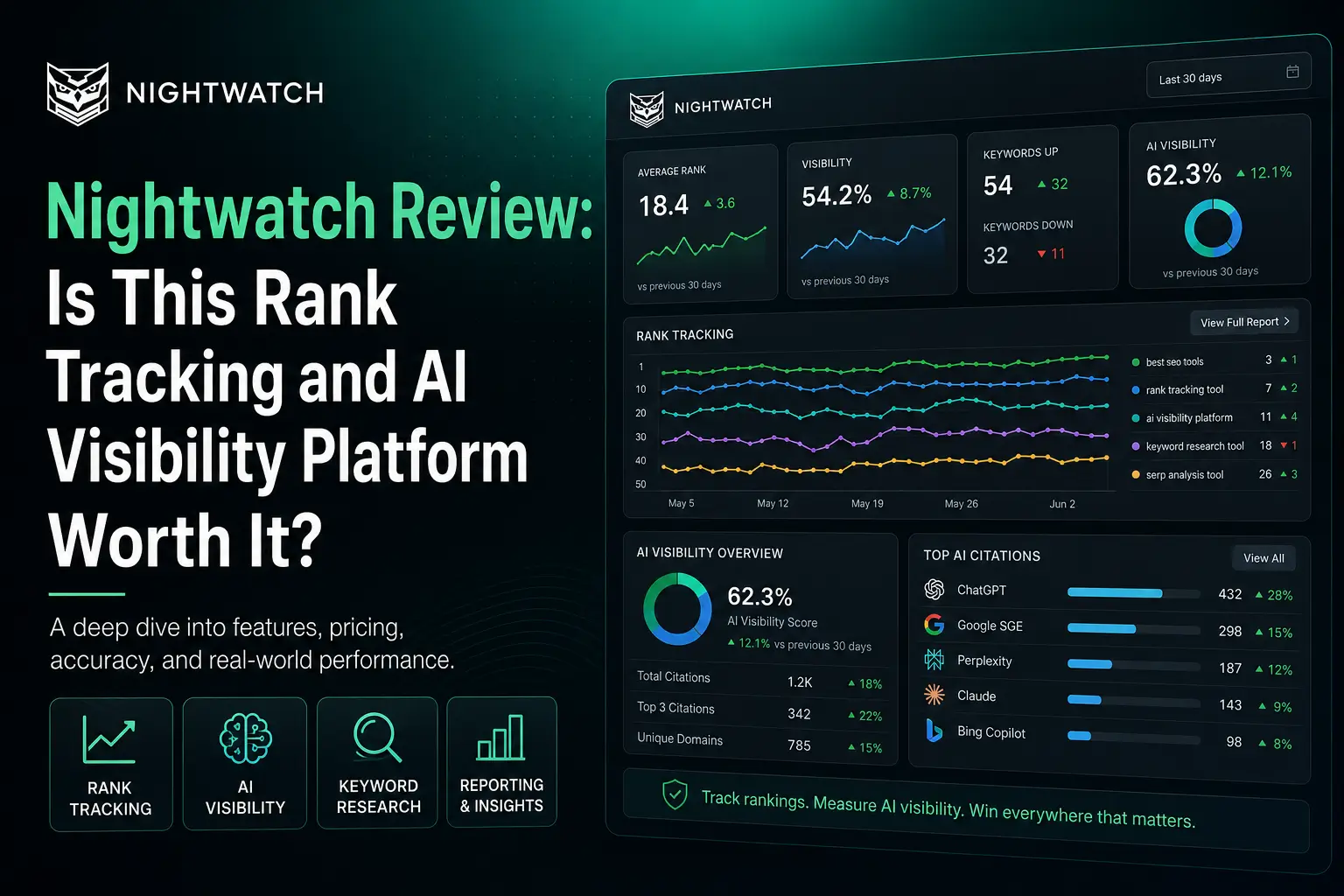
Nightwatch Review: Is This Rank Tracking and AI Visibility Platform Worth It?
🚀 Introduction
Nightwatch is an SEO performance platform built for marketers, agencies, and growing teams that need accurate rank tracking, local SEO monitoring, AI visibility tracking, technical site audits, and customizable reporting from one dashboard. It is especially useful when Google rankings, local search, and AI-generated answers all matter to your business.
The platform started with a strong focus on rank tracking.
Today, its value is broader.
Nightwatch helps users track keyword performance across traditional search engines, monitor how brands appear in AI-generated answers, analyze local rankings down to granular locations, audit websites, compare competitors, and create reports for clients or internal teams.
That makes Nightwatch especially interesting for agencies and SEO teams that want more than a basic keyword position checker.
In this Nightwatch review, I will explain what the tool does, where it performs well, where it falls short, how its pricing works, and whether it is worth adding to your SEO stack.
⚡ Quick Verdict
Nightwatch is worth considering if rank tracking accuracy, local visibility, AI search monitoring, and SEO reporting are important parts of your workflow.
It is not the cheapest SEO tool for beginners, and it does not replace specialist platforms for backlink research, content optimization, or large-scale SEO implementation. However, Nightwatch is a strong fit for agencies, multi-location businesses, and serious SEO teams that need detailed performance monitoring.
| Question | Quick Answer |
|---|---|
| Best for | SEO agencies, consultants, multi-location businesses, in-house SEO teams, and growing brands. |
| Strongest feature | Detailed rank tracking across traditional search engines, local results, and AI platforms. |
| Biggest advantage | Nightwatch combines SEO rank tracking and AI visibility monitoring inside one platform. |
| Biggest drawback | Pricing may be too high for small bloggers who only need basic rank checks. |
| Best alternatives | SE Ranking, Ahrefs, Semrush, AccuRanker, Local Falcon, and Mangools. |
| My verdict | Nightwatch is a strong performance tracking platform for teams that need accurate, location-aware, and AI-aware SEO monitoring. |
| I would use Nightwatch if you need | I would not use Nightwatch if you need |
|---|---|
| Daily keyword rank tracking | The cheapest rank tracker available |
| Local SEO tracking by location | Long-form AI article writing |
| Google Maps and local pack monitoring | Premium content optimization |
| AI visibility and citation monitoring | Deep backlink research is your main priority |
| Competitor performance tracking | WordPress SEO plugin features |
| White-label client reporting | Automated on-page implementation at scale |
| Technical site audits | A simple beginner-only SEO dashboard |
| Multi-site and agency workflows | One tool that replaces every specialist platform |
The clearest takeaway is this: Nightwatch is best for teams that need to understand how search visibility changes across keywords, locations, competitors, devices, and AI-generated answers. It is more than a basic rank tracker, but rank tracking remains its strongest foundation.
📚 Recommended Reads
- Mangools Review: Is This Affordable SEO Toolkit Worth It?
- Search Atlas OTTO SEO Review: Is This AI SEO Automation Platform Worth It?
- Alli AI Review: Is This SEO Automation Tool Worth It?
- Ubersuggest Review: Is This Budget-Friendly SEO Tool Worth It?
- Best AI SEO Tools Tested This Year.
📌 In This Guide
- What Is Nightwatch?
- How Nightwatch Works
- Nightwatch Key Features
- Nightwatch for Rank Tracking and AI Visibility
- Nightwatch Pricing and Value
- Real-World Evidence: What Verified User Reviews Show
- Nightwatch Pros and Cons
- Nightwatch for Agencies and Consultants
- Nightwatch for Local SEO and Multi-Location Businesses
- Nightwatch for Bloggers and Small Businesses
- Nightwatch Alternatives
- My Practical Nightwatch Workflow
- Common Mistakes When Using Nightwatch
- FAQ
- Final Verdict: Is Nightwatch Worth It?
- Recommended Next Reads
🧠 What Is Nightwatch?
Nightwatch is an SEO performance tracking platform that helps teams monitor search rankings, local visibility, competitors, technical site health, and AI search visibility.
The platform can help with:
- Daily keyword rank tracking.
- Local rank tracking.
- Google Maps monitoring.
- Mobile, desktop, and tablet tracking.
- Search engine tracking.
- AI visibility monitoring.
- AI citation analysis.
- Share of voice tracking.
- Sentiment analysis.
- Competitor monitoring.
- Technical SEO audits.
- Keyword research.
- Prompt research.
- SEO reporting.
- Looker Studio integration.
- Google Analytics integration.
- API access on selected plans.
- White-label reports on selected plans.
- Historical ranking analysis.
- On-demand ranking checks.
The most effective way to understand Nightwatch is to see it as a search intelligence platform.
A basic rank tracker tells you where a keyword ranks.
Nightwatch aims to answer more detailed questions:
- Did the ranking change by device?
- Did it change by country, city, or zip code?
- Did a competitor move ahead?
- Did the local pack change?
- Is the brand appearing in ChatGPT or Gemini?
- Which pages receive AI citations?
- Did a technical issue contribute to the decline?
- Can the agency explain the change clearly to a client?
This makes Nightwatch more useful for teams that need better visibility into SEO performance, not only a list of rankings.
⚙️ How Nightwatch Works
Nightwatch works by monitoring target keywords, websites, competitors, and selected locations over time.
A typical workflow may look like this:
- Create a Nightwatch account.
- Add a website.
- Add the keywords you want to monitor.
- Select countries, cities, zip codes, devices, and search engines.
- Add competitors.
- Review daily keyword movement.
- Monitor local and Google Maps performance.
- Add AI prompts and track AI visibility.
- Run site audits.
- Build reports for clients or internal stakeholders.
This workflow is useful because ranking data becomes more valuable when it is segmented.
For example, a local service business may rank well in one part of a city but poorly in another. A SaaS company may rank well on desktop but lose visibility on mobile. An agency may see a client appear in Google but not inside AI-generated answers.
Nightwatch helps make those differences visible.
One of the strongest patterns is that Nightwatch works best when users track business-relevant keywords instead of adding random terms only because they have high search volume.
Good tracking starts with the right keyword set.
🛠️ Nightwatch Key Features
📈 Daily Rank Tracking
Rank tracking is Nightwatch’s core feature.
The platform tracks keyword rankings across major search engines and updates rankings daily. Users can also run on-demand checks when they need fresh data during important campaigns, launches, or search volatility.
This is useful because SEO rankings change constantly.
A page can move because of:
- Competitor updates.
- New backlinks.
- Content refreshes.
- Technical issues.
- Algorithm changes.
- Search intent changes.
- SERP feature changes.
- Local search variation.
Daily tracking helps users understand whether a movement is temporary or part of a larger trend.
A practical tracking workflow could include:
- Add revenue-related keywords.
- Group keywords by page or cluster.
- Separate branded and non-branded terms.
- Track desktop and mobile results.
- Add important competitors.
- Review ranking changes weekly.
- Investigate sudden drops.
- Track performance after content updates.
The biggest mistake is reacting to every daily movement.
Rankings fluctuate.
The better approach is to study patterns over time.
📍 Local Rank Tracking
Nightwatch is especially strong for local SEO tracking.
The platform lets users monitor rankings at granular location levels, including country, city, and zip code-level tracking.
This is valuable for:
- Local service businesses.
- Clinics.
- Restaurants.
- Stores.
- Real estate businesses.
- Law firms.
- Agencies serving local clients.
- Multi-location brands.
- Franchises.
- Home service businesses.
Local rankings are not the same everywhere.
A business may rank in one neighborhood but disappear in another. A competitor may dominate the local pack near one branch but perform poorly near another location.
Nightwatch helps users see those differences.
A local SEO workflow could look like this:
- Add local commercial keywords.
- Choose relevant cities and zip codes.
- Track organic results and Google Maps separately.
- Compare branches or service areas.
- Monitor competitor visibility.
- Identify weak locations.
- Improve location pages and Google Business Profile activity.
- Review performance over time.
For local SEO agencies, this can be one of Nightwatch’s strongest selling points.
🗺️ Google Maps and Local Pack Monitoring
Nightwatch supports Google Maps and local pack tracking.
This matters because many local customers do not scroll through traditional organic results.
They interact with the map results first.
A strong local tracking setup should monitor:
- Organic rankings.
- Google Maps visibility.
- Local pack positions.
- Mobile results.
- Competitor movement.
- Location-level performance.
- Search visibility trends.
For a multi-location business, Google Maps data can reveal whether one location needs more attention than another.
For an agency, this can also improve reporting.
Clients often understand local visibility better when they can see how they perform across locations, not only a single average position.
🤖 AI Visibility Tracking
Nightwatch has expanded beyond traditional SEO by adding AI visibility tracking.
The platform helps users monitor how brands appear inside AI-generated answers across platforms such as ChatGPT, Claude, Gemini, and Perplexity.
It can also track AI-related visibility in Google AI Mode and AI Overviews.
This is useful because search behavior is changing.
Many users now ask AI systems direct questions such as:
- What is the best SEO tool for agencies?
- Which local SEO platform should I use?
- What are the best rank trackers?
- Which software is best for multi-location SEO?
- What alternatives should I consider?
Brands need to know whether they appear in those answers.
Nightwatch can help monitor:
- AI visibility.
- Brand mentions.
- Citation sources.
- Share of voice.
- Competitor visibility.
- Sentiment.
- Average positions in list-style answers.
- Prompt-level trends.
This does not replace traditional SEO tracking.
It adds a second layer.
The strongest approach is to monitor both Google rankings and AI-generated visibility together.
🔗 Citation Intelligence
Citation Intelligence is one of Nightwatch’s most interesting AI-focused features.
The platform aims to connect AI-generated mentions and citations with the pages that influence those answers.
This helps users answer questions such as:
- Which pages receive citations?
- Which URLs influence AI answers?
- Which competitors appear more often?
- Did a drop in rankings affect AI visibility?
- Which content pages deserve improvement?
- Which prompts need more attention?
This is useful for GEO and AEO workflows.
Instead of only knowing that your brand appears in an AI answer, you can study which pages may be supporting that visibility.
For content teams, this can help prioritize updates.
For agencies, it can help explain AI visibility changes to clients.
📊 Competitor Monitoring
Nightwatch helps users compare their rankings with competitors.
Competitor monitoring matters because rankings do not exist in isolation.
If your ranking drops, you need to know:
- Did your page lose relevance?
- Did a competitor improve its content?
- Did a competitor gain backlinks?
- Did Google change the SERP?
- Did a new brand enter the market?
- Did a local competitor improve its map visibility?
Nightwatch can help teams track competitor movement across selected keywords and locations.
This is especially valuable for agencies and local SEO teams that manage competitive markets.
🧪 Technical Site Audit
Nightwatch includes technical site audits.
The audit system can help identify problems such as:
- Broken internal links.
- Broken external links.
- Redirect chains.
- Missing title tags.
- Duplicate title tags.
- Missing meta descriptions.
- Duplicate meta descriptions.
- Missing H1 tags.
- Canonical issues.
- Duplicate content.
- Orphan pages.
- Slow-loading pages.
- Mobile usability concerns.
- Crawl errors.
This is useful because rankings can decline for technical reasons.
A keyword tracking platform becomes more valuable when it can also help users investigate possible causes.
Nightwatch does not replace Screaming Frog for deep technical crawling or advanced custom extraction. But it can provide a useful audit layer inside the same SEO monitoring workflow.
📑 White-Label Reporting
Nightwatch supports white-label reports on selected plans.
This is important for agencies.
Agencies need reports that clients can understand.
A good report should explain:
- Which rankings improved?
- Which pages lost visibility?
- Which competitors gained ground?
- How local visibility changed.
- Whether AI visibility has improved.
- What technical issues need attention?
- What work should happen next?
White-label reports help agencies present data using their own branding.
This makes Nightwatch more than an internal tracking tool.
It becomes part of the client communication workflow.
📉 Segmentation and Historical Analysis
Nightwatch supports segmentation, filters, and historical tracking.
This is useful because large keyword lists become difficult to analyze without structure.
You may want to segment by:
- Location.
- Device.
- Keyword group.
- Search engine.
- Page type.
- Commercial intent.
- Brand vs non-brand.
- Competitor.
- Ranking position.
- Search volume.
Historical analysis helps users understand trends.
Instead of asking, “Where do we rank today?” you can ask, “How has visibility changed over the last three months, and why?”
That is a better SEO question.
🔌 Integrations
Nightwatch supports integrations that make reporting and analysis easier.
Depending on the plan, users can connect tools such as:
- Google Analytics.
- Looker Studio.
- API workflows.
- Reporting systems.
This is useful for agencies and internal SEO teams that want to connect rankings with traffic and business performance.
Rankings matter, but rankings are not the final goal.
Traffic, leads, revenue, and visibility matter more.
Integrations help connect the dots.
🔎 Nightwatch for Rank Tracking and AI Visibility
Nightwatch is strongest when used as a monitoring and reporting platform.
It can help with:
- keyword rank tracking
- local SEO monitoring
- Google Maps tracking
- AI visibility tracking
- citation analysis
- competitor monitoring
- technical audits
- reporting
- multi-location SEO
- client communication
- search performance trends
However, Nightwatch does not replace:
- long-form AI writing
- premium content optimization
- backlink outreach
- enterprise technical crawlers
- WordPress SEO plugins
- internal linking plugins
- conversion optimization
- human SEO strategy
The best way to use Nightwatch is inside a broader SEO stack.
A practical workflow could look like this:
- Use Nightwatch to monitor rankings and AI visibility.
- Use Google Search Console for first-party search data.
- Use Ahrefs or Semrush for deeper competitor and backlink research.
- Use Screaming Frog for advanced technical crawling.
- Use NeuronWriter or Surfer for content optimization.
- Use Link Whisper for internal linking.
- Use Search Atlas OTTO SEO or Alli AI if you need implementation automation.
- Use Nightwatch reports to track outcomes.
Nightwatch tells you what changed.
Your SEO strategy determines what to do next.
💰 Nightwatch Pricing and Value
Nightwatch pricing is based on tracked keywords, websites, AI prompts, competitors, site audit capacity, and feature access.
At the time of writing, the official pricing page displays yearly billing with a 20% saving compared with monthly billing.
| Plan | Monthly Equivalent When Billed Yearly | Keywords Tracked Daily | Websites | Best For |
|---|---|---|---|---|
| Starter | €79/month | 500 | 5 | Individuals and smaller websites |
| Professional | €159/month | 2,500 | 25 | Growing teams and agencies |
| Agency | €399/month | 7,500 | 100 | Higher-volume teams and agencies |
| Enterprise | Custom pricing | 20,000+ | Custom | Large organizations with advanced needs |
Prices and limits may change over time, so always check the official Nightwatch pricing page before subscribing.
Nightwatch offers a 14-day trial across its plans. Review the latest billing terms before activating the trial.
Here is how I would think about value:
| User Type | Is Nightwatch Worth It? | Why |
|---|---|---|
| New blogger | Usually no | A basic or lower-cost rank tracker may be enough. |
| Affiliate site owner | Maybe | Useful if ranking and AI visibility monitoring justify the cost. |
| SEO freelancer | Yes, if serving clients | Helpful for reporting, local tracking, and competitor monitoring. |
| SEO agency | Yes | Strong fit for multi-site monitoring and client reports. |
| Local business | Maybe | Useful when local search is a major acquisition channel. |
| Multi-location brand | Yes | Granular location tracking can be valuable. |
| SaaS company | Yes, if SEO matters | Useful for keyword, competitor, and AI visibility tracking. |
| Enterprise SEO team | Yes | Stronger value when tracking scale and reporting matter. |
Nightwatch becomes easier to justify when rank tracking is tied to business decisions.
If you only want to check a few keywords occasionally, it may feel expensive.
If you manage multiple sites, local campaigns, client reports, or AI visibility, the value becomes clearer.
📊 Real-World Evidence: What Verified User Reviews Show
Nightwatch has strong product claims, but external user feedback gives a more balanced view of the platform.
External source: Capterra verified Nightwatch reviews and G2 Nightwatch review summaries.
Capterra lists Nightwatch as an SEO performance platform with user reviews discussing rank tracking, reporting, backlink monitoring, segmentation, Google integrations, and competitor discovery.
One verified reviewer described Nightwatch’s report automation as a meaningful improvement for client work. The reviewer explained that managing many clients and large amounts of SEO data became simpler, and that automated reports helped improve client trust and understanding.
Another verified reviewer praised Nightwatch for accurate keyword rank tracking across different search engines, while also noting that the price may feel less convenient for beginners.
G2’s review summary shows a similar pattern. Users commonly praise the interface, rank tracking accuracy, reporting, and data visibility. Some reviewers also mention that they would like additional integrations and advanced features.
Here is the practical evidence summary:
| Evidence Point | What It Means for Nightwatch Users |
|---|---|
| Verified Capterra feedback | Supports the value of rank tracking and reporting for client workflows. |
| Report automation praised | Agencies may save time and communicate performance more clearly. |
| Rank tracking accuracy praised | Supports Nightwatch’s strongest core use case. |
| Pricing concerns for beginners | Confirms that the tool is not the best fit for every small site. |
| G2 reviews praise usability and reporting | Supports Nightwatch’s fit for teams that need clear SEO performance data. |
| Requests for more integrations exist | Users should confirm that required integrations are available before subscribing. |
For Searchmora readers, the fair conclusion is this:
Nightwatch is best supported as a rank tracking and SEO performance platform for teams that need accurate monitoring, reporting, and local visibility insights. Its newer AI tracking features make it more relevant as search expands beyond traditional rankings.
A smart 30-day Nightwatch test would look like this:
- Add one website.
- Track your most important commercial and informational keywords.
- Separate branded and non-branded keywords.
- Add desktop and mobile tracking.
- Add relevant local locations if needed.
- Add your main competitors.
- Set up AI prompts around your brand and category.
- Run a site audit.
- Build one report.
- Review which insights changed your SEO priorities.
The strongest way to evaluate Nightwatch is not to count how many charts it offers. Ask whether the data helps you make better SEO decisions.
✅ Nightwatch Pros and Cons
✅ Pros
| Pro | Why It Matters |
|---|---|
| Strong rank tracking foundation | Helps teams monitor keyword movement consistently. |
| Granular local tracking | Useful for agencies, local businesses, franchises, and multi-location brands. |
| Google Maps monitoring | Helps measure visibility beyond standard organic rankings. |
| AI visibility tracking | Adds monitoring for ChatGPT, Claude, Gemini, Perplexity, AI Mode, and AI Overviews. |
| Citation analysis | Helps users understand which sources influence AI visibility. |
| Competitor tracking | Useful for understanding ranking gains and losses. |
| Site audits included | Helps identify technical issues that may affect performance. |
| White-label reporting | Valuable for agencies serving clients. |
| Historical analysis | Helps teams separate temporary movement from longer-term trends. |
| Unlimited team seats highlighted in pricing | Useful for agencies and teams that want to avoid per-seat costs. |
❌ Cons
| Con | Why It Matters |
|---|---|
| Pricing may be high for beginners | Small sites may prefer a cheaper tracking tool. |
| Not a full backlink research platform | Ahrefs or Semrush may be better for deep link analysis. |
| Not a premium content optimizer | NeuronWriter, Surfer, or Clearscope may be better for content scoring. |
| Not an AI article writer | It monitors visibility but does not replace a writing platform. |
| Audit depth may not replace specialist crawlers | Screaming Frog may be better for advanced technical investigations. |
| Advanced workflows need setup | Tracking the wrong keywords can produce misleading reports. |
| AI visibility tracking is still evolving | Treat it as an important additional layer, not a replacement for SEO fundamentals. |
The biggest mistake is assuming Nightwatch automatically improves rankings.
It does not.
Nightwatch helps you see performance more clearly. Your team still needs to improve content, technical SEO, internal links, authority, and search intent alignment.
🧑💼 Nightwatch for Agencies and Consultants
Nightwatch is a strong fit for agencies and consultants.
Agencies need more than keyword positions.
They need workflows that help them monitor multiple clients, identify changes, explain performance, and create useful reports.
Nightwatch can help agencies:
- Track multiple sites.
- Monitor client keywords.
- Segment by location.
- Compare competitors.
- Track local pack positions.
- Monitor AI visibility.
- Create white-label reports.
- Connect data to Looker Studio.
- Run technical audits.
- Improve client communication.
I would use Nightwatch if you need:
| Use Nightwatch If | Why |
|---|---|
| You manage several clients | Multi-site monitoring makes performance easier to organize. |
| You need white-label reports | Professional and agency workflows can improve client communication. |
| You serve local businesses | Granular local tracking is one of Nightwatch’s strongest features. |
| You want AI visibility tracking | Traditional SEO and AI visibility can be monitored together. |
| You need daily tracking | Regular updates make campaign monitoring clearer. |
I would not use Nightwatch if you need:
| Avoid Nightwatch If | Better Fit |
|---|---|
| Deep backlink intelligence | Ahrefs, Semrush |
| Automated SEO deployment | Search Atlas OTTO SEO, Alli AI |
| Premium content optimization | NeuronWriter, Surfer, Clearscope |
| WordPress SEO setup | Rank Math, Yoast SEO |
| Internal link automation | Link Whisper |
For agencies, Nightwatch is best as a reporting and performance monitoring layer.
It helps turn SEO activity into clearer client communication.
📍 Nightwatch for Local SEO and Multi-Location Businesses
Nightwatch is particularly useful for local SEO.
Local rankings change by geography.
A business may appear prominently near one location but lose visibility a few miles away.
Nightwatch helps monitor those differences.
A local business can use Nightwatch to:
- Track city-level rankings.
- Track zip code-level rankings.
- Monitor Google Maps.
- Review local pack performance.
- Compare competitors.
- Separate mobile and desktop results.
- Find weak service areas.
- Monitor local search trends.
A multi-location business can use it to:
- Compare branches.
- Track multiple cities.
- Identify locations losing visibility.
- Monitor franchise performance.
- Improve location pages.
- Prioritize local SEO work.
I would use Nightwatch if you need:
- Local SEO tracking.
- Maps visibility monitoring.
- Location-by-location comparisons.
- Multi-branch performance analysis.
- Competitor tracking in local markets.
- Reporting for local SEO clients.
I would not use Nightwatch if you need:
- Google Business Profile management.
- Review response automation.
- Citation cleanup.
- Local listing distribution.
- Local content writing.
Nightwatch helps measure local SEO performance.
For implementation, you may still need platforms such as Localo, Local Falcon, BrightLocal, or Whitespark, depending on your workflow.
📝 Nightwatch for Bloggers and Small Businesses
Nightwatch can help bloggers and small businesses, but it is not always the first tool I would recommend.
A blogger may get more value initially from:
- Google Search Console.
- A WordPress SEO plugin.
- Keyword research.
- Content optimization.
- Internal linking.
- Consistent publishing.
Nightwatch becomes more attractive when the website grows,s and keyword monitoring becomes harder to manage manually.
A small business may find it useful to consider a local search engine
I would use Nightwatch if you need:
| Use Nightwatch If | Why |
|---|---|
| You already publish consistently | Tracking helps measure which pages are improving. |
| You monitor many keywords | Dedicated rank tracking becomes more valuable as the site grows. |
| You serve local customers | Local tracking can reveal location-specific opportunities. |
| You want AI visibility insights | Nightwatch adds a newer monitoring layer. |
| You need competitor tracking | Useful for understanding ranking movement. |
I would not use Nightwatch if you need:
| Avoid Nightwatch If | Better Fit |
|---|---|
| Basic keyword research on a budget | Mangools, LowFruits, Ubersuggest |
| Article optimization | NeuronWriter, Surfer |
| AI writing | KoalaWriter, ContentPen, Jasper |
| WordPress SEO setup | Rank Math |
| Technical crawling only | Screaming Frog |
For bloggers, Nightwatch is a growth-stage tool.
It becomes more useful when rankings, competitors, and performance reporting are important enough to justify a dedicated platform.
🔁 Nightwatch Alternatives
Nightwatch is strong for rank tracking and AI visibility monitoring, but it is not the only option.
| Tool | Best For | Why Choose It Instead of Nightwatch |
|---|---|---|
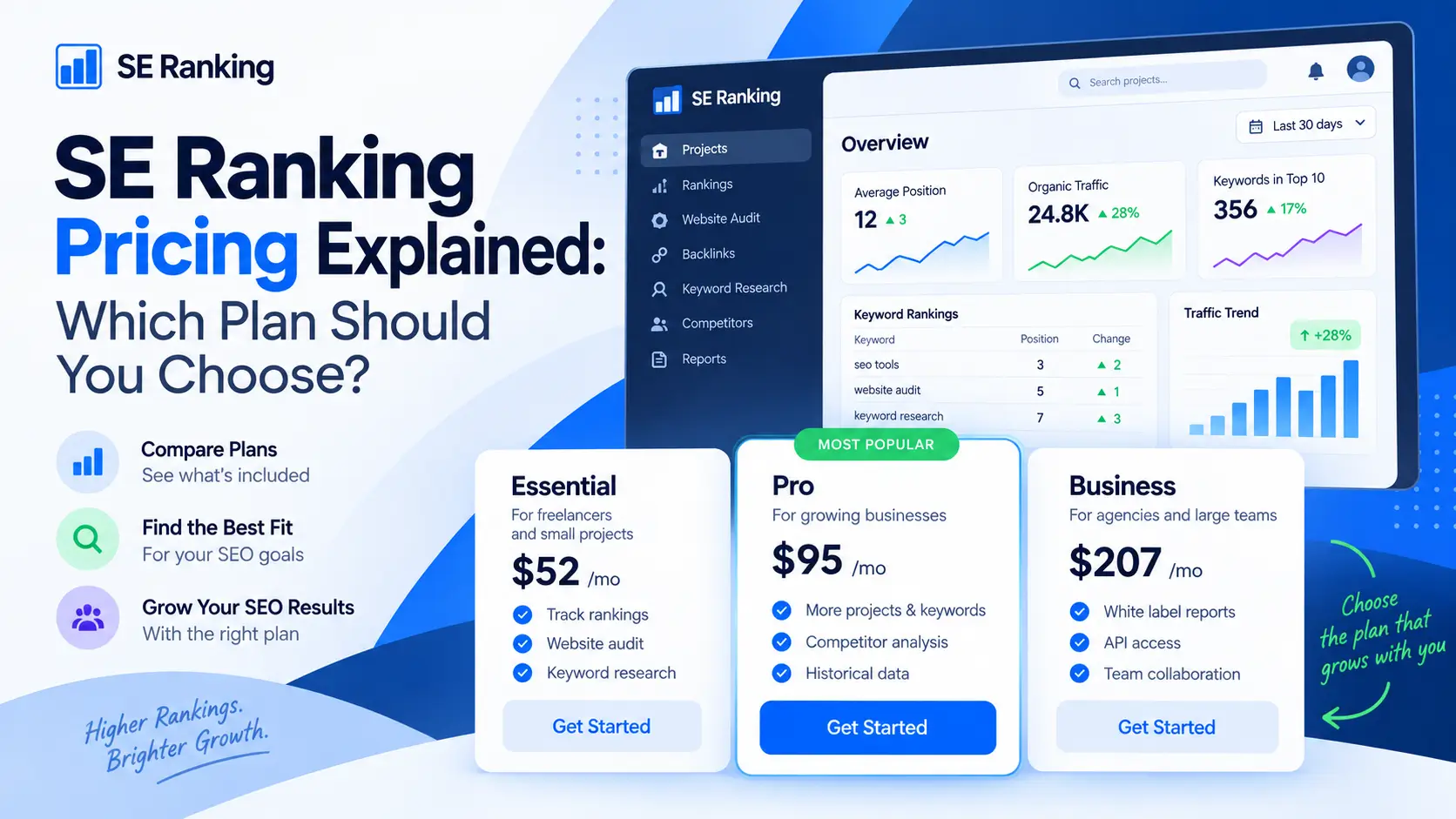
| SE Ranking | Agency-friendly all-in-one SEO | Better if you need rank tracking, audits, reporting, keyword research, and broader client workflows in one platform. |
| Ahrefs | Backlink and competitor intelligence | Better if deep backlink research, content gaps, and competitor analysis matter most. |
| Semrush | Broader digital marketing workflows | Better if you need SEO, PPC, competitor research, content, local SEO, and reporting together. |
| AccuRanker | Dedicated rank tracking | Better if your main requirement is a focused rank tracking platform. |
| Local Falcon | Local map grid tracking | Better if your main need is local map visibility monitoring. |
| Localo | Local SEO workflows | Better if you want help improving local visibility, not only measuring it. |
| Mangools | Beginner-friendly SEO toolkit | Better if you want a simpler and more affordable starting point. |
| Ubersuggest | Budget SEO basics | Better if you need lower-cost keyword research, basic audits, and competitor insights. |
Nightwatch’s advantage is its combination of rank tracking, local precision, AI visibility, audits, and reporting.
Its weakness is that other tools may be stronger for specialist tasks.
Choose Nightwatch if performance tracking is the center of your SEO workflow.
Choose another platform if your main problem is backlinks, writing, content optimization, or implementation.
🧪 My Practical Nightwatch Workflow
If I were using Nightwatch for a Searchmora-style project, I would use it as a monitoring and decision-support layer.
Start With Priority Keywords
First, I would choose keywords that matter.
I would separate them into:
- Review keywords.
- Comparison keywords.
- Best tools keywords.
- Informational guides.
- Brand keywords.
- High-impression pages.
- Keywords ranking between positions 5 and 20.
Add Competitors
Next, I would add relevant competitors.
I would monitor:
- Which pages move u?.
- Which competitors gain visibility?
- Which keywords become more difficult?
- Which topics need refreshing?
- Which ranking changes happen after updates?
Add AI Prompts
Then I would track prompts related to my niche.
For example:
- What are the best AI SEO tools?
- What is the best content optimization tool?
- Which SEO tools are best for bloggers?
- What are the best AI visibility platforms?
- Which tools help with GEO and AEO?
Run a Site Audit
Next, I would run an audit.
I would fix the most important issues first:
- Broken links.
- Missing titles.
- Duplicate metadata.
- Crawl problems.
- Orphan pages.
- Canonical errors.
- Slow pages.
Review Rankings Weekly
I would avoid overreacting to daily noise.
Instead, I would review:
- Pages are gaining momentum.
- Pages are losing visibility.
- Keywords close to page one.
- Competitor movement.
- AI visibility changes.
- Technical issues affecting important pages.
Build Reports
Finally, I would create reports that connect activity with outcomes.
A useful report should explain:
- What changed.
- Why it may have changed.
- Which pages need action?
- Which competitors gained ground?
- What is the next priority should be.
This workflow turns Nightwatch into more than a chart dashboard.
It becomes a practical SEO decision system.
⚠️ Common Mistakes When Using Nightwatch
Tracking Too Many Irrelevant Keywords
More keywords do not always mean better insights.
Track keywords connected to real business goals.
Ignoring Location Differences
Local results vary.
Choose locations carefully, especially for local businesses.
Tracking Only Desktop Results
Mobile results matter.
Compare devices when the audience uses mobile devices heavily.
Reacting to Every Daily Change
Rankings fluctuate.
Look for meaningful trends over time.
Treating AI Visibility as a Replacement for SEO
AI visibility is important, but traditional SEO still matters.
Track both.
Building Reports Without Actions
Charts alone do not improve performance.
Every report should lead to clear next steps.
Buying the Tool Before Defining the Workflow
Decide what you need to monitor first.
Then choose the right plan.
❓ FAQ
1. What is Nightwatch?
Nightwatch is an SEO performance platform for rank tracking, local SEO monitoring, AI visibility tracking, competitor analysis, technical site audits, and reporting.
2. Is Nightwatch good for SEO?
Yes, Nightwatch is useful for SEO teams that need daily keyword tracking, location-level insights, competitor comparisons, technical audits, and reporting.
3. Is Nightwatch worth it?
Nightwatch is worth it if rank tracking, local SEO, AI visibility, and reporting are important to your workflow. It may not be worth it for beginners who only need occasional keyword checks.
4. How much does Nightwatch cost?
At the time of writing, yearly-billed plans start at €79/month for Starter, €159/month for Professional, and €399/month for Agency. Enterprise pricing is customized.
5. Does Nightwatch offer a free trial?
Yes, Nightwatch offers a 14-day trial. Review the latest billing terms on the official website before activating the trial.
6. Does Nightwatch track local rankings?
Yes, Nightwatch tracks local rankings at granular location levels, including city and zip code-level monitoring. It also supports Google Maps and local pack tracking.
7. Does Nightwatch track AI visibility?
Yes, Nightwatch tracks brand visibility across platforms such as ChatGPT, Claude, Gemini, and Perplexity, as well as Google AI Mode and AI Overviews.
8. Is Nightwatch better than SE Ranking?
Nightwatch may be better if rank tracking precision, local SEO monitoring, and AI visibility tracking are your main priorities. SE Ranking may be better if you want a broader agency-friendly SEO suite.
9. Does Nightwatch guarantee rankings?
No. Nightwatch helps monitor visibility and identify problems, but rankings depend on content quality, authority, backlinks, technical SEO, internal links, search intent, and competition.
🏁 Final Verdict: Is Nightwatch Worth It?
Nightwatch is worth considering for SEO agencies, consultants, local SEO teams, SaaS companies, multi-location businesses, and brands that need stronger visibility monitoring.
Its biggest strength is not only rank tracking.
Its biggest strength is the way it combines traditional SEO monitoring with local precision, AI visibility, competitor analysis, site audits, and reporting.
It is not the best fit for every website.
A new blogger may be better served by Google Search Console and a lower-cost SEO toolkit. A content team focused only on article optimization may prefer NeuronWriter or Surfer. A technical SEO specialist may still need Screaming Frog.
But if your main question is, “How is our visibility changing across Google, local search, competitors, and AI platforms?” Nightwatch becomes much more compelling.
My final recommendation is simple:
Use Nightwatch if performance monitoring, local tracking, and AI visibility are central to your SEO workflow.
Skip Nightwatch if you only need basic keyword checks or a low-cost beginner tool.
For Searchmora readers, I would position Nightwatch as a serious SEO and AI visibility tracking platform. It is especially valuable for agencies and growing teams that need clearer performance data across traditional and emerging search experiences.
The clearest takeaway is this: Nightwatch helps you see where your brand is visible, where it is losing ground, and what deserves attention next.
Comments 4