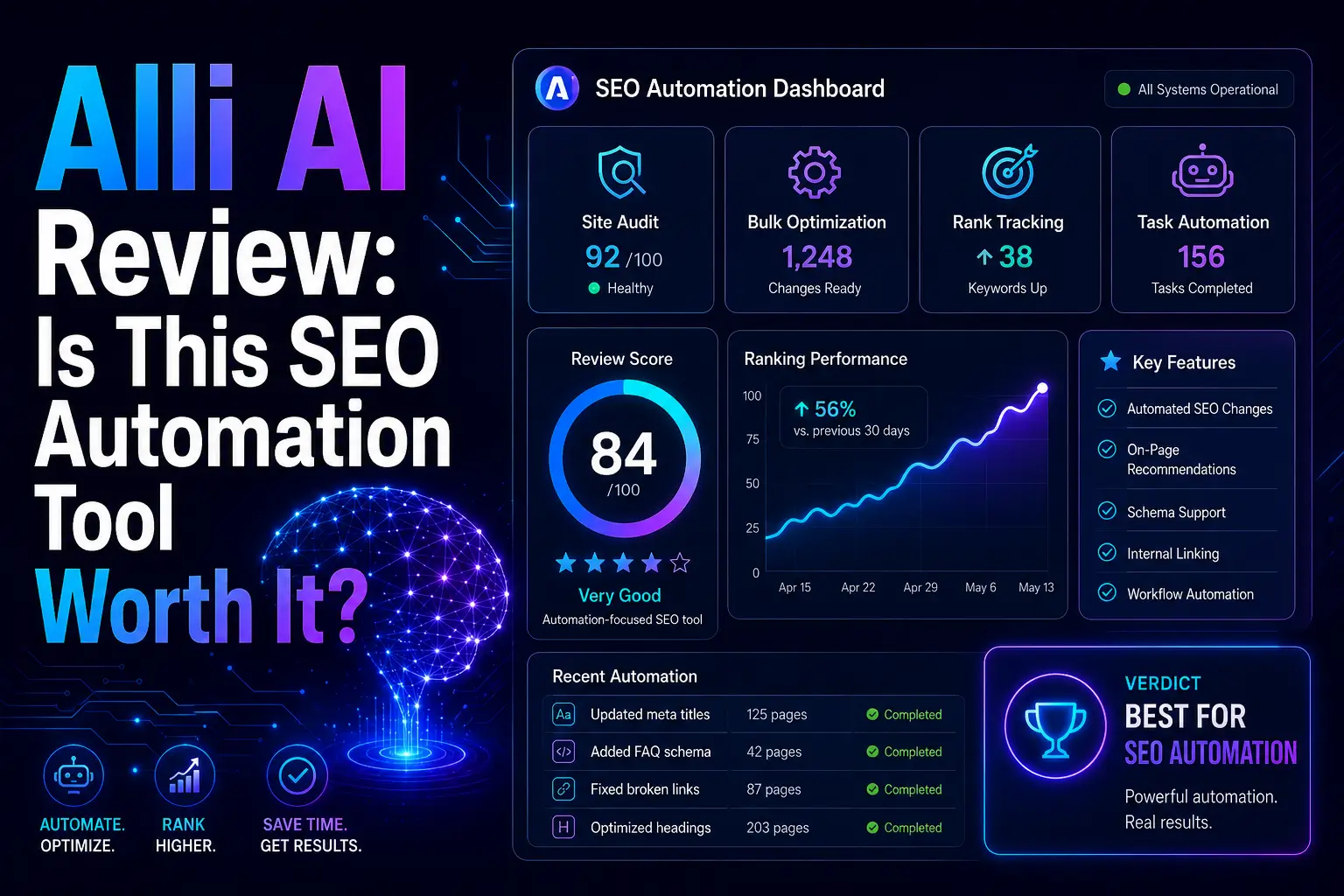
Alli AI Review: Is This SEO Automation Tool Worth It?
🚀 Introduction
Alli AI is an SEO automation platform built for agencies, consultants, e-commerce stores, and SEO teams that need to deploy on-page changes at scale. It is best for users managing many pages or multiple websites, but it is probably too expensive and advanced for small blogs.
The biggest value of Alli AI is not content writing.
Its strongest value is SEO implementation.
Many SEO tools tell you what to fix. Alli AI focuses more on helping you apply SEO changes faster across pages, sites, and client portfolios. That makes it especially useful for agencies that are tired of waiting on developers, CMS limitations, or manual page-by-page updates.
In this Alli AI review, I will explain what Alli AI does, who it is best for, where it performs well, where it falls short, and whether it is worth using for SEO automation and AI search visibility.
⚡ Quick Verdict
Alli AI is worth it if your biggest SEO problem is implementation at scale.
It is not the best tool for keyword research, article writing, content optimization, or backlink analysis. But if you manage many pages, many websites, or many clients, Alli AI can save a lot of time by helping you deploy on-page SEO changes faster.
I would use Alli AI if you need:
- On-page SEO automation at scale.
- Faster title tag, meta description, H1, and schema updates.
- SEO changes without waiting on developers.
- A visual editor for live page-level SEO edits.
- Bulk optimization across many pages.
- Multi-site SEO portfolio management.
- AI crawler enablement for modern JavaScript websites.
- A tool built for agencies, consultants, ecommerce stores, and large sites.
I would not use Alli AI if you need:
- A cheap SEO tool for one small website.
- Long-form AI article writing.
- Premium content optimization like Clearscope or Surfer.
- Deep keyword research like Ahrefs or Semrush.
- Backlink analysis.
- A beginner WordPress SEO plugin.
- Full technical SEO crawling like Screaming Frog or Sitebulb.
The clearest signal is this: Alli AI is not mainly a research tool. It is an execution tool. If you already know what needs to be fixed, but implementation is slow, Alli AI becomes much more interesting.
📌 In This Guide
- What Is Alli AI?
- How Alli AI Works
- Alli AI Key Features
- Alli AI for SEO Automation
- Alli AI Pricing and Value
- Real Case Study: How Bar Marketing Basics Used Alli AI to Scale On-Page SEO
- Alli AI Pros and Cons
- Alli AI for Agencies and Consultants
- Alli AI for E-commerce and Large Websites
- Alli AI for Small Businesses and Bloggers
- Alli AI Alternatives
- My Practical Alli AI Workflow
- Common Mistakes When Using Alli AI
- FAQ
- Final Verdict: Is Alli AI Worth It?
- Recommended Next Reads
🧠 What Is Alli AI?
Alli AI is an AI-powered SEO automation platform that helps users identify, edit, and deploy on-page SEO improvements across websites.
It is designed for SEO teams that want to move faster from recommendation to implementation.
Alli AI can help with:
- On-page SEO automation.
- Bulk title tag updates.
- Meta description optimization.
- H1 and content edits.
- Schema markup deployment.
- Internal link automation.
- Site speed optimization.
- Keyword rank tracking.
- Weekly crawls and recommendations.
- Visual page editing.
- SEO A/B testing.
- AI crawler enablement.
- Multi-site SEO management.
- CMS-agnostic SEO deployment.
The most effective way to understand Alli AI is to compare it with traditional SEO tools.
A traditional SEO tool may tell you that 5,000 pages need better title tags. Alli AI is built to help you apply those changes faster.
That matters because implementation is one of the biggest bottlenecks in SEO.
SEO teams often know what needs to be fixed, but the work gets delayed because:
- Developers are busy.
- CMS access is limited.
- Client teams move slowly.
- E-commerce sites have too many pages.
- Agencies manage too many websites.
- Technical changes require approvals.
- Manual updates take too much time.
Alli AI is built to reduce that gap between SEO recommendations and live changes.
⚙️ How Alli AI Works
Alli AI works by adding a code snippet to your website, crawling the site, generating recommendations, and allowing you to approve or deploy SEO changes from its dashboard.
A typical Alli AI workflow may look like this:
- Add the Alli AI code snippet to the website.
- Let Alli AI crawl the site.
- Review SEO recommendations.
- Edit or approve recommendations.
- Use the visual editor for page-level changes.
- Deploy updates across selected pages.
- Monitor keyword rankings and performance.
- Roll back changes if needed.
- Repeat the process after new crawls.
- Expand the workflow across more websites or pages.
This process is useful because it reduces dependency on manual CMS editing.
Instead of logging into every page or asking a developer to implement each change, Alli AI lets teams manage SEO changes from one dashboard.
One of the strongest patterns is that Alli AI works best when there is already an SEO strategy.
The tool can help deploy changes quickly, but you still need human judgment to decide which changes are worth approving.
🛠️ Alli AI Key Features
⚙️ Bulk On-Page SEO Automation
Bulk on-page SEO automation is Alli AI’s main feature.
The platform helps users deploy SEO changes across many pages without editing each page manually.
This can include:
- Title tags.
- Meta descriptions.
- H1 tags.
- Canonical tags.
- Schema markup.
- Internal links.
- Content updates.
- Technical SEO elements.
This is especially useful for large websites.
For example, an e-commerce store with thousands of product pages may need title tag improvements across many URLs. Doing that manually can be slow. Alli AI is built to make that type of work faster.
The biggest mistake is approving bulk changes blindly.
Automation is powerful, but it should still be reviewed. A bad rule applied across thousands of pages can create a large SEO problem quickly.
🖱️ Visual SEO Editor
Alli AI includes a visual editor that lets users make SEO changes directly on a page without needing backend access.
This is useful for agencies and consultants because client websites often have different CMS platforms, themes, templates, and technical restrictions.
A visual SEO editor can help with:
- Editing on-page elements.
- Reviewing changes before deployment.
- Working around CMS limitations.
- Making updates without developer tickets.
- Applying SEO fixes faster.
This feature is especially valuable when you manage client sites where backend access is limited or inconsistent.
It gives SEO teams more control over implementation.
🧠 AI SEO Recommendations
Alli AI can generate SEO recommendations based on crawls and page analysis.
These recommendations may include changes to page titles, meta descriptions, internal links, schema, content, and other on-page elements.
A practical recommendation workflow should look like this:
- Review the suggested change.
- Check whether it matches the search intent.
- Confirm it does not damage brand voice.
- Compare it with the page’s target keyword.
- Approve, edit, or reject the suggestion.
- Monitor the result after deployment.
The most effective way to use AI recommendations is not to approve everything automatically.
Use the tool to speed up analysis and implementation, but keep human review in the loop.
🧩 AI Schema Markup Generator
Schema markup can help search engines better understand your pages.
Alli AI includes AI schema markup generation, which can help teams deploy structured data more efficiently.
This can be useful for:
- Local businesses.
- E-commerce stores.
- Service pages.
- FAQ sections.
- Product pages.
- Blog content.
- Review pages.
- Organization markup.
Schema alone does not guarantee rankings, but it can support clearer entity understanding and better eligibility for rich results where relevant.
For AI search and answer engines, structured data may also help make content easier to interpret when combined with crawlable, well-structured HTML.
🔗 AI Internal Linking Automation
Internal linking is one of the most important SEO tasks that many sites neglect.
Alli AI includes internal linking automation, which can help teams identify and deploy internal link opportunities across pages.
This is valuable because internal links help:
- Connect related content.
- Support topic clusters.
- Pass authority to important pages.
- Help search engines discover pages.
- Improve user navigation.
- Reduce orphaned content.
For large sites, internal linking can become difficult to manage manually.
Automation can help, but relevance still matters. Every internal link should make sense for the reader and support a clear content relationship.
📈 Keyword Rank Tracking
Alli AI includes keyword rank tracking, which helps users monitor how keywords move after SEO changes.
This matters because SEO automation should not stop at deployment.
You need to know whether changes helped, hurt, or made no meaningful difference.
A simple rank tracking review process could include:
- Track target keywords before changes.
- Deploy on-page updates.
- Wait for search engines to process changes.
- Review ranking movement.
- Compare affected pages with unaffected pages.
- Keep improvements that work.
- Roll back or adjust weak changes.
Rank tracking is especially useful for agencies that need to show clients progress.
🧪 SEO A/B Testing
Alli AI includes SEO A/B testing, which can help teams test different page changes and compare outcomes.
This is useful because SEO recommendations are not always guaranteed.
A title tag change may improve CTR. A meta description rewrite may have no effect. A schema update may improve eligibility but not traffic.
Testing helps teams make better decisions.
A practical SEO A/B testing workflow might include:
- Choose a page group.
- Create an optimization rule.
- Apply it to selected pages.
- Track rankings, clicks, and impressions.
- Compare against control pages.
- Keep, modify, or roll back changes.
For agencies and large websites, this is an important feature because it helps move SEO from opinion to evidence.
🤖 AI Crawler Enablement
Alli AI now positions itself not only around traditional SEO automation, but also around AI search access.
This feature is especially relevant for modern websites built with JavaScript frameworks such as React, Vue, Next.js, or Angular.
The issue is simple:
Some AI crawlers and answer engines may struggle to access JavaScript-rendered content properly. If a page appears blank or incomplete to crawlers, it may be harder for AI systems to understand or cite it.
Alli AI’s AI crawler enablement is designed to help make modern websites more accessible to AI crawlers by serving pre-rendered HTML to platforms such as ChatGPT, Perplexity, Claude, and others.
This is an important direction because search is no longer only Google blue links.
For agencies and technical SEO teams, this can be a strong reason to consider Alli AI.
🚀 Site Speed Optimizer
Alli AI also includes a site speed optimizer.
Site speed matters because slow pages can hurt user experience and sometimes affect SEO performance. It is also important for e-commerce, lead generation, and mobile users.
However, I would treat this as a supporting feature, not the main reason to buy Alli AI.
For deep performance work, you may still need tools like PageSpeed Insights, Lighthouse, WebPageTest, Chrome DevTools, or a developer.
Alli AI’s speed feature can help, but complex performance issues may still require technical work.
🔎 Alli AI for SEO Automation
Alli AI is strongest when used for SEO automation and implementation.
It can help with:
- Deploying SEO changes faster.
- Updating metadata across many pages.
- Applying schema markup.
- Improving internal links.
- Managing multiple websites.
- Reducing developer dependency.
- Supporting agency workflows.
- Testing on-page changes.
- Enabling AI crawler access.
- Tracking keyword movement.
However, Alli AI does not replace:
- SEO strategy.
- Keyword research.
- Content strategy.
- Backlink analysis.
- Technical SEO crawling.
- Conversion optimization.
- Human QA.
- Editorial judgment.
The most effective way to use Alli AI is inside a larger SEO process.
A practical workflow could look like this:
- Use Semrush, Ahrefs, Google Search Console, or Screaming Frog to identify SEO opportunities.
- Prioritize pages based on business value.
- Use Alli AI to generate and review recommendations.
- Edit recommendations manually when needed.
- Deploy changes across selected pages.
- Monitor keyword rankings and organic traffic.
- Use SEO A/B testing for larger changes.
- Roll back changes if performance drops.
- Scale successful rules across more pages.
- Repeat the process across client sites or page groups.
This is where Alli AI becomes powerful.
It is not the tool that replaces your SEO brain. It is the tool that helps your SEO decisions get implemented faster.
💰 Alli AI Pricing and Value
Alli AI is priced for serious SEO teams, agencies, consultants, ecommerce stores, and larger websites.
At the time of writing, Alli AI’s public pricing includes Business, Agency, and Enterprise plans. Annual billing shows lower monthly-equivalent pricing, while monthly billing costs more.
Current public pricing includes:
| Plan | Monthly Price | Annual Monthly-Equivalent | Best For |
|---|---|---|---|
| Business | $299/month | $249/month billed annually | Consultants, startups, and small teams |
| Agency | $599/month | $499/month billed annually | Agencies, ecommerce stores, and growing SEO teams |
| Enterprise | Custom/demo | Custom/demo | Corporations, larger agencies, and high-volume websites |
Prices may change over time, so always check Alli AI’s official pricing page before subscribing.
Here is how I would think about value:
| User Type | Is Alli AI Worth It? | Why |
|---|---|---|
| New blogger | Usually no | Too expensive and advanced for simple WordPress SEO |
| Small local business | Maybe | Only worth it if implementation is a real bottleneck |
| SEO consultant | Yes, if managing several sites | Can reduce manual SEO deployment work |
| Agency | Yes | Strong fit for multi-client on-page SEO automation |
| E-commerce store | Yes, if many pages | Useful for large-scale metadata, schema, and page updates |
| Enterprise SEO team | Yes | Stronger value when implementation delays cost money |
Alli AI becomes easier to justify when one of these problems is true:
- You manage many websites.
- You manage thousands of pages.
- SEO implementation is slow.
- Developer resources are limited.
- You need to deploy changes across many pages.
- You want to show clients faster execution.
- You need an AI crawler accessibility for modern websites.
If you only have a small blog with 30 posts, Alli AI is probably more than you need.
But if you manage 50 client websites or a large ecommerce catalog, the value becomes much clearer.
📊 Real Case Study: How Bar Marketing Basics Used Alli AI to Scale On-Page SEO
A strong real-world example comes from Bar Marketing Basics, a niche SEO agency serving restaurants, bars, and nightclubs.
The agency wanted to expand from off-page SEO into more comprehensive on-page optimization. The problem was cost and capacity. On-page SEO was time-consuming, and hiring another SEO specialist would have increased costs for clients with limited marketing budgets.
Alli AI helped the agency add on-page SEO services without doubling operational costs.
The reported results included:
| Result | What It Means |
|---|---|
| 112 sites managed through Alli AI | The agency scaled SEO across many client websites |
| 1,566,015 on-page recommendations implemented | Alli AI helped execute a very large volume of changes |
| 19,265 total pages optimized | The platform supported page-level optimization at scale |
| 39% average improvement in keyword rankings | Client keyword performance improved across the portfolio |
This case study matters because it shows the exact type of problem Alli AI is built to solve.
Bar Marketing Basics did not only need another SEO audit tool. The agency needed a way to implement on-page SEO across many clients without increasing staff or making services too expensive.
That is Alli AI’s strongest use case.
For Searchmora readers, the lesson is clear:
Alli AI is most valuable when SEO execution is the bottleneck. If your team already knows what needs to be fixed but cannot implement changes fast enough, Alli AI can turn recommendations into live updates much faster.
✅ Alli AI Pros and Cons
✅ Pros
| Pro | Why It Matters |
|---|---|
| Strong on-page SEO automation | Helps deploy changes across many pages faster |
| Good fit for agencies | Useful for multi-client SEO implementation |
| Works across CMS platforms | Helpful when client sites use different systems |
| Visual SEO editor | Useful for large websites ande-commercee catalogs |
| Bulk deployment | Useful for large websites and ecommerce catalogs |
| AI crawler enablement | Helpful for modern JavaScript sites and AI search visibility |
| SEO A/B testing | Supports more evidence-based optimization |
| Rank tracking included | Helps monitor changes after deployment |
| Internal linking and schema automation | Supports common SEO implementation tasks |
❌ Cons
| Con | Why It Matters |
|---|---|
| Expensive for small sites | Not ideal for beginners or small blogs |
| Not a full SEO suite | You still need research, auditing, backlink, and content tools |
| Automation risk | Bad changes can scale quickly if not reviewed |
| Requires SEO knowledge | Users still need to decide which recommendations are worth applying |
| Not a content writing platform | Better for implementation than long-form content creation |
| May overlap with developer workflows | Some teams may prefer direct CMS or code-level changes |
| Needs QA process | Large deployments should be checked carefully before and after launch |
The biggest mistake is using Alli AI as an autopilot tool with no review.
Automation should reduce repetitive work, not remove responsibility.
🧑💼 Alli AI for Agencies and Consultants
Alli AI is one of the strongest fits for SEO agencies and consultants.
Agencies often struggle with implementation because every client has a different website, CMS, developer, approval process, and technical setup.
Alli AI can help agencies:
- Deploy on-page changes faster.
- Manage multiple websites from one dashboard.
- Reduce developer dependency.
- Implement metadata and schema at scale.
- Improve internal linking workflows.
- Track keyword changes.
- Show clients visible progress.
- Expand SEO services without hiring immediately.
I would use it if you need:
- Faster SEO fulfillment.
- Multi-site SEO management.
- A way to implement recommendations without waiting weeks.
- Better on-page SEO delivery for clients.
- White-label or agency-friendly workflows.
- A scalable process for metadata, schema, and internal links.
I would not use it if you need:
- A cheap tool for small clients.
- Keyword research only.
- Backlink outreach.
- Content writing.
- Full technical SEO crawling.
- Basic WordPress plugin functionality.
For agencies, Alli AI can be a strong operational tool.
It helps turn SEO from “we found the issue” into “we fixed the issue.”
That difference matters when clients want proof of work.
🛒 Alli AI for E-commerce and Large Websites
Alli AI can be useful for e-commerce stores and large websites because these sites often have too many pages to optimize manually.
e-commerce site may need improvements across:
- Product pages.
- Category pages.
- Collection pages.
- Filtered pages.
- Meta titles.
- Meta descriptions.
- Schema markup.
- Internal links.
- Canonical tags.
- Page speed issues.
Manual optimization can be painfully slow.
Alli AI can help deploy page-level changes faster and more consistently.
I would use it if you need:
- Bulk metadata updates.
- Product and category page optimization.
- Schema deployment.
- Large-scale internal link improvements.
- Faster implementation across many URLs.
- SEO automation without relying fully on developers.
I would not use it if you need:
- Product feed management.
- E-commerce merchandising strategy.
- Conversion rate optimization.
- Deep technical debugging.
- Backlink strategy.
- Content marketing strategy.
For e-commerce: Alli AI’s value increases with page count.
The more pages you manage, the more useful automation becomes.
🏢 Alli AI for Small Businesses and Bloggers
Alli AI can help small businesses, but it is not the first tool I would recommend for most bloggers.
If you run a small blog, you may get more value from:
- Rank Math or Yoast.
- Google Search Console.
- A keyword research tool.
- A content optimizer.
- A good internal linking process.
- Better content quality.
- Faster page speed basics.
Alli AI becomes more useful when your site has enough pages or technical implementation problems to justify the cost.
I would use it if you need:
- On-page changes across many pages.
- SEO automation without developer help.
- A faster way to implement recommendations.
- A tool for a growing business site.
- AI crawler enablement for a modern JavaScript site.
I would not use it if you need:
- A beginner WordPress SEO plugin.
- Cheap SEO help.
- Blog article writing.
- Keyword clustering.
- Content optimization.
- Backlink research.
For small sites, Alli AI may be too powerful too early.
For growing businesses with many service pages, location pages, product pages, or technical limitations, it may become more valuable.
🔁 Alli AI Alternatives
Alli AI is strong for SEO automation, but it is not the only option.
Here are some Alli AI alternatives depending on what you need:
| Alternative | Best For | Why Choose It Instead of Alli AI |
|---|---|---|
| Search Atlas OTTO SEO | SEO automation and AI SEO workflows | Better if you want a broader SEO automation ecosystem with content and technical features |
| Semrush | All-in-one SEO platform | Better for keyword research, audits, rank tracking, competitor analysis, and reporting |
| Ahrefs | Keyword and backlink research | Better for backlinks, competitive SEO research, and content gap analysis |
| Screaming Frog | Technical SEO crawling | Better for deep technical audits and crawl diagnostics |
| Sitebulb | Technical SEO audits | Better for visual technical SEO auditing and site architecture analysis |
| Surfer SEO | Content optimization | Better for optimizing individual articles and content briefs |
| NeuronWriter | Budget content optimization | Better for affordable semantic SEO content optimization |
| Rank Math | WordPress SEO plugin | Better for basic WordPress SEO settings and schema on small sites |
| WordLift | Entity SEO and structured data | Better if your main need is entity markup and knowledge graph-style SEO |
Alli AI’s advantage is deployment.
Its weakness is that it does not replace all the research, content, backlinks, and technical tools around the SEO workflow.
🧪 My Practical Alli AI Workflow
If I were using Alli AI for a serious SEO project, I would use it as the implementation layer.
Start With SEO Priorities
First, I would identify which pages matter most.
I would prioritize:
- Pages with high impressions but low CTR.
- Pages ranking between positions 5 and 20.
- Product or service pages with revenue value.
- Pages missing schema.
- Pages with weak metadata.
- Pages with poor internal linking.
- JavaScript pages that may be hard for AI crawlers to access.
Review Recommendations Carefully
Next, I would review Alli AI’s recommendations.
I would not approve everything automatically.
I would check:
- Search intent.
- Brand voice.
- Keyword relevance.
- Page purpose.
- Possible duplication.
- Risk of template-wide mistakes.
- Whether the change helps users.
Deploy Changes in Controlled Groups
Then I would deploy changes in batches.
This is safer than changing thousands of pages at once.
A good rollout might be:
- Test on 20 pages.
- Review live changes.
- Monitor rankings and clicks.
- Expand to 100 pages.
- Scale to larger page groups if results are stable.
Use SEO A/B Testing Where Possible
For large sites, I would test changes before scaling them widely.
This helps avoid rolling out weak changes across the whole site.
Monitor Performance
After deployment, I would monitor:
- Keyword rankings.
- Organic clicks.
- Impressions.
- CTR.
- Crawl activity.
- Indexing issues.
- AI crawler access.
- Conversions when available.
Keep a Rollback Plan
Finally, I would document and prepare rollback options.
Automation is powerful, but reversibility matters.
If a change causes problems, you need to undo it quickly.
⚠️ Common Mistakes When Using Alli AI
Approving Every Recommendation Automatically
This is the biggest mistake.
AI recommendations should be reviewed before deployment.
Using Automation Without Strategy
Automation only helps if you are automating the right work.
Bad SEO strategy at scale is still bad SEO.
Ignoring QA
Always check live pages after deployment.
Look for broken formatting, awkward titles, duplicate metadata, or irrelevant internal links.
Making Too Many Changes at Once
Large rollouts can make it hard to know what caused improvement or decline.
Test in controlled groups when possible.
Treating Alli AI as a Content Tool
Alli AI is not mainly a writing tool.
It is better for implementation, automation, schema, internal links, and on-page deployment.
Skipping Human Review
Human judgment is still needed for search intent, brand voice, page purpose, and client expectations.
Forgetting AI Search Access
If you manage modern JavaScript sites, AI crawler visibility can be important.
Check whether AI bots can access real page content, not just empty rendered shells.
❓ FAQ
1. Is Alli AI good for SEO?
Yes, Alli AI is useful for SEO automation, especially on-page implementation, metadata updates, schema deployment, internal linking, keyword tracking, and multi-site SEO management. It is best for agencies, consultants, e-commerce stores, and larger websites.
2. What is Alli AI best for?
Alli AI is best for automating on-page SEO changes at scale. It is especially useful when you need to deploy title tags, meta descriptions, schema, internal links, and other SEO updates across many pages or multiple websites.
3. Is Alli AI worth it?
Alli AI is worth it if SEO implementation is a serious bottleneck. It may not be worth it for small blogs or beginners because pricing starts at a higher level than basic SEO plugins and content tools.
4. Does Alli AI write articles?
No, Alli AI is not mainly an AI article writer. It focuses more on SEO automation, on-page optimization, implementation, schema, internal links, rank tracking, and AI crawler access.
5. Is Alli AI good for agencies?
Yes, agencies are one of the strongest fits for Alli AI. The tool helps agencies manage multiple client sites, deploy on-page changes faster, reduce manual work, and show clients visible SEO progress.
6. Does Alli AI work with WordPress?
Yes, Alli AI works with WordPress and other CMS platforms. The platform is designed to work through a code snippet, which helps it support many different website setups.
7. Is Alli AI good for e-commerce?
Yes, Alli AI can be useful for e-commerce stores with many product or category pages. It can help scale metadata, schema, internal linking, and other on-page updates.
8. What is AI crawler enablement in Alli AI?
AI crawler enablement helps make modern JavaScript websites more accessible to AI crawlers such as ChatGPT, Perplexity, Claude, and other answer platforms. This can matter when JavaScript-rendered pages are difficult for AI systems to read.
9. Does Alli AI guarantee rankings?
No. Alli AI can help deploy SEO changes faster, but rankings depend on search intent, authority, backlinks, content quality, technical health, internal links, competition, and user satisfaction.
🏁 Final Verdict: Is Alli AI Worth It?
Alli AI is worth it for agencies, consultants, e-commerce stores, and SEO teams that need to implement on-page SEO changes at scale.
It is not the right tool for everyone. If you are a beginner blogger, you probably need a cheaper SEO plugin, better content, keyword research, and Google Search Console before you need Alli AI.
But if your team manages many pages or many websites, Alli AI solves a real problem: SEO implementation speed.
My final recommendation is simple:
Use Alli AI if your biggest SEO bottleneck is deploying changes.
Skip Alli AI if your biggest problem is keyword research, content writing, backlinks, or beginner SEO setup.
For Searchmora readers, I would position Alli AI as a serious SEO automation platform, not a content writing tool. Its strongest value is helping teams move from recommendations to live SEO improvements faster, especially across large sites and client portfolios.
📚 Recommended Next Reads
To continue learning about SEO automation, AI SEO tools, and content optimization, these published Searchmora guides are useful next reads:
- Best Alternatives to Frase for GEO and AEO
Useful because it includes Alli AI as a strong option when your main need is deploying on-page fixes at scale. - Best AI SEO Tools Tested This Year
A broader guide to AI SEO tools for content optimization, keyword research, AI visibility, and SEO workflows. - NeuronWriter Review: Is This Budget-Friendly SEO Content Optimizer Worth It?
Useful if you want a lower-cost tool for semantic SEO content optimization instead of SEO automation. - KoalaWriter Review: Is This AI SEO Writer Worth It?
A good next read if your main need is AI-assisted SEO article production rather than on-page deployment. - WriterZen Review: Is This SEO Content Workflow Tool Worth It?
Helpful if you need keyword clustering and planning before implementing SEO changes.
Comments 4