🚀 Introduction
ContentPen is an AI blog writing platform built for people who want to create SEO- and AEO-focused blog posts faster. It is best for bloggers, marketers, agencies, and small teams that need long-form content at scale, but it still requires human editing, fact-checking, and SEO judgment.
Unlike general AI chat tools, ContentPen focuses specifically on blog content. It helps users move from topic to outline, draft, SEO scoring, images, optimization, analytics, and publishing.
That makes it useful for content teams that want a more guided workflow instead of writing every prompt manually.
In this ContentPen review, I will explain what ContentPen does, who it is best for, where it performs well, where it falls short, and whether it is worth using for SEO and AI search content.
⚡ Quick Verdict
ContentPen is worth considering if you want a focused AI blog writer that combines content generation, SEO optimization, AEO structure, AI images, analytics, and publishing workflows.
It is not the most advanced SEO strategy platform, and I would not use it as a full replacement for tools like Semrush, Ahrefs, Clearscope, or MarketMuse. But for users who mainly need to publish more blog content with built-in SEO guidance, ContentPen can be a practical tool.
I would use ContentPen if you need:
- Faster long-form blog creation.
- SEO- and AEO-focused article drafts.
- Bulk blog generation.
- Built-in SEO scoring.
- AI image support.
- Google Search Console-style content performance insights.
- A tool focused on blog publishing rather than generic writing.
- A workflow for refreshing low-performing content.
I would not use ContentPen if you need:
- Deep keyword research.
- Full technical SEO audits.
- Backlink analysis.
- Advanced content strategy planning.
- A tool that replaces human editors.
- Fully original expert content without human input.
- A premium editorial workflow like Clearscope or MarketMuse.
The clearest signal is this: ContentPen is strongest for speed and publishing workflow. It is weaker if you need advanced SEO research, expert-level editorial strategy, or deep competitive analysis.
📌 In This Guide
- What ContentPen is and how it works.
- ContentPen’s key features for SEO, AEO, and blog publishing.
- Pricing, value, and best use cases.
- Real-world evidence from ContentPen’s public use-case and testimonial material.
- Pros, cons, alternatives, FAQ, and final verdict.
🧠 What Is ContentPen?
ContentPen is an AI-powered blog writing and content generation platform created for SEO-focused publishing.
It helps users generate blog posts, outlines, keywords, AI images, SEO scores, and content optimization recommendations. It is also designed to support AEO, which means creating content that is easier for answer engines and AI search systems to understand.
ContentPen can help with:
- Long-form blog posts.
- SEO article drafts.
- AEO-friendly content.
- Blog outlines.
- Primary and secondary keywords.
- AI-generated images.
- SERP and content gap analysis.
- Live content editing.
- SEO scoring.
- Bulk article generation.
- Content refresh workflows.
- CMS publishing.
- Content performance analytics.
The most effective way to understand ContentPen is to see it as an AI blog production tool.
It is not trying to be a full SEO platform. It is trying to help users move faster from a topic idea to a publishable blog draft.
That makes it useful for people who want to publish more consistently without building every article from scratch.
⚙️ How ContentPen Works
ContentPen works by turning a topic, keyword, or content idea into a blog workflow.
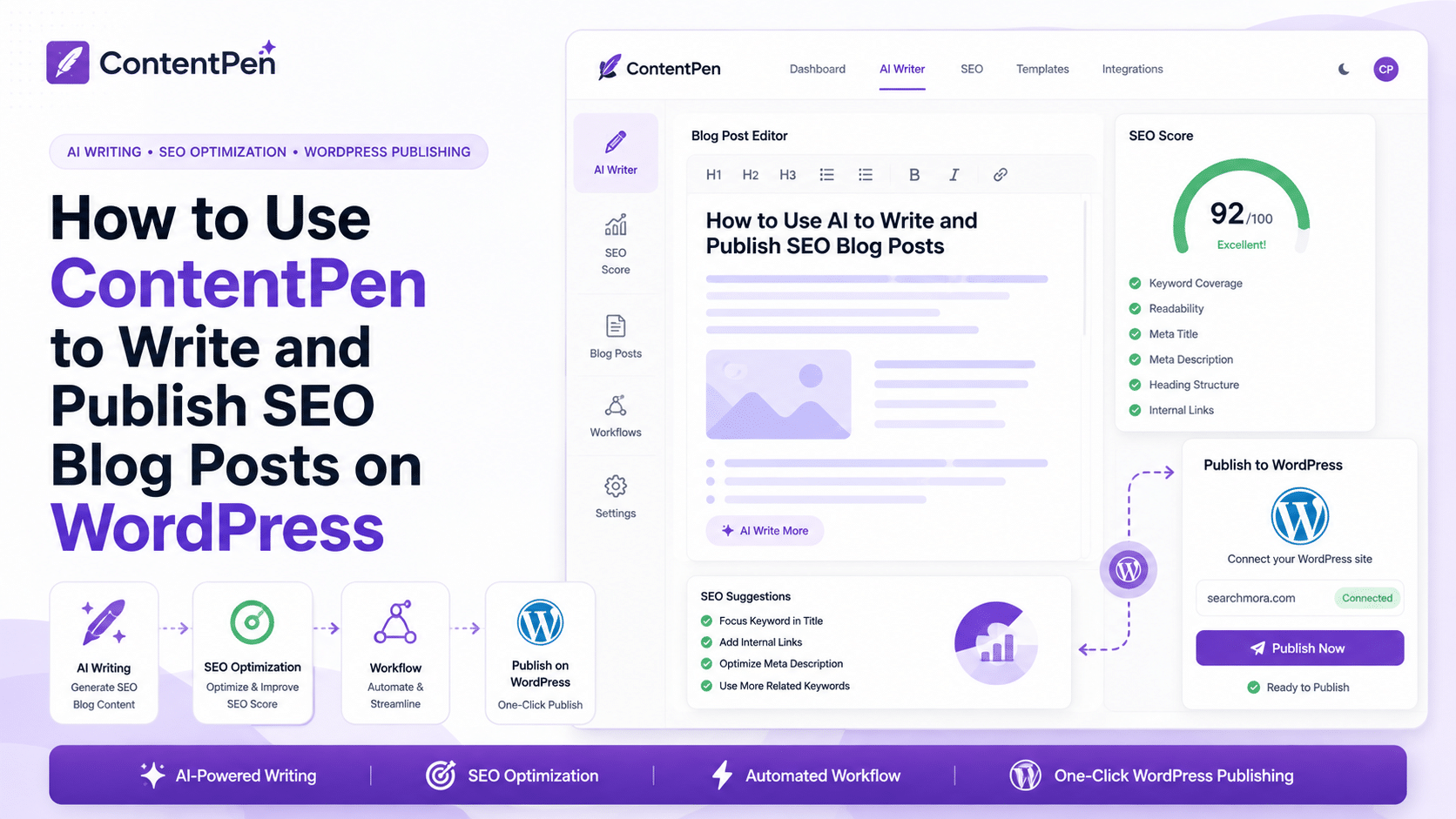
A typical ContentPen workflow may look like this:
- Enter your blog topic or target keyword.
- Let ContentPen generate an outline.
- Review primary and secondary keyword suggestions.
- Generate the article draft.
- Improve the draft inside the live content editor.
- Check SEO score and optimization suggestions.
- Add or review AI images, links, and media.
- Edit for accuracy, originality, and brand voice.
- Publish directly to your CMS or export the content.
- Track performance and refresh underperforming posts.
This workflow is helpful because many users do not struggle only with writing. They struggle with the full publishing process.
They need to:
- Choose topics.
- Build outlines.
- Write drafts.
- Add keywords naturally.
- Add images.
- Optimize structure.
- Publish consistently.
- Track what works.
- Refresh old content.
ContentPen brings many of those steps into one platform.
One of the strongest patterns is that ContentPen works best when the user provides a clear topic, audience, and content goal. Weak inputs can still produce generic drafts, but strong direction can make the output more useful.
🛠️ ContentPen Key Features
✍️ AI Blog Writer
The AI blog writer is ContentPen’s core feature.
It helps users create long-form blog posts from a topic or keyword. This is useful for bloggers, affiliate site owners, small businesses, and agencies that need to produce content regularly.
The main benefit is speed.
Instead of starting with a blank page, you can generate a structured draft and then improve it manually.
However, this is where human editing matters most.
A generated article should still be checked for:
- Accuracy.
- Search intent.
- Originality.
- Readability.
- Examples.
- Internal links.
- Brand voice.
- Expert insight.
- Factual claims.
- Conversion goals.
The biggest mistake is publishing AI-generated drafts without editing. ContentPen can speed up the first draft, but the final article should still feel useful, trustworthy, and human-edited.
🔎 SEO and AEO Optimization
ContentPen positions itself around SEO and AEO blog generation.
That means the tool is not only focused on writing paragraphs. It also tries to help structure content around keywords, search intent, answer-focused formatting, and optimization signals.
This is useful because modern content needs to serve both traditional search engines and AI answer systems.
A good SEO and AEO article should:
- Answer the main question clearly.
- Use logical headings.
- Cover related subtopics.
- Include concise definitions.
- Add helpful examples.
- Use natural keyword placement.
- Include FAQ sections.
- Provide useful summaries.
- Avoid fluff.
- Make information easy to extract.
ContentPen can help create that structure faster.
Still, I would not rely on the tool alone for high-competition keywords. For serious SEO work, I would pair it with tools like Google Search Console, Semrush, Ahrefs, Clearscope, Surfer, or MarketMuse.
📊 SEO Scoring and Live Content Editor
ContentPen includes a live content editor with SEO scoring and optimization guidance.
This helps users improve drafts before publishing. Instead of writing blindly, you can review the content and adjust it based on optimization suggestions.
A practical editing process may look like this:
- Generate the first draft.
- Open the draft inside the editor.
- Review the SEO score.
- Add missing sections.
- Improve headings.
- Add related keywords naturally.
- Improve readability.
- Add internal links.
- Add examples and data.
- Finalize the article manually.
This is useful for beginners because it gives them a more guided writing environment.
It is also useful for agencies that want junior writers or assistants to follow a more structured workflow.
🖼️ AI Images
ContentPen includes AI image support, which can help users create visual assets for blog posts.
This is useful for publishers who want articles to look more complete without searching for stock images every time.
AI images can help with:
- Featured images.
- Section visuals.
- Concept illustrations.
- Blog graphics.
- Social preview assets.
However, I would still review every image manually before publishing.
Images should match the topic, avoid misleading visuals, and fit the brand’s design style. For serious brands, custom-designed images may still perform better than generic AI visuals.
🔁 Bulk Article Generation
Bulk article generation is one of ContentPen’s more practical features for agencies and high-volume publishers.
This can help users create many articles faster, especially when building content calendars or scaling niche sites.
A bulk workflow might include:
- Uploading or entering several topics.
- Generating outlines.
- Producing article drafts.
- Reviewing SEO scores.
- Editing each draft manually.
- Scheduling or publishing content.
This can save time, but it also increases quality risk.
The more content you generate, the more important editorial review becomes. Bulk content can easily become thin, repetitive, or generic if there is no quality control.
My practical advice is simple:
Use bulk generation to speed up production, not to remove human review.
📈 Analytics and Content Opportunities
ContentPen also promotes analytics and content opportunity features.
These can help users identify:
- Quick-win pages.
- Content decay.
- CTR decline.
- Blogs that need a refresh.
- Keywords with ranking potential.
- Untapped traffic opportunities.
This is important because content growth is not only about publishing new posts.
Often, the fastest wins come from updating existing content. A page that already has impressions or rankings may need a better title, a clearer answer, a stronger structure, updated sections, or better internal links.
A practical content refresh workflow could look like this:
- Identify declining or underperforming posts.
- Review search impressions, clicks, and CTR.
- Find missing sections or outdated information.
- Improve the introduction and headings.
- Add new FAQs.
- Strengthen internal links.
- Improve the meta title and description.
- Republish the updated version.
- Monitor results.
This is one of the more useful directions for ContentPen because many AI writing tools focus only on creating new content. ContentPen appears to be moving toward a more complete content performance workflow.
🚀 CMS Publishing
ContentPen supports direct publishing workflows, which can help users move from draft to published article faster.
This is useful for:
- Bloggers.
- Agencies.
- Small businesses.
- Content teams.
- Niche site owners.
Publishing speed matters because friction kills consistency. If every article requires copying, formatting, adding images, and manually moving content between platforms, teams may publish less often.
That said, I would not recommend fully automatic publishing without review.
A safer workflow is:
- Generate the article.
- Edit the article.
- Check facts.
- Add original value.
- Review images and links.
- Preview formatting.
- Publish manually or with approval.
Automation is useful, but approval is still important.
🔎 ContentPen for SEO Content
ContentPen can support SEO content creation, but it should not be treated as a complete SEO solution.
It can help with:
- Blog drafts.
- SEO-friendly outlines.
- Keyword placement.
- AEO structure.
- Article optimization.
- AI images.
- Content refresh ideas.
- Publishing workflows.
- Bulk content production.
However, ContentPen does not replace:
- Technical SEO audits.
- Backlink research.
- Deep keyword research.
- Search Console analysis.
- SERP strategy.
- Content authority planning.
- Conversion optimization.
- Expert review.
The most effective way to use ContentPen for SEO is inside a larger workflow.
A strong SEO workflow could look like this:
- Use Semrush, Ahrefs, or Google Search Console to choose the right keyword.
- Analyze search intent manually.
- Use ContentPen to generate an outline and first draft.
- Edit the draft for accuracy and uniqueness.
- Add examples, tables, and expert opinion.
- Add internal links from relevant pages.
- Improve the title and meta description.
- Check the article’s SEO score.
- Publish the article.
- Monitor results and refresh later.
ContentPen can speed up production, but the strategy still needs to come from you.
💰 ContentPen Pricing and Value
ContentPen is priced for users who want regular blog production rather than occasional one-off writing.
At the time of writing, ContentPen’s public pricing page shows three main plans:
| Plan | Price | Best For |
|---|---|---|
| Starter | $27/month when billed annually | Solo creators, small blogs, and users testing AI blog workflows |
| Premium | $55/month when billed annually | Marketers and teams that need more content volume and advanced features |
| Agency | $139/month when billed annually | Agencies and growing teams managing multiple clients or sites |
Prices may change over time, so always check ContentPen’s official pricing page before subscribing.
Here is how I would think about the value:
| User Type | Is ContentPen Worth It? | Why |
|---|---|---|
| New blogger | Maybe | Useful for speed, but editing skill is still required |
| Affiliate site owner | Maybe | Helpful for drafts and refreshes, but original experience is essential |
| Small business | Yes, if blogging regularly | Can help publish educational content faster |
| Freelancer | Yes, if producing blog drafts often | Useful for first drafts and content workflows |
| Agency | Yes, if managing many articles | Bulk generation and workspaces can save time |
| Enterprise SEO team | Maybe | May need more advanced planning tools alongside it |
ContentPen is easier to justify if you publish frequently.
If you only need one article every few months, a general AI tool may be enough. But if your team needs a steady stream of blog posts, ContentPen’s workflow can save time.
The biggest value question is:
Will ContentPen help you publish better content more consistently without lowering quality?
If the answer is yes, it may be worth testing.
Real-World Evidence: What ContentPen’s Public Results Indicate📊
I found public testimonials and use-case material from ContentPen, but I did not find a strong independent named customer case study with detailed third-party verification.
That is important to say clearly.
ContentPen’s own public pages claim that users can publish optimized blogs faster, support SEO and AEO workflows, and grow organic traffic. Its testimonials page also promotes outcomes such as “3× more organic traffic,” while its use-case pages mention cutting writing time by 80%.
There are also public third-party posts and user-style reviews that describe ContentPen as useful for scaling blog production, but I would treat those as supporting signals rather than strong proof.
Here is the practical interpretation:
| Evidence Type | What It Suggests | How Much Weight I Would Give It |
|---|---|---|
| Official ContentPen use-case pages | The tool is positioned for faster SEO blog production | Medium |
| Official testimonials page | Users report traffic and workflow improvements | Medium |
| Third-party review pages | ContentPen is being discussed as an AI blog writing tool | Low to medium |
| Independent named case study | I did not find a strong public example | Low availability |
This does not mean ContentPen is ineffective.
It means readers should be realistic. The product appears promising for AI-assisted blog production, but I would like to see more detailed public case studies from named companies showing before-and-after traffic, publishing volume, rankings, and editorial process.
For Searchmora readers, the lesson is clear:
ContentPen may help speed up blog production, but the safest way to evaluate it is to test it on a small batch of articles, track performance, and compare results against your normal writing workflow.
A practical test would be:
- Choose 5 low-competition keywords.
- Generate drafts with ContentPen.
- Edit each article manually.
- Add original examples and internal links.
- Publish the posts.
- Track impressions, clicks, CTR, and rankings for 60–90 days.
- Compare results with manually written articles.
That gives you real evidence from your own website instead of relying only on marketing claims.
✅ ContentPen Pros and Cons
✅ Pros
| Pro | Why It Matters |
|---|---|
| Focused on blog writing | Better fit for long-form content than generic AI tools |
| SEO and AEO positioning | Useful for modern search and answer-focused content |
| Live content editor | Helps users improve drafts before publishing |
| SEO scoring | Gives writers basic optimization guidance |
| Bulk article generation | Useful for agencies and high-volume publishers |
| AI image support | Helps create more complete blog posts faster |
| Analytics and refresh opportunities | Supports content improvement, not only new content |
| CMS publishing | Reduces friction between draft and publication |
❌ Cons
| Con | Why It Matters |
|---|---|
| Still needs human editing | AI drafts should not be published without review |
| Not a full SEO suite | You still need tools for keyword research, audits, and backlinks |
| Case study evidence is limited | More independent customer results would improve trust |
| Risk of generic content | Weak inputs can produce average drafts |
| Bulk generation can reduce quality | Scaling content requires strong editorial control |
| Not ideal for expert-only content | Complex topics need subject matter review |
| May overlap with existing tools | Some teams may already use ChatGPT, Surfer, or Clearscope |
The biggest mistake is treating ContentPen like a replacement for content strategy.
It can help you write and publish faster, but it cannot decide your positioning, prove your expertise, build links, or guarantee rankings.
🧑💼 ContentPen for Agencies
ContentPen can be useful for agencies that need to produce blog content for multiple clients.
An agency can use ContentPen to:
- Generate first drafts.
- Build content calendars.
- Create SEO blog outlines.
- Produce AI-assisted images.
- Draft content in bulk.
- Manage multiple workspaces.
- Refresh low-performing content.
- Support faster publishing workflows.
I would use it if you need:
- Faster first drafts.
- Bulk blog generation.
- A tool for content production support.
- A more guided workflow than a general AI chatbot.
- Help create content for multiple clients or sites.
I would not use it if you need:
- A premium briefing tool.
- Deep content strategy.
- Technical SEO audits.
- Backlink analysis.
- Fully client-ready articles without editing.
For agencies, ContentPen’s value depends on quality control.
If you have strong editors, strategists, and clear client briefs, it can save production time. If you rely on raw AI output, it may create quality problems.
📝 ContentPen for Bloggers and Affiliate Site Owners
ContentPen can be helpful for bloggers and affiliate site owners who want to publish more consistently.
A blogger can use it to:
- Draft informational articles.
- Build outlines.
- Generate blog sections.
- Add FAQs.
- Refresh older content.
- Create AI images.
- Improve meta descriptions.
- Publish faster.
For affiliate sites, I would be more careful.
Affiliate reviews and comparisons need real experience, screenshots, pricing notes, pros and cons, and honest recommendations. ContentPen can help structure and draft the content, but it should not replace testing or editorial opinion.
I would use it if you need:
- Faster informational blog drafts.
- Better publishing consistency.
- Support for content refreshes.
- A more structured AI writing workflow.
- Help create supporting content around a niche.
I would not use it if you need:
- Automatic product reviews.
- Fake hands-on experience.
- Expert content with no fact-checking.
- A full SEO research system.
- A substitute for real testing.
For affiliate SEO, ContentPen should support your workflow. It should not become the whole workflow.
🏢 ContentPen for Small Businesses and SaaS Teams
ContentPen may be useful for small businesses and SaaS teams that need educational blog content but do not have a large writing team.
A small business can use it to create:
- How-to articles.
- Local service guides.
- FAQ content.
- Comparison articles.
- Educational blog posts.
- Product explainers.
- Content refreshes.
A SaaS team can use it for:
- Use-case articles.
- Feature explainers.
- Integration content.
- Glossary pages.
- Blog support content.
- AEO-friendly answers.
- Content repurposing.
I would use it if you need:
- A faster way to publish blog content.
- Support for SEO and AEO article structure.
- Content production without hiring a large team.
- Drafts that your internal team can review and improve.
- A publishing workflow connected to performance insights.
I would not use it if you need:
- Deep product marketing strategy.
- Technical documentation with no expert review.
- Customer research.
- Conversion optimization.
- Enterprise-level content governance.
For SaaS and small business teams, ContentPen works best when paired with real product knowledge and customer insight.
The tool can draft the article. Your team should add the expertise.

🔁 ContentPen Alternatives
ContentPen is useful for AI blog writing, but it is not the only tool worth considering.
Here are some ContentPen alternatives:
| Alternative | Best For | Why Choose It Instead of ContentPen |
|---|---|---|
| Jasper | Brand-focused marketing content | Better for campaign content, brand voice, and teams |
| Writesonic | AI writing plus SEO features | Good for users who want broad AI writing workflows |
| KoalaWriter | Fast SEO blog drafts | Popular for affiliate and niche site content |
| Surfer AI | SEO-guided AI articles | Better if you want stronger on-page scoring integration |
| Frase | SERP research and content briefs | Better for research-heavy content planning |
| Clearscope | Content optimization | Better for premium writer-friendly optimization |
| MarketMuse | Content strategy | Better for topic authority and planning |
| Content Harmony | Content briefs | Better for research-to-brief workflows |
| ChatGPT | Flexible AI writing | More adaptable, but less specialized for publishing workflows |
ContentPen’s advantage is its focused blog production workflow.
Its weakness is that it may not be as deep as specialist tools for content strategy, content briefs, or advanced SEO research.
🧪 My Practical ContentPen Workflow
If I were using ContentPen for a Searchmora-style article, I would use it as a production assistant, not as the final editor.
Start with Keyword Research
First, I would choose the target keyword using a dedicated SEO tool or Google Search Console.
I would not rely only on AI suggestions.
Check Search Intent
Next, I would manually review the search results.
I would ask:
- What type of page is ranking?
- Is the intent informational, commercial, or comparison-based?
- Are the top pages guides, reviews, lists, or product pages?
- What questions do readers need answered?
- What would make my article more useful?
Generate the Draft in ContentPen
Then I would use ContentPen to create the outline and first draft.
This speeds up the blank-page stage.
Edit for Accuracy and Originality
After that, I would edit heavily.
I would add:
- Real examples.
- Tables.
- Practical recommendations.
- Editorial opinion.
- Internal links.
- First-person review notes.
- Updated pricing notes.
- Human explanations.
Improve SEO and AEO Structure
Next, I would use ContentPen’s scoring and structure suggestions to improve the article.
I would make sure the content includes:
- A direct answer near the top.
- Clear H2 and H3 headings.
- Short paragraphs.
- FAQ questions.
- Comparison tables.
- Actionable guidance.
- Natural keyword placement.
Publish and Monitor
Finally, I would publish the article and track performance.
I would review:
- Impressions.
- Clicks.
- CTR.
- Average position.
- Engagement.
- Conversions.
- Content decay.
This is how ContentPen can become part of a real SEO workflow rather than just an AI writing shortcut.
⚠️ Common Mistakes When Using ContentPen
Publishing Raw AI Drafts
The fastest way to weaken your site is to publish unedited AI content.
Always review, improve, and fact-check the draft.
Ignoring Search Intent
A well-written article can still fail if it targets the wrong format.
Check what searchers actually want before publishing.
Using Bulk Generation Without Editorial Review
Bulk generation can save time, but it can also create repetitive content.
Use it carefully.
Forgetting Original Value
AI tools can help with structure, but original value comes from examples, experience, testing, data, and opinion.
Treating ContentPen as a Full SEO Tool
ContentPen helps with blog production and optimization, but it does not replace your full SEO stack.
Not Tracking Performance
Publishing is only the beginning.
Track what works, refresh weak pages, and improve old content over time.
❓ FAQ
1. Is ContentPen good for SEO?
Yes, ContentPen can help with SEO-focused blog drafts, outlines, keyword placement, content scoring, and optimization. However, it should be used with human editing and other SEO tools for research, audits, and performance tracking.
2. What is ContentPen best for?
ContentPen is best for AI-assisted blog writing, SEO article drafts, AEO-friendly content, bulk blog generation, live content editing, AI images, and publishing workflows.
3. Is ContentPen worth it?
ContentPen is worth it if you publish blog content regularly and want to speed up content production. It may not be worth it if you only write occasionally or need advanced SEO strategy tools.
4. Does ContentPen write full articles?
Yes, ContentPen can generate long-form blog articles. However, those articles should still be edited for accuracy, originality, search intent, and brand voice before publishing.
5. Does ContentPen replace writers?
No. ContentPen can help writers work faster, but it does not replace strategy, expertise, editing, fact-checking, or real experience.
6. Is ContentPen good for agencies?
Yes, ContentPen can be useful for agencies that need faster first drafts, bulk content generation, workspaces, and blog publishing workflows. Agencies still need editors and SEO strategists to maintain quality.
7. Is ContentPen good for affiliate sites?
ContentPen can help affiliate site owners create supporting informational content and draft review structures. However, affiliate content still needs real product testing, screenshots, comparisons, and honest recommendations.
8. Does ContentPen support AEO?
Yes, ContentPen positions itself around SEO and AEO blog creation. It can help structure content for answer-focused formats, but human editing is still needed for accuracy and usefulness.
9. Does ContentPen guarantee rankings?
No. ContentPen can help create and optimize content, but rankings depend on search intent, authority, backlinks, internal linking, technical SEO, competition, freshness, and content quality.
🏁 Final Verdict: Is ContentPen Worth It?
ContentPen is worth it for bloggers, agencies, small businesses, and content teams that want a faster AI-assisted blog writing workflow.
It is especially useful if you need long-form articles, SEO scoring, AEO structure, AI images, bulk content generation, and content refresh support in one platform.
However, it is not a full SEO suite. It does not replace advanced keyword research, technical SEO, backlink analysis, content strategy, or human expertise.
My final recommendation is simple:
Use ContentPen if your main problem is producing and updating blog content faster.
Skip ContentPen if your main problem is strategy, authority, technical SEO, or expert-level content quality.
For Searchmora readers, I would position ContentPen as a practical AI blog production tool. Its strongest value is speed and workflow. Its biggest risk is over-publishing average AI content without enough human editing.
📚 Recommended Next Reads
To continue learning about AI writing tools, SEO content workflows, and AI search optimization, you may also find these guides useful:
- Best AI Article Writing Tools Tested for SEO
Compare AI tools that help create long-form SEO content faster. - Best AI SEO Tools Tested
Explore tools for keyword research, optimization, AI visibility, and content workflows. - Jasper Review
See how Jasper compares as a premium AI marketing platform for brand-focused content. - KoalaWriter Review
Review a popular AI writing tool for niche sites, affiliate content, and SEO blog drafts. - How to Optimize for AI Search
Learn how to structure content for Google AI Overviews, ChatGPT, Perplexity, Gemini, and answer engines.



Comments 4