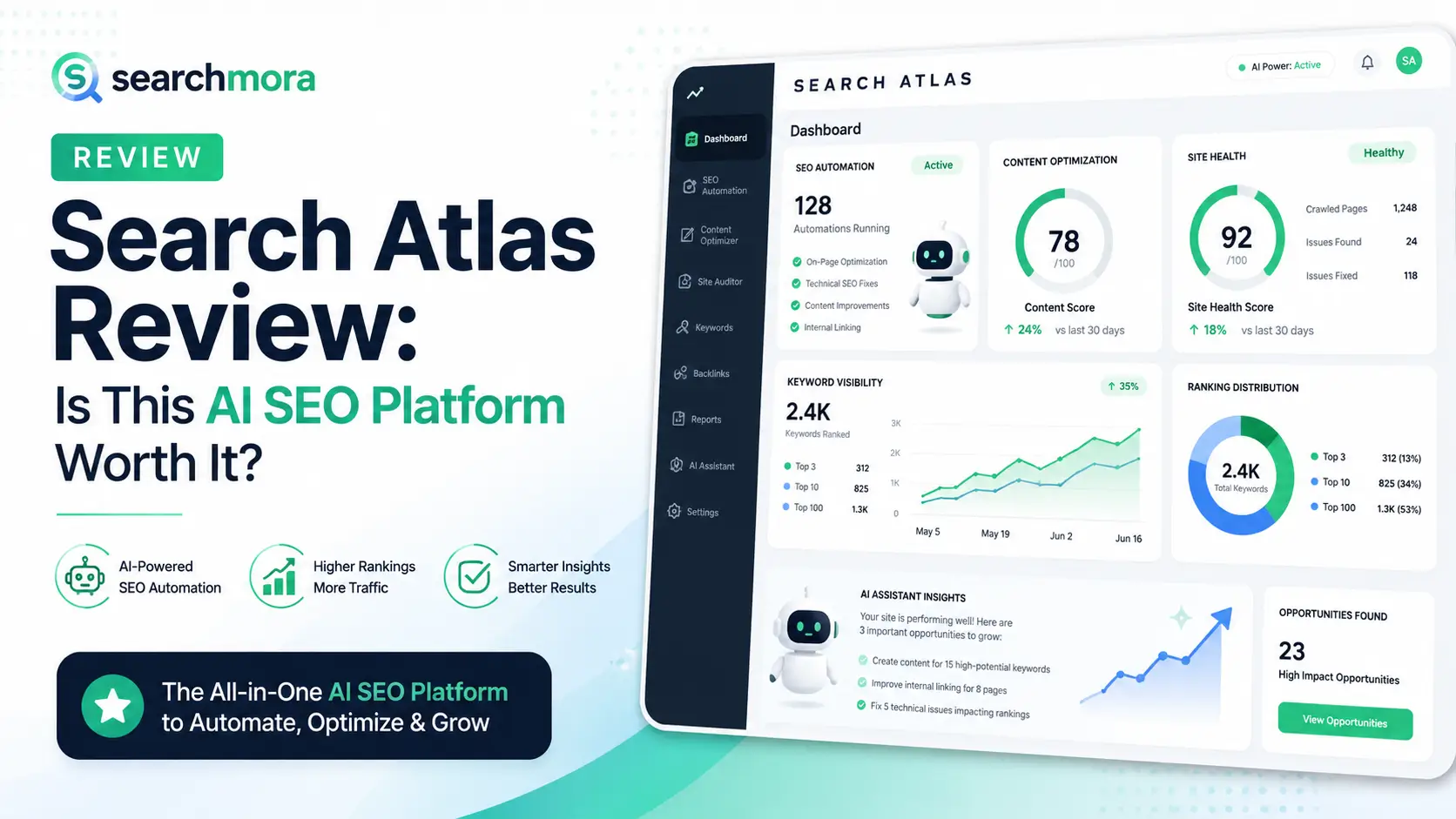
Search Atlas Review: Is This AI SEO Platform Worth It?
🚀 Introduction
Search Atlas is worth it for agencies, consultants, and teams managing multiple websites that want SEO research, content creation, technical audits, automated fixes, topical planning, and AI visibility in one platform. However, smaller sites may find it expensive, and OTTO SEO changes should always be reviewed before deployment.
Search Atlas is positioned as more than a traditional SEO toolkit.
The platform combines:
- Keyword research.
- Rank tracking.
- Backlink analysis.
- Technical site auditing.
- Content optimization.
- AI content generation.
- Topical map creation.
- Internal linking.
- Google Business Profile tools.
- Local rank tracking.
- Automated technical SEO.
- LLM and AI-search visibility monitoring.
- Agency reporting.
- Direct CMS publishing.
- Marketing automation through Atlas Agent.
Its most important product is OTTO SEO.
OTTO analyzes a website, identifies technical and on-page problems, generates possible fixes, and can deploy approved changes without requiring a developer to edit every page manually.
That is powerful.
It is also the feature that requires the most caution.
Automatically deploying titles, meta descriptions, schema, canonicals, internal links, content changes, or indexation directives across an established website can save many hours. It can also create large-scale problems when the recommendations are wrong, duplicated, or applied without understanding the site’s existing configuration.
The right question is therefore not:
Can Search Atlas automate SEO?
It can.
The more useful question is:
Does Search Atlas provide enough control, visibility, and measurable time savings to justify the price and the risks of automation?
This Search Atlas review evaluates the platform based on:
- OTTO SEO’s practical value.
- Automation safety and human oversight.
- Content Genius quality.
- Topical map planning.
- Internal linking workflows.
- LLM Visibility for GEO and AEO.
- Agency scalability.
- Pricing and trial conditions.
- User-reported strengths and problems.
- Whether the platform can replace several separate tools.
⚡ Quick Verdict
Search Atlas is a strong all-in-one AI SEO platform for agencies and growing teams that want research, content, technical optimization, AI visibility, publishing, and reporting inside one system. Its value comes from workflow consolidation, but the platform is too expensive and automation-heavy for many small websites.
| Question | Quick Answer |
|---|---|
| Best for | Agencies, consultants, multi-site teams, and advanced in-house SEO departments |
| Strongest feature | OTTO SEO audit-to-deployment automation |
| Best content feature | Content Genius with live SERP and entity-based optimization |
| Best strategic feature | Topical Map Generator |
| Best emerging feature | LLM Visibility for AI-search mentions, sentiment, and share of voice |
| Biggest advantage | Combines analysis and implementation in one platform |
| Biggest risk | Deploying automated changes without human review |
| Starting price | $99 per month |
| Free trial | Seven days; the selected subscription begins unless canceled |
| Best alternatives | Semrush, SE Ranking, Surfer, Search Console, plus specialist tools |
| Final verdict | Worth it for agencies and multi-site workflows; harder to justify for small sites |
Search Atlas ROI by User Type
| User Type | Likely ROI | Why |
|---|---|---|
| One-person SEO consultant | Moderate to high | Can replace several separate research and execution tools |
| Small agency | High when used across paying clients | Automation and reporting may reduce recurring labor |
| Large agency | High with governance | Supports multiple sites, teams, white labeling, and deployment |
| In-house SEO team | Moderate to high | Useful when technical and content teams share one workflow |
| Single affiliate site | Mixed | Price may exceed the value of unused platform features |
| New blogger | Low | Too broad and expensive for an early content site |
| Established revenue site | Potentially high but higher risk | Automation can save time, but changes require careful approval |
| Local SEO agency | High if using GBP and heatmap tools | Combines local, organic, and AI visibility workflows |
My Independent Verdict
I would use Search Atlas when:
- Managing several websites.
- Delivering recurring SEO services.
- Needing faster implementation.
- Tracking both Google and AI-search visibility.
- Replacing multiple subscriptions.
- Working with a team that can review automated changes.
I would not use Search Atlas when:
- Managing one small new website.
- Looking only for keyword research.
- Lacking the experience to validate technical recommendations.
- Wanting completely hands-off SEO.
- Being unable to monitor changes after deployment.
- Needing the cheapest possible content optimizer.
📚 Recommended Reads
- Search Atlas Alternatives: Best AI SEO Platforms Tested
- Best AI SEO Tools Tested This Year
- Semrush Alternatives: Best SEO Tools by Use Case This Year
- Best AI Tools Tested for Content Audits
- Best AI Internal Linking Tools
📌 In This Guide
1. 🧠 What Is Search Atlas?
2. ⚙️ How OTTO SEO Works
3. 🛡️ Why You Should Never Blindly Automate SEO
4. ✍️ Content Genius and the Structure-First Workflow
5. 🗺️ Topical Maps and Keyword Cannibalization
6. 🔗 Internal Linking Automation
7. 👀 LLM Visibility for GEO and AEO
8. 🔎 Keyword Research, Tracking, and Competitor Analysis
9. 🏢 Search Atlas for Agencies
10. 💰 Search Atlas Pricing and Trial Conditions
11. 📊 Search Atlas ROI
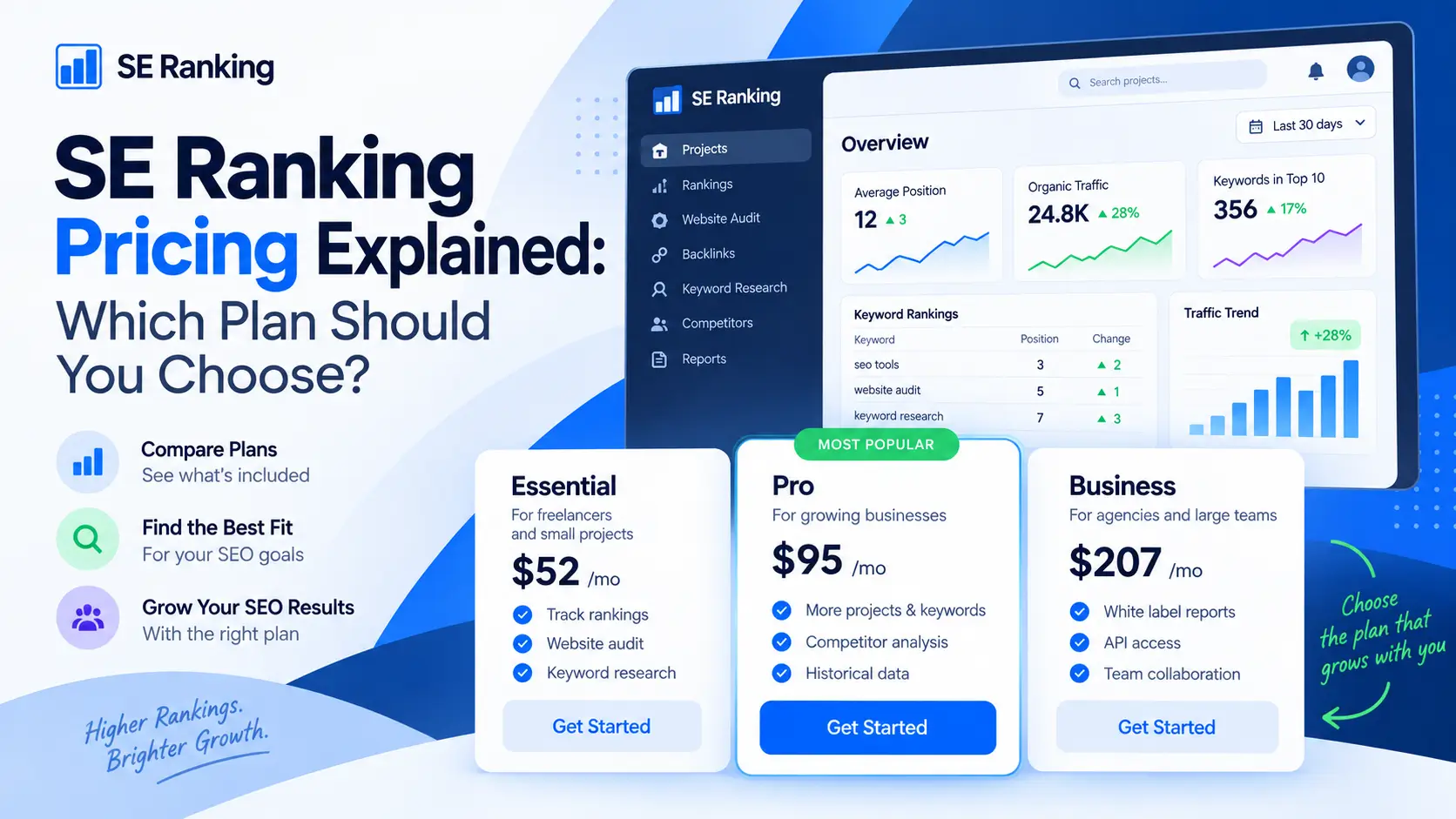
12. ⚖️ Search Atlas vs Semrush, SE Ranking, and Surfer
13. ✅ Search Atlas Pros and Cons
14. 🧪 A Safe Search Atlas Workflow
15. 📈 Real-World Evidence and User Feedback
16. ⚠️ Common Search Atlas Mistakes
17. ❓ FAQ
18. 🏁 Final Verdict: Is Search Atlas Worth It?
19. 📚 Recommended Next Reads
🧠 What Is Search Atlas?
Search Atlas is an AI-powered SEO and marketing platform that combines research, content planning, content generation, technical auditing, optimization, publishing, rank tracking, local SEO, link analysis, agency reporting, and AI-search visibility.
The platform’s current ecosystem includes several major components.
OTTO SEO
OTTO is the platform’s automated SEO implementation layer.
It can help identify and deploy changes related to:
- Title tags.
- Meta descriptions.
- Schema markup.
- Internal links.
- On-page content.
- Image alt text.
- Technical issues.
- Canonical signals.
- Indexation-related problems.
- Page structure.
- Broken links.
- Other sitewide recommendations.
Content Genius
Content Genius is Search Atlas’s AI writing and optimization environment.
It uses live search data, entities, headings, topical depth, content structure, and specialized AI actions to generate or improve content.
Topical Map Generator
The Topical Map Generator turns a broad seed topic into:
- Topic clusters.
- Supporting subtopics.
- Long-tail keywords.
- Content titles.
- Pillar-and-cluster relationships.
- Draft and publishing opportunities.
LLM Visibility
LLM Visibility tracks how a brand appears in answers generated by AI platforms.
It can monitor:
- Brand mentions.
- Competitor mentions.
- Share of voice.
- Sentiment.
- Placement in AI answers.
- Citation gaps.
- Historical visibility changes.
- Cross-platform performance.
Atlas Agent
Atlas Agent acts as a conversational interface across the wider Search Atlas platform.
Users can request strategies, analyses, reports, content, and other marketing actions through natural-language instructions.
Other Platform Areas
Search Atlas also provides functions for:
- backlinks
- local SEO
- Google Business Profile audits
- rank tracking
- site audits
- reporting
- CMS publishing
- paid advertising automation
- landing-page creation
- agency management
This breadth is Search Atlas’s biggest selling point.
It is also one reason the platform can feel complex.
⚙️ How OTTO SEO Works
OTTO SEO analyzes a connected website, identifies technical and on-page SEO issues, prepares recommended fixes, and allows approved changes to be deployed without manually editing each page inside the CMS.
The practical workflow is:
- Connect to the e website.
- Install or configure the required integration.
- Allow OTTO to audit the site.
- Review identified opportunities.
- Approve or reject recommendations.
- Deploy selected changes.
- Re-crawl and monitor results.
- Modify or reverse changes when necessary.
What OTTO Can Help With
| SEO Area | Potential OTTO Action |
|---|---|
| Titles | Generate or improve title tags |
| Meta descriptions | Create descriptions based on content and intent |
| Schema | Recommend and deploy structured data |
| Internal links | Identify related pages and suggest contextual anchors |
| Content | Recommend additions or optimizations |
| Images | Generate or improve alt text |
| Technical SEO | Identify crawl, page, and structural problems |
| On-page SEO | Improve headings, terms, and page-level signals |
| Indexation | Surface potential crawlability or indexation concerns |
| Reporting | Track approved fixes and resulting changes |
Where OTTO Creates Real Value
The platform can save time when an agency repeatedly performs similar work across several clients.
Without automation, a consultant may need to:
- Export audit data.
- Create a technical task.
- Send it to a developer.
- Explain the required change.
- Wait for implementation.
- Check whether it was deployed correctly.
- Re-crawl the page.
- Report the result.
OTTO attempts to shorten that process.
The value is not simply finding an issue.
Many tools can identify missing titles or weak internal links.
The value is reducing the gap between:
problem identified
and:
Approvedix implemented
Where OTTO Does Not Replace Expertise
OTTO cannot fully understand:
- The commercial purpose of every page.
- Legal restrictions.
- Brand terminology.
- Historical development decisions.
- Complex international SEO configurations.
- Custom CMS logic.
- Pages that should remain unindexed.
- Why does an unusual canonical setup exist
- The value of a high-converting title.
- Internal business priorities.
This is why OTTO should be treated as an execution assistant, not an unsupervised SEO manager.
🛡️ Why You Should Never Blindly Automate SEO
Never activate large-scale SEO changes without reviewing the affected URLs, proposed values, deployment method, and rollback process. Automation errors involving robots directives, canonicals, schema, titles, or internal links can spread across many pages faster than a manual mistake.
This is the most important part of the review.
Search Atlas markets OTTO as an autonomous SEO system.
That does not mean every website should use it autonomously.
High-Risk Automated Changes
The most sensitive changes include:
- Robots meta directives.
- Canonical tags.
- Robots.txt rules.
- Noindex directives.
- Redirects.
- Schema across templates.
- Sitewide title changes.
- Internal links to commercial pages.
- Automated content replacements.
- Changes to high-performing landing pages.
A small error in one of these areas may affect:
- crawling
- indexing
- rankings
- click-through rate
- structured data
- conversions
- analytics
- user experience
A Safer Approval Model
Use this workflow:
OTTO identifies → OTTO prepares → human reviews → human approves → OTTO deploys → team validates
Do not use:
OTTO identifies → OTTO deploys everything → team notices problems later
Changes That Require Strict Review
| Change | Review Requirement |
|---|---|
| Meta description | Editorial review |
| Title tag | SEO and conversion review |
| Internal link | Context and anchor review |
| Schema | Technical validation |
| Canonical tag | Senior technical SEO review |
| Robots directive | Senior technical SEO approval |
| Redirect | Destination and backlink review |
| Content rewrite | Editorial and factual review |
| Homepage change | Business-owner approval |
| High-converting page | SEO and conversion-team approval |
Why Stable Revenue Sites Need More Caution
A new website has little historical performance to protect.
An established site may already have:
- High-ranking pages.
- Stable conversion paths.
- Strong branded results.
- Existing schema.
- Custom tracking.
- Developer-built technical rules.
- International targeting.
- Affiliate or ecommerce revenue.
The cost of an incorrect automated change can be higher than the potential time saved.
Safe Deployment Checklist
Before approving OTTO changes:
- Back up the website.
- Export existing titles, canonicals, and directives.
- Test the integration on staging where possible.
- Begin with a small page group.
- Exclude the homepage and highest-value pages initially.
- Review every indexation-related change.
- Validate structured data.
- Inspect rendered HTML.
- Crawl the site after deployment.
- Monitor Search Console.
- Record the date and affected URLs.
- Maintain a rollback process.
My Automation Verdict
OTTO’s automation is valuable because it can reduce implementation delays.
The safest use is not total autonomy.
The safest use is controlled acceleration.
✍️ Content Genius and the Structure-First Workflow
Content Genius uses live SERP research, entities, topical graphs, headings, schema, visual elements, and specialized AI actions to generate and optimize content. Its best use is building and reviewing a strong outline before allowing the platform to draft the full article.
The common mistake is simple:
- Enter a keyword.
- Generate an article.
- Publish the output.
That approach wastes the strongest parts of the tool.
A Better Content Genius Workflow
Step 1: Confirm Search Intent
Before generating content, determine:
- What the reader is trying to achieve.
- Whether the query is informational or commercial.
- What type of page currently ranks.
- Whether the keyword needs a review, list, tutorial, comparison, or definition.
- Which audience should the page serve?
Step 2: Review the SERP Research
Check:
- Ranking page types.
- Common headings.
- Recurring entities.
- Questions competitors answer.
- Information competitors omit.
- Freshness requirements.
- Evidence used by strong pages.
- Whether the SERP is changing.
Step 3: Build the Outline
Review the proposed headings before drafting.
Remove headings that:
- duplicate another section
- do not match intent
- exist only because competitors use them
- create unnecessary length
- move away from the user’s decision
Add sections that provide:
- Original experience.
- A unique comparison.
- First-party data.
- A useful framework.
- A clearer answer.
- Important limitations.
Step 4: Review Entities
Entities help search, nd AI systems understand the subject.
However, they should not be inserted mechanically.
Confirm that each entity:
- Is relevant.
- Is explained accurately.
- Improves topic coverage.
- Fits naturally.
- Does not turn the article into keyword stuffing.
Step 5: Add Information Gain
AI-generated content often resembles the average of the available search results.
To make the article valuable, add:
- Real screenshots.
- Original tests.
- User interviews.
- Custom tables.
- Internal data.
- Editorial conclusions.
- Real examples.
- Unique processes.
- Failures and limitations.
- Practical recommendations.
Step 6: Generate and Edit
Use Content Genius to accelerate:
- drafting
- formatting
- table creation
- summaries
- FAQs
- schema preparation
- content refinement
Then review every factual claim.
Where Content Genius Is Strong
- Live SERP research.
- Structure generation.
- Entity-rich outlines.
- Content briefs.
- Draft production.
- Semantic grading.
- Existing-page rewrites.
- Direct publishing.
- Specialized refinement actions.
- Integration with topical maps.
Where Content Genius Needs Human Help
- Product experience.
- Original opinions.
- Factual verification.
- Brand tone.
- Legal accuracy.
- Expert quotations.
- Claims about outcomes.
- Affiliate disclosures.
- First-hand evidence.
- Final publishing judgment.
Content Genius Verdict
Content Genius is valuable as a research, structure, drafting, and optimization environment.
It becomes risky when “publication-ready” is interpreted as “publish without review.”
🗺️ Topical Maps and Keyword Cannibalization
Search Atlas’s Topical Map Generator organizes a seed topic into clusters, supporting subjects, long-tail keywords, and content ideas. It is most useful before production because it helps teams assign a distinct role and search intent to each page.
Why Topical Maps Matter
Without a content plan, teams often publish:
- Several pages with nearly identical intent.
- Multiple reviews targeting the same phrase.
- Guides that repeat one another.
- Supporting content with no pillar.
- Articles that cannot be linked naturally.
- Pages created only because a keyword has volume.
This leads to:
- keyword cannibalization
- weak internal linking
- duplicate content themes
- unclear site architecture
- wasted production budget
What the Topical Map Should Establish
For each cluster, define:
- The central entity.
- The pillar page.
- Supporting topics.
- Search intent.
- Funnel stage.
- Primary keyword.
- Unique page angle.
- Internal link relationships.
- Content type.
- Business objective.
Example Cluster
Pillar: Best AI SEO Tools
Supporting pages:
- Best AI Tools for Internal Linking
- Best AI Tools for Content Audits
- Best AI Visibility Tools
- Best AI Keyword Research Tools
- Best AI Tools for Local SEO
- How to Build Internal Links with AI
- How to Optimize for AI Search
Each supporting page answers a different need.
Preventing Cannibalization
Before approving a generated topic, compare it with existing pages.
Ask:
- Does another URL already target this intent?
- Is the proposed article meaningfully different?
- Should this become a section inside an existing page?
- Could the pages be combined?
- Which page should rank?
- How will the new page link to the cluster?
Topical Map Limitations
AI-generated maps may:
- Suggest too many articles.
- Over-segment one topic.
- Create low-demand pages.
- Miss business-specific opportunities.
- Recommend pages based on keyword relationships rather than true user needs.
- Duplicate existing intent.
The map should be treated as a strategic draft.
Topical Map Verdict
The feature can prevent expensive content mistakes when it is used before writing.
It creates less value when a team generates hundreds of titles and publishes them without reviewing intent or overlap.
🔗 Internal Linking Automation
Search Atlas can identify internal linking opportunities between contextually related pages and suggest optimized anchor text. The feature can save significant time on large sites, but automated links should be reviewed for relevance, anchor diversity, and destination priority.
Why Internal Linking Matters
Internal links help:
- Users discover related content.
- Search engines find pages.
- Clarify topic relationships.
- Support pillar pages.
- Reduce orphaned content.
- Distribute internal authority.
- Improve navigation.
- Connect old and new articles.
Best Search Atlas Internal Linking Use Case
One of the strongest workflows is:
- Publish a new page.
- Use Search Atlas to find older, relevant pages.
- Add links from those established pages to the new article.
- Link the new article back to the pillar page.
- Review the anchor text.
- Monitor indexing and performance.
Older pages may already have:
- traffic
- backlinks
- authority
- stable crawling
- strong indexation
Linking from those pages can help integrate new content into the site architecture.
Anchor Text Review
Do not accept an anchor automatically when it is:
- Too long.
- Repetitive.
- Exact-match across many pages.
- Misleading.
- Grammatically awkward.
- Already linked nearby.
- Pointing to the wrong page.
Over-Automation Risks
Automated internal linking can create:
- Too many links.
- Repeated commercial anchors.
- Irrelevant context matches.
- Links inside headings.
- Several links in one sentence.
- Cannibalization.
- Unnatural sitewide patterns.
- Poor user experience.
Safe Internal Linking Workflow
- Generate opportunities.
- Sort by page relevance.
- Prioritize pillar and strategic pages.
- Review source paragraphs.
- Edit the anchors.
- Approve small batches.
- Crawl the website.
- Check rendered links.
- Monitor orphan pages.
- Remove weak rules.
Internal Linking Verdict
The feature is valuable for discovery and implementation.
The goal should be to create the best links, not the largest number of links.
👀 LLM Visibility for GEO and AEO
Search Atlas LLM Visibility tracks brand mentions, sentiment, share of voice, competitor visibility, answer placement, and citations across major AI-answer platforms. It is most valuable for brands that already invest in content, PR, authority building, and AI-search optimization.
Traditional rank tracking asks:
Where does my page rank in Google?
LLM Visibility asks:
- Does ChatGPT mention my brand?
- Does Gemini recommend a competitor?
- Does Perplexity cite my website?
- Is my brand portrayed positively?
- Which sources influence the answer?
- How often am I absent?
- Is my AI share of voice improving?
What LLM Visibility Tracks
| Metric | What It Shows |
|---|---|
| Brand mentions | Whether AI answers include the brand |
| Answer position | Where the brand appears in the response |
| Share of voice | Brand visibility compared with competitors |
| Sentiment | Positive, neutral, or negative representation |
| Citations | Sources referenced by the AI answer |
| Prompt coverage | Which relevant questions include the brand |
| Historical trends | Changes in visibility over time |
| Competitor gaps | Areas where competitors appear and the brand does not |
How to Use Citation Gaps
Suppose competitors are repeatedly cited for a prompt such as:
Best SEO automation platforms for agencies
Review:
- Which competitor pages are cited?
- What page format do they use?
- Which claims and entities appear?
- Are third-party reviews influencing the answer?
- Does Search Atlas need a comparison page, case study, or clearer pricing page?
- Is your brand absent from trusted external lists?
Possible actions include:
- Updating the relevant comparison page.
- Adding clearer, direct answers.
- Including verified data.
- Improving product entity information.
- Earning third-party mentions.
- Strengthening citations.
- Creating better supporting content.
- Updating outdated claims.
LLM Visibility Does Not Create Authority Alone
Tracking AI mentions imeasurementnt.
It is not the full optimization strategy.
A brand may need:
- Better content.
- More trusted mentions.
- Digital PR.
- Reviews.
- Community presence.
- First-party data.
- Clear product information.
- Stronger external authority.
- Better technical accessibility.
- Consistent entity signals.
Missing Citation Caution
A missing citation does not always mean the page is weak.
AI answers vary because of:
- prompt wording
- platform
- retrieval method
- location
- model updates
- freshness
- source availability
Use trends rather than one isolated result.
LLM Visibility Verdict
This feature is one of the strongest reasons to consider Search Atlas over a conventional SEO platform.
It is most valuable when the team has the resources to act on the data.
🔎 Keyword Research, Tracking, and Competitor Analysis
Search Atlas includes traditional SEO research functions alongside its automation and AI-search tools, allowing users to manage keyword opportunities, competitors, content, rankings, and technical work inside one ecosystem.
Keyword Research
The platform can support:
- Keyword discovery.
- Search volume analysis.
- Keyword difficulty.
- Search intent.
- Competitor keywords.
- Long-tail opportunities.
- Content planning.
- Topic clusters.
Rank Tracking
Users can monitor:
- Keyword rankings.
- Position changes.
- Competitor performance.
- Multiple projects.
- Location-based rankings.
- Campaign trends.
Backlink Analysis
Search Atlas also provides link intelligence that may help evaluate:
- Backlink profiles.
- Competing domains.
- Linking opportunities.
- Authority signals.
- Potential link gaps.
Site Auditing
The platform connects audit findings with the OTTO workflow.
This is where Search Atlas differs most from traditional reporting tools.
Instead of stopping at:
“This page has a problem.”
The platform attempts to continue toward:
“Here is the proposed fix, and here is a way to deploy it.”
Research Tool Limitation
A platform containing many tools may not be the deepest specialist in every category.
A team may still prefer:
- Ahrefs for backlink research.
- Semrush for broad market intelligence.
- Surfer or Clearscope for focused content optimization.
- Screaming Frog for customizable technical crawls.
- A specialist LLM tracker for advanced AI visibility.
The value of Search Atlas lies primarily in integration.
🏢 Search Atlas for Agencies
Search Atlas offers its strongest value to agencies because the platform can combine research, technical SEO, content, automated deployment, AI visibility, local SEO, reporting, and multiple projects in one account.
Agency Benefits
- Multiple client projects.
- Team seats.
- White-label reporting on higher plans.
- Client dashboards.
- OTTO projects.
- CMS publishing.
- AI visibility reports.
- Keyword tracking.
- Local SEO tools.
- Repeatable workflows.
- Faster implementation.
- Centralized reporting.
Where Agencies Save Time
| Agency Task | Potential Saving |
|---|---|
| Technical audits | Automated issue discovery |
| Implementation | Direct deployment of approved fixes |
| Content briefs | Live SERP and entity-based structure |
| Article production | Content Genius drafting |
| Internal links | Automated opportunity discovery |
| Client reporting | Centralized reports and dashboards |
| AI visibility | Cross-platform brand monitoring |
| Content planning | Topical map generation |
| Local SEO | GBP and heatmap tools |
Agency Unit Economics
The platform is worth its price when:
Revenue generated or labor saved across clients exceeds the subscription and review cost
For example, an agency should calculate:
- Monthly platform cost.
- Number of active clients.
- OTTO project limits.
- Team seats.
- Hours saved.
- Additional services sold.
- Review and QA time.
- Client retention value.
Agency Risk
Automation can scale mistakes as quickly as it scales improvements.
An agency should establish:
- Approval roles.
- Change logs.
- Client consent.
- Backup procedures.
- High-risk URL exclusions.
- Rollback processes.
- Technical QA.
- Monthly account reviews.
Agency Verdict
Search Atlas can be a strong operating system for an agency.
It should not become an excuse to remove qualified SEO professionals from the workflow.
💰 Search Atlas Pricing and Trial Conditions
Search Atlas currently starts at $99 per month. The Growth plan costs $199, Pro costs $399, and Agency costs $999 per month. The seven-day trial converts to the selected subscription unless canceled, so users should review billing and cancellation conditions before starting.
Current Plan Structure
| Plan | Monthly Price | OTTO SEO Projects | Best For |
|---|---|---|---|
| Starter | $99 | 1 | Solo marketers, freelancers, and one-person agencies |
| Growth | $199 | 2 | Growing agencies and mid-sized businesses |
| Pro | $399 | 4 | High-volume agencies and advanced SEO teams |
| Agency | $999 | Up to 10 | Larger portfolios and white-label operations |
Plan features and quotas may change. Verify the current pricing page before subscribing.
Starter Plan
The Starter plan includes one OTTO SEO project and is aimed at:
- Freelancers.
- Solo marketers.
- One-person agencies.
- A business managing one primary site.
However, some advanced LLM Visibility functionality is associated with higher tiers or higher quotas.
Growth Plan
Growth adds:
- More projects.
- More user seats.
- Higher quotas.
- LLM Visibility tracking.
- Additional automation capacity.
This may offer the best balance for smaller agencies.
Pro Plan
Pro targets:
- High-volume agencies.
- Advanced teams.
- White-label workflows.
- Broader LLM model access.
- Higher authority-building and usage limits.
Agency Plan
Agency is aimed at:
- Large client portfolios.
- White-label reporting.
- Client dashboards.
- Higher quotas.
- Up to ten OTTO projects.
- Priority support.
Seven-Day Trial Warning
The current official information states:
- The trial lasts seven days.
- Access may be limited by AI quotas.
- The selected subscription begins after the trial unless canceled.
Do not assume that removing a website from the platform cancels billing.
These may be separate actions.
Safer Trial Checklist
- Record the trial start date.
- Record the exact renewal date.
- Review the selected paid plan.
- Set a calendar reminder several days early.
- Test the specific tools you need.
- Export useful data.
- Remove integrations you no longer need.
- Cancel the subscription through the proper account process.
- Save cancellation confirmation.
- Check the next card statement.
Refund Conditions
Atlas’s published policy states that refund requests must be submitted within 48 hours of the initial subscription purchase and are reviewed according to the policy’s eligibility conditions.
This means users should not rely on receiving a refund after an unwanted renewal.
Trial Verdict
The trial can be useful, but seven days is a short period for evaluating a large platform.
Create a test plan before activating it.
📊 Search Atlas ROI
Search Atlas can produce a strong return when its automation and consolidated features replace several subscriptions or reduce recurring agency labor. It provides weaker ROI when a user pays for a broad platform but only uses one or two basic features.
Potentially Replaced Tools
Depending on the workflow, Search Atlas may reduce the need for separate tools for:
- Keyword research.
- Rank tracking.
- Content optimization.
- AI writing.
- Site auditing.
- Internal linking.
- Topical maps.
- Local SEO.
- AI visibility.
- Reporting.
It may not replace every specialist tool equally well.
ROI Formula
Use:
Subscriptions replaced + labor saved + additional client revenue − Search Atlas cost − review and implementation time
Example Agency Calculation
| Item | Monthly Value |
|---|---|
| Existing tools replaced | $250 |
| Five hours of implementation saved | $375 |
| New AI visibility reporting service | $300 |
| Search Atlas Growth plan | −$199 |
| QA and review time | −$150 |
| Estimated operational value | $576 |
This is an illustrative framework, not a guaranteed financial outcome.
Strong ROI Conditions
Search Atlas is easier to justify when:
- Several tools are being replaced.
- Multiple sites are managed.
- Implementation is a bottleneck.
- Clients pay for recurring SEO.
- AI visibility reporting can be monetized.
- Content publishing is frequent.
- Team members use the platform consistently.
Weak ROI Conditions
It is harder to justify when:
- Only one small site is managed.
- The user needs only rank tracking.
- Content is published infrequently.
- Automation is never deployed.
- The team already has effective specialist tools.
- The platform’s complexity reduces adoption.
- LLM Visibility data is collected but never acted upon.
⚖️ Search Atlas vs Semrush, SE Ranking, and Surfer
Search Atlas is strongest when the user wants analysis and direct implementation in one AI-driven platform. Semrush offers broader established marketing research, SE Ranking provides a more affordable traditional SEO suite, and Surfer remains more focused on content optimization.
| Tool | Best For | Strongest Advantage | Main Trade-Off |
|---|---|---|---|
| Search Atlas | Agencies wanting AI automation and execution | OTTO deployment, Content Genius, LLM Visibility | Cost, complexity, and automation risk |
| Semrush | Broad competitive and marketing intelligence | Mature research ecosystem and large datasets | Higher cost and multiple add-ons |
| SE Ranking | Affordable all-in-one SEO | Rank tracking, audits, reports, and agency value | Less aggressive automation |
| Surfer | Content optimization | Focused editor, audits, and content scoring | Not a complete SEO operating platform |
| Ahrefs | Backlinks and competitive research | Strong link and search datasets | Limited direct implementation |
| Screaming Frog | Technical crawling | Flexible and customizable technical auditing | Requires technical expertise and separate execution |
Search Atlas vs Semrush
Choose Search Atlas when:
- Direct deployment is important.
- OTTO automation saves agency time.
- LLM Visibility is a priority.
- Content and technical workflows should be connected.
- Topical maps and publishing are central.
Choose Semrush when:
- Competitive intelligence is the primary need.
- PPC research matters.
- A mature data ecosystem is preferred.
- Automation should be more limited.
- The team already uses Semrush successfully.
Search Atlas vs SE Ranking
Choose Search Atlas when:
- You want aggressive AI automation.
- You need LLM Visibility.
- Content generation and direct publishing matter.
- Several client sites justify the cost.
Choose SE Ranking when:
- Budget is important.
- Rank tracking is central.
- You need straightforward agency reporting.
- You prefer less complex automation.
- A traditional SEO suite is sufficient.
Search Atlas vs Surfer
Choose Search Atlas when:
- Content optimization is one part of a wider SEO workflow.
- Technical auditing and deployment matter.
- AI visibility should be tracked.
- You manage multiple client sites.
Choose Surfer when:
- Content optimization is the main requirement.
- Writers need a focused editor.
- The wider Search Atlas platform would be excessive.
- You prefer a simpler content workflow.
Which Tool Is Best?
| User | Best Starting Direction |
|---|---|
| AI automation agency | Search Atlas |
| Competitive research team | Semrush |
| Budget-focused agency | SE Ranking |
| Content team | Surfer |
| Backlink specialist | Ahrefs |
| Technical SEO expert | Screaming Frog |
✅ Search Atlas Pros and Cons
✅ Pros
| Advantage | Practical Value |
|---|---|
| OTTO SEO automation | Shortens the path from audit to implementation |
| Broad all-in-one platform | May replace several separate subscriptions |
| Content Genius | Connects SERP research, entities, structure, and drafting |
| Topical Map Generator | Helps plan clusters and avoid content overlap |
| LLM Visibility | Tracks mentions, sentiment, citations, and AI share of voice |
| Internal linking | Finds relationships across old and new content |
| CMS publishing | Reduces copying and manual formatting |
| Agency features | Supports teams, clients, reporting, and white labeling |
| Local SEO tools | Adds GBP and map-related workflows |
| Atlas Agent | Provides a conversational interface across platform functions |
| Search and AI integration | Connects traditional SEO with GEO and AEO |
| Trial access | Allows users to evaluate the workflow before committing |
❌ Cons
| Limitation | Why It Matters |
|---|---|
| Starting price is $99 monthly | Difficult for new or low-revenue sites |
| Broad learning curve | The platform requires setup and training |
| Automation risk | Incorrect changes can affect many pages |
| Trial converts to paid plan | Users must track cancellation carefully |
| Refund window is limited | Unwanted billing may be difficult to reverse |
| Platform dependence | Several workflows become tied to one vendor |
| AI content-checking editing | Drafts still need expertise and fact checking |
| Higher tiers for broader functionality | Agencies may need Growth, Pro, or Agency plans |
| Integration issues are possible | CMS and schema deployment require validation |
| User feedback is mixed | Some report strong support; others report billing or stability problems |
| Not deepest in every category | Specialist tools may outperform individual modules |
| Requires active governance | Hands-off use is not advisable for important sites |
🧪 A Safe Search Atlas Workflow
The best Search Atlas workflow uses the platform to centralize research and prepare changes, while requiring human approval for deployment, content publication, indexation, canonicals, schema, and high-value pages.
Step 1: Define What the Platform Should Replace
List the current techniques used for Content research.
- Keyword research.
- Rank tracking.
- Technical audits.
- Content optimization.
- AI writing.
- Local SEO.
- AI visibility.
- reporting.
Do not migrate everything before proving that Search Atlas handles the required workflow.
Step 2: Connect One Low-Risk Site
Begin with:
- A test site.
- A small project.
- A low-risk client with consent.
- A staging environment.
Avoid starting with the company’s highest-revenue domain.
Step 3: Run the Audit
Separate recommendations into:
- Low risk.
- Medium risk.
- High risk.
Low Risk
- missing alt text
- broken internal links
- weak meta descriptions
- obvious content gaps
Medium Risk
- title rewrites
- large-scale internal links
- schema additions
- heading changes
- content additions
High Risk
- canonicals
- robots directives
- redirects
- noindex tags
- content removal
- full-page rewrites
Step 4: Approve a Small Batch
Apply changes to a limited set of pages.
Do not deploy everything sitewide.
Step 5: Validate
Check:
- Rendered HTML.
- Server Console.
- Structured data.
- canoConversionConversiones.
- Internal links.
- Page speed.
- analytics.
- Conversion tracking.
- indexation.
- Visual layout.
Step 6: Use Topical Maps
Before creating content:
- Generate the map.
- Compare with the existing.
- Remove overdefining topics.
- Assign/approve.
- Select pillar pages.
- Define internal links.
- Approve only useful topics.
Step 7: Use Content Genius
Build the outline first.
Then add:
- Research.
- First-party exPracticales.
- Original tables.
- Expert commentary.
- sources.
- Practical limitations.
Step 8: Monitor LLM Competitor
Competitorrack
- MentioMis
- Sing sentiment.
- Cited voice.
- Competitor citations.
- Missing prompts.
- Cited sources.
Convert observations into specific content or authority actions.
Step 9: Reviewing and Usage
MonUnusedUnusedcheck:
- ActivRenewalRenewalcts.
- teActualActualts.
- AI quotas.
- Unsent functions.
- renewal date.
- actual labor saved.
- client revenue supported.
📈 Real-World Evidence and User Feedback
Independent review platforms show that Search Atlas receives praise for its broad feature set, automation, customer support, and ability to consolidate several SEO workflows. However, user reports also mention pricing concerns, product instability, integration issues, billing disputes, and the need to review automated changes carefully.
Common Positive Feedback
Users often mention:
- Many SEO tools inside one platform.
- Faster agency workflows.
- Helpful customer support.
- OTTO automation.
- Content creation.
- Ability to replace separate subscriptions.
- Regular feature development.
- AI-search capabilities.
Common Negative Feedback
Reported concerns include:
- High pricing for beginners.
- Complexity.
- Tool or integration instability.
- Support delays for technical issues.
- Unexpected or disputed billing.
- Difficulty obtaining refunds.
- Automated changes requiring cleanup.
- Features or quotas changing between plans.
How to Interpret User Reviews
Reviews are useful for identifying patterns.
They do not prove that every customer will experience the same result.
Before subscribing:
- Test the specific CMS integration.
- Confirm plan limits.
- Read billing terms.
- Keep backups.
- Avoid broad automation during the trial.
- Record support responses.
- Verify how cancellation works.
- Evaluate the platform against real workflows.
Evidence Limitation
Search Atlas publishes many product claims and case studies.
These can demonstrate possible workflows and results, but vendor evidence does not guarantee reduced increases.
- Ranking increases.
- Traffic growth.
- AI success.
- Reduced costs.
- Error-free automation.
- Successful implementation on every CMS.
The fairest conclusion is:
Search Atlas can reduce SEO execution time, but the outcome depends heavily on configuration, human review, site quality, and implementation discipline.
⚠️ Common Search Atlas Mistakes
1. Activating Every OTTO Recommendation
Review and approve changes according to risk.
2. Testing on the Most Valuable Site First
Start with a controlled site or page group.
3. Generating Content Before Reviewing the Outline
Structure, intent, entities, and information gain should be decided first.
4. Publishing AI Drafts Without Editing
Verify facts, examples, sources, and brand voice.
5. Creating Every Suggested Topical Map Page
Remove duplicate, low-value, and cannibalizing ideas.
6. Approving All Internal Links
Check destination relevance and anchor quality.
7. Treating LLM Visibility as a Ranking Guarantee
It measures AI presence; it does not guarantee future citations.
8. Forgetting the Trial Renewal
Record the end date and cancel through the proper billing process when not continuing.
9. Assuming Removing a Site Cancels the Subscription
Website removal and billing cancellation may be separate actions.
10. Ignoring the Cost of Human Review
Automation saves implementation time but creates QA requirements.
11. Replacing Specialist Tools Too Quickly
Confirm that Search Atlas meets the required depth before canceling existing tools.
12. Measuring Activity Instead of ROI
Track labor saved, client retention, leads, revenue, and reduced subscriptions.
❓ FAQ
1. What is Search Atlas?
Search Atlas is an AI-powered SEO and marketing platform that combines keyword research, technical audits, rank tracking, content creation, topical maps, internal linking, local SEO, automated optimization, reporting, and LLM visibility.
2. Is Search Atlas worth it?
Yes, Search Atlas can be worth it for agencies, consultants, and teams managing multiple websites. It is less suitable for small sites that need only basic research or cannot justify the $99 starting price.
3. How much does Search Atlas cost?
Search Atlas currently costs $99 per month for Starter, $199 for Growth, $399 for Pro, and $999 for Agency.
4. Does Search Atlas offer a free trial?
Yes. Search Atlas currently offers a seven-day trial. The selected subscription begins after the trial unless it is canceled.
5. What is OTTO SEO?
OTTO SEO is Search Atlas’s automated SEO system. It audits websites, identifies technical and on-page issues, prepares recommendations, and can deploy approved fixes.
6. Is OTTO SEO safe?
OTTO can be safe when changes are reviewed, deployed in small robots, validated, and monitored. Blindly approving robots directives, canonicals, schema, redirects, or large content changes increases risk.
7. Can Search Atlas replace Semrush?
Search Atlas may replace several Semrush workflows for some users, especially when automation, Content Genius, OTTO, and LLM Visibility are priorities. Semrush remains stronger for many established competitive research and marketing workflows.
8. What is Search Atlas Content Genius?
Content Genius is an AI content creation and optimization system using live SERP research, entities, topical graphs, structure, schema, and specialized AI refinement actions.
9. Does Search Atlas track ChatGPT visibility?
Yes. LLM Visibility tracks brand presence, sentiment, share of voice, answer position, and citations across platforms such as ChatGPT, Gemini, Perplexity, Claude, and other supported AI systems.
10. Does Search Atlas create topical maps?
Yes. Its Topical Map Generator organizes a seed keyword into topic clusters, supporting subjects, long-tail queries, and content ideas.
11. Can Search Atlas automate internal links?
Yes. Search Atlas can identify contextual internal linking opportunities and suggest or deploy links. Every anchor and destination should still be reviewed.
12. Is Search Atlas good for agencies?
Yes. Agencies are one of its strongest user groups because Search Atlas combines multiple projects, OTTO automation, content production, AI visibility, reporting, publishing, and higher-tier white-label features.
13. Can Search Atlas write full articles?
Yes. Content Genius can generate complete articles, outlines, visuals, formatting, and schema. The final content should still receive factual, editorial, and brand review.
14. Can Search Atlas improve AI citations?
Search Atlas can identify gaps in AI visibility, cited competitors, sentiment, share of voice, and potential opportunities. It cannot guarantee that an AI platform will cite a specific page.
15. Can I cancel the Search Atlas trial?
Yes. Users who do not want the paid plan should cancel before the seven-day trial ends and retain confirmation of the cancellation.
🏁 Final Verdict: Is Search Atlas Worth It?
Search Atlas is worth it for agencies, consultants, and advanced SEO teams that want to connect research, content creation, technical auditing, AI visibility, automated implementation, and reporting inside one platform.
The strongest reason to use it is OTTO SEO.
OTTO reduces the traditional distance between identifying a problem and implementing a fix.
The second strongest reason is platform consolidation.
Search Atlas can combine:
- Keyword research.
- Technical auditing.
- Content optimization.
- AI writing.
- Topical maps.
- Internal linking.
- Rank tracking.
- Local SEO.
- AI visibility.
- Client reporting.
Its third major strength is LLM Visibility.
Many traditional SEO platforms were built primarily around Google rankings. Search Atlas treats AI-answer visibility as a core part of the workflow rather than a small optional report.
However, the platform has three serious limitations.
1. The Price
A starting price of $99 per month is difficult for:
- new bloggers
- small affiliate sites
- low-revenue businesses
- users who need only one function
2. Complexity
A broad platform requires:
- setup
- training
- process design
- technical understanding
- regular monitoring
3. Automation Risk
The platform deploys changes quickly.
That makes mistakes faster too.
My recommendation is:
Choose Search Atlas When:
- You manage several sites.
- You operate an SEO agency.
- Implementation delays are expensive.
- You want Google and LLM visibility in one platform.
- Content production is frequent.
- The team can review automated changes.
- Several subscriptions may be replaced.
- White-label reporting is valuable.
Avoid Search Atlas When:
- You manage one small site.
- You only need keyword research.
- You want fully hands-off SEO.
- You cannot validate technical changes.
- The budget is limited.
- Your existing tools already work well.
- You will not use OTTO, LLM Visibility, or agency features.
Final Recommendation
Use Search Atlas as a controlled SEO operating system, not as an unsupervised replacement for strategists, editors, or developers.
Let the platform:
- audit
- prioritize
- prepare
- recommend
- draft
- automate repetitive work
Keep humans responsible for:
- strategy
- technical approval
- factual accuracy
- brand voice
- high-risk deployments
- business decisions
The clearest takeaway is this: Search Atlas is worth the price when it consolidates tools and reduces execution time across multiple sites. It becomes risky and expensive when automation is enabled without review or when most of the platform remains unused.
Comments 4