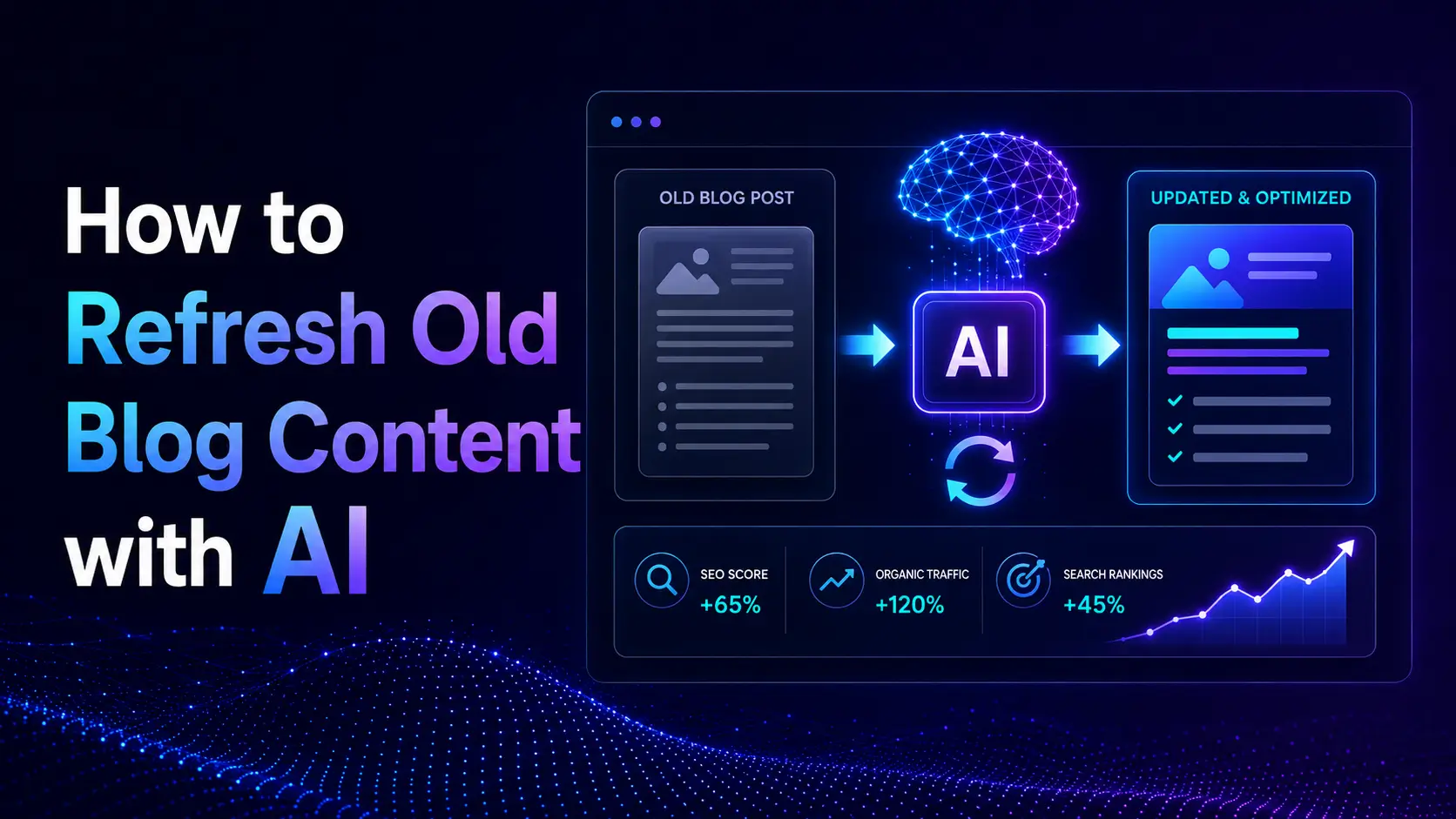
How to Refresh Old Blog Content with AI
📌 In This Guide
- Why old blog content decays
- Quick Verdict
- How to detect which posts need refreshing
- How to choose between refresh, merge, and retire
- How to realign old content with current search intent
- How to optimize refreshed content for AEO and GEO
- How to add stronger EEAT signals
- How to update facts, visuals, links, and schema
- The AI content refresh tech stack
- The refresh decision matrix
- FAQ
- Final thoughts
Introduction
The best way to refresh old blog content with AI is to first identify which pages are losing value, then update only the posts that can realistically recover rankings, clicks, citations, or conversions. AI should help you prioritize, restructure, fact-check, and improve—not randomly rewrite everything.
If I were refreshing an old blog today, I would not start by opening the oldest posts first.
I would start with data.
Old content usually falls into one of three groups. Some posts deserve a refresh. Some should be merged because they overlap with stronger pages. Some should be retired because they no longer serve the audience or the site.
AI makes this process faster, but the strategy still matters.
⚡ Quick Verdict
- Best first step: Use Google Search Console data to detect content decay
- Best refresh target: Posts losing traffic but still ranking within striking distance
- Best tools for SERP comparison: Surfer SEO or Frase
- Best tools for internal link refresh: Link Whisper
- Best tools for fact updates: Perplexity or Gemini
- Best final rule: Refresh pages with recovery potential, not every old page
🔍 Why Old Blog Content Decays
Old blog content usually decays for a reason.
Sometimes competitors publish better guides. Sometimes search intent changes. Sometimes your data, screenshots, examples, or pricing references become outdated. Sometimes the article still ranks, but AI answers reduce the clicks.
The biggest mistake is treating all old content the same.
A post that lost traffic because the topic is no longer relevant needs a different decision from a post that slipped from position 5 to position 12.
Direct Answer
Content refresh works best when you use AI to diagnose the reason for decline before rewriting. The goal is not to make an old article longer; it is to make it more current, useful, aligned with search intent, and easier for search engines and answer engines to trust.
That is the difference between smart content refresh and cosmetic updating.
🧪 Step 1: Detect and Decide Before You Rewrite
This is the most important step.
Do not refresh everything.
Use Google Search Console data, analytics data, or a content audit tool to find posts that actually show decay.
I would look for pages that are lost:
- clicks
- impressions
- average position
- CTR
- conversions
- AI visibility or citations
A practical rule is to flag posts that lost more than 20% of their organic clicks over the last 6–12 months, especially if the topic still matters to your site.
Use AI to analyze GSC export.
Export your Google Search Console data and ask an AI assistant to compare performance across periods.
For example:
- Last 3 months vs previous 3 months
- Last 6 months vs the same period last year
- current year vs previous year
Then ask it to group posts by decline pattern.
The output should not be “rewrite these 50 posts.”
It should be:
- refresh candidates
- merge candidates
- retire candidates
- monitor-only pages
Refresh, Retire, or Merge
This decision matters more than most people think.
Refresh
Refresh a post when it still has value.
This usually applies when the post is ranking on page two, sitting near the bottom of page one, or still getting impressions but losing clicks.
These pages are within striking distance.
A strong update can often recover them.
Merge
Merge posts when two or more articles target similar intent and compete with each other.
This is keyword cannibalization.
Instead of updating both posts separately, combine the useful parts into one stronger page and redirect or consolidate the weaker URL.
Retire
Retire content when the topic is no longer relevant, the traffic potential is gone, or the post does not support your business anymore.
Not every old article deserves a second life.
💡 Pro-Tip: If a post has no rankings, no links, no conversions, no strategic relevance, and no realistic search demand, refreshing it may be wasted effort. Sometimes deleting or merging is the better SEO decision.
Mini Case Study: Refreshing a Decaying Blog Post with AI
For this example, imagine an old blog post that used to bring consistent organic traffic but started declining over the last six months.
The page was not dead. It still had impressions, but clicks were falling. That is exactly the type of page I would test first, because it has recovery potential.
Here is the refresh workflow I would use.
| Signal | Before Refresh | What It Means |
|---|---|---|
| Organic clicks | Down 28% in 6 months | The page is decaying |
| Average position | Moved from 7.8 to 13.4 | The page slipped from page one to page two |
| CTR | Dropped from 3.1% to 1.7% | The title or snippet may no longer match intent |
| Impressions | Still stable | The topic still has demand |
| Backlinks | No major change | The issue is likely content quality or intent, not authority |
Based on that pattern, I would not delete the post.
I would refresh it.
The reason is simple: the page still has demand, still gets impressions, and is close enough to page one to recover.
What I Would Update First
First, I would compare the old article against the current top-ranking pages.
If the SERP changed from “how-to guide” results to “best tools” results, I would restructure the article instead of only adding more paragraphs.
Next, I would add a short TL;DR near the top, rewrite the first answer under the main H2, and add a comparison table if the topic includes tools, options, or steps.
Then I would check the article for missing entities, outdated examples, old screenshots, and weak internal links.
The Refresh Plan
| Refresh Area | Action |
|---|---|
| Search intent | Rebuild the structure around the current SERP format |
| AEO/GEO | Add direct answer blocks and a short TL;DR |
| EEAT | Add real examples, screenshots, or first-hand notes |
| Internal links | Link to newer related articles and add links back to the refreshed post |
| Facts | Update pricing, dates, stats, and tool names |
| Metadata | Rewrite the title and meta description based on the current intent |
After publishing, I would monitor the page for 30–60 days.
The goal is not instant ranking recovery. The goal is to see whether impressions, CTR, and average position start moving in the right direction.
My Takeaway
This is the kind of page AI is best at helping with.
AI can quickly find decay signals, compare the old page with the current SERP, suggest missing sections, and identify weak internal links.
But the final judgment still needs a human editor.
The strongest refresh is not the one with the most AI-generated text. It is the one that makes the page more current, more useful, and more aligned with what searchers want now.
🎯 Step 2: Realign the Article with Current Search Intent
Search intent changes over time.
A keyword that used to reward a tutorial may now reward a comparison list. A keyword that used to be informational may now have commercial intent. A keyword that used to need a short answer may now require a full buyer guide.
That is why you should never refresh from memory.
You need to check the current SERP.
Compare your article with the current top results.
Use tools like Surfer SEO or Frase to compare your article against the top-ranking pages.
Look at:
- content type
- heading structure
- page depth
- featured snippets
- People Also Ask questions
- comparison tables
- tool lists
- videos or visuals
- commercial vs informational angle
Ask yourself one question:
Does my old article still match what Google is rewarding today?
If not, rewriting paragraphs will not fix the problem. The structure itself may need to change.
Find missing entities subtopics.s
AI is very useful for extracting entities and missing subtopics from current competitors.
For example, if you are updating an article about “AI content optimization tools,” the current SERP may now include newer concepts like:
- AI Overviews
- entity-based SEO
- citation tracking
- content score benchmarking
- answer-engine optimization
- topical authority
If your old article ignores these, it may look outdated even if the writing is still good.
🤖 Step 3: Optimize for GEO and AEO
Refreshing content today is not only about Google rankings.
It is also about becoming easier to cite in AI answers.
That means the article should be easier for ChatGPT, Perplexity, Gemini, AI Overviews, and other answer systems to extract.
Add a TL;DR near the top
A summary near the beginning helps both readers and answer engines.
It should explain:
- What the article covers
- who it is for
- The main recommendation
- What the reader should do next
Keep it focused.
Do not make it a second introduction.
Put direct answers under key H2s
This is one of the strongest patterns I use in refreshed content.
After an important H2, add a short, direct answer in one or two sentences.
That helps:
- featured snippets
- AI summaries
- skimmability
- reader satisfaction
For example, under an H2 like “How often should you refresh blog content?” you could write:
Refresh important blog content every 3–6 months if it drives traffic, revenue, or leads. Lower-priority content can be reviewed once or twice per year.
That kind of answer is easy to extract.
Turn long explanations into tables.
If a section compares tools, decisions, steps, or outcomes, use a table.
Tables help humans scan faster and help AI systems understand relationships more clearly.
Good table ideas include:
- refresh vs merge vs retire
- old intent vs new intent
- tools by use case
- before-and-after improvements
- content decay signals
💡 Pro-Tip: The most effective way to improve citation potential is to add clear, self-contained answer blocks. If a paragraph needs three previous paragraphs to make sense, it is less useful for AI extraction.
🧠 Step 4: Add EEAT Before You Republish
A refreshed post should not feel like a machine polished it.
It should feel like a better human article.
That means adding experience, examples, judgment, and context.
Use AI to find weak spots
Ask AI to review the article and flag places where it feels:
- generic
- unsupported
- too broad
- too theoretical
- missing examples
- missing screenshots
- missing first-hand insight
Then add the human layer yourself.
This could include:
- a short case study
- a screenshot from your workflow
- a real comparison
- a mistake you made
- a practical recommendation
- a “what I would do” section
Update facts and current details.ls
Old facts can damage trust.
Use tools with live web access, such as Perplexity or Gemini, to check:
- pricing
- feature changes
- dates
- statistics
- product names
- screenshots
- regulations
- platform updates
For tool reviews and pricing sections, add a note that pricing may change.
That protects the article from sounding overconfident when details change later.
🖼️ Step 5: Refresh Visuals, Screenshots, and Examples
A blog post can feel old before the text even starts.
Outdated screenshots, old UI images, low-quality graphics, or generic stock photos can reduce trust.
What to update visually
Refresh:
- screenshots
- diagrams
- comparison graphics
- featured images
- product UI examples
- outdated charts
- step-by-step visuals
AI image tools can help create supporting visuals, but for reviews and tutorials, real screenshots are usually more trustworthy.
Use visuals to support the update.
Do not add images just to decorate the page.
Use visuals to explain:
- a process
- a before-and-after result
- a comparison
- a workflow
- a data insight
A refreshed article should look current and feel useful.
🔗 Step 6: Refresh Internal Links
Old articles often miss links to newer content.
That weakens the whole site.
Every content refresh should include an internal link pass.
What to check
Look for:
- old articles that should link to newer posts
- newer articles that should link back to the refreshed page
- outdated anchor text
- broken internal links
- orphan pages
- related topic clusters
Best tool here
1. Link Whisper
Link Whisper is one of the easiest tools for internal link refresh because it can suggest relevant internal links, identify orphan pages, and help connect older posts to newer content.
If internal linking is weak, this is one of the fastest improvements you can make.
⚙️ Step 7: Update Metadata and Schema
A refresh is not complete until the technical layer is updated.
Check:
- title tag
- meta description
- H1
- URL relevance
- schema
- FAQ structure
- image alt text
- table formatting
- canonical tags if merging content
If the page has changed meaningfully, the metadata should reflect the new angle.
Schema updates
If you added FAQs, reviews, product information, how-to steps, or comparison details, review the schema.
The old schema may no longer match the page.
Best tools here
1. Alli AI
Alli AI is useful when you already know what needs to change, but updating hundreds of pages manually would slow the whole refresh project down.
That is where execution at scale becomes the real problem.
2. WordLift
WordLift is useful when the refresh needs a stronger entity structure, schema, and machine-readable context.
Use it when the content needs to become easier for search systems and AI systems to understand.
🧰 The AI Content Refresh Tech Stack
A good refresh stack depends on the size of the site and the type of decay.
For a small blog
Use:
- Google Search Console for decay detection
- NeuronWriter for semantic optimization
- Link Whisper for internal links
This is enough for many small sites.
For a serious content site
Use:
- Surfer SEO for SERP comparison and content scoring
- Frase for research, questions, and brief restructuring
- Originality.ai for quality control
This is better when publishing quality and recovery matter.
For a large site or agency
Use:
- MarketMuse for content inventory and topic authority
- Alli AI for metadata and on-page updates at scale
- WordLift for schema and entity optimization
This works better when the refresh process involves many URLs, many clusters, and many technical updates.
🧭 The Refresh Decision Matrix
| Situation | Best Action | Best Tool |
|---|---|---|
| Post lost traffic but still ranks near page one | Refresh | Surfer SEO / NeuronWriter |
| Two posts target the same intent | Merge | GSC + AI analysis |
| Post has no traffic, links, or relevance | Retire | GSC + editorial review |
| Search intent has changed | Restructure | Frase / Surfer SEO |
| The article needs stronger schema or entity clarity | Expand | NeuronWriter |
| Internal links are outdated | Reconnect | Link Whisper |
| Metadata needs updating across many pages | Bulk update | Alli AI |
| The article needs a stronger schema or entity clarity | Enhance | WordLift |
| Facts and pricing are outdated | Verify and update | Perplexity / Gemini |
✅ Refresh Checklist
Before republishing, I would check:
- Did the page deserve a refresh, or should it be merged or retired?
- Does the article match current search intent?
- Did I add a direct answer near the top?
- Did I improve H2 and H3 structure?
- Did I add missing entities and subtopics?
- Did I update facts, dates, pricing, and screenshots?
- Did I add internal links to and from newer articles?
- Did I improve the meta title and meta description?
- Did I review the schema?
- Did I add human insight, examples, or experience?
❓ How to Refresh Old Blog Content with AI FAQ
1. What is the best way to refresh old blog content with AI?
Start with data. Use GSC or analytics to find posts losing traffic, then use AI to diagnose intent changes, missing topics, internal link gaps, and update opportunities.
2. Should I refresh every old blog post?
No. Refresh posts with recovery potential. Merge overlapping posts and retire content that no longer has relevance, demand, links, or business value.
3. What is content decay?
Content decay is the gradual loss of traffic, rankings, impressions, or relevance after a page becomes outdated, incomplete, or weaker than competing results.
4. How do I know if a post should be merged?
Merge a post when it overlaps with another article targeting the same search intent, and both pages compete against each other.
5. How does AI help with search intent realignment?
AI can compare your article with current top-ranking pages and identify whether the expected content format, depth, angle, or commercial intent has changed.
6. How can I optimize old content for AEO?
Add direct answers, summary boxes, FAQ sections, comparison tables, clear definitions, and self-contained paragraphs that answer engines can extract easily.
7. How often should I refresh blog content?
Review important content every 3–6 months. Lower-priority content can be reviewed once or twice per year unless traffic drops sharply.
8. What should I do after refreshing a post?
Re-submit the URL in Search Console, update internal links, monitor rankings and clicks, and compare performance after 30–60 days.
🏁 Final Thoughts
Refreshing old blog content with AI is not about rewriting for the sake of rewriting.
It is about making smart editorial decisions faster.
The strongest refresh process is simple:
- detect decay
- decide refresh, merge, or retire
- realign with search intent
- improve citation readiness
- add human experience
- update facts and visuals
- Reconnect internal links
- improve technical signals
If I had to reduce this guide to one idea, it would be this:
AI is most useful in content refresh when it helps you make better decisions before you start editing.
Comments 4