🚀 Introduction
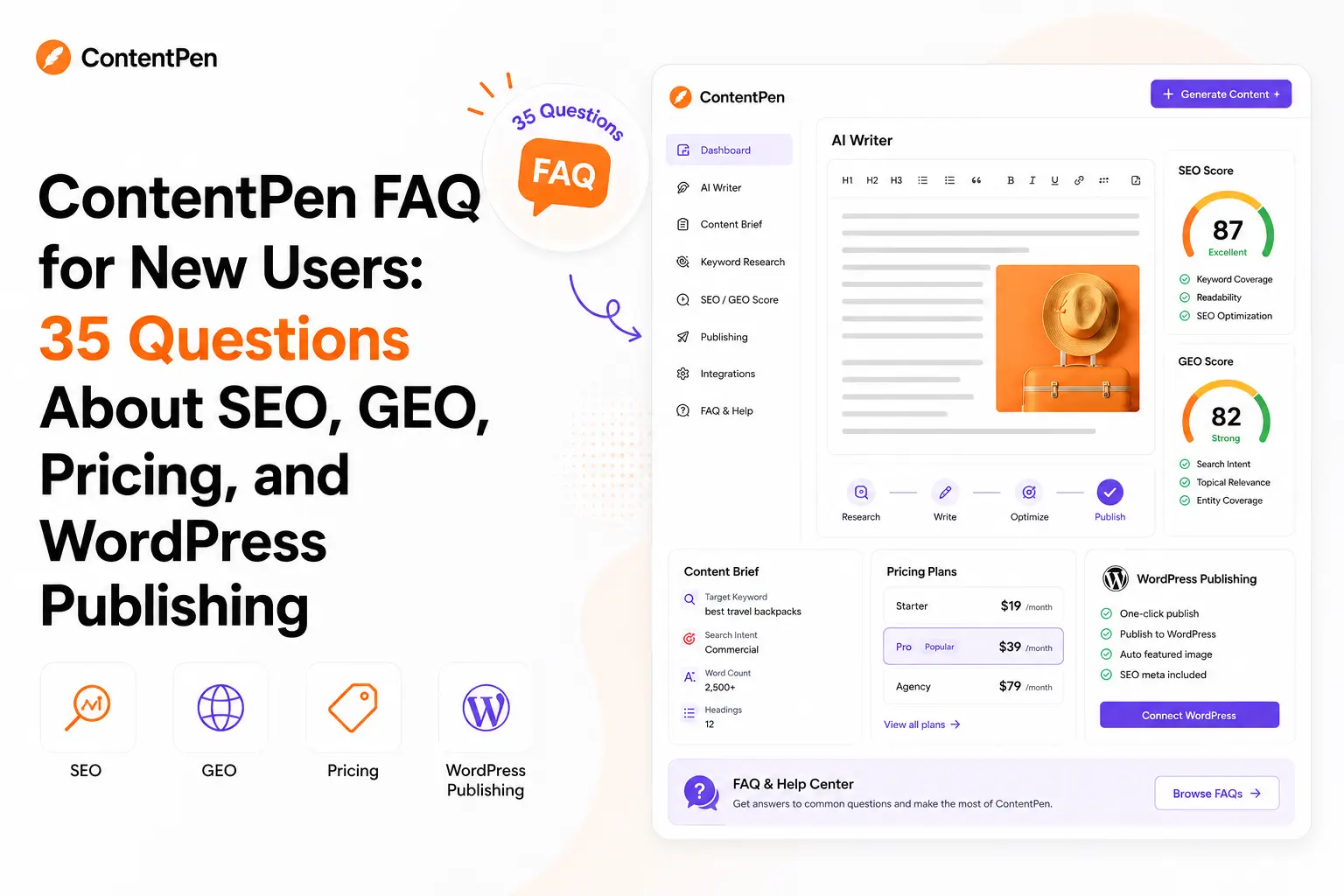
ContentPen is an AI SEO and GEO content platform for users who want to research, write, optimize, refresh, and publish blog posts faster. It combines keyword research, SERP analysis, live SEO scoring, GEO guidance, automated linking, AI images, and CMS publishing inside one workflow.
However, new users often have practical questions before subscribing.
Is ContentPen only an AI writer? Does it publish directly to WordPress? What is the difference between SEO scoring and GEO scoring? Which plan is suitable for bloggers? Does it replace tools like NeuronWriter, KoalaWriter, or Ahrefs?
This ContentPen FAQ answers 35 common questions clearly and honestly.
For a broader review, read ContentPen Review: Is This AI Blog Writer Worth It?
For a use-case-focused guide, read ContentPen for Bloggers and Affiliate Sites: Is It Worth It?
⚡ Quick Verdict
ContentPen is worth testing if you want a structured workflow for creating SEO- and GEO-ready blog content without switching between many tools.
It is especially useful for bloggers, affiliate site owners, freelancers, small businesses, and agencies that publish content regularly.
It is not a magic ranking tool.
AI-generated drafts still need editing, fact-checking, internal link review, original examples, and human judgment.
| Question | Quick Answer |
|---|---|
| Best for | Bloggers, affiliate site owners, marketers, freelancers, and agencies |
| Strongest feature | End-to-end AI blogging workflow |
| SEO support | Keyword research, SERP analysis, live SEO scoring, and optimization |
| GEO support | GEO score panel, AI-assisted fixes, target AI prompts, and GEO-ready generation |
| WordPress support | Direct CMS publishing and a WordPress plugin |
| Pricing model | Starter, Premium, Agency, Custom, and separate AI visibility plans |
| Biggest limitation | Drafts still require careful editorial review |
| My verdict | A strong option when content production speed is your main bottleneck |
📚 Recommended Reads
- ContentPen Review: Is This AI Blog Writer Worth It?
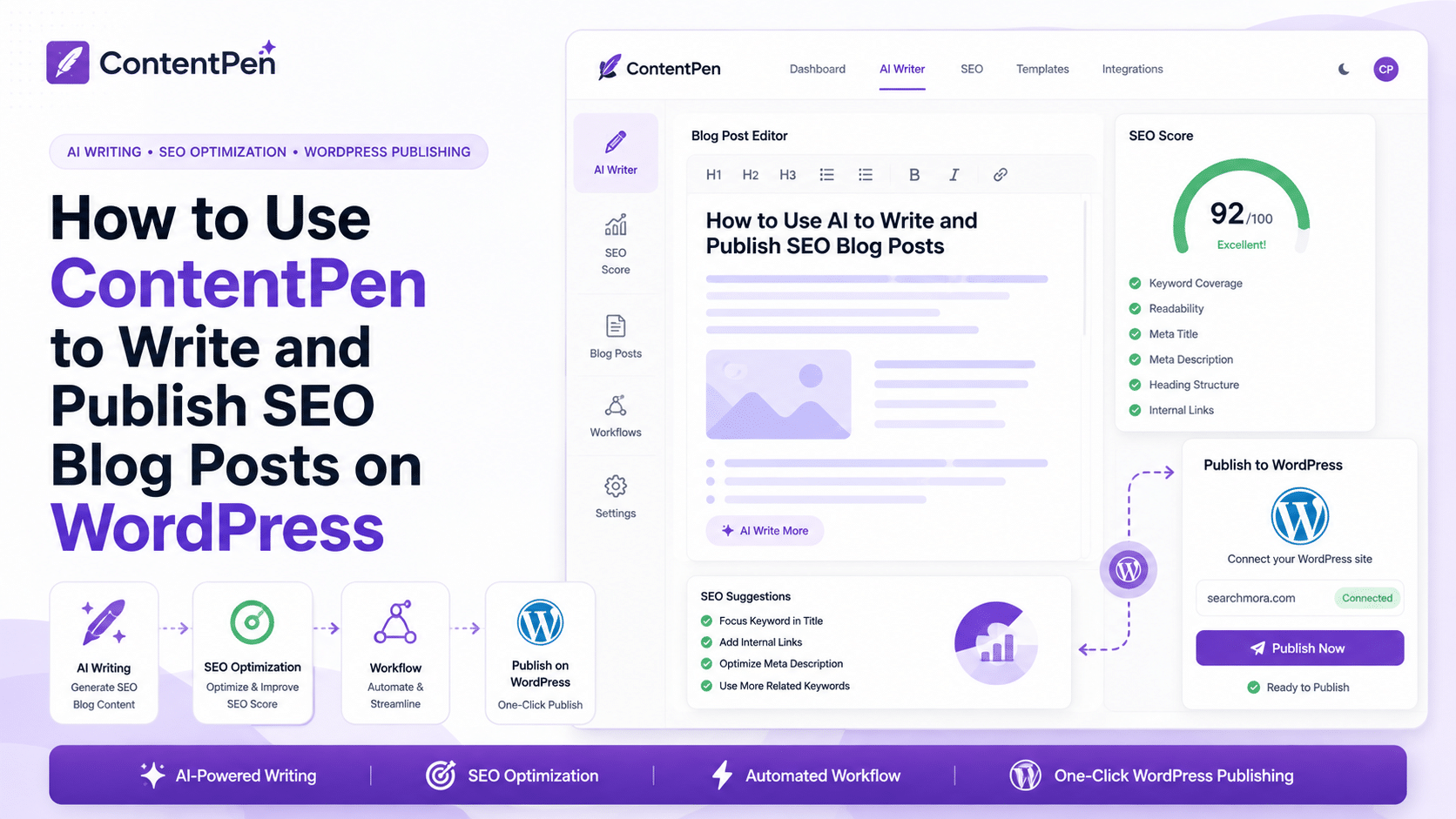
- ContentPen for Bloggers and Affiliate Sites: Is It Worth It?
- KoalaWriter Review: Is This AI SEO Writer Worth It?
- NeuronWriter Review: Is This Budget-Friendly SEO Content Optimizer Worth It?
- GetGenie Review: Is This WordPress AI SEO Content Tool Worth It?
📌 In This Guide
1. 🧠 What is ContentPen?
2. 🔎 SEO and Content Creation Questions
3. 🤖 GEO and AI Search Questions
4. 💰 Pricing and Plan Questions
5. 📝 WordPress Publishing Questions
6. 🧲 Bloggers and Affiliate Site Owners Questions
7. 🔁 Alternatives and Buying Decision Questions
8. 📊 Real-World Evidence: What External Sources Show
9. 🏁 Final Verdict
10. 📚 Recommended Next Reads
🧠 What Is ContentPen?
1. What is ContentPen?
ContentPen is an AI-powered content platform designed to help users research, draft, optimize, refresh, and publish blog articles.
It combines several steps that would normally require separate tools:
- Keyword research.
- Topic planning.
- SERP analysis.
- Outline creation.
- AI drafting.
- SEO optimization.
- GEO optimization.
- Automated linking.
- AI images.
- CMS publishing.
The clearest way to understand ContentPen is to see it as a blogging workflow platform rather than a basic AI text generator.
2. Who is ContentPen best for?
ContentPen is best suited for:
- Bloggers.
- Affiliate site owners.
- Freelancers.
- Small businesses.
- Content marketers.
- SEO teams.
- Agencies manage several websites.
- SaaS brands are publishing educational content.
It is most useful when publishing and updating content regularly becomes slow or fragmented.
3. Is ContentPen only an AI writer?
No.
AI writing is one part of the platform. Still, ContentPen also includes keyword research, topical clustering, SERP analysis, SEO scoring, GEO scoring, automated internal and external linking, media support, CMS publishing, and content refresh opportunities.
A general-purpose chatbot can generate text.
ContentPen is designed to support the wider publishing workflow.
4. How does ContentPen work?
A typical ContentPen workflow looks like this:
- Create a workspace for your website or brand.
- Add a topic or keyword.
- Review keyword ideas and topical clusters.
- Analyze the SERP and content gaps.
- Generate an outline.
- Create a first draft.
- Review SEO and GEO scores.
- Edit the article manually.
- Review internal and external links.
- Add or review images.
- Publish to your CMS.
- Monitor content opportunities later.
The platform reduces repetitive manual work, but the final article still needs human review.
5. Does ContentPen replace every SEO tool?
No.
ContentPen can reduce the number of tools needed for content production, but it does not replace every specialist platform.
You may still need:
- Ahrefs or Semrush for deeper backlink and competitor research.
- Screaming Frog for technical SEO crawling.
- Keyword Insights for large-scale keyword clustering.
- Link Whisper for a dedicated internal linking workflow.
- Google Search Console for first-party performance data.
- Rank Math for WordPress SEO controls and schema.
ContentPen is strongest as a content operations tool.
🔎 SEO and Content Creation Questions
6. Does ContentPen include keyword research?
Yes.
ContentPen includes keyword research, keyword metrics, topical clustering, keyword importing, and keyword exporting.
This can help users move from a broad topic to a more organized content plan.
For deeper keyword databases or advanced competitive research, you may still want a specialist tool.
7. Does ContentPen analyze Google search results?
Yes.
ContentPen includes automated SERP analysis and research. It can help users understand ranking content, search intent, competitor coverage, and content gaps.
Manual SERP review is still important.
A tool can summarize the search results, but an experienced editor should still inspect the ranking pages before publishing.
8. Does ContentPen create article outlines?
Yes.
ContentPen can generate research-backed outlines before creating the first draft.
A useful outline should cover:
- The direct answer.
- Important subtopics.
- Search intent.
- Reader questions.
- Comparison points.
- Common mistakes.
- FAQ questions.
- Relevant internal links.
The best approach is to treat the generated outline as a starting point and improve it manually.
9. Does ContentPen generate full blog articles?
Yes.
ContentPen can generate long-form blog drafts.
This is useful for:
- Informational posts.
- Beginner guides.
- SaaS content.
- Affiliate support articles.
- FAQ articles.
- Topic cluster content.
- Content refreshes.
- Educational articles.
The biggest mistake is publishing the first draft immediately.
Always improve accuracy, originality, examples, transitions, formatting, and internal links before publishing.
10. Does ContentPen include SEO scoring?
Yes.
ContentPen includes live SEO scoring and direct SEO enhancement.
The score can help users improve:
- Topic coverage.
- Keyword use.
- Article structure.
- Relevance.
- Completeness.
- Search-intent alignment.
Use the score as guidance.
Do not force keywords into the article only to improve a number.
11. Does ContentPen add internal and external links?
Yes.
ContentPen supports automated internal and external linking.
This can help users:
- Connect related articles.
- Strengthen topic clusters.
- Support important pages.
- Reduce orphan content.
- Add useful references.
- Improve crawl paths.
- Save editorial time.
Every link should still be reviewed manually.
A relevant link is useful. A forced link is not.
12. Can ContentPen refresh older content?
Yes, on selected plans.
ContentPen includes content opportunities such as:
- Quick-win blogs.
- Content decay.
- CTR improvement opportunities.
- Direct content refresh.
- Custom instructions for refreshes.
This is valuable because older content can sometimes improve faster than brand-new pages.
A good refresh may include a better title, updated sections, new examples, stronger internal links, improved FAQs, and clearer recommendations.
🤖 GEO and AI Search Questions
13. What does GEO mean in ContentPen?
GEO stands for Generative Engine Optimization.
It focuses on making content clearer and more useful for AI-powered search and answer systems, not only traditional Google results.
GEO-friendly content usually benefits from:
- Clear, direct answers.
- Structured headings.
- Useful definitions.
- Strong topic coverage.
- Accurate facts.
- Helpful formatting.
- Clear entities and relationships.
- Easy-to-extract information.
GEO should support human readers, not replace them.
14. Does ContentPen include GEO scoring?
Yes.
ContentPen includes a real-time GEO score panel inside the content workflow.
The panel helps users see whether an article follows important AI-search optimization patterns and where improvements may be needed.
The platform also includes AI-assisted fixes for selected GEO issues.
15. Can ContentPen optimize content for a specific AI prompt?
Yes.
ContentPen supports target AI prompts.
This allows users to optimize an article around questions that people may ask AI systems.
For example:
- What are the best AI SEO tools for bloggers?
- Is ContentPen good for affiliate sites?
- What is the best WordPress AI writing tool?
- Which AI tool helps with GEO content optimization?
The goal is to create genuinely useful answers, not repetitive prompt-targeted pages.
16. Does ContentPen track AI visibility?
ContentPen offers separate AI visibility plans.
These plans can help users monitor:
- Visibility trends.
- Share of voice.
- Brand sentiment.
- Average position.
- Top cited domains.
- Top cited URLs on selected plans.
- Source gaps on selected plans.
- Competitor visibility.
- AI prompts.
- Supported AI models.
This is separate from the content platform’s GEO scoring.
GEO scoring helps improve content. AI visibility tracking helps measure how a brand appears across AI systems.
17. Does GEO optimization guarantee AI citations?
No.
GEO optimization can improve content clarity and structure, but it does not guarantee citations from ChatGPT, Perplexity, Google AI Overviews, Gemini, or other AI systems.
AI visibility can depend on:
- Content quality.
- Brand authority.
- Source trust.
- Freshness.
- External mentions.
- Crawlability.
- Topic relevance.
- Competitor strength.
- The model’s source selection.
- The specific prompt.
The safest approach is to use GEO scoring as guidance, not as a promise.
💰 Pricing and Plan Questions
18. How much does ContentPen cost?
ContentPen offers Starter, Premium, Agency, and Custom plans for its SEO content platform.
At the time of writing, the official pricing page prominently displays these annual-billing monthly equivalents:
| Plan | Monthly Equivalent When Billed Annually | Articles per Month | Best For |
|---|---|---|---|
| Starter | $27/month | 10 | Bloggers and users testing the workflow |
| Premium | $55/month | 30 | Freelancers, affiliate site owners, and small businesses |
| Agency | $139/month | 100 | Agencies and higher-volume teams |
| Custom | Custom pricing | Custom limits | Brands with tailored requirements |
Prices may change over time.
Always check the official pricing page and switch between monthly and yearly billing before subscribing.
19. Does ContentPen offer a free trial?
Yes.
ContentPen provides a free trial option so users can test the workflow before subscribing.
Before starting, review the current trial terms on the official website because trial conditions may change.
20. Which ContentPen plan is best for bloggers?
The Starter plan is the most logical entry point for many bloggers.
It includes 10 articles per month, one workspace, one user, AI images, CMS publishing, automated internal and external linking, SERP research, keyword research, SEO scoring, and GEO features.
A more active blogger may prefer Premium for higher volume, analytics, bulk generation, editing features, and refresh opportunities.
21. Which ContentPen plan is best for affiliate site owners?
Premium is likely the strongest starting point for serious affiliate site owners.
It adds:
- 30 articles per month.
- Three workspaces.
- Three users.
- Bulk generation.
- AI-powered editing.
- Knowledge base support.
- Analytics.
- Content decay insights.
- CTR opportunities.
- Quick-win opportunities.
- Direct content refresh.
A starter may be enough during the testing stage.
22. Which ContentPen plan is best for agencies?
Agency is designed for higher-volume teams.
It includes:
- 100 articles per month.
- Unlimited workspaces.
- Unlimited users.
- 300 AI images.
- Premium features.
- Priority support.
- Additional credit packs.
- Advanced report sorting.
- Early access to new features.
Agencies should still compare expected monthly output with the cost before subscribing.
23. Are AI visibility plans included with the content platform?
Do not assume they are included automatically.
ContentPen presents its SEO content platform and AI visibility platform as separate plan categories.
The AI visibility side includes Essential, Growth, Business, and Custom plans with different limits for prompts, models, competitors, workspaces, tracking frequency, and citation insights.
Check the current pricing page carefully before selecting a plan.
📝 WordPress Publishing Questions
24. Does ContentPen publish directly to WordPress?
Yes.
ContentPen supports direct CMS publishing, including WordPress workflows.
This can reduce the time spent copying, pasting, formatting, inserting links, and preparing articles manually.
Always review the live WordPress page after publishing.
Check headings, links, images, metadata, tables, buttons, mobile formatting, and affiliate disclosures.
25. Does ContentPen have a WordPress plugin?
Yes.
ContentPen has a WordPress plugin that connects a WordPress site with the ContentPen workflow.
The plugin setup requires activation and an API key from the ContentPen app.
This makes it easier to move content from the platform into WordPress.
26. Can ContentPen publish images and links with the article?
ContentPen supports media and link workflows.
It can add images, internal links, and external links to help articles become more complete before publishing.
Review everything manually.
For product reviews, genuine screenshots and official product images are often more valuable than generic AI visuals.
27. Does ContentPen replace Rank Math or another WordPress SEO plugin?
No.
ContentPen and Rank Math solve different problems.
ContentPen focuses on content research, drafting, SEO, and GEO optimization, links, media, and publishing.
Rank Math focuses on WordPress SEO controls such as:
- SEO titles.
- Meta descriptions.
- Schema.
- XML sitemaps.
- Redirects.
- Indexing settings.
- Canonicals.
- WordPress-level optimization.
They can work together.
🧲 Bloggers and Affiliate Site Owners Questions
28. Is ContentPen good for bloggers?
Yes.
ContentPen can help bloggers produce and refresh articles more consistently.
It is especially useful for:
- Informational blog posts.
- Beginner guides.
- FAQ pages.
- Topic clusters.
- Content refreshes.
- WordPress publishing.
- Internal linking.
- SEO and GEO optimization.
The platform is most valuable when the bottleneck is workflow speed.
29. Is ContentPen good for affiliate sites?
Yes, with careful editing.
ContentPen can help affiliate sites create:
- Informational support content.
- Review outlines.
- Comparison drafts.
- Buying-guide sections.
- FAQ articles.
- Topic clusters.
- Internal links toward commercial pages.
- Content refreshes.
Affiliate content still needs honest recommendations, accurate details, pricing notes, genuine screenshots when possible, and clear buying advice.
30. Can ContentPen write product reviews?
It can draft product review structures and first drafts.
However, it cannot create genuine first-hand experience.
Never claim that you tested a product or tool unless you actually did.
A trustworthy affiliate review should include:
- Accurate features.
- Honest limitations.
- Clear use cases.
- Pricing notes.
- Real screenshots when available.
- Suitable alternatives.
- A clear recommendation.
- A disclosure when affiliate links are used.
31. Can ContentPen help build topical authority?
Yes, but only as part of a broader strategy.
ContentPen supports keyword research and topical clustering, which can help users plan related pages around one main subject.
For example, an affiliate site covering smart pet feeders could create:
- A pillar buying guide.
- Product comparisons.
- Safety questions.
- Cleaning guides.
- Set up tutorials.
- Troubleshooting posts.
- FAQ content.
- Internal links between pages.
Publishing random articles is weaker than building a connected topic cluster.
🔁 Alternatives and Buying Decision Questions
32. Is ContentPen better than KoalaWriter?
It depends on your workflow.
ContentPen may be better if you want a broader content process with research, SE, O, and GEO scoring, linking, media, publishing, analytics, and refresh opportunities.
KoalaWriter may be better if your main priority is fast, focused AI SEO article drafting for blogs and affiliate sites.
33. Is ContentPen better than NeuronWriter?
They solve different problems.
ContentPen is stronger for end-to-end content production.
NeuronWriter is often stronger when the main goal is semantic SEO optimization, competitor-based analysis, and improving an existing draft.
A practical workflow may use ContentPen for drafting and NeuronWriter for deeper optimization.
34. What are the best ContentPen alternatives?
The best alternative depends on your biggest bottleneck.
| Visit Website | Tool | Best For | Why Choose It Instead of ContentPen |
|---|---|---|---|
| Visit Review | KoalaWriter | Fast AI SEO drafts | Better if article drafting speed is your main priority |
| Visit Website | NeuronWriter | Budget content optimization | Better if you need deeper semantic optimization |
| Visit Website | Frase | SERP research and briefs | Better if research-heavy planning is the main need |
| Visit Review | Jasper | Brand-focused marketing content | Better for campaigns, teams, and brand voice |
| Visit Website | GetGenie | WordPress-native AI writing | Better if you want AI content directly inside WordPress |
| Visit Review | Surfer SEO | Premium content optimization | Better for advanced SERP-based scoring |
| Visit Review | WriterZen | Keyword clustering and planning | Better if keyword organization is the bottleneck |
| Visit Website | Link Whisper | Internal linking | Better if your main goal is improving internal links |
ContentPen’s biggest advantage is workflow breadth.
Specialist tools may still be better for one specific task.
35. Is ContentPen worth it?
ContentPen is worth testing if you publish content consistently and want a faster path from topic research to an optimized WordPress article.
It may be a good fit if you need:
- Research.
- Drafting.
- SEO scoring.
- GEO scoring.
- Automated links.
- Images.
- CMS publishing.
- Content refreshes.
- Multiple workspaces.
- Team workflows.
It may not be worth it if you publish rarely, need only a simple AI writer, or expect fully automated content with no editing.
📊 Real-World Evidence: What External Sources Show
ContentPen is still a relatively newer platform, so the available external evidence is more useful for validating the workflow than for n proving guaranteed traffic growth.
External source: Capterra ContentPen software listing and the WordPress Plugin Directory.
Capterra describes ContentPen as an AI-based blog writing solution that helps automate the workflow from keyword research to publication. The listing highlights SEO and GEO optimization, bulk generation, competitor analysis, and publishing support.
The WordPress Plugin Directory describes ContentPen as an AI-powered content writing assistant for creating, optimizing, and publishing SEO-friendly blog posts at scale. It also lists features such as brand analysis, keyword and title selection, SERP research, optimized outlines, first drafts, linking, images, and WordPress integration.
The WordPress Plugin Directory currently shows limited public review volume, so it would be unwise to present one review as conclusive proof.
| Evidence Point | What It Means for New Users |
|---|---|
| External Capterra listing | Supports ContentPen’s positioning as a full blogging workflow tool |
| WordPress Plugin Directory presence | Confirms the WordPress connection and publishing workflow |
| SEO and GEO optimization mentioned externally | Supports its relevance for modern content teams |
| Research-to-publishing workflow | Confirms that ContentPen is broader than a basic text generator |
| Limited independent review volume | Users should test the workflow before scaling their subscription |
The fairest conclusion is simple:
ContentPen may improve production speed and workflow consistency.
It does not guarantee rankings, traffic, leads, or AI citations.
🏁 Final Verdict
ContentPen is a strong option for bloggers, affiliate site owners, freelancers, small businesses, and agencies that want a more organized content workflow.
Its biggest strength is consolidation.
It combines research, keyword planning, topical clustering, drafting, SEO scoring, GEO scoring, automated links, AI images, CMS publishing, analytics, and refresh opportunities inside one platform.
Its biggest limitation is also clear.
Automation does not remove the need for human judgment.
The best ContentPen workflow is:
- Choose a realistic keyword.
- Review search intent.
- Generate the outline and first draft.
- Edit manually.
- Add original examples.
- Check factual accuracy.
- Review links.
- Add real screenshots where useful.
- Publish to WordPress.
- Monitor and refresh the page later.
The clearest takeaway is this: ContentPen can help new users publish and update content faster, but editorial quality remains the difference between generic AI output and content worth ranking.
📚 Recommended Next Reads
- ContentPen Review: Is This AI Blog Writer Worth It?
- ContentPen for Bloggers and Affiliate Sites: Is It Worth It?
- KoalaWriter Review: Is This AI SEO Writer Worth It?
- NeuronWriter Review: Is This Budget-Friendly SEO Content Optimizer Worth It?
- GetGenie Review: Is This WordPress AI SEO Content Tool Worth It?


Comments 4